Cursor Can Now Control Your Computer: AI Agents Can Drive Desktop Apps for Testing

Cursor lets AI agents operate desktop apps, extending programming tools from code writing to functional verification.
Cursor officially announced that its AI agents can now control the computer, driving desktop apps like the iOS Simulator to test features they've built—evolving from an "AI-first code editor" to an "agent that can take action." This fills the manual gap between writing code and verifying it, potentially more valuable than code completion for indie devs. But details are scarce: the technical mechanism, stability, and test reliability remain unclear, making it better suited short-term for smoke testing and regression verification rather than replacing human acceptance testing.
Cursor is no longer just a code editor. According to an official announcement on Twitter, Cursor can now control your computer—its AI agents can drive desktop applications, such as the iOS Simulator, to test the features they've built themselves.
From Code Assistant to Desktop Operator
Cursor has always positioned itself as an "AI-first code editor," with core capabilities centered on code completion, conversational programming, and cross-file refactoring. But this update pushes the boundary beyond the editor: agents no longer just generate code—they can operate graphical interface applications and verify firsthand whether features work as expected.
The official example is the iOS Simulator—the agent can launch the simulator, tap the interface, and observe results, completing a round of functional testing. This means Cursor is evolving toward a "programming agent that can take action," not just an "assistant that writes code."
Why This Matters
Having AI agents operate desktop applications isn't a new concept, but integrating it into a mainstream programming tool is significant.
In traditional development workflows, there's a manual step between writing code and verifying functionality: open the simulator, tap a few times, check if the interface looks right. This step seems simple, but it often interrupts the developer's flow and is a blind spot that automated testing can't cover—UI-level verification is hard to replace with unit tests.
By handing this step to an agent, Cursor fills the gap between "writing code" and "confirming the code runs." For indie developers and small teams iterating quickly, this closed-loop capability may be more valuable than code completion itself.
Smoke Testing refers to quickly verifying after each build whether the app's core paths still work—for example, whether it can launch, log in, and reach the main screen—without aiming to cover all branches. Its goal is to catch severe "completely broken" issues early; it's low-cost, fast to execute, and very suitable for automation agents. Regression verification, on the other hand, confirms that existing functionality hasn't been broken after changes, typically covering a fixed set of critical scenarios. What these two types of testing share is relatively clear pass/fail criteria—an element appears on screen, a flow reaches a certain step—which falls squarely within the current capabilities of AI agents; whereas experience issues requiring subjective judgment, boundary conditions, and exception paths are still better suited for human acceptance testing. This is also why this article considers the feature's short-term positioning to be conservative.
Technical Possibilities and Reservations
The official disclosure is minimal—just one sentence and one animated GIF. We don't know the specific mechanism by which the agent operates the desktop—whether it's based on screenshot recognition of interface elements or control through system-level accessibility APIs; nor do we know how stable it is with complex interfaces.
Looking at industry trends, having AI agents "see the screen and move the mouse" is one of the mainstream directions for agent products today. If Cursor takes the visual recognition route, its capability ceiling will be limited by the model's precision in understanding interfaces; if it takes the accessibility API route, it would be more stable but with higher adaptation costs.
Another point worth noting: the reliability of agent testing. There may be a gap between the agent seeing an interface as "normal" and a human judging it as "normal." In the short term, this feature is better suited for smoke testing and regression verification rather than fully replacing human acceptance testing.
Accessibility APIs are interface layers provided by operating systems for assistive technologies, allowing programs to read and manipulate interface controls—such as button labels, input field positions, and element hierarchy. On desktop, macOS's AXAPI and Windows' UIAutomation fall into this category. If an AI agent controls applications through accessibility APIs, what it gets is not pixels but a structured control tree, making clicks and state reads more precise and stable; the cost is that each application—or even each platform—requires separate adaptation, and it may fail entirely with custom-drawn interfaces or non-standard controls.
The screenshot recognition route is the opposite: the agent periodically takes screenshots, uses vision models to locate targets like buttons and text fields, then simulates mouse and keyboard events. It's more adaptable, doesn't require application cooperation, and can theoretically operate any visible interface; but precision depends on the model's understanding of the interface—resolution changes, animation transitions, and pop-up overlays can all cause misjudgments—and each operation involves a visual inference step, resulting in higher latency and cost. The trade-off between these two routes basically determines the usable boundaries of such features in real projects.
Impact on Development Workflows
If this capability proves stable and usable, developers' ways of working will undergo subtle changes.
In the past, the value of AI programming tools was concentrated on "generation"—helping you write faster. Now it's starting to cover "verification"—helping you confirm you wrote it correctly. Together, these two things constitute a complete development loop. For iOS developers, the simulator is the most commonly used verification environment; an agent that can directly drive it means the path from requirement to runnable feature is further compressed.
Of course, all of this depends on the feature actually being usable. The official announcement currently provides only one demo—how it works in practice, which desktop applications are supported, and whether additional configuration is needed all remain unanswered.
Summary
Cursor's move points to a clear trend: AI programming tools are evolving from "assisting with code writing" to "agents completing development tasks." Controlling desktop applications is just the first step, backed by ambition for the entire development loop. For developers, it's worth paying attention—and worth maintaining some caution—there's often still a gap between a demo and everyday usability.
One-line Summary
Cursor lets AI agents operate desktop applications, extending programming tools from writing code to functional verification.
Paragraph Summary
Cursor has officially announced that its AI agents can now control the computer, driving desktop applications like the iOS Simulator to test features they've built themselves—marking its evolution from an "AI-first code editor" to a "programming agent that can take action." The article argues that this capability fills the manual gap between finishing code and verifying functionality, and may be more valuable than code completion for indie developers and small teams. However, official details are scarce: the technical mechanism (visual recognition vs. accessibility API), stability with complex interfaces, and reliability of test judgments all remain unclear. In the short term, it's better suited for smoke testing and regression verification rather than replacing human acceptance testing. Overall, it points to the industry trend of AI programming tools moving toward "agents completing development tasks."
Related articles
LLaMA-Factory in Practice: A Complete No-Code Guide to Fine-Tuning Large Models
An introduction to LLaMA-Factory, the open-source fine-tuning tool: its 60.1K-star background, supported models and algorithms, local vs. cloud deployment, and CUDA setup steps.

Zeng Ming's Deep Retrospective: Why OpenAI May Not Be the Ultimate Winner — and Why the Corporate System Will Disappear
Zeng Ming's deep retrospective on the AI endgame: model companies are just infrastructure, OpenAI and Anthropic won't be the final winners; the next battle is the Agent entry point standard; the corporate system will disappear as AI restructures collaboration, and only mission-driven companies can survive the cycle.
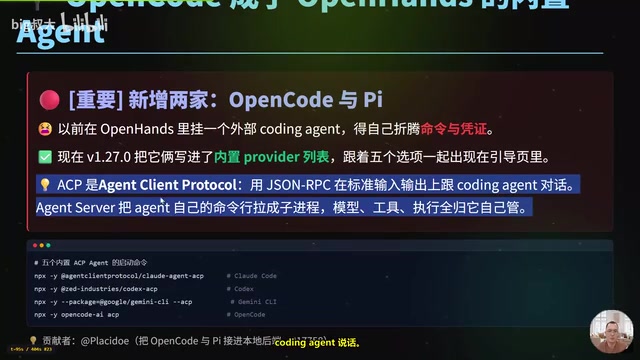
OpenHands v1.28.0: OpenCode and PI Added as Built-in Agents, API Keys Requestable In-Conversation
OpenHands ships 5 releases in 21 days: v1.27.0 adds OpenCode and PI as built-in agents, v1.28.0 enables in-chat key requests. ACP integration, credential reuse, model list changes, and upgrade advice.