Invoker Commands: A New Declarative HTML Alternative to JavaScript

Invoker Commands and Interest Invokers let developers declaratively implement dialogs, popovers, and hover previews in pure HTML, reducing JavaScript dependency.
Invoker Commands is a new web proposal that allows sending commands to specified elements via the `command` and `commandfor` attributes on buttons, enabling declarative opening/closing of dialogs and popovers in pure HTML without JavaScript. Command names mirror JavaScript method names (e.g., `show-modal` corresponds to `showModal()`), and custom commands with a double-dash prefix are supported. The feature is supported in Chrome 135, Firefox Nightly, and Safari Technology Preview, with an easy-to-use polyfill. The article also introduces the more cutting-edge Interest Invokers, which respond to hover, focus, or long-press, support dual functionality on link elements (click to navigate + hover to preview), and come with CSS capabilities like `interest-delay` and `interest-source`. Together they reflect the web platform's trend of moving common interaction patterns from JavaScript down to HTML/CSS.
Invoker Commands: A New Declarative HTML Alternative to JavaScript
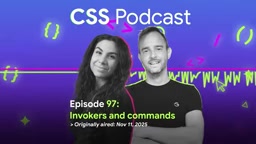
In web development, there are always some interaction patterns that force us to write JavaScript: opening dialogs, toggling popovers, showing preview cards. Now, a new proposal called Invoker Commands is changing all that. In the latest episode of the CSS Podcast, hosts Bramus and Juna discussed this feature in depth—it allows developers to send commands to elements declaratively using pure HTML, completely eliminating a chunk of JavaScript code.
What It Is: From Popover to a More General Command System
The core idea of Invoker Commands is straightforward: let a button send commands to a specified element, all done through HTML attributes. It borrows the concept of the existing popovertarget and popovertargetaction attributes, but its scope goes far beyond popovers.
In practice, you set two attributes on the button element: the command attribute specifies the command to send, and the commandfor attribute contains an ID reference to the target element. To show a modal dialog, for example, give the <dialog> element an ID like my-dialog, then write command="show-modal" and commandfor="my-dialog" on the button. Clicking the button opens the dialog without a single line of JavaScript.
The command naming rules are also intuitive—they mirror the corresponding JavaScript method names, just converted from camelCase to kebab-case. For example, showModal() becomes show-modal, and closing a dialog uses the close command. For popovers, there are show-popover, close-popover, and toggle-popover available as well.

Popover API is an HTML-native overlay mechanism. It marks an element as an overlay via the popover attribute, then enables declarative control through the popovertarget and popovertargetaction button attributes. It solves the long-standing problem of developers relying on JavaScript libraries (like Popper.js) or manually managing z-index and focus. Popovers have light dismiss (click outside or press Esc), focus management, top-layer rendering, and support modes like auto and manual by default. Invoker Commands abstracts this "button controls target" pattern into a general command system, making it applicable not only to popovers but also to dialogs and other elements.
Why It Matters: Filling the Declarative Gap for Dialog
This problem has existed for a long time. According to Bramus's recollection on the show, the <dialog> element landed long before popover, and at the time there was no declarative command specification. Developers could use <form method="dialog"> to close a dialog, but there was always a missing way to open a modal dialog without relying on JavaScript—you had to call dialog.showModal().
Popover's work advanced this area and made the community aware of this gap in dialog. Keith Cirkel, formerly at GitHub and now at Mozilla, and Luke Warlow of Igalia drove the discussion and specification of Invoker Commands in Open UI. In a sense, this is a classic case of popover giving back to dialog.
Currently the specification only defines commands related to dialog and popover, but the discussed extensions are quite rich: sending toggle events to <details> elements, sending a show-picker command to color inputs, controlling play/pause of media elements, and even sending scroll commands to scroll containers. These are not yet formally in the spec, but the direction is clear.
Browser Support and Polyfill
According to information at the time of recording, Invoker Commands is supported in Chrome 135, Firefox Nightly, and Safari Technology Preview. Although stable coverage is not yet complete, the polyfill written by Keith Cirkel greatly lowers the barrier to use—it's a module that works as soon as it's loaded, with no extra configuration steps.
Both hosts recommend prioritizing command/commandfor over the old popovertarget attribute even for popover scenarios, because the convenience of the polyfill lets you try it in production today.

Custom Commands: Double-Dash Prefix
If the built-in commands aren't enough, Invoker Commands leaves an extension point. Commands prefixed with two dashes (like command="--scroll-down") are treated as custom commands. These require JavaScript—you listen for the command event on the document and check the value of event.command in the event handler to execute the corresponding logic. This compresses the boilerplate of event binding into a single unified entry point, rather than scattering it across click handlers for each button.
The command event is a new event type introduced by Invoker Commands, dispatched on the triggering element and bubbles to the document. Unlike the click event, the command event carries properties like command and source, where the command value is the string from the button's command attribute. By listening for the command event on document, developers can uniformly handle all custom commands and avoid binding click listeners to each button individually. This pattern is similar to event delegation, but with clearer semantics and consistency with the triggering mechanism of built-in commands, which benefits code organization and accessibility.
Interest Invokers: The Future of Hover-to-Preview
The latter half of the show discussed a more cutting-edge concept—Interest Invokers. Unlike command invokers triggered by clicks, interest invokers respond to user "expression of interest": hovering on pointer devices, keyboard focus, and long-press on mobile.
You've probably seen this interaction on Wikipedia, Bluesky, or GitHub: hovering over a user avatar or link pops up an overlay card with preview information. Currently these effects rely entirely on large amounts of JavaScript, and the goal of Interest Invokers is to standardize it.

The setup is similar to popover, except popovertarget is replaced with the interestfor attribute. The key difference is that interest invokers can apply to links (<a>), not just buttons. This means the same element can carry dual functionality—click to navigate to a profile page, hover to show a preview card.
Alongside this is a new popover type, popover="hint", which doesn't close other open popovers and allows multiple overlay layers to coexist.
popover="hint" is a new mode of the Popover API designed specifically for hint-type overlays. Unlike the default auto mode, hint popovers do not automatically close other open popovers when opened, allowing multiple overlay layers to coexist (for example, a hover preview card might have nested hints inside). Additionally, hint popovers typically do not take focus, making them suitable for non-modal auxiliary information. This mode is tightly integrated with Interest Invokers, enabling scenarios like hover previews to be implemented declaratively while maintaining independence and accessibility between overlays.
Style Control: Delays and Pseudo-Classes
Interest Invokers brings a set of new CSS capabilities. You can control the delay for showing and hiding overlays via the interest-delay-start and interest-delay-end properties, avoiding accidental triggers when the mouse quickly passes over. These properties accept time values and also support the interest-delay shorthand.
Two new pseudo-classes are also added: interest-source matches the triggering element currently expressing interest, and it takes delay settings into account, making it more precise than :hover; interest-target matches the target element that has gained interest. These style hooks let developers fine-tune the interaction rhythm without JavaScript.
According to Juna, Interest Invokers has not yet shipped in any stable browser, but is available in Chrome Canary and is planned for release soon. She admitted on the show that this feature has been in the works for over three years, with the mobile touch behavior approach going through extensive iteration and research—cross-implementer consensus being the hardest part. Considering that hover cards are such a common UI pattern on the web, a built-in, accessible API is indeed worth looking forward to.
Directions Worth Watching
Invoker Commands and Interest Invokers represent an ongoing trend in the web platform: moving common interaction patterns from JavaScript down to HTML and CSS. For developers, this means less scripting, better accessibility defaults, and cleaner code structure. Although some capabilities are still experimental, the existence of polyfills makes early adoption possible.
One-line Summary
Invoker Commands and Interest Invokers proposals let developers declaratively implement dialogs, popovers, and hover previews in pure HTML, reducing JavaScript dependency.
Paragraph Summary
Invoker Commands is a new web proposal that allows sending commands to specified elements via the command and commandfor attributes on buttons, enabling opening/closing dialogs and popovers declaratively in pure HTML without JavaScript. Command names mirror JavaScript method names (e.g., show-modal corresponds to showModal()), and custom commands with a double-dash prefix are supported. The feature is supported in Chrome 135, Firefox Nightly, and Safari Technology Preview, with an easy-to-use polyfill. The show also introduced the more cutting-edge Interest Invokers, which respond to hover, focus, or long-press, support dual functionality on link elements (click to navigate + hover to preview), and come with CSS capabilities like interest-delay and interest-source. Together they reflect the web platform's trend of moving common interaction patterns from JavaScript down to HTML/CSS.
Related articles

Random Pruning of the DPO Computation Graph: 1.4x Training Speedup and Lower Peak Memory
DPO training too slow and memory-hungry? This paper proposes a random pruning framework for the DPO computation graph, sampling independently across position, sequence, and branch dimensions; branch pruning achieves a 1.426x step-time speedup and cuts training time by about 30%, with in-depth attribution of memory and time gains.

Why Does JEPA Underperform MLM in Longitudinal EHR Representation Learning?
New study compares JEPA and MLM for longitudinal EHR representation learning on MIMIC-IV: three JEPA variants train stably without collapse but underperform MLM; target size, not heterogeneity, drives prediction error.

Transfer Learning + Visible Light Communication: A New Approach to Energy-Efficient Indoor Positioning
A study proposes a transfer learning-based visible light communication indoor positioning method, achieving 47% accuracy improvement on the BOSCH factory dataset, 67.5% model efficiency under high noise, and introducing the ME composite metric for energy-efficient positioning in energy-constrained industrial IoT scenarios.