ipatool: A Powerful Open-Source Command-Line Tool for Downloading App Store IPA Packages

Open-source Go CLI tool for searching and downloading App Store IPA packages across Apple platforms.
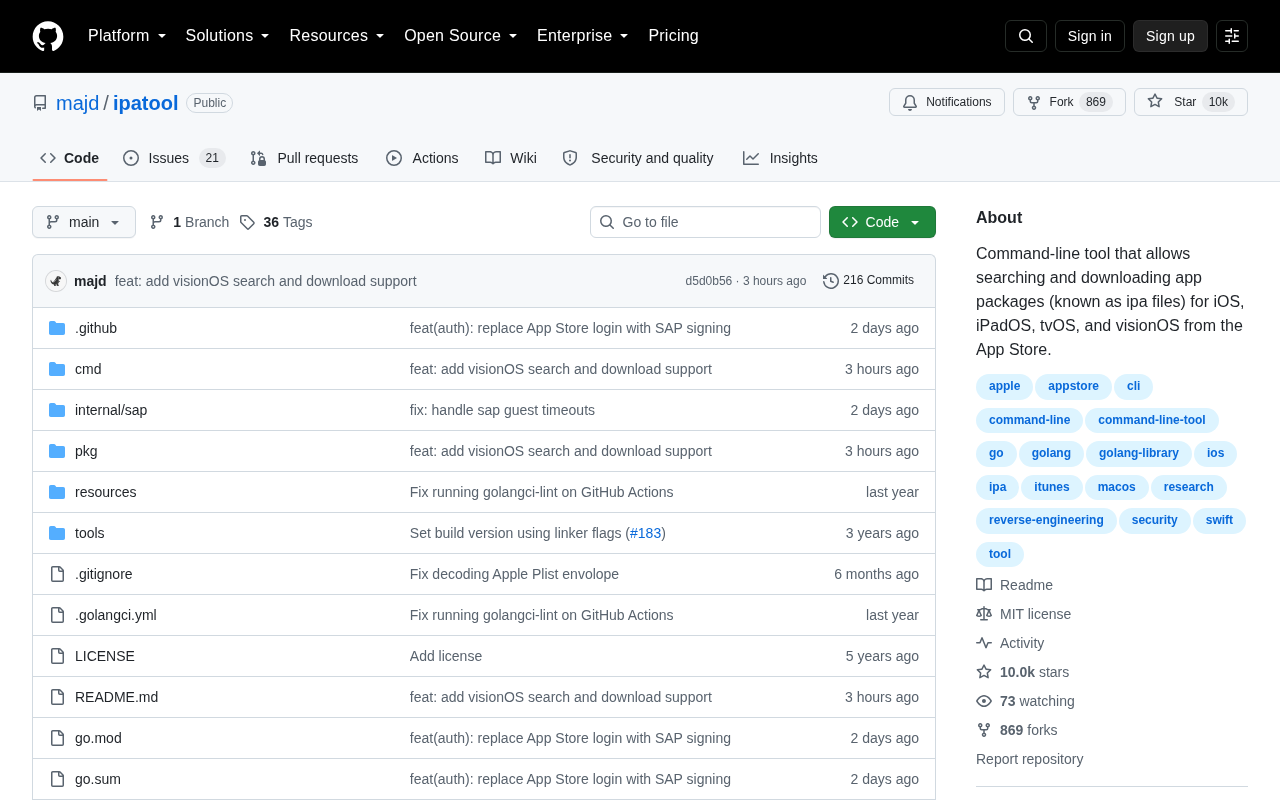
ipatool is a popular open-source command-line tool written in Go that lets users search and download IPA app packages from the App Store, supporting iOS, iPadOS, tvOS, and visionOS. With over 10,000 GitHub Stars, it serves developers, security researchers, and power users for app backup, version management, reverse engineering, and automated workflows while requiring Apple ID authentication and compliance with applicable laws.
What Is ipatool
In the iOS ecosystem, it's not easy for regular users to obtain an app's installation package (i.e., an IPA file). An IPA (iOS App Store Package) file is essentially a ZIP archive containing compiled executables, resource files, code signing information, and metadata such as Info.plist. Apple's closed ecosystem makes the App Store the only official distribution channel, and when iTunes completely removed its app management features in the version 12.7 update back in 2017, users lost the ability to download and manage IPA files directly from a desktop. While Apple Configurator 2 can partially fill this gap, it's cumbersome to use and limited in capability. It's against this backdrop that the open-source project ipatool was born.
ipatool is a command-line tool written in Go that allows users to search for and download IPA app packages from the App Store via the terminal, covering the iOS, iPadOS, tvOS, and visionOS platforms. The project has accumulated over 10,000 Stars and 869 Forks on GitHub, maintaining a highly active community — a testament to its popularity among developers and tech enthusiasts.
Core Features
Command-Line Search and Download of App Store Apps
ipatool's core capability is interacting directly with the App Store via the command line. Users can search for, locate, and download IPA packages without ever opening a graphical interface. The tool achieves this by reverse-engineering Apple's iTunes Store API (a private HTTP-based interface). The authentication process involves Apple's AuthKit framework, including username/password verification, two-factor authentication (2FA) token validation, and obtaining credentials such as dsPersonId and directoryServicesId for downloads. The tool pulls the corresponding IPA files using your Apple ID account permissions.
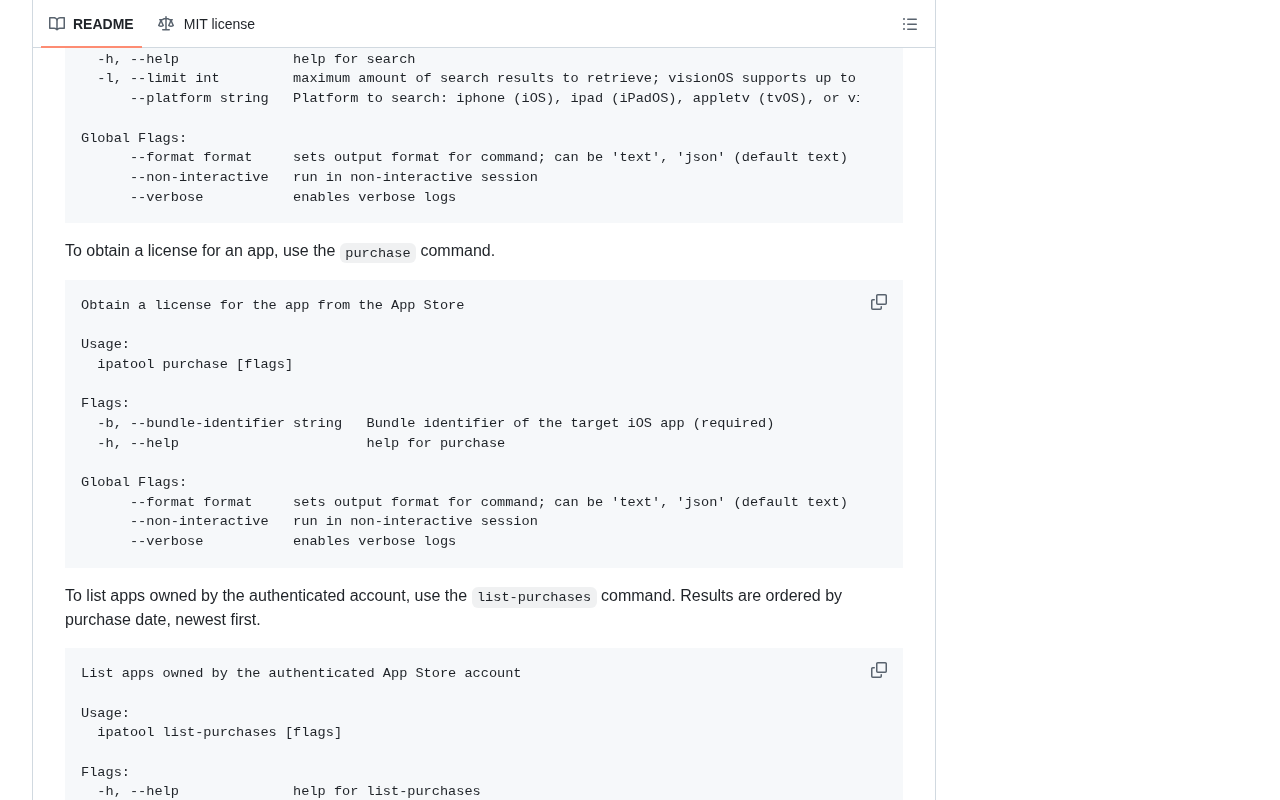
This means the apps you can download are directly tied to the purchase history associated with your account. For apps you've previously purchased or downloaded for free, ipatool can help you re-obtain the installation package — extremely useful for device migration, offline backup, or retaining older versions. It's worth noting that downloaded IPA files typically come with FairPlay DRM encryption, meaning the files remain encrypted and can only be properly installed and run on authorized devices.
Multi-Platform Coverage: iOS, tvOS, and visionOS
Notably, ipatool supports not only traditional iOS and iPadOS app downloads but also extends to tvOS and visionOS. visionOS is Apple's operating system designed for the Vision Pro mixed-reality headset, first unveiled at WWDC 2023. It shares many underlying frameworks with iOS (such as SwiftUI and ARKit) but introduces an entirely new spatial computing paradigm, including three app presentation modes: Windows, Volumes, and Spaces. With the launch of Apple Vision Pro, the visionOS ecosystem is growing rapidly — by 2024, the App Store already featured thousands of native visionOS apps. The ability to manage visionOS app packages from the command line provides developers and researchers in the spatial computing space with a forward-looking avenue for experimentation.
Why Developers Need ipatool
App Backup and Version Management
While Apple's automatic update mechanism is convenient, it introduces a pain point: once an app is updated, the old version becomes nearly impossible to recover. For users who depend on specific version features, or testers who need to compare behavior across different versions, preserving historical IPA files is crucial. ipatool provides a programmable, automatable way to accomplish this kind of backup work. For example, development teams can write scripts to periodically pull the latest versions of competitor apps, building a version archive for subsequent feature comparison and change tracking.
Mobile Security Research and Reverse Engineering
In the mobile security field, researchers frequently need to obtain an app's original installation package for static analysis, vulnerability discovery, or compliance auditing. Static analysis refers to examining an app's binary code, resource files, and configuration information to discover security vulnerabilities or compliance issues — all without actually running the app. Common tools in this workflow include MobSF (Mobile Security Framework) for automated security scanning, class-dump for extracting Objective-C class information, and Hopper or IDA Pro for disassembly and deep reverse engineering. In the overall analysis pipeline, obtaining the IPA file is the first step, followed by decryption (removing the DRM shell), unpacking, decompilation, and more. ipatool serves the foundational yet critical role of "sample acquisition" in this toolchain. Its command-line nature makes it easy to integrate into automation scripts and CI/CD pipelines, providing infrastructure support for large-scale sample collection and security analysis.
Scripting and Automated Workflows
As a pure command-line tool, ipatool is naturally suited for integration into various automated workflows. In CI/CD (Continuous Integration/Continuous Deployment) pipeline scenarios, security teams can combine ipatool with scheduled tasks to automatically pull the latest versions of target apps daily, then automatically run static analysis tools to detect newly introduced permission changes, third-party SDK updates, or potential vulnerabilities, and push results to security dashboards or alerting systems. This kind of automation can compress what would otherwise be a manual process taking several hours down to just a few minutes. Whether it's batch downloading IPA packages, setting up scheduled backup tasks, or combining with other tools for secondary processing, the single executable compiled in Go offers excellent cross-platform deployment capability and runtime efficiency.
Important Considerations When Using ipatool
Apple ID Account and Authorization
Using ipatool requires logging in with an Apple ID, and the tool handles the full authentication flow (including two-factor authentication). It's important to note that you can only download apps associated with that account — the tool cannot bypass Apple's payment or authorization mechanisms. This design aligns with technical reality and also mitigates legal risks to a certain extent. Additionally, frequent API calls may trigger Apple's risk control mechanisms, potentially leading to temporary account lockouts. It's advisable to control request frequency and avoid using your primary account for large-scale operations.
Compliance Reminder
Although ipatool itself is a neutral technical tool, users should still comply with local laws and regulations as well as Apple's terms of service. Downloading and distributing copyrighted app packages may constitute infringement, so it's recommended to use the tool for legitimate purposes such as personal backup and security research. In the security research field, many countries and regions grant certain legal exemptions for good-faith security research, but the specific compliance boundaries vary by jurisdiction. Users should fully understand the legal framework of their own region.
Technical Choice: Why Go
The choice of Go for ipatool's development is no accident. Go's static compilation allows the tool to be packaged as a single binary file with no complex runtime dependencies, capable of running conveniently on macOS, Linux, and even Windows. Unlike Python scripts that require an interpreter and dependency packages, or Java programs that need a JVM runtime, Go-compiled binaries can be directly copied to a target system and executed. More importantly, Go natively supports cross-compilation — developers only need to set two environment variables, GOOS and GOARCH, to generate executables for different operating systems and CPU architectures from a single machine. This enables ipatool to cover macOS (ARM64/AMD64), Linux, and Windows at minimal distribution cost. This "out-of-the-box" experience is a key reason why excellent command-line tools become widely popular.
Furthermore, Go's outstanding goroutine concurrency model provides performance guarantees for scenarios like batch downloading. Goroutines are Go's lightweight coroutines with extremely low creation costs (requiring only a few KB of memory). Combined with the channel communication mechanism, they can efficiently manage hundreds or even thousands of concurrent download tasks. For research scenarios that need to process large volumes of app packages, this is particularly important.
Conclusion
ipatool fills a long-standing gap in the iOS ecosystem — enabling users to conveniently search, download, and manage App Store IPA packages from the command line. With its clean design, multi-platform support, and strong automation capabilities, it has earned the endorsement of over ten thousand developers.
For developers, security researchers, and power users, ipatool is a practical tool well worth adding to your toolkit. While enjoying its convenience, always keep compliance in mind and use its technical capabilities for legitimate and reasonable purposes.
Related articles

Chain of Thought Isn't Just for AI: How Humans Can Use CoT to Improve Thinking Quality
Chain of Thought isn't just a prompt trick for large models. Starting from a Hacker News discussion, this article analyzes why CoT works for human thinking too, breaks down actionable ways to transfer it, and highlights the key differences between human CoT and machine CoT.
Cloudflare Teams Up with OpenAI: Closi…
Cloudflare Teams Up with OpenAI: Closing the Loop from Vulnerability Discovery to Defense with AI
Cloudflare uses OpenAI Daybreak to investigate security vulnerabilities and generate reviewable remediation plans, while developers use Codex to boost coding efficiency and quality.

Orca Multi-Agent Orchestration in Practice: A Guide to Parallel Collaboration with Claude and Codex
Orca is Stable AI's free open-source agent workbench supporting 34 agents like Claude Code and Codex in parallel. Learn its Git worktree isolation, multi-model orchestration, and mobile management.