Jenkins Deep Dive: The Evergreen King of CI/CD Automation

A deep dive into why Jenkins remains the dominant force in CI/CD automation.
This article provides an in-depth analysis of Jenkins, the open-source automation server that continues to lead the CI/CD space. It explores Jenkins' evolution from Hudson, its core architecture including Pipeline as Code and distributed Master-Agent builds, its unmatched plugin ecosystem of 1,800+ plugins, and how it compares against cloud-native alternatives like GitHub Actions and GitLab CI. The article offers practical guidance on when Jenkins is the right choice and when lighter alternatives may be more appropriate.
Introduction: Why Jenkins Remains a Pillar of Automation
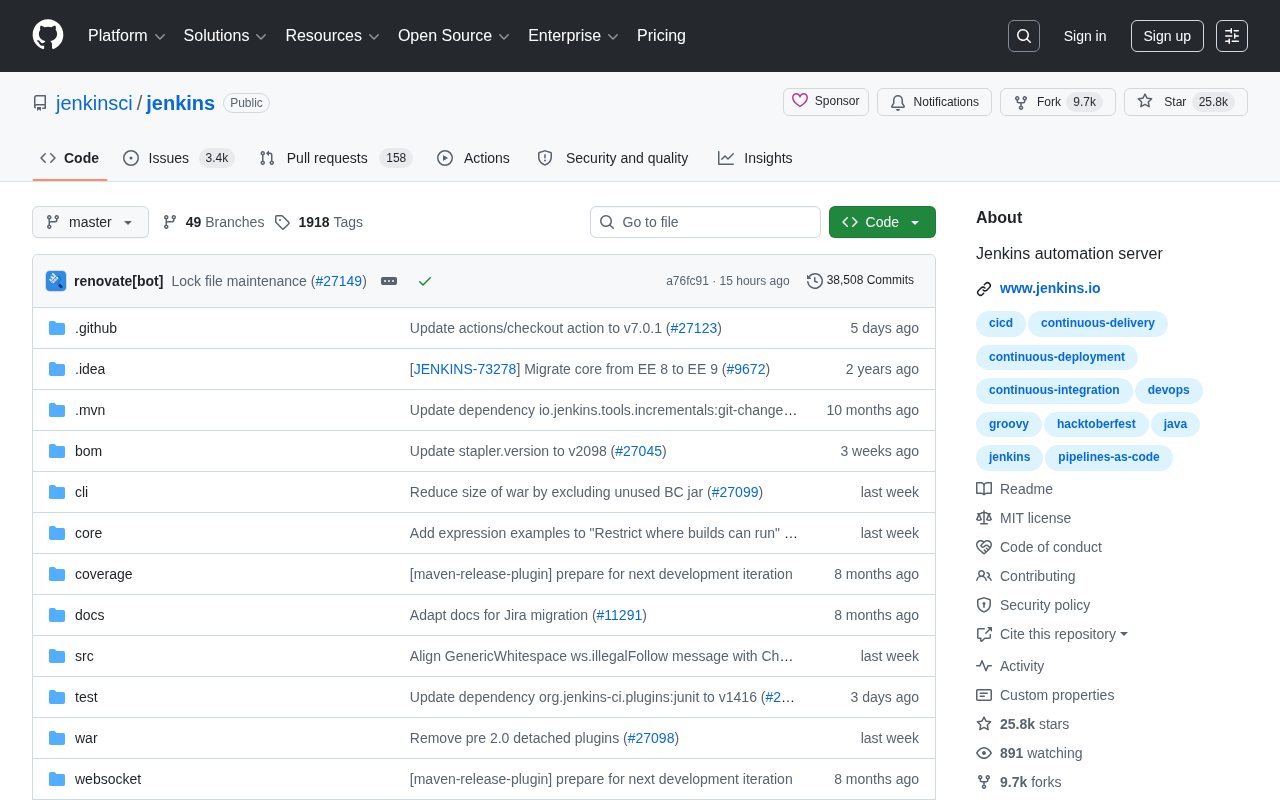
In an era where CI/CD (Continuous Integration/Continuous Delivery) tools are emerging left and right, Jenkins — an open-source automation server born in 2011 — continues to hold a mainstream position in the industry. As of now, its GitHub repository has amassed over 25,800 Stars and 9,664 Forks, maintaining an active pace of hundreds of new Stars per day. Behind these numbers lies a mature, stable open-source project with a massive ecosystem, powering the software delivery pipelines of countless enterprises worldwide.
As a core practice of modern software engineering, CI/CD is driven by deep engineering pain points. Continuous Integration (CI) refers to developers frequently merging code changes into a shared mainline, with each merge triggering automated builds and tests to catch integration defects as early as possible. Continuous Delivery (CD) extends CI further, ensuring the codebase is always in a releasable state. Taking it a step further, Continuous Deployment fully automates the path from code commit to production release. This set of practices arose from the pain of "integration hell" in traditional waterfall development — where large volumes of code developed in isolation on separate branches would cause massive conflicts and defects upon merging. Martin Fowler and others systematically articulated CI methodology in the early 2000s, and Jenkins was one of the pioneers in turning this vision into a practical tool.
This article provides an in-depth analysis of why Jenkins has maintained its leading position amid fierce competition, examining its technical architecture, ecosystem advantages, and applicable scenarios.
What Is Jenkins: The Core Identity of an Automation Server
The Evolution from Hudson to Jenkins
Jenkins originally grew out of the Hudson project at Sun Microsystems. Hudson was created by Kohsuke Kawaguchi in 2004 while working at Sun, initially to address his team's build automation needs. After Oracle acquired Sun, a serious dispute erupted over control of the Hudson trademark. Oracle attempted to register Hudson as its own trademark and exert greater control over project governance, which fundamentally conflicted with the open-source community's spirit of self-governance. In early 2011, the community voted overwhelmingly (214 to 14) to rename the project Jenkins and operate independently. Kawaguchi and most core contributors migrated to the Jenkins project, while Oracle's Hudson was eventually marked as a retired project by the Apache Foundation in 2017. This history imbued Jenkins with a strong community-driven DNA from its very inception, making it a classic case study in open-source governance history. It also profoundly revealed the tension between corporate control and community autonomy, establishing Jenkins' open and extensible technical foundation.
As an automation server written in Java, Jenkins' core mission is to automate repetitive tasks in the software development process — including code building, test execution, artifact packaging, and deployment. It can function as a simple CI server or serve as a complete CD hub for project delivery.
Core Operating Mechanism
Jenkins' operational logic revolves around "Jobs" and "Pipelines." When changes occur in a code repository, Jenkins triggers predefined build processes through Webhooks or polling mechanisms, automatically executing a series of steps such as compilation, unit testing, and integration testing, with results fed back to the development team in real time.
These two trigger mechanisms each have their own characteristics. A Webhook is an event-driven callback mechanism: when a developer pushes code to a Git repository, the code hosting platform (such as GitHub, GitLab, or Bitbucket) proactively sends an HTTP POST request carrying change information to a pre-configured Jenkins URL. Upon receiving the notification, Jenkins immediately triggers the build task. This approach offers strong real-time performance and low resource consumption, making it the recommended approach for production environments. Polling (SCM Polling), on the other hand, has Jenkins proactively check the code repository for new commits at preset time intervals (typically defined via Cron expressions), triggering a build if changes are detected. Polling is simple to configure and doesn't depend on external callbacks, but it introduces latency and generates unnecessary network requests. It remains a reliable fallback in network-isolated environments or scenarios where Webhooks cannot be configured.
In recent years, Jenkins has vigorously promoted the Pipeline as Code concept, allowing developers to define entire delivery processes using declarative or scripted syntax through a Jenkinsfile, bringing pipeline configuration under version control and greatly enhancing maintainability and reusability. Pipeline as Code is a practice of storing build, test, and deployment pipeline definitions as code in a version control system, with the Jenkinsfile typically placed in the root directory of the project source repository. The Declarative syntax provides structured, readable Pipeline definitions suitable for most standard scenarios, while the Scripted syntax, based on the Groovy language, offers full programming flexibility for handling complex conditional logic and dynamic workflows. The core advantages of this practice include: pipeline configuration undergoes version control and code review alongside application code, making the change history of build processes traceable and rollbackable; different project branches can have different pipeline definitions, enabling true branch-level CI/CD strategies; and it eliminates the "snowflake server" problem — where Jenkins instance configurations exist only on the local server and cannot be reproduced.
Jenkins' Core Competitive Advantages: Plugin Ecosystem, Flexibility, and Community
An Unmatched Plugin Ecosystem
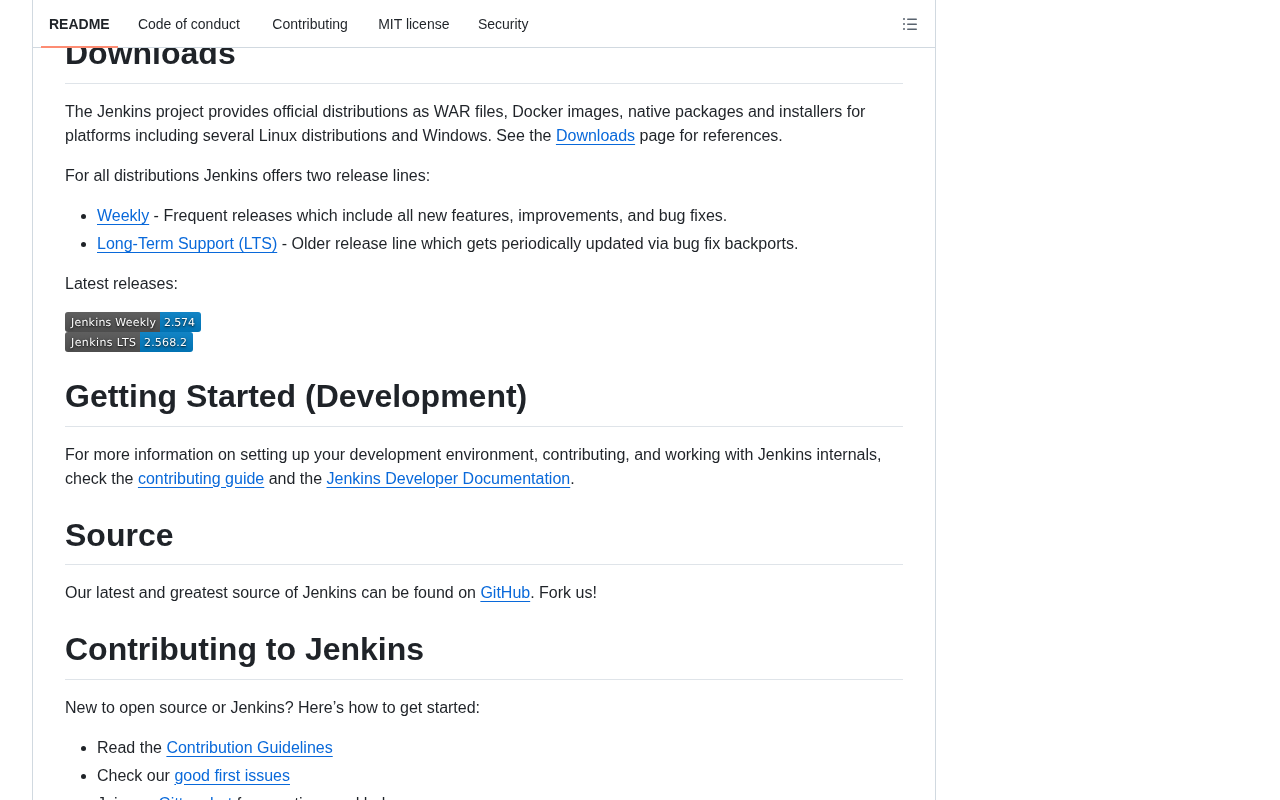
Jenkins' greatest moat lies in its massive plugin system. Currently, the official Jenkins plugin marketplace hosts over 1,800 plugins, covering virtually every DevOps scenario — from source code management (Git, SVN) and build tools (Maven, Gradle) to container technologies (Docker, Kubernetes) and notification integrations (Slack, email).
Understanding Jenkins' position in the DevOps toolchain helps appreciate the strategic value of its plugin ecosystem. DevOps is a cultural and practice movement that emphasizes close collaboration between Development and Operations teams, with the core goal of shortening the system development lifecycle while ensuring high-quality continuous delivery. Key pillars of DevOps include automation, monitoring and feedback, Infrastructure as Code, and a culture of continuous improvement. Jenkins plays the role of an "orchestration hub" in the DevOps toolchain — it not only executes build and test tasks itself but also chains together code management (Git), artifact repositories (Nexus/Artifactory), container orchestration (Kubernetes), configuration management (Ansible), monitoring and alerting (Prometheus), and other tools through its plugin ecosystem into an end-to-end automated delivery system.
This "everything as a plugin" architectural design means that regardless of the technology stack a team uses, there's almost always a corresponding integration solution available. This is the key reason many enterprises stick with Jenkins even when facing newer CI/CD tools — migration costs are high, and the ecosystem coverage has virtually no gaps.
Highly Flexible Self-Hosting and Distributed Architecture
As a fully open-source project, Jenkins can be self-hosted on enterprise internal servers, private clouds, or public cloud environments. For enterprises with strict data compliance requirements or those who want complete control over their build environments, this autonomy is far more attractive than SaaS-based CI services.
Additionally, Jenkins supports a Master-Agent (also called Controller-Agent) distributed architecture, enabling build tasks to be distributed across multiple nodes for parallel execution to handle the CI demands of large-scale projects. In this architecture, the Master node (controller) is responsible for managing build configurations, scheduling tasks, providing the web interface, and storing build history and logs, while Agent nodes execute the actual build tasks. The two communicate via protocols such as JNLP (Java Network Launch Protocol), SSH, or WebSocket. This architecture brings multiple advantages: first, resource isolation — the computational load of build tasks doesn't affect the stability of the Master node's management functions; second, heterogeneous environment support — different Agents can run different operating systems and software environments (e.g., Linux for Java projects, macOS for iOS apps, Windows for .NET projects), enabling cross-platform builds; and finally, elastic scaling — combined with Kubernetes or cloud platform Agent plugins, Jenkins can dynamically create and destroy Agent Pods or virtual machines based on the build queue, achieving on-demand scaling and avoiding idle resource waste.
An Active Open-Source Community and Continuous Iteration
The 25,800 Stars and nearly 10,000 Forks clearly reflect the vitality of the Jenkins community. The sustained daily growth in Stars shows that this "veteran" project hasn't declined over time but continues to attract new users. Frequent version iterations, timely security patches, and rich documentation resources collectively ensure Jenkins' stability and reliability.
Challenges Jenkins Faces and the Competitive Landscape
The Rise of Cloud-Native CI/CD Tools
In recent years, cloud-native CI/CD tools like GitHub Actions, GitLab CI, and CircleCI have been rapidly capturing market share with their out-of-the-box functionality, simple configuration, and deep integration with code hosting platforms. These tools represent a design philosophy fundamentally different from Jenkins. GitHub Actions, officially released in 2019, is embedded directly within the GitHub platform. Users define workflows through YAML files to achieve automation without needing to set up and maintain a separate CI server, and its Marketplace offers thousands of community-contributed reusable Actions. GitLab CI/CD is similarly built into the GitLab platform, defining pipelines through .gitlab-ci.yml files and achieving full lifecycle management from code hosting to deployment monitoring. CircleCI operates primarily as a cloud-hosted SaaS model, renowned for its blazing-fast build startup times and intelligent caching mechanisms. These tools share common characteristics: zero operational overhead (infrastructure maintenance handled by the platform provider), native deep integration with code hosting platforms, and modern UI and developer experience.
By comparison, Jenkins does have shortcomings in initial configuration complexity and UI modernization. For small-to-medium teams or lightweight projects, cloud-native solutions can often achieve equivalent automated build capabilities at lower operational costs. This increasingly positions Jenkins as a heavyweight choice for large enterprises and complex delivery scenarios. However, these cloud-native tools generally fall short of Jenkins in customization flexibility, self-hosting capabilities, complex orchestration logic, and support for non-mainstream toolchains. The essence of tool selection lies in the trade-off between "control and convenience."
Operational Costs Cannot Be Ignored
Jenkins' powerful flexibility comes at a cost — self-hosting means enterprises must invest operational resources in maintaining Jenkins instances, managing plugin versions, and handling security updates. Plugin compatibility issues and performance bottlenecks on the master node are challenges that arise in real-world usage.
Applicable Scenarios and Selection Recommendations
When to Choose Jenkins
Overall, Jenkins is particularly well-suited for the following scenarios:
- Complex enterprise-level delivery processes: Large-scale projects requiring highly customized Pipelines and integration with multiple heterogeneous systems.
- Strict compliance and data security requirements: Financial and government environments where self-hosting is mandatory and data cannot leave the internal network.
- Heterogeneous technology stacks: Teams using multiple programming languages and toolchains that need a unified automated build platform.
When to Consider Alternatives
If your team is small, your project structure is simple, and you're already using GitHub or GitLab for code hosting, the natively integrated CI/CD tools may be the more hassle-free choice.
Conclusion
Jenkins has become an "evergreen" in the CI/CD space not because of any single technological advantage, but through the long-accumulated moat of its plugin ecosystem, extreme flexibility, and the sustained vitality brought by an active community. Despite challenges from the new generation of cloud-native tools, Jenkins' position in complex enterprise scenarios remains solid. For DevOps teams committed to building reliable, controllable automated delivery systems, Jenkins remains an essential tool worth mastering in depth.
Key Takeaways
Related articles
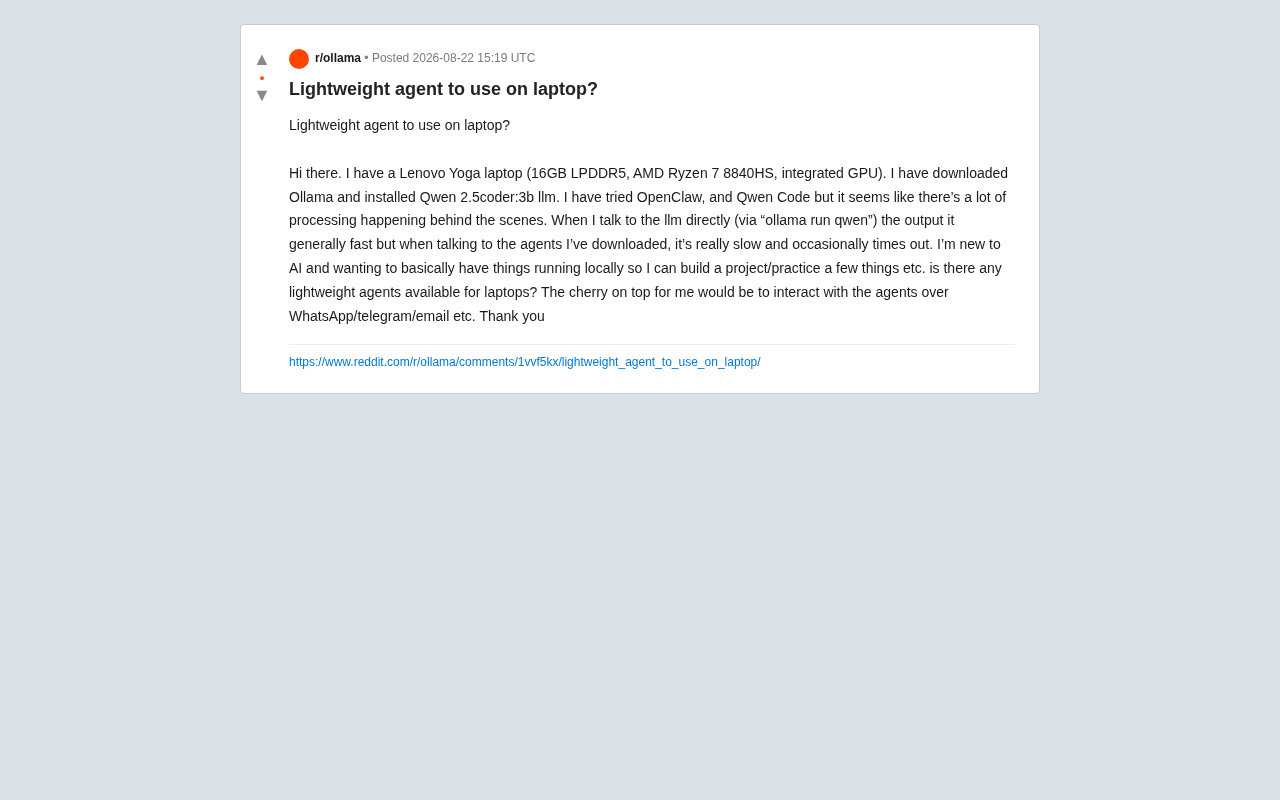
Local AI Agent Deployment Too Slow? A Lightweight Optimization Practical Guide
Local AI Agent deployment slow and timing out? This guide covers Agent framework overhead, hardware bottlenecks, and practical optimizations including context trimming, quantization, and Telegram Bot integration.

Choosing a Laptop for AI Studies: MacBook vs NVIDIA Laptop — An In-Depth Comparison Guide
In-depth analysis for AI students choosing laptops: MacBook Air M5 with remote GPU vs NVIDIA laptop, comparing CUDA support, portability, battery life, and value.

Self-Hosted LLM Tech Stack: A Complete Guide to Managing Your Local AI Cluster from the Terminal
A deep dive into self-hosting LLM tech stacks: inference engines, model management, vector databases, and how to manage your local AI cluster from the terminal.