Kijai Updates MiniMax-H3 VAE: Lower VRAM Usage Without Quality Loss
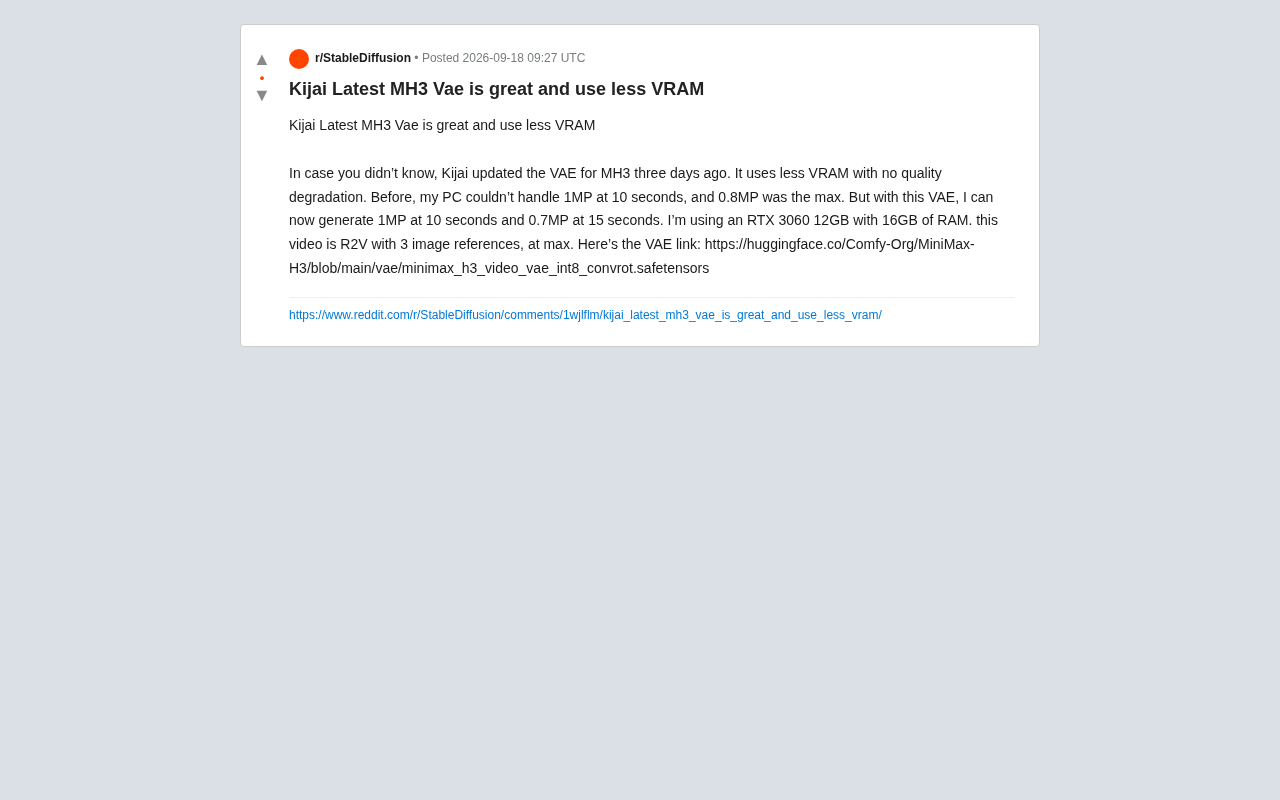
Kijai's int8 quantized VAE for MiniMax-H3 cuts VRAM usage, enabling 1MP/10s video on RTX 3060 12GB.
Open-source contributor Kijai updated the VAE for MiniMax-H3 (MH3) with int8 quantization and convrot structural optimization, significantly reducing VRAM usage with virtually no quality loss according to user reports. An RTX 3060 12GB user confirmed that the previously impossible 1MP/10s generation now works, and 0.7MP/15s is also achievable. The updated VAE is available on Hugging Face's Comfy-Org repository as a drop-in replacement.
Kijai Updates MiniMax-H3 VAE: Lower VRAM Usage Without Quality Loss
In the AI video generation community, VRAM has always been a hard barrier. For creators relying on consumer-grade GPUs, whether they can produce higher-resolution, longer videos within limited VRAM directly determines a tool's practical usability. Recently, prolific open-source contributor Kijai updated the VAE model for MiniMax-H3 (MH3). According to user tests on Reddit, this update significantly reduces VRAM consumption with virtually no quality degradation.
What This Update Delivers
A Reddit user running an RTX 3060 12GB reported that Kijai updated the MH3 VAE component three days ago. The most immediate benefit: generating at equal or higher specs while using less VRAM — with no observable quality loss.
For mid-to-low-end GPU users, this kind of optimization is often more practical than improvements to the model's raw capabilities. The VAE (Variational Autoencoder) handles encoding and decoding between latent space and pixel space, making it one of the primary VRAM consumers in any video/image generation pipeline. A more efficient implementation — in this case, an int8 quantized version — can meaningfully cut VRAM usage during the encode/decode phase.
Benchmark Results: Gains in Resolution and Duration
The user's comparison is straightforward:
- Before the update: The PC couldn't handle 1MP (megapixel) at 10 seconds; 0.8MP was the ceiling.
- After the update: Successfully generated 1MP / 10 seconds, as well as 0.7MP / 15 seconds video.
The test hardware was an RTX 3060 12GB GPU + 16GB RAM — a very typical entry-level setup. The task was an R2V (Reference-to-Video) workflow using up to 3 reference images.
The numbers speak clearly: the update not only makes the previously impossible 1MP@10s feasible, but also allows trading some resolution for 15 seconds of runtime at 0.7MP. The same hardware now offers meaningfully more creative headroom.
A note on "MP (megapixel)" as a video resolution metric: 1MP equals approximately 1 million pixels. Common equivalent resolutions: 1MP ≈ 1280×800 or 960×1024; 0.8MP ≈ 1024×768; 0.7MP ≈ 1280×576. In video generation, VRAM consumption scales proportionally — and sometimes super-linearly — with "resolution × frame count". This is why the RTX 3060 couldn't handle 1MP@10s before the update but can after it.
Why the int8 Quantized VAE Matters
The updated model file is named minimax_h3_video_vae_int8_convrot.safetensors. Two key details stand out in the filename:
int8 Quantization
int8 means the original high-precision weights are compressed into 8-bit integer representation. Quantization is a standard technique for reducing VRAM and compute overhead, but the challenge lies in compressing precision without visibly hurting output quality. The user's report of "no quality degradation" is exactly what makes this update noteworthy — if quantization can be done with near-zero perceptual loss, it's essentially a free win for VRAM-constrained users.
How quantization works: The core idea is mapping floating-point weights (typically float32 or float16) to low-bit integer representations. With int8, each weight is stored as an 8-bit integer, cutting memory usage in half compared to float16 and reducing inference bandwidth pressure accordingly. Quantization isn't simple truncation — it involves a calibration step to determine per-layer scaling factors, allowing integer values to approximate the original float distribution with minimal error. For a VAE, which involves heavy convolutional operations, weight quantization yields especially notable VRAM savings. The challenge is that VAE decoders are sensitive to numerical precision — small quantization errors can be amplified in pixel space, producing color artifacts, banding, or blurred details. "No quality degradation" is therefore not a given with quantization; it requires careful quantization strategy and thorough calibration to achieve.
convrot Structural Optimization
The convrot in the filename suggests convolution/rotation-related architectural adjustments, typically aimed at improving inference efficiency or latent space representation. While the original post doesn't expand on technical specifics, the real-world results reported by the community suggest these changes work together with int8 quantization to strike the right balance between VRAM and quality.
On
convrot: In the open-source community, this naming convention is often associated with "rotary positional encoding applied to convolutional layers" or "rotational decomposition of convolutional weights." One common approach decomposes standard convolution kernels into rotation-invariant base structures and learnable rotation parameters, preserving expressive capacity while reducing effective parameter count and inference overhead. Another interpretation involves introducing rotary positional representations in latent space (analogous to RoPE in Transformers), improving generalization across temporal or spatial dimensions. Regardless of the specific implementation, the combination ofconvrotand int8 quantization suggests this update applies coordinated optimizations at two levels — weight precision and network architecture — and it's their combined effect that produces the substantial VRAM reduction.
What This Means for Consumer GPU Users
The RTX 3060 12GB is the workhorse GPU for a large segment of AI creators, and 12GB of VRAM isn't comfortable headroom for video generation tasks. Community-driven optimizations like this often transform "can't run it" into "barely runs" or even "runs smoothly."
More importantly, this illustrates the core value of the open-source ecosystem: the base model capabilities come from the original team's release, while quantization, optimization, and hardware-specific adaptation are continuously iterated by contributors like Kijai — ultimately benefiting a much broader user base. For independent creators on a budget who can't afford high-end GPUs, updates like this are practically as valuable as a full model version upgrade.
How to Get It
The updated VAE is hosted in the Comfy-Org repository on Hugging Face. Interested users can download it and drop it in as a replacement for the existing VAE file:
Model page: huggingface.co/Comfy-Org/MiniMax-H3
One caveat: the performance figures above come from a single Reddit user's tests on specific hardware running a specific workflow (R2V + 3 reference images). Actual results may vary depending on GPU model, drivers, workflow configuration, and generation parameters. It's worth running a small-scale test in your own environment before committing to full production use.
Summary
This MH3 VAE update is a textbook case of "small but impactful": no flashy new features, but through int8 quantization and structural optimization, it concretely lowers the VRAM barrier and lets entry-level GPUs handle higher-spec video generation tasks. For users following MiniMax-H3 and ComfyUI video workflows, this is a worthwhile upgrade to try.
Related articles

Deleted Reddit Post Sparks Debate Over AI Content Moderation
A Reddit post removed with only a 'Removed by Reddit' notice highlights AI content moderation's transparency gaps, misjudgment risks, and appeal challenges for platforms and creators.

DSH + Ollama Local LLM Deployment in Practice: Free Chat with Da Fei Yu
Bilibili creator tests DSH + Ollama local LLM deployment end to end: Ollama install, Xunlei-accelerated downloads, ModelScope GGUF model import, DSH custom API address setup, and a comparison of Qwen 3.5 4B, 8B, Gemma, and other models on 8GB VRAM, with advice on choosing local deployment vs. API calls.

Tested: A $899 Mac Mini vs. a $200/Month AI Subscription
Real-world test of whether an M4 Mac mini can replace a $200 AI subscription: 16GB can't fit large models, and both speed and quality fall short—but privacy, no caps, and near-zero running costs make it an ideal host for an always-on agent. Includes buying advice per configuration and money-saving strategies.