KREA2 to H3 Minimax: Deconstructing an AI Image-to-Video Workflow
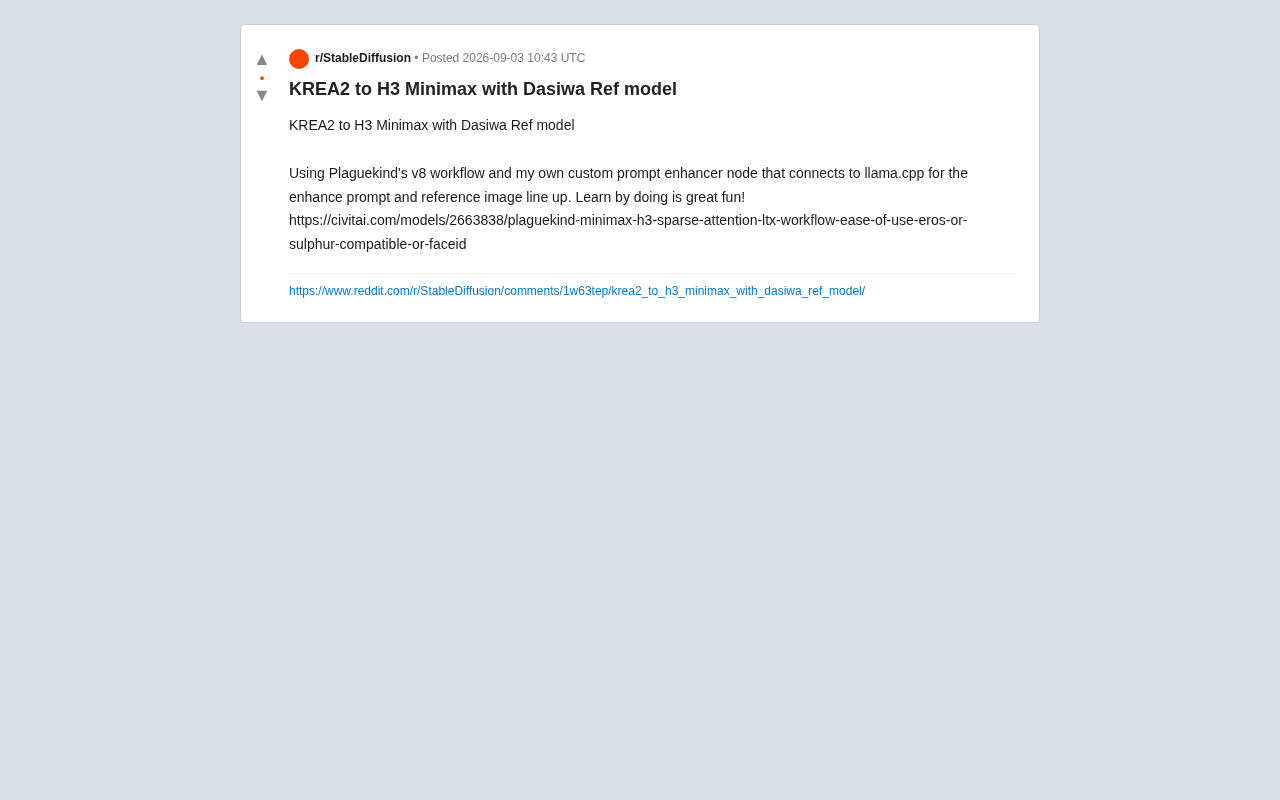
Deconstructing a modular AI image-to-video workflow combining KREA2, H3 Minimax, and custom llama.cpp nodes
This article analyzes a cutting-edge AI image-to-video workflow that chains KREA2 image generation, H3 Minimax video synthesis with sparse attention, Dasiwa reference models for consistency, and custom llama.cpp prompt enhancement—all within ComfyUI. It reveals how modular, local AI pipelines are reshaping video creation.
Introduction: The "Learn by Doing" Philosophy in AI Creation
In the AI-generated content (AIGC) field, tools evolve far faster than most people can learn. From 2023 to 2025, AIGC technology has leaped from text-to-image to image-to-video—just as the public was getting familiar with image generation tools like Stable Diffusion and Midjourney, video generation models such as Runway Gen-3, Kling, and Minimax emerged in rapid succession, shrinking iteration cycles from years to months or even weeks. This acceleration means the traditional path of "systematic learning before practice" no longer applies. Creators must learn and adapt in lockstep with tool evolution.
Recently, a Reddit creator shared their complete workflow from KREA2 to H3 Minimax, combining the Dasiwa reference model with Plaguekind's v8 workflow to showcase cutting-edge practice in open-source image-to-video (I2V) generation.
The value of this case lies not only in the final output but in revealing a typical AI creation methodology—"Learn by doing." For creators looking to enter AI video generation, understanding the combinatorial logic of this workflow matters more than mastering any single tool.
Workflow Breakdown: Technical Pipeline from Static Images to Dynamic Video
Core Components
This AI image-to-video workflow consists of several key parts, each serving a distinct role:
-
KREA2: The starting point for image generation, responsible for producing high-quality static base materials. KREA is a platform focused on AI image generation and enhancement, with its second-generation product showing significant improvements in image quality, style controllability, and generation speed. Compared to general-purpose Stable Diffusion, KREA2 has deeply optimized the generation pipeline and excels particularly at producing well-composed, detail-rich materials. In image-to-video workflows, the quality of the initial image directly determines the ceiling of the final video—blurry, poorly composed, or semantically unclear input images lead to severe artifacts and logical errors in video generation models, making the choice of a high-quality image generation tool as the starting point critical.
-
H3 Minimax: The core video generation engine, employing sparse attention mechanisms. Minimax is an AI company with outstanding performance in video generation, whose Hailuo series models have gained widespread recognition in the open-source community for motion naturalness and physical consistency. The H3 version introduces optimizations like sparse attention, dramatically reducing memory and computational requirements while maintaining generation quality. Minimax's models have unique advantages in handling character dynamics, camera movement, and scene transitions, making them a popular choice for the video generation stage in I2V workflows.
-
Dasiwa Ref model: A reference model used to ensure character or style consistency. In AI video generation, "character consistency" is a core challenge—because generation models infer each frame independently, facial features, clothing details, and body proportions easily drift between frames. Reference models extract key visual features from reference images and inject these features as conditions during generation, ensuring the subject in the output video remains consistent with the reference throughout. This is similar to ControlNet's role in image generation but extended to the temporal dimension.
-
Plaguekind v8 workflow: A ComfyUI workflow template that integrates the above components. ComfyUI is a node-based visual AI workflow editor that allows users to combine different AI models, preprocessing steps, and post-processing logic like building blocks. Unlike traditional WebUI-style tools, ComfyUI exposes complete generation pipeline details, allowing users to precisely control parameters and data flow at each step. The so-called "v8 workflow" is where community creators package validated node combinations as shareable JSON files that other users can directly import or modify, dramatically lowering the barrier to building complex AI pipelines.
From a technical architecture perspective, this is a typical "static image → reference alignment → dynamic video" generation chain. Creators first obtain high-quality images through KREA2, then transform them into dynamic videos using H3 Minimax, while the Dasiwa reference model anchors visual consistency throughout the process.
Why Sparse Attention Matters
The "Sparse Attention" specifically noted in the workflow name deserves attention. In video generation tasks, models need to process vast amounts of spatiotemporal information, making traditional full attention mechanisms extremely computationally expensive.
To understand the value of sparse attention, we need context: in Transformer architectures, standard self-attention mechanisms calculate associations between every element and all other elements in the sequence, with computational complexity of O(n²). For video generation tasks, sequence length n includes not only spatial dimensions (pixels/tokens per frame) but also temporal dimensions (frame count), causing computation to explode. For example, a 3-second, 24fps, 512×512 resolution video might contain millions of tokens, making full attention computation practically infeasible on consumer hardware.
Sparse attention uses predefined or learned attention patterns (such as local windowed attention, strided attention, or axial attention) to compute only critical token pair associations, reducing complexity to O(n·log n) or even O(n) levels. This dramatically lowers computational overhead, making video generation on consumer hardware possible. In models like LTX-Video, this technology makes generating smooth video on consumer GPUs with 24GB or even 12GB of memory a reality.
This also explains why the workflow emphasizes "ease of use"—through the combination of LTX (Lightricks' video generation model) and sparse attention, ordinary users can locally accomplish tasks that previously required professional compute resources.
Core Innovation: Custom Prompt Enhancement Node
Technical Ingenuity of Connecting llama.cpp
The most technically sophisticated part of this case is the creator's self-developed custom prompt enhancer node. This node connects directly to llama.cpp and implements two key functions:
-
Automatic prompt enhancement: Uses locally deployed large language models to automatically expand simple user inputs into richer, more descriptive prompts. Prompt engineering is a core skill in AIGC, but manually writing detailed prompts is both time-consuming and experience-intensive. The core idea of prompt enhancement is leveraging language models' semantic understanding to automatically expand brief user inputs (like "a girl running in the rain") into complete prompts containing lighting descriptions, cinematic language, environmental atmosphere, action details, and more.
-
Reference image alignment: Keeps text prompts semantically consistent with reference images. In I2V scenarios, prompt enhancement must also consider existing visual elements in reference images to avoid semantic conflicts between prompts and images. For example, if the reference image is a daytime scene, the prompt should not contain "nighttime" descriptions. The custom node in this case uses llama.cpp connection to automatically complete this alignment work.
llama.cpp is an efficient C++ inference framework created by Georgi Gerganov in 2023, initially to run Meta's LLaMA models on MacBooks. It implements large language model inference engines in pure C/C++, supports various quantization formats (like GGUF), and can run models with billions of parameters on CPUs with extremely low resource usage. Key innovations include 4-bit/5-bit quantized inference (compressing model size to 1/4 to 1/8 of original), support for Metal acceleration on Apple Silicon, and CUDA GPU acceleration. Integrating it into image/video generation workflows means the entire AI video creation process can run in a completely local closed loop without relying on cloud APIs. This has important practical value for creators who prioritize data privacy and pursue zero marginal costs.
Trend Toward Local AI Pipelines
This design reflects an important trend in AIGC: migration from cloud services to local pipelines. By linking language models (llama.cpp), image generation (KREA2), and video generation (H3 Minimax) locally, creators gain greater control and lower long-term costs.
Economically, cloud API pay-per-use models are especially costly during experimentation—a creator debugging a workflow might need dozens or even hundreds of attempts, with each call generating fees. Local deployment has virtually zero marginal cost, allowing creators unlimited experimentation and iteration. From a privacy perspective, creative materials and prompts need not be uploaded to third-party servers, which is especially important for commercial projects or sensitive content creation.
This modular, composable workflow thinking is the fundamental reason node-based tools like ComfyUI are popular—they transform AI creation from "black box invocation" to "orchestratable engineering practice."
Practical Insights for AI Video Creators
Tool Combination Ability Matters More Than Mastering Single Tools
The biggest lesson this case offers AI creators is: future competitiveness lies in tool combination and workflow design capabilities. Viewed individually, KREA2, H3 Minimax, Dasiwa, and llama.cpp are all ready-made components, but how to organically integrate them, how to develop custom nodes to fill gaps in existing solutions—that's where true creativity lies.
This capability can be compared to "architecture design" in software engineering—excellent architects don't necessarily write every line of code themselves, but they know how to select the right components, define clear interfaces, and handle data flow between components. Similarly, "architectural capability" in AI video creation means understanding each tool's strengths and limitations, knowing where to insert custom logic, and how to find optimal balance between quality, speed, and resource consumption.
The creator mentioned "Learn by doing is great fun"—this isn't just a sentiment but identifies the most effective learning path in the rapidly evolving AI field: trial and error, combination, and iteration in actual projects.
Collaborative Value of Open-Source Communities
A noteworthy detail: Plaguekind's v8 workflow is hosted on the Civitai platform, reflecting the collaborative ecosystem of the open-source AI community. Civitai is currently one of the largest AI generation model and resource-sharing platforms, hosting hundreds of thousands of models, LoRAs, embeddings, and workflow templates. Its core value lies in establishing a "creator-share-reuse-improve" flywheel effect: workflows developed by one creator get used and improved by hundreds, generating new variants and innovations.
Plaguekind's v8 workflow is a product of this ecosystem—it wasn't developed from scratch but adapted and optimized from existing community technical accumulation for new technologies like H3 Minimax and sparse attention. Creators continuously lower the field's technical barriers by sharing workflow templates, models, and techniques. Anyone can perform secondary development on others' workflows, adding their own innovations (like the prompt enhancement node in this case).
Conclusion
This creative pipeline from KREA2 to H3 Minimax is a microcosm of today's open-source AI video generation ecosystem. It demonstrates how to build a fully local, highly controllable creative pipeline by combining multiple specialized components and developing custom tools.
For practitioners looking to deeply engage with AI video generation, the core lessons from this case can be summarized in three points: embrace modular workflows, leverage local inference frameworks, and maintain hands-on experimentation enthusiasm. In today's rapidly changing AI technology landscape, this "learn by doing" attitude may be the most valuable capability of all.
Related articles

Can Nuclear War Really End Civilization? A Scientific Look at Common Misconceptions
Can nuclear war end civilization? This article examines the physics of nuclear weapons—blast, fallout, and urban fires—distinguishing airbursts from groundbursts, dose from contamination, and explaining why nuclear war is a massive disaster but not an extinction event, while exploring key factors for post-strike social reconstruction.

The Truth Behind Titanic's Sinking: Key Decisions and Communication Failures in the National Geographic Documentary
National Geographic's The Unsinkable Ship uses survivor testimony to reconstruct Titanic's fatal decisions—from the missing MSG telegram prefix and the broken boiler-room-to-bridge link to how 'unsinkable' thinking delayed damage control and evacuation.

74M-Parameter Open-Source Model Partially Outperforms Jev AI in Testing
Fastino AI's Glider 2.5 models, with just 74M–300M parameters, reportedly outperform Jev AI in some guardrail benchmarks per YouTube testing, run on consumer hardware, and even play Doom. We analyze small models' competitiveness and deployment value on specific tasks.