Laravel AI SDK v1.0 in Practice: Building an Intelligent Agent with Tools, Memory, and MySQL

Build a production-ready AI agent in Laravel with tools, MySQL, and persistent memory using the official AI SDK v1.0.
Laravel's official AI SDK v1.0 gives PHP developers a unified way to call OpenAI, Google, and other LLMs without vendor-specific client libraries. This tutorial uses an online computer parts store to demonstrate creating Agents and Tools via Artisan commands, querying MySQL product data and config-based store policies on demand, persisting multi-turn memory with the SDK's built-in migration tables, and wiring everything together with a Livewire chat UI — all within familiar Laravel conventions.
Laravel's official AI SDK v1.0 gives PHP developers a unified way to integrate large language models and build true AI agents. This tutorial walks through a real-world example — an online computer parts store — showing how to build an intelligent customer service agent from scratch that can query a database, call tools, and persist conversation memory. The core value of this approach: developers don't need to install any vendor-specific client SDKs (OpenAI, Google, etc.). Laravel abstracts away the underlying differences through a unified HTTP API layer, keeping the codebase remarkably clean.
What Laravel AI SDK Can Do
Laravel AI SDK is an officially maintained package for integrating AI capabilities into your application. It connects to model APIs from providers like OpenAI and Google — you just swap a single API key to switch between models. This tutorial uses OpenAI with GPT-series models, but the same principles apply to other providers.
Beyond basic prompt calls, the SDK's real power lies in the Agent, Tools, and Memory trio. The chatbot built in this tutorial can recommend products based on a budget, look up store policies, and remember the context of previous conversations. The tech stack is Laravel AI SDK + OpenAI + MySQL + Livewire (frontend).
One notable aspect: this setup doesn't rely on any third-party AI client libraries — Laravel makes HTTP calls directly to each provider through a generic API, keeping the code structure clean.
How Agents and Tools Work
Before diving in, here's the data flow: the user talks to the agent; the agent can answer directly, but when it needs data from inside your application, it decides to call a tool. The tool executes a MySQL query and returns the result to the agent, which then formulates a final response. Every conversation turn is persisted so it can be resumed later.

Creating an agent takes a single Artisan command: php artisan make:agent, which generates a PHP file under app/AI/Agents. This file defines the agent's "permanent rules" — who it is and how it behaves. In this example, the agent is configured as a "tech store assistant that always replies in Spanish, with concise, direct, and friendly language," along with a model, max tokens (800), and timeout (60 seconds).
At this point the agent is still fairly "dumb" — no tools, no memory, no UI — but Laravel can already communicate correctly with OpenAI. The author tests this via Tinker, asking the agent to "introduce itself in one sentence." The model returns a JSON response that matches the configured persona, confirming the full call chain is working.
The mechanism by which an "agent decides to call a tool" is commonly referred to in research and engineering as the ReAct (Reasoning + Acting) pattern, or more broadly, the "Tool Calling / Function Calling" paradigm. The LLM doesn't execute code directly during inference — instead, it outputs a structured JSON payload telling the runtime "which function to call and with what arguments." The host framework (here, Laravel AI SDK) parses that JSON, actually executes the tool, injects the result back into the context, and lets the model continue reasoning until it produces a final response. This is also why #[MaxSteps(6)] exists — each "model output → tool execution → result injection" cycle counts as one step. Without a cap, the model could repeatedly call tools on complex tasks, accumulating large amounts of tokens, driving up costs, and potentially looping. OpenAI calls this capability Function Calling; Google Gemini calls it Function Declarations. Laravel AI SDK abstracts away these differences.
Connecting to a Real Database with Tools
The agent knows nothing about your store's data by default, and stuffing an entire product catalog into a prompt isn't realistic — imagine a store with ten thousand items. The right approach is to give the agent a tool it can use to query application data on demand.
The Three Core Methods of a Tool
After creating a tool class with php artisan make:tool SearchProducts, the key is implementing three methods:
- description: Tells the agent when this tool is useful. For example: "Search active products by name, category, or description. Use this when the user asks about products, prices, stock, recommendations, or has a budget."
- schema: Defines the parameters the model can pass in, such as a description (string, required) and a maximum price (integer).
- handle: Actually queries the database via the Eloquent
Productmodel, sorts results, and returns them; if nothing is found, it returns an empty-state prompt.
One important point: creating a tool doesn't mean the agent will automatically use it. You must explicitly register it in the agent file via the tools() method. The agent uses each tool's description to decide which one to call.
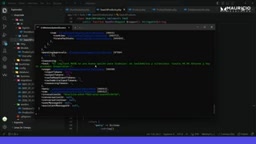
The author also adds a #[MaxSteps(6)] attribute at the top of the agent. With tools in play, a single request might involve multiple "call tool → get result → call again" cycles, so setting a step limit (6 in this case) prevents the agent from getting stuck in too many reasoning loops. In testing, asking the agent "I need a mouse for work with a budget of $60" accurately returned a $49.99 wireless silent mouse with stock count from the database.
The description field looks like just a text note, but it directly affects the quality of the agent's decisions. When an LLM decides whether to call a tool — and which one — it relies on the semantic relevance of these descriptions. This is essentially a zero-shot classification problem: the model matches the user's intent against each tool's description. Listing trigger scenarios (e.g., "when the user asks about products, prices, stock, recommendations, or a budget") is more effective than simply describing what the tool does. The schema corresponds to the JSON Schema spec; the model is constrained to only pass fields declared in the schema, which both ensures type safety and prevents prompt injection attacks from polluting database queries through parameters. In production, the handle method should also include parameter validation and result-count limits to avoid returning so much data that it fills the model's context window.
A Second Tool: Store Policy Lookup
To demonstrate the agent's ability to choose between tools autonomously, the author creates a second tool, GetStorePolice, for querying return, shipping, and warranty policies. The policy text lives in a config/store.php config file (e.g., 30-day returns, 12-month warranty, 2–5 business day shipping).
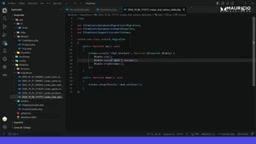
When the user asks "How many days do I have to return something?" the agent no longer calls the MySQL tool. Instead, it autonomously decides this is a policy question and switches to GetStorePolice, returning "30 days" rephrased naturally. This is the essence of an agent — developers simply equip it with multiple capabilities and let the agent decide which one to use for the task at hand.
Giving the Agent Memory
Up to this point, every question is independent. When a user follows up with "What if I raise my budget to $100?" the agent has no idea what was being discussed. The solution is conversation memory.
The good news: Laravel AI SDK's migration files already include two tables — agent_conversation and agent_conversation_message — specifically designed to save conversation history, roles, and message order. No manual table creation needed.
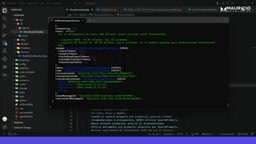
Since this example has no login system, the author creates a chat_visitors table (just id, uuid, and timestamps) to identify different visitor sessions. A ChatVisitorResolver service resolves the session UUID from the session, keeping that logic out of the Livewire component.
The actual code changes are minimal: bring in Conversational and use the tryRememberConversation method. With that in place, you don't need to write your own message storage and retrieval logic — Laravel automatically uses those two published tables to save and restore conversations.
The author notes that "memory isn't magic either": at the start of a conversation, Laravel saves each turn to MySQL and returns a conversation ID; on subsequent messages, it retrieves the history and re-injects it into the agent's context. In testing, following up with "raise my budget to $100" caused the agent to automatically suggest new options — including a $99.99 premium model — without any repeated context from the user.
LLMs are inherently stateless — each API call is independent, and the model doesn't "remember" a previous conversation. Implementing memory is fundamentally about re-injecting historical messages into the prompt on each request — so-called "context window filling." Laravel AI SDK's agent_conversation_message table records each message's role (user / assistant / tool) and order; tryRememberConversation reconstructs these historical messages into a standard messages array before making a new request, so the model "appears" to remember prior context. The trade-off: the longer the conversation, the more tokens each request consumes, with costs growing linearly. Production-grade applications typically need conversation summarization/compression or a maximum history-turns setting to control costs — something not yet built into SDK v1.0 that developers need to plan for themselves.
Building the Chat UI with Livewire
Finally, the frontend. The author assembles the chat interface shown at the start of the article using a Livewire component, a reusable message component (message.blade.php), a main layout, and routing — complete with a "New Conversation" button and quick-action shortcuts. The full UI code (roughly 136 lines) is available in the author's GitHub repository.
The interface behaves exactly as it did on the command line: asking for budget recommendations triggers the product search tool; asking about returns switches to the policy tool — the agent still intelligently selects the right tool. The complete solution ties together agents, tools, and memory into a cohesive whole, showcasing Laravel AI SDK's potential for building production-grade AI applications.
Conclusion
The most valuable takeaway from this tutorial is that Laravel AI SDK abstracts the complexity of AI agents into familiar Laravel development patterns — models, migrations, Artisan commands, and service classes. The tool mechanism cleanly decouples the agent from business data, and the built-in conversation tables eliminate the need to reinvent the memory system. For teams already using Laravel, this is one of the lowest-friction paths to adding AI capabilities.
Related articles

Gaussian Process Bandit Optimization: Exploration Strategies and Inference Regret Guarantees
Cumulative regret guarantees in Bayesian optimization fail to reflect final recommendation quality. This article examines a new study that provides inference regret guarantees for Gaussian process bandit optimization through exploration query strategies and fill distance analysis, validated on hyperparameter optimization and control tasks.

The Most Detailed Codex Guide on Bilibili: From Installation to Real-World Practice
The most detailed Codex guide on Bilibili: from app store installation to daily work mode configuration, with a real coffee shop project demonstrating file organization, data extraction, dashboard creation, and other practical tasks. Learn to use Plan Mode and desktop pets to leverage Codex efficiently.

Appearance Compensation in Volume Rendering: Why RGB Accuracy Cannot Guarantee Density Correctness
Volume rendering research reveals that volumetric data perfectly reproducing external RGB views may still contain density errors: appearance compensation can double central density and keep external rays unchanged even when L2 error exceeds 14.52%. Density recovery depends on appearance capacity, spatial resolution, and measurement design.