LCOS 0.9.4 Released: A systemd-Free Independent Linux Distro's Sprint Toward 1.0

systemd-free independent distro LCOS releases 0.9.4, sprinting toward the 1.0 final release in early November.
Lunduke Computer Operating System (LCOS) is a systemd-free independent Linux distribution led by Bryan Lunduke. Version 0.9.4 is now available for download, with features and UI completely frozen; all releases focus solely on bug fixes and hardware support, and the 1.0 final release is expected November 4–6. This version adds support for Xbox and Steam controllers, some Intel webcams, Chromebook touchpads, Realtek USB Wi-Fi, and the AMD Zen 6 platform, and uses extra scripts to let tools like Thermal D run without systemd. Smooth Steam operation is a key 1.0 requirement, and the three built-in apps received roughly 55 edge-case bug fixes. The project is funded by Lunduke Journal subscriptions to build a hardware testing lab.
From 0.9.4 to 1.0: The Final Sprint of an Independent Linux Distro
Lunduke Computer Operating System (LCOS for short) is an independent Linux distribution project that does not depend on systemd, led by well-known open-source commentator Bryan Lunduke. LCOS 0.9.4 has now been officially released for download, marking roughly two to three weeks remaining before the project reaches its 1.0 final release. According to the developer, version 1.0 is expected in the first week of November—around November 4 to 6—provided the current development pace holds.
0.9.4 is not a feature update. In the developer's own words, every release at this stage is "laser-focused on two things: fixing bugs and hardware support and testing." Features are completely frozen, the UI is essentially finalized, and new software packages are only introduced if they address issues that must be resolved before the 1.0 release.
Major Hardware Support Expansion: Controllers, Cameras, Wi-Fi, and Zen 6
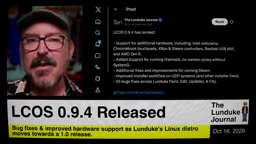
The most notable changes in 0.9.4 center on hardware compatibility. This version adds support for Xbox and Steam controllers, fills in previously missing drivers for some Intel webcams, and fixes issues where several Chromebook touchpads would not work. Realtek USB Wi-Fi adapters are now supported as well, and the AMD Zen 6 platform also gains compatibility in this release.
These changes send a clear signal: LCOS is transitioning from "it runs" to "it runs well." For a community-driven independent distribution, the breadth of hardware coverage often determines user retention more than desktop effects. The developer candidly admits that his own test hardware is limited and is working to build a hardware testing lab—which is why he repeatedly urges users to download the ISO and test it on various AMD and NVIDIA GPUs and chipsets.
AMD's Zen 6 is the codename for the company's next-generation CPU microarchitecture, a new platform that has not yet seen broad retail availability. Linux kernel support for new CPUs typically lands in stages: early on, vendor-submitted patches identify new models and handle power management, temperature sensors, and topology information, with performance tuning refined later. So when a distribution claims "Zen 6 support," it usually means it has incorporated a newer kernel or related patches that can boot properly on early hardware and recognize key components. For stability-focused distributions, this often requires weighing kernel version recency against stability—an aspect of hardware compatibility work that ordinary users tend to overlook.
The Compatibility Homework That Comes With systemd's Absence
LCOS's most distinctive technical label is that it does not ship systemd. While this choice brings architectural simplicity, it also creates real-world friction. In 0.9.4, the developer added support for running Thermal D and several tools in a systemd-free environment.
This work isn't a major technical breakthrough per se—tools like Thermal D can run perfectly well without systemd—the real trouble is that they are usually packaged by systemd and launched by systemd. To address this, the development team had to write additional scripts to ensure these tools are properly started at system boot. For any distribution attempting to rebuild service management workflows outside the systemd environment, this is unavoidable grunt work.
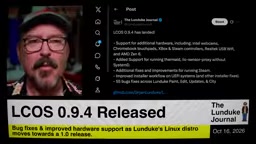
systemd is the default init system and service manager used by the vast majority of mainstream Linux distributions today. It is responsible for starting various daemons in dependency order at boot and provides a full suite of companion components for logging, device management, and scheduled tasks. Because it is deeply involved in the boot process and service lifecycle, many upstream software packages assume systemd's presence in their packaging and startup scripts—some even use systemd unit files as the sole means of defining services. Distributions without systemd therefore need to provide alternative init solutions (such as OpenRC, runit, s6, etc.) and rewrite startup logic for software that hard-depends on systemd. This is precisely why LCOS needs to write extra scripts for tools like Thermal D.
Steam and Custom Apps: Polishing the Details
The developer places considerable importance on the gaming experience. 0.9.4 includes multiple improvements to Steam's operation, and "running Steam smoothly on LCOS 1.0" is explicitly listed as a key release requirement. The developer says all his test machines have Steam and several games installed, and they run "amazingly well."
The installer also received a round of optimization, involving fine-tuning of workflows and partitioning logic, along with adjustments to several defaults to make installation smoother. LCOS's three proprietary apps—Paint, Edit, and City—received approximately 55 bug fixes combined. The developer is candid about the nature of these fixes: most are edge-case issues that a conventional testing team would likely rate as low to medium priority, with no severe or critical defects. But every bit adds up, and knocking them out one by one is exactly the path from 0.9.x to 1.0.
Notably, the developer mentions an army of automated bots that test the system around the clock with random edge cases—one of the primary means, in his words, of making the system "rock solid."
Running Steam on Linux typically involves multiple layers of components working together: the Steam client itself, the Proton compatibility layer (which uses Wine to translate Windows game calls into Linux system calls), Vulkan or OpenGL graphics drivers, and the audio and input device stacks. If any layer is missing or version-mismatched, the result can be games that fail to launch or run abnormally. So "running Steam smoothly on a distribution" isn't a matter of installing a single package—it's a comprehensive test of graphics drivers, 32-bit runtime libraries, fonts, and multimedia codecs, and the community often treats it as a practical benchmark for a desktop distribution's completeness.
The Supporter List and Subscription Model Before 1.0
In LCOS's "About This Computer" screen, there is a scrolling thank-you list resembling movie end credits, naming the contributors who have supported the project along the way. To get your name into the 1.0 final release, the path is to subscribe to the Lunduke Journal—the developer is currently promoting lifetime subscriptions on a "pay what you want" basis and promises the funds will go toward building a hardware testing lab to cover a wider range of hardware combinations. Subscription channels include X, Bitcoin, Locals, and Substack.
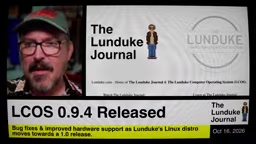
This model also explains the project's operating logic: LCOS, as a solo-led, community-funded distribution, has a hardware compatibility pace that depends directly on the richness of its test equipment. The developer is quite confident: "If 0.9.4 became 1.0 today, I would be proud of it, and I would install it on every machine I own."
Users can download the ISO from lunduke.com and submit hardware compatibility issues via X direct messages, email, forums, or the GitHub page.
Related articles

WorkBuddy Full Tutorial: Build an AI Office Automation Agent from Scratch
A complete WorkBuddy tutorial: installation, three working modes, multimodal picture book video practice, expert team agent building, and workflow configuration for low-cost AI office automation.

WorkBuddy Agent Complete Guide: From Beginner to Automation in 7 Days
Based on Bilibili's 256-episode WorkBuddy masterclass, this systematically breaks down Tencent's AI office workbench core capabilities: Agent principles, Skill encapsulation, cross-platform connectors, scheduled automation, knowledge bases, and zero-code development, with learning path recommendations.

8 AI Accounts, 7 Failed: An Honest Review of Using AI to Get Work Done
Only 1 of 8 AI-run Bilibili accounts succeeded. We break down the real difference between "performing AI" and "using AI to get work done."