Learning Python Web Scraping from Scratch: How It Works, the Full Workflow, and Legal Boundaries

A beginner's guide to how Python web crawlers work, their full workflow, and the legal red lines to avoid.
This article explains Python web scraping from scratch: how crawlers simulate human browsing via HTTP requests, parse HTML DOM trees to extract data, and store it. It also covers anti-crawler mechanisms, storage options, and the legal boundaries—robots.txt, privacy laws, and server protection—for safe, compliant scraping.
What Is a Web Crawler?
A web crawler is essentially a program that simulates human web browsing behavior. When we open a shopping website, browse product listings, and pay attention to and record only the product names and prices we care about—that's exactly what a crawler does, except it replaces human hands with code.
Take browsing Huawei's official website as an example: a human user opens the page, browses the content, and then filters out the information they care about (such as a particular product and its price). A crawler program, on the other hand, automatically completes the entire process from "accessing" to "extracting" to "saving" through code. Understanding this is the first step in learning Python web scraping.
It's worth noting that web crawlers are not exclusive tools for individual developers—one of the core capabilities of search engine giants like Google and Baidu is precisely their large-scale crawler systems (called "spiders") that cover billions of web pages worldwide. It is these crawlers that continuously fetch and index internet content, which is why every search we make can return relevant results within milliseconds. From this perspective, crawlers are an indispensable part of modern internet information infrastructure.
Industrial-grade implementation of search engine crawlers: Search engine crawler systems differ fundamentally from personal crawlers in scale and architecture. Take Google's Googlebot as an example: it crawls tens of billions of URLs daily, backed by a distributed crawl scheduling system, priority queues (which determine crawl frequency based on page weight), massive deduplication mechanisms (avoiding duplicate crawling through URL fingerprints or content hashes), and dedicated DNS resolution cache clusters. Googlebot also actively respects the
Cache-ControlandLast-Modifiedfields in HTTP response headers, applying incremental crawling strategies to unchanged pages to maximize crawl efficiency and minimize server load. While this industrial-grade architecture shares the same principles as a personal learning crawler script, they differ vastly in reliability, fault tolerance, and scalability—which also gives learners a clear path for technical progression.
The evolution of crawler technology: Web crawler technology has undergone thirty years of evolution since the first modern search engine crawler, "World Wide Web Wanderer," was born in 1994. Early crawlers only needed to handle static HTML pages, retrieving complete content through simple HTTP requests. However, in the modern web, more than 70% of pages use JavaScript dynamic rendering technology (such as front-end frameworks like React, Vue, and Angular), where page content is not returned along with the HTML source code but is generated dynamically only after the browser executes JS scripts. This means traditional HTTP-request-based crawlers can only obtain empty shell pages, giving rise to "headless browser" crawler solutions represented by Selenium and Playwright—tools that can drive a real browser engine without a graphical interface, fully execute JavaScript, and wait for the page to finish rendering before extracting data. For beginners, understanding the difference between "static pages" and "dynamically rendered pages" is an important watershed for advanced crawler development.
How Do Crawlers Work?
To understand how crawlers operate, we first need to clarify the complete process by which humans obtain web content.
From HTTP Request to Page Rendering
When we open a web page in a browser, a series of actions actually take place: the browser sends an HTTP request to the target website's server, the server responds with the website's raw content, and the browser then renders this raw content, ultimately presenting the visual page we see.
HTTP protocol background: HTTP (HyperText Transfer Protocol) is the fundamental specification for internet data communication, invented by Tim Berners-Lee at CERN (the European Organization for Nuclear Research) in 1991. It defines the format and rules for "how to converse" between clients (such as browsers) and servers. Every HTTP request contains a request method (the most common being GET, meaning "I want to fetch this page"), a target address (URL), and various header information (Headers, containing metadata such as browser type and language preference). After receiving a request, the server returns a response packet containing a status code (such as 200 for success, 404 for page not found, 403 for access forbidden) and a response body (i.e., the raw content of the web page). Understanding the structure of HTTP requests and responses is the core foundation of writing a crawler—because a crawler essentially uses code to precisely simulate this "conversation" process.
The impact of HTTP protocol version evolution on crawlers: The HTTP protocol has gone through several important version iterations since its birth. HTTP/1.1 (1997) introduced persistent connections (Keep-Alive), allowing multiple requests to be sent over the same TCP connection, significantly reducing a crawler's connection overhead. HTTP/2 (2015) went further, using a multiplexing mechanism to allow multiple requests/responses to be transmitted in parallel over a single connection, and introduced header compression (HPACK) technology, greatly reducing the transmission volume of duplicate header information. The latest HTTP/3 (officially standardized in 2022) switches the underlying transport protocol from TCP to the UDP-based QUIC protocol, fundamentally solving TCP's head-of-line blocking problem and further improving transmission efficiency in weak network conditions. For crawler developers, Python's
httpxlibrary natively supports HTTP/2, while therequestslibrary only supports HTTP/1.1 by default—when crawling modern websites that mandate HTTP/2, choosing the right HTTP client library is crucial.
It's worth expanding that HTTPS (HTTP Secure) is now widely adopted across the internet, layering a TLS/SSL encryption layer on top of the HTTP protocol to ensure that data cannot be eavesdropped on or tampered with by third parties during transmission. Python's
requestslibrary provides transparent support for HTTPS requests, so developers don't need to manually handle encryption details. However, note that some corporate intranets or websites with self-signed certificates may require additional handling of certificate verification issues.
A crawler program's logic is similar, but it lacks the critical "rendering" step. The crawler sends an HTTP request to the server through code, and the server likewise returns the raw content. But since the crawler lacks a browser's rendering capability, what it gets is only the unrendered HTML source code.
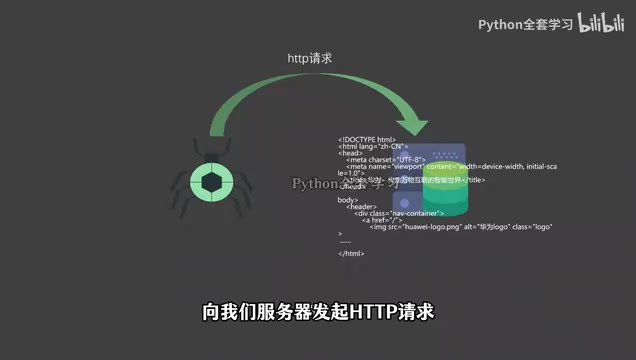
Getting to Know Web Page Tags
To view this raw content, you can right-click in the browser and select "Inspect." The developer tools window that pops up displays the entire web page's HTML structure. Click the element selector icon and move your mouse to different areas of the page—the highlighted code in the developer tools will change accordingly, helping you quickly locate the target element's position in the source code.
Upon closer observation, you'll find that each element is wrapped by a pair of angle brackets (< >)—these are web page tags. There are many types of tags, and different tags produce different display effects, but beginners only need to remember one core concept: content wrapped by tags forms an element.
HTML and the DOM tree background: HTML (HyperText Markup Language) is the skeletal language for building web page content, which has evolved to the HTML5 version since its birth in 1993. After receiving the HTML source code, the browser does not directly display the text but parses it into a tree-shaped data structure called the DOM tree (Document Object Model). Each HTML tag corresponds to a node in the tree, and parent-child tags form a hierarchical relationship—for example, a
<p>nested inside a<div>is its child node. When extracting data, a crawler essentially traverses this DOM tree, precisely locating target nodes through tag names (such asdiv,span),classattributes, oridattributes, and then extracting the text or attribute values within them. The BeautifulSoup and lxml libraries commonly used in Python are tools specifically designed for parsing HTML and manipulating the DOM tree.
HTML parser selection and performance differences: In the Python ecosystem, the choice of HTML parser directly affects a crawler's performance and fault tolerance. BeautifulSoup supports multiple underlying parsers: the built-in
html.parserrequires no additional installation but is slower;lxml, implemented in C, is about 5-10 times faster and is the preferred choice for production environments; whilehtml5libstrictly follows the W3C specification and has the strongest fault tolerance for malformed "broken HTML," but is the slowest. The real web contains a large amount of non-standard HTML (missing closing tags, incorrect tag nesting, etc.), and choosing a fault-tolerant parser can avoid many unexpected data losses. In addition, for high-performance scenarios that require full-text search on crawled content, directly using lxml's XPath interface is usually 2-3 times faster than BeautifulSoup's CSS selectors, making it the preferred choice for processing large volumes of documents.
It should be added that Shadow DOM technology, widely used in modern front-end development, encapsulates and isolates the internal structure of certain components, making ordinary DOM query methods unable to directly access their internal nodes. This is one of the advanced challenges that crawler developers may encounter when handling pages built with Web Components technology.
Data Extraction and Storage
After obtaining the web page's raw HTML content, the next key step is to "parse the content and extract valuable information."

Locating Target Data Through Tags
There are a massive number of tags in web page source code, with an overwhelming amount of information. Just as humans automatically filter out useless content when browsing, crawlers also need to precisely "filter."
Take extracting product names and prices as an example: this data is often wrapped by specific div tags, which usually use the class attribute to label their name. Suppose all product names are located within div tags with the class name css-175oi22. Then the crawler's task becomes: locate this specific tag, then grab the text content within it.
In actual development, crawlers typically locate elements in two mainstream ways: one is using CSS selectors (precisely matching elements through a combination of tag type, class, id, and other attributes, with concise and intuitive syntax); the other is using XPath (a path language for navigating XML/HTML documents, with stronger expressive power, suitable for handling complex nested structures). Python's BeautifulSoup library has friendly support for CSS selectors, while the lxml library has more powerful support for XPath—beginners usually start with BeautifulSoup and learn XPath as needed after mastering the basics.
Modern solutions for structured data extraction: Beyond traditional CSS selectors and XPath, modern crawler development has also seen higher-level extraction solutions emerge. Some websites embed structured data markup conforming to the Schema.org specification in their page source (in JSON-LD format embedded as
<script type="application/ld+json">). These markups themselves contain structured information such as product names, prices, and ratings, so a crawler can directly extract this JSON without parsing complex nested HTML structures. In addition, more and more websites transmit data to the front end through GraphQL or REST API interfaces. Skillfully using the "Network" panel of browser developer tools to analyze XHR/Fetch requests and directly calling these data interfaces is often more efficient and reliable than parsing rendered HTML, with more organized data structures—this is also the preferred approach for senior crawler engineers when handling dynamic pages.
Anti-crawler mechanisms and countermeasures: Modern websites generally deploy multi-layered anti-crawler mechanisms, which is the opposing side that crawler developers must understand. Common anti-crawling methods include: User-Agent detection (the server identifies non-browser characteristics in the request header and returns errors or empty content to crawler requests); IP frequency limiting (a large number of requests from the same IP address in a short time triggers a block, commonly known as "IP banning"); CAPTCHA challenges (distinguishing humans from machines through image recognition or behavioral verification); Cookie session verification (requiring visitors to maintain a valid login state); and more advanced JavaScript fingerprinting (determining whether it's an automated program by detecting browser environment characteristics, mouse movement trajectories, and other behavioral features). Understanding these mechanisms helps developers write more robust crawlers under the premise of legality and compliance—for example, reasonably setting the
User-Agentrequest header to simulate a real browser, adding random delays between consecutive requests (time.sleep(random.uniform(1, 3))), and usingrequests.Session()to maintain a Cookie session are all basic etiquette in crawler engineering practice.
Landing the Data
After grabbing the target elements, the final step for the crawler is to store the data in a database for subsequent analysis and use. Common storage solutions include: saving simply structured data as CSV files (suitable for quick viewing and importing into Excel); storing semi-structured data in JSON files; or writing large volumes of frequently queried data into relational databases (such as MySQL, PostgreSQL) or even NoSQL databases (such as MongoDB, which is particularly suitable for storing web data with irregular formats).
The logic behind choosing a data storage solution: MongoDB is widely popular in the field of crawler data storage, with the core reason being its "schema-less" feature—web data structures often vary from page to page. Relational databases require all fields and their types to be defined in advance, while MongoDB stores documents in BSON (Binary JSON) format, naturally adapting to scenarios where the number and type of fields are not fixed, requiring no prior table creation—just insert to store. In addition, for scenarios that require full-text search on crawled content (such as search engines, news aggregation), Elasticsearch is also a common integrated storage-and-retrieval solution, whose inverted index mechanism can achieve millisecond-level keyword retrieval on massive amounts of text. For projects with smaller data volumes primarily aimed at subsequent data analysis, directly using Python's
pandaslibrary to save data in Parquet format is also becoming increasingly popular, balancing storage efficiency with analytical convenience.
Engineering management of crawler tasks: When a crawler scales from a single script to a continuous, large-volume data collection project, task scheduling and deduplication mechanisms become indispensable. In the Python ecosystem, the Scrapy framework provides a complete crawler engineering solution, with built-in modules for request queue management, deduplication filtering (BloomFilter based on request fingerprints), Pipeline data processing pipelines, and automatic throttling (AutoThrottle), making it the mainstream choice for upgrading from personal scripts to production-grade crawler systems. For periodic crawler tasks that need to be triggered on a schedule, an architecture combining Celery (distributed task queue) and Redis (as message middleware and deduplication set storage) can support distributed crawling scenarios where dozens of machines crawl collaboratively.
At this point, the complete crawler workflow of "send HTTP request → obtain HTML source code → parse and extract → store data" has been fully covered.
The Untouchable Legal Red Lines
Many beginners have concerns about crawlers, feeling that they are a "dangerous" technology. In fact, as long as you stick to a few clear bottom lines, crawlers are entirely legal and compliant data collection tools.

Three Bottom Lines That Absolutely Cannot Be Crossed
First, you cannot scrape information from sensitive entities such as government agencies and national defense. This type of data involves national security—never touch it.
Second, you cannot involve citizens' personal information and commercial secrets. Many websites implement real-name systems, and users' personal information is scattered across various systems. Scraping and using this data constitutes an illegal act of privacy violation. According to the Personal Information Protection Law of the People's Republic of China, which officially took effect in 2021, unauthorized collection and processing of personal information can face fines of up to 50 million RMB or 5% of annual revenue, and those with serious circumstances will also bear criminal liability.
The global regulatory trend of personal information protection: The legislative wave of personal information protection has swept across the globe. The EU's GDPR (General Data Protection Regulation), implemented in 2018, is regarded as the strictest data protection regulation to date, with violators facing fines of up to 4% of global annual revenue or 20 million euros (whichever is higher), and has issued fines exceeding billions of euros to tech giants such as Google and Meta. China's Personal Information Protection Law borrows from the GDPR's legislative framework in many places, likewise emphasizing the "principle of minimum necessity" in data processing—that is, collecting only the minimum amount of data necessary to achieve a specific purpose. For crawler developers, this means that even if it's technically possible to scrape a certain data field, its necessity should be carefully evaluated. The boundary between "being able to scrape" and "should scrape" is precisely the core proposition of data ethics.
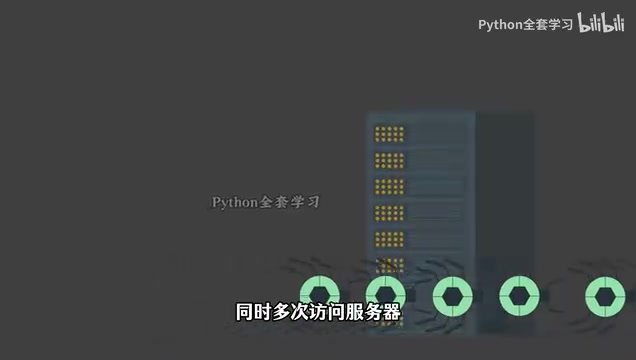
Third, you cannot cause damage to the target website. Using a crawler to send a massive number of requests in a short period may cause the server to crash, preventing normal users from accessing it. Any losses caused by this will ultimately be attributed to the crawler operator.
The legal boundary between DDoS and crawler abuse: When crawler request density is high enough, its effect is essentially no different from a DDoS (Distributed Denial of Service) attack—both exhaust server resources through massive requests. Even without subjective intent to attack, causing service interruption as an objective consequence may still be found in judicial practice to constitute the "crime of damaging computer information systems" as stipulated in Article 286 of the Criminal Law of the People's Republic of China. In the industry-shocking "Dianping data crawler case" of 2019, the defendant was found to constitute unfair competition for large-scale crawling of a competitor's data, with compensation as high as 2 million RMB, sounding an alarm for the industry.
Practical Advice for Compliant Crawling
Developing the following habits can help you minimize legal risks:
- Add
/robots.txtafter the target URL to view the website's robots protocol and understand which paths are allowed to be crawled and which are explicitly prohibited; - Control request frequency and concurrency to avoid placing unnecessary pressure on the server;
- Only collect publicly visible content on the page—this generally won't cause legal problems.
robots protocol background: The robots.txt protocol (also known as the "Robots Exclusion Standard") was proposed by internet pioneer Martijn Koster in 1994 and is one of the oldest self-discipline norms on the internet. It is a plain text file that website administrators place in the website's root directory (such as
https://example.com/robots.txt), declaring which page paths they do not want crawled throughUser-agent(specifying which type of crawler it targets) andDisallow/Allowdirectives. For example,Disallow: /private/means crawling all content under the/private/directory is prohibited. Note that robots.txt is a gentleman's agreement with no mandatory binding force at the technical level, but at the legal level, knowingly forcing a crawl despite a website's robots.txt declaration of prohibition may be found to be "unauthorized access to a computer system," thereby incurring heavier legal liability. Mainstream search engines such as Google and Baidu strictly comply with the robots.txt protocol, which is also the professional integrity that responsible crawler developers should have.
Sitemap protocol: a friendly complement to robots.txt: Corresponding to robots.txt's "telling the crawler where not to go," the Sitemap protocol is a standard mechanism by which a website actively tells the crawler "where it should go." Website administrators can declare the location of the Sitemap file in robots.txt through the
Sitemap: https://example.com/sitemap.xmldirective. This XML file lists all page URLs on the site that are desired to be indexed, along with their update frequency and priority information. For legal crawler tasks (such as competitive analysis, content aggregation), actively reading the target website's Sitemap file can often quickly obtain a complete list of URLs, which is orders of magnitude more efficient than recursively discovering links layer by layer from the homepage, and also reflects respect for the target website's intentions.
In addition, some websites explicitly declare a prohibition on automated data collection at the bottom of the page or in their Terms of Service (ToS). It's recommended to develop the habit of reading the target website's terms of service before starting a crawler project. The U.S. court's ruling in the hiQ Labs v. LinkedIn case (2022) shows that even publicly visible data, if collected at scale in violation of platform terms of service, may still face legal litigation—this precedent is also of reference significance for domestic crawler practices.
As for whether copyrighted content such as paid videos can be collected—it may be technically feasible, but it has already crossed legal boundaries. Interested readers can consult Article 286 of the Criminal Law of the People's Republic of China on the "crime of damaging computer information systems" and related copyright infringement provisions—be sure to think twice before acting.
Summary
This article has outlined the core principles of Python web scraping: it is essentially an automated program that simulates human browsing behavior, obtains web page HTML source code through HTTP requests, then parses and extracts valuable information and stores it. Understanding the HTTP request-response mechanism, page rendering principles (including the difference between static pages and JavaScript dynamic rendering), the HTML DOM tree structure, and web page tags—these several concepts are the essential foundations for getting started with crawlers.
More importantly, the technology itself is not guilty, but users must stick to the legal red lines: don't touch sensitive information, don't violate privacy (paying special attention to the constraints of the Personal Information Protection Law), don't damage servers, respect the robots.txt protocol, and consult the target website's terms of service before taking action. Having mastered the principles and boundaries, the next step is to get hands-on and write your very own first Python crawler program.
Key Takeaways
Key Takeaways
Key Takeaways
Related articles

64 Releases in 40 Days: How Strata Uses Release Velocity to Define Its AI Local Inference Roadmap
Strata shipped 64 releases in 40 days with 460k+ characters of notes. From 0.1.0 to 0.2.10, a three-step path: make it run, make it fast, make it trustworthy.
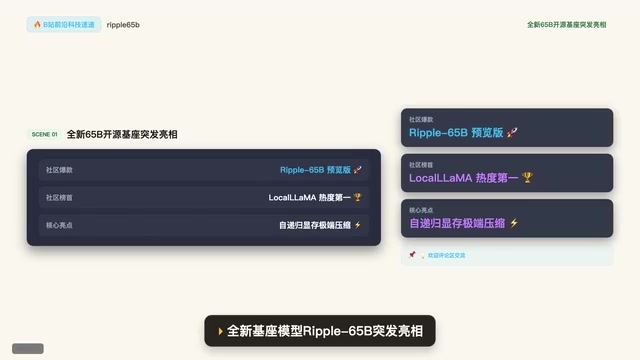
Ripple-65B Open-Source Model Tops Community Charts
Ripple-65B open-source LLM debuts atop community charts, using a self-recursive architecture to slash long-context KV cache for low-latency hundred-billion-scale inference on ordinary GPUs, with preview weights, quantized files, and one-click Olema & VLM deployment.

Deploy Open-Source Video Model MiniMax H3 Locally in 5 Minutes and Skip Cloud Generation Fees
Bilibili creator tests local deployment of open-source video model MiniMax H3: three-step ComfyUI install, 5-minute setup, no coding. Same prompt generates in 2 minutes locally vs 4 minutes online with queuing, saving about 30 RMB per 15-second 720P video. Includes VRAM requirements and RTX 5080 test results.