Leepik: An AI Tool That Automatically Generates Tally Vouchers from Bank Statement PDFs
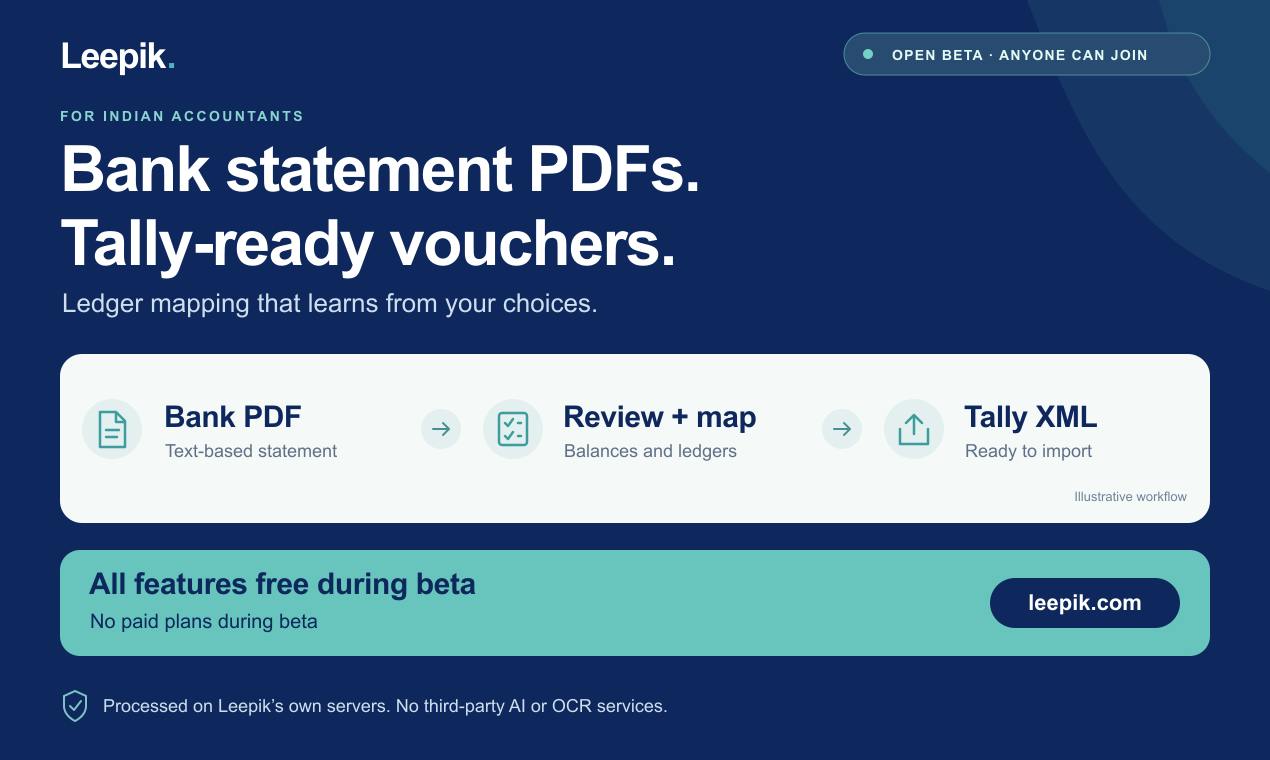
Leepik uses AI to turn bank PDF statements into Tally vouchers, with learning-based ledger mapping to cut repetitive bookkeeping.
Leepik is a new product on Product Hunt targeting the pain of manual Tally statement entry for Indian SMB accountants. It parses bank PDF statements into structured data and generates Tally-importable XML or CSV vouchers. Unlike traditional conversion tools, it features learning-based ledger mapping: it records the ledger users select for each transaction type and recommends it automatically when similar transactions appear, reducing monthly repetitive categorization. On privacy, all data is processed on Leepik's own servers without third-party AI or OCR services. It only supports text-based PDFs, not scans — a trade-off prioritizing accuracy over coverage. It is currently in open beta with all features free.
Indian SMBs process a large volume of bank statements every month, and manually entering them into Tally is not only time-consuming but also prone to errors. Leepik, a new product on Product Hunt, aims to solve this pain point with AI — it converts bank PDF statements into Tally-ready accounting vouchers and features a learning-capable ledger mapping that understands your bookkeeping habits after just one use.
The Daily Reality of Indian Accounting: The Pain of Manual Tally Entry
In India, Tally is the dominant accounting software for SMBs. But bank statements are usually provided as PDFs, so accountants need to identify transaction dates, amounts, and counterparty accounts line by line, then manually enter them into Tally to generate vouchers. This process is repetitive, tedious, and prone to fatigue-induced errors.
Leepik targets exactly this step. It parses PDF statements into structured data and automatically generates XML or CSV files that can be imported into Tally. The product is currently in open beta, with all features free and open to anyone who signs up.
What is Tally? Tally (Tally.ERP 9 and its successor TallyPrime) is one of India's most widely used business accounting software packages, developed by Tally Solutions. It uses vouchers as its core data structure, supports traditional double-entry bookkeeping workflows such as journal entries, bank books, and ledgers, and includes built-in modules for GST (Goods and Services Tax) filing and inventory management. A large number of Indian SMBs, accounting firms, and distributors use Tally for day-to-day bookkeeping and tax compliance, which is why its file formats (XML/CSV import templates) have become the de facto standard for upstream and downstream tool integration. Understanding this is key to understanding why Leepik targets Tally-ready vouchers rather than generic accounting formats.
Learning-Based Ledger Mapping: Less Work the More You Use It
The key difference between Leepik and other PDF conversion tools lies in the word "learning." It records the ledger the user selects for each type of transaction, and when the same or similar transactions appear again, it automatically recommends the previous choice.
This means that when processing the same bank's statements every month, repetitive categorization work is significantly reduced. Users only need to review balance checks and ledger suggestions, confirm they are correct, and then export. The product description specifically mentions "reducing monthly repetitive work," indicating that the team has focused optimization on the most frequently used scenario.
What Ledger and Mapping Mean: In double-entry bookkeeping, every transaction must be assigned to a ledger account, such as "Bank Deposit," "Travel Expenses," or "Accounts Payable — a certain supplier." The same bank transfer might be recorded as "Office Supplies" or as "Miscellaneous Expenses," depending on the nature of the business. So-called "learning-based ledger mapping" essentially establishes a correspondence between features such as transaction descriptions or counterparty account names and the ledgers the user has historically selected, forming rules or a similarity-matching model that can recommend a ledger the next time a similar transaction appears. Such systems typically accumulate samples from each user confirmation or correction, amounting to lightweight personalized recommendations rather than general-purpose large-model inference — which also explains why it can operate without calling external AI services.
Privacy First: Data Processing Stays In-House
In a context where financial data is highly sensitive, Leepik adopts a conservative but reassuring approach: all statements are processed on Leepik's own servers and are not sent to third-party AI or OCR services.
This choice sacrifices some technical flexibility (for example, it cannot directly call off-the-shelf large-model APIs), but it gains data controllability. For accountants worried about client financial data leaking, this may be more important than feature richness.
Feature Boundaries: Only Text-Based PDFs Supported
Leepik explicitly states that it only supports text-based PDF statements; scanned PDFs are out of scope. This stems from its technical approach — parsing embedded text in PDFs rather than performing image recognition.
For users with electronic statements, this is not a problem; but if the bank only provides scanned copies, Leepik cannot help for now. This limitation also suggests that the product team chose accuracy over coverage: text parsing is far more accurate than OCR, and accounting scenarios have almost zero tolerance for errors.
The Difference Between Text-Based PDFs and Scanned PDFs: Text-based PDFs embed extractable character encodings and coordinate information, so a program can directly read each line of text and its position; scanned PDFs are merely page images and must go through OCR (optical character recognition) to be converted into text. Text parsing achieves near-100% accuracy and can precisely preserve the formatting of key fields such as amounts, dates, and debit/credit direction; OCR may mistake "0" for "O" or drop a decimal point, and in accounting scenarios a single wrong digit can cause reconciliation to fail. Therefore, by limiting support to text-based PDFs, Leepik is effectively trading coverage for data accuracy, which is consistent with the strict zero-error requirements of financial scenarios.
Open Beta, Free to Use
Leepik is currently in open beta, with all features free. The product received 14 votes on Product Hunt and ranked 19th; discussion is not particularly high, but it addresses a real and vertical need.
For Indian accounting professionals or finance staff who need to handle Tally bookkeeping, this is a new tool worth watching. It may not fully replace manual review, but the efficiency gains in repetitive categorization work are clear. As for how well the "learning" capability performs in actual use, more user feedback is needed to verify.
Key Takeaways
- Leepik converts bank statement PDFs into Tally-importable XML/CSV, targeting the Indian accounting market.
- Learning-based ledger mapping records user choices and reduces repetitive categorization work over time.
- Data is processed on Leepik's own servers without calling third-party AI/OCR services, emphasizing privacy.
- Only text-based PDFs are supported; scanned statements cannot be processed.
- All features are free during the open beta.
One-line Summary
Leepik uses AI to convert bank PDF statements into Tally vouchers, relying on learning-based ledger mapping to reduce repetitive bookkeeping.
Related articles

New in Notion 3.8: Your ChatGPT Subscription Now Works Directly in Notion Agent
Notion 3.8 lets Business/Enterprise workspaces connect ChatGPT Plus, Pro, or Go subscriptions to power Notion Agent, replacing Notion credits. Eligibility, setup, MCP risks, and team implications explained.

ChatGPT Agent Mode Quick Start: A Multi-Step Task Automation Tutorial
How to use ChatGPT Agent mode? This guide breaks down the enabling steps: open the Tools dropdown from the Composer, select Agent Mode, and clearly describe multi-step goals, plus browser interaction in the VM, data analysis, file generation, and real-time interrupt controls.

Premiere Pro Meets AI Assistants: Automation Agent Brings Editing Automation
Automation Agent connects ChatGPT and Claude Code to Adobe Premiere Pro, enabling speech-based rough cutting, face pixelation, and more, with built-in FFmpeg and Python local tools and a one-time purchase, no subscription.