Local: A Privacy-First AI Tool That Runs Entirely on Your Mac — No Internet Required

Local runs AI privately on your Mac with zero setup, no cloud, and up to 5.4x hardware-optimized speed.
Local is a free macOS application that runs large language models entirely on your Mac, requiring no accounts, no internet connection, and no cloud data uploads. It supports everyday chat, coding agents, and meeting notes organization. By adaptively optimizing for Apple Silicon's unified memory architecture, it claims up to 5.4x performance improvements on the same hardware. Its Office Mode feature lets teams share one powerful Mac as a local AI server across the LAN.
In an era where most AI applications depend on cloud computing, a macOS app called Local has chosen a different path: running AI entirely on your own Mac. It emphasizes a "zero-friction" experience — no accounts, no payments, no data uploaded to the cloud — while achieving up to 5.4x performance gains on the same hardware through adaptive hardware optimization. The product earned 95 upvotes on Product Hunt, ranking 9th for the day, sitting at the intersection of the Privacy, Artificial Intelligence, and Apple categories.
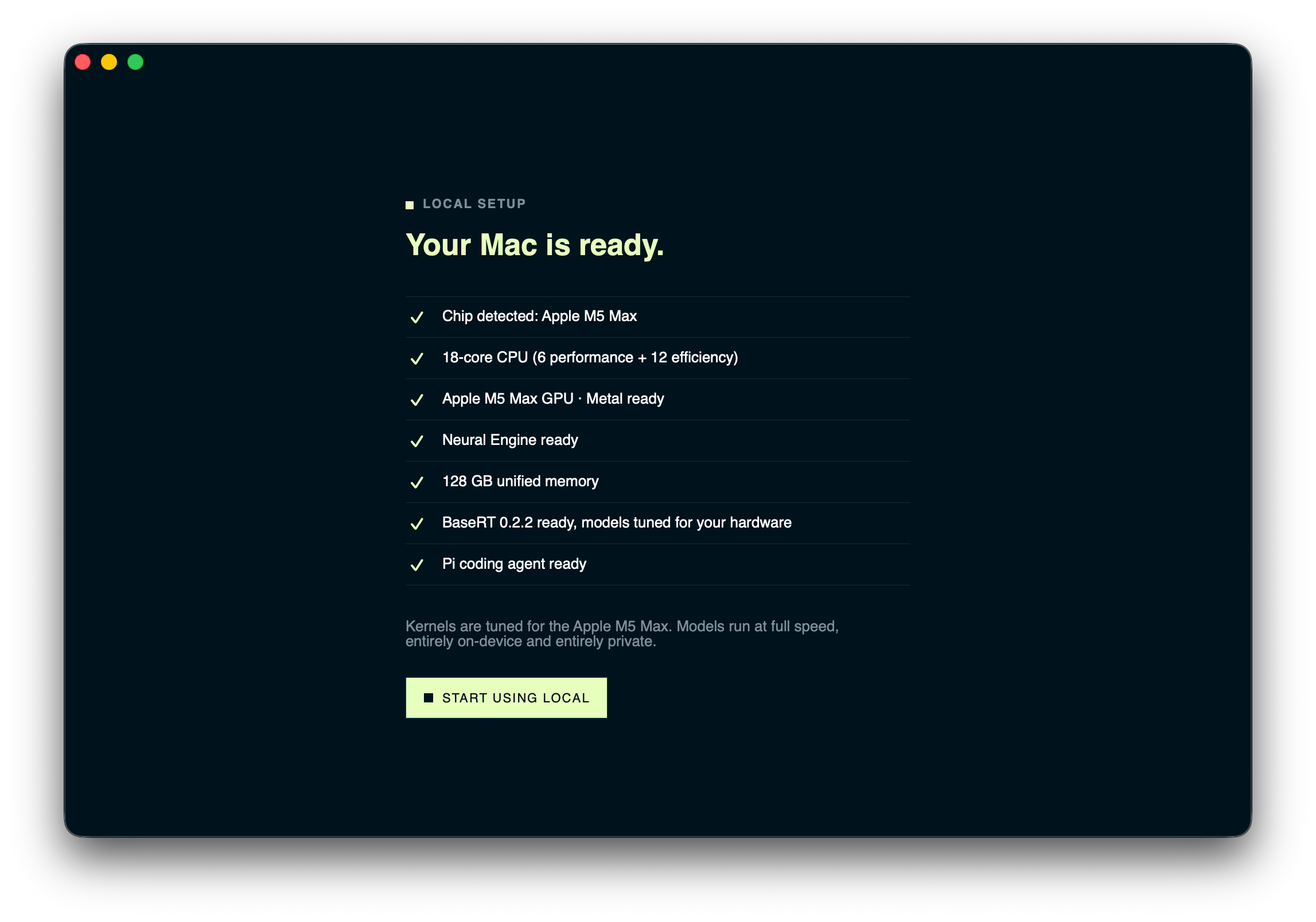
What Is Local: A Completely Private AI Tool for Mac
Local's core positioning is as a completely private, local AI tool. Unlike cloud-dependent AI services such as ChatGPT and Claude, Local deploys large language models directly on the user's Mac device. This means all your conversations, code, and meeting notes never leave your device.
The official tagline is refreshingly direct — "Zero (!) friction local AI for your Mac" — with that deliberately placed exclamation mark revealing the team's obsession with eliminating barriers. In practice, local AI deployment typically forces average users to navigate a gauntlet of technical hurdles: model downloads, quantization choices, VRAM configuration, inference framework installation, and more. Local aims to smooth all of that away.
It's worth explaining the concept of "quantization" here. Quantization is a technique that compresses large language models from high-precision floating-point numbers (such as FP16 or FP32) to lower-precision representations (such as INT8, INT4, or even lower). A 7-billion-parameter model requires roughly 14GB of memory at FP16 precision, but only about 3.5GB after 4-bit quantization — dramatically reducing hardware requirements. Common quantization formats include GGUF (driven by the llama.cpp community) and AWQ, among others. Quantization does introduce some precision loss, but modern quantization algorithms have managed to keep this loss within acceptable bounds. For products like Local that target consumer-grade devices, choosing the right quantization strategy is a critical engineering decision that balances model capability against runtime efficiency.
In terms of features, Local supports three core use cases: everyday chat conversations, coding agents, and meeting notes organization. This broadly covers the most frequent AI needs of knowledge workers.
The coding agent concept deserves further elaboration. Unlike simple code completion or Q&A, a coding agent is an AI system capable of autonomously planning and executing multi-step operations. A typical coding agent can understand natural language requirements, break them down into specific programming tasks, generate code, execute it and analyze the results, and automatically debug and fix errors when they occur. These agents typically require tool-use capabilities — meaning the AI doesn't just generate text but can also invoke external tools like the file system, terminal commands, and code interpreters. The advantage of running coding agents locally is that code never leaves the developer's device, which is critical for working with private codebases and sensitive projects, while also avoiding the intellectual property risks of uploading code to third-party servers.
Three Key Differentiators of Local
Adaptive Hardware Optimization: 5.4x Speed Boost on the Same Hardware
Local's most technically impressive feature is its ability to automatically tune performance based on the user's specific hardware configuration. This is particularly important for the highly fragmented Mac ecosystem — from entry-level MacBook Airs with M1 chips to high-performance workstations equipped with M3 Max, the differences in compute power and memory bandwidth are enormous.
Understanding this advantage requires some background on Apple Silicon's unique architecture. Apple Silicon chips (M1/M2/M3/M4 series) use a Unified Memory Architecture (UMA), where the CPU, GPU, and Neural Engine share a single high-bandwidth memory pool — eliminating the need to copy data back and forth between CPU memory and GPU VRAM as in traditional PCs. This design is extremely favorable for local AI inference: the primary bottleneck in running large language models is often not compute speed but memory bandwidth — model parameters must be continuously read into processing units. UMA eliminates data transfer overhead, enabling even consumer-grade Macs to smoothly run models with billions of parameters. Furthermore, the M3 Max and M4 Max come with up to 128GB of unified memory and over 400GB/s of memory bandwidth, theoretically capable of loading quantized models with 70B or even more parameters — something nearly impossible on traditional laptops.
The company claims that through this adaptive optimization, AI tasks can run up to 5.4x faster on the same hardware. While this figure is self-reported and lacks third-party verification, it highlights a key pain point in local AI: most local inference tools haven't been deeply optimized for Apple Silicon's unified memory architecture and Neural Engine, leaving significant performance potential untapped.
For running local large language models on macOS, the mainstream open-source inference frameworks currently include llama.cpp, Ollama, and MLX (Apple's official open-source framework). llama.cpp was the first project to achieve efficient inference on consumer devices, supporting multiple quantization formats and hardware backends. MLX is Apple's machine learning framework specifically optimized for its own chips, capable of more deeply leveraging Apple Silicon's Metal GPU and Neural Engine. Ollama builds on llama.cpp to provide a more user-friendly command-line interface and model management capabilities. Local likely integrates one or more of these frameworks under the hood and adds automatic tuning for different Mac models on top — which would explain the claimed 5.4x performance improvement, since unoptimized default configurations often fall far short of fully utilizing hardware capabilities.
Absolute Data Privacy: No Cloud, No Accounts
"No cloud. No accounts." — no cloud uploads, no account registration. This is Local's core promise to privacy-conscious users. As data sovereignty awareness grows and corporate compliance requirements tighten, locally-run AI inherently avoids data leakage risks. For professionals handling legal documents, medical information, or trade secrets, the appeal is obvious.
Completely Free + Office Mode for LAN Sharing
Local is currently completely free to use. It also offers a clever "Office Mode" feature: teams can deploy the AI on the most powerful machine in the office, and all other laptops can connect to this "AI server." This partly addresses the compute bottleneck of local AI — not everyone has a high-end Mac, but a team can usually pool together one.
The technical architecture of Office Mode essentially turns a high-performance Mac into an inference server on the local network, with other devices acting as clients that send requests. In enterprise scenarios, this is similar to a privately deployed AI service, but much more lightweight. Technically, it likely works by launching an HTTP API service on the host machine (similar to Ollama's REST API mode). However, data transmission security within the LAN is a concern worth noting: if communications are unencrypted (e.g., not using TLS/HTTPS), other devices on the same network could theoretically intercept transmitted content. For a product that claims privacy as its core selling point, the implementation of end-to-end encryption in Office Mode is a critical trust anchor.
Why the Local AI Space Is Gaining Momentum
Over the past two years, cloud-based large models have dominated thanks to massive parameter counts and powerful compute resources. But as open-source models rapidly close the capability gap and consumer-grade chips like Apple Silicon continue to grow in power, local AI is becoming a direction worth taking seriously.
It's worth noting the progress of open-source models in recent years. Between 2024 and 2025, open-source large language models experienced explosive capability growth. Meta's Llama 3 series, Mistral AI's model lineup, Google's Gemma, and the open-source versions of Qwen have approached or even surpassed GPT-3.5-level closed-source models on multiple benchmarks for specific tasks. Particularly noteworthy is that smaller parameter models (7B-14B) fine-tuned with instructions and RLHF optimization have become quite practical for everyday conversation, code generation, text summarization, and similar tasks. This trend has directly driven the feasibility of local AI applications — two years ago, only toy-level models could run locally, but now users can get a genuinely useful AI experience.
The three inherent advantages of local deployment — privacy, zero marginal cost, and offline availability — precisely target the weak spots of cloud-based solutions. When you don't need to pay for every API call, don't have to worry about your data being used for training, and don't depend on a network connection, the way you use AI fundamentally changes.
Current Challenges and Limitations of Local
Of course, local AI has its inherent limitations. Constrained by consumer-device compute power and memory, the model sizes that can run locally are typically much smaller than cloud-hosted flagship models, and gaps remain in complex reasoning and long-context processing tasks. Local's touted "5.4x acceleration" is more of an engineering optimization achievement and cannot fundamentally change the capability ceiling of local models.
Additionally, the product page doesn't clearly specify which open-source models it uses under the hood or whether data transmission in Office Mode is encrypted — technical details that potential users should investigate before fully committing.
Summary: Who Should Use Local
Local represents a clear product philosophy in the local AI space: use exceptional ease of use to lower the barrier for average users to access local AI. It packages what would otherwise require command-line operations and tedious configuration into a ready-to-use native Mac application.
For Mac users who value privacy, want to use AI for free, or work in industries with compliance requirements, Local is worth trying. And the attention it received on Product Hunt reinforces a growing trend — even as cloud AI charges ahead at full speed, more and more people are reconsidering the value of "putting AI in their own pocket."
Related articles

Amphibious Transforming Drone: Beyond 100x Power Savings, What Are the Real Needs?
Is the amphibious transforming drone just a gimmick? Starting from the 100x power difference of the M4 Morphobot, explore real application scenarios and thesis topic ideas, analyzing boundary conditions where pure drones and pure ground robots both fail.

Warhound Raises $200 Million: Genetically Engineered "War Dogs" Paired with Anduril Gear
Warhound raises $200M, backed by Ben Lamm and Palmer Luckey, to genetically engineer dogs for military and law enforcement use and equip them with Anduril gear. This article analyzes its technology direction, funding logic, and ethical controversy.

Claude API Comes to Google Cloud: IAM Integration and SDK Access Guide
Anthropic hosts the full Claude API on Google Cloud with IAM-controlled permissions and unified billing. This guide covers the Vertex AI and Anthropic-hosted entry points, IAM role configuration, and SDK access.