Local AI Too Hard to Install? This Chinese Windows App Works Right Out of the Box

An open-source Chinese enhanced edition based on Stratav that turns local LLM deployment into a double-click install.
The article introduces "Wanke Notes Stratav Enhanced Edition V1.0.0," a Windows desktop enhanced edition based on the open-source Stratav 0.2.2. It's a local agent workbench supporting Chinese chat, file read/write, code review, and PowerShell calls, and can decompose multi-step tasks and dispatch sub-agents in parallel. The 739MB standalone installer needs no admin rights and installs in about a minute; the wizard auto-scans hardware and recommends quantized models. The enhanced edition adds three localization features: native Chinese UI with bilingual switching, GUI direct connection to domestic mirrors, and environment isolation. The article also notes the installer excludes model weights, V1.0.0 doesn't guarantee end-to-end inference on all GPUs, there's a driver version threshold, and unsigned software may show an unknown publisher warning.
The barrier to running local large models often isn't the model itself—it's the "installation" step. Command-line black boxes, download progress bars from overseas servers that refuse to budge, VRAM parameters that make no sense—many people give up before they ever see what the model even looks like. A Bilibili creator has built a Windows desktop enhanced edition for domestic users based on the open-source project Stratav 0.2.2, attempting to compress this whole ordeal into "double-click to install, click Next all the way through."
What Exactly Is It
According to the creator, this software—named "Wanke Notes Stratav Enhanced Edition V1.0.0"—is not a simple local chat box, but a local desktop agent workbench. After mounting a local large model, users can converse with it in Chinese, have it read, create, and modify files in the workspace, or perform code reviews; it can also invoke PowerShell to run scripts and query system information, and time-consuming background tasks won't block the current conversation.
According to the Bilibili creator's demo, when faced with multi-step complex tasks, the software can automatically establish goals, break down to-do lists, and even dispatch tasks to multiple sub-agents for parallel processing. A monitoring dashboard displays real-time decoding speed, prefill speed, GPU load, VRAM usage, GPU temperature, and the number of currently cached expert modules (2361 in the demo).
GGUF and Quantized Models: GGUF is a model file format proposed by the llama.cpp project, designed specifically for efficiently running large language models on consumer-grade hardware (CPU or GPU). It packages model weights, vocabulary, configuration, and more into a single file, and supports multiple "quantization" precisions—that is, storing weights with fewer bits (e.g., Q4_K_M means roughly 4-bit quantization). Quantization can dramatically compress model size and reduce VRAM usage, at the cost of a slight loss in output quality. When the deployment wizard in this article "automatically recommends the most suitable quantized model version," it is weighing model size against inference quality based on GPU VRAM and total memory.
Expert Modules (MoE): The "number of currently cached expert modules (2361)" on the monitoring dashboard points to the Mixture of Experts (MoE) architecture. These models consist of multiple "expert" subnetworks and a routing gate, activating only some experts per inference, thereby controlling computation while having a massive parameter count. "Cached experts" refers to the number of expert weights retained in VRAM/memory; more typically means the model has richer knowledge to draw on, but also consumes more VRAM.
Installation: 739MB, No Admin Rights, About a Minute
The creator states that the entire software is packaged as a standalone Windows installer of about 739MB, requires no administrator privileges, and after double-clicking and clicking "Next" all the way through, it's installed in about a minute.

After entering the deployment wizard, the software automatically scans hardware configuration. On the test machine, for example, with 64G of memory and 12G of VRAM, the interface calculates 76G of total available space and directly highlights the quantized model version best suited to that configuration, saving users the trouble of calculating VRAM and checking parameters themselves. If there are already GGUF model files on the disk, users can also select the folder at the bottom of the wizard page to mount them and launch alongside the software.
It should be noted that the 739MB contains the desktop client and runtime environment, not the tens of GB of model weights; models still need to be downloaded via the wizard or mounted locally.
Three Optimizations for Domestic Users
On top of the open-source foundation, the enhanced edition makes three localization changes, which are its core selling points distinguishing it from the official original:
Native Chinese interface with bilingual switching. When first opened on a Chinese Windows system, the welcome page, configuration wizard, and main interface all default to Chinese; a language toggle button in the top-left corner allows switching between Chinese and English at any time, and the choice is written to local configuration so it won't be reset after restart.

GUI direct connection to domestic download sources. In the past, downloading models directly within the software defaulted to overseas sources that often wouldn't pull. The enhanced edition offers a dropdown in the top-right corner of the model wizard page to switch to ModelScope, HF Mirror domestic mirror, or the official Hugging Face. The creator claims that after selecting a domestic source in testing, the parameters are passed to the backend planning interface, switching the download route to a domestic acceleration channel.
Independent environment isolation and security hardening. The enhanced edition uses a separate program name, installation directory, and data path, so even if the official original is installed on the computer, the two sides' more than 29,000 files won't overwrite each other. It also disables unsigned external auto-update entry points by default and fully packages the upstream open-source license and the official Node.js license into the installation directory.
ModelScope, HF Mirror, and Moda Community: ModelScope (魔搭社区) was initiated by Alibaba DAMO Academy and is a mainstream domestic model hosting and open-source community, aggregating a large number of domestic and international open-source models; HF Mirror is the domestic mirror site for Hugging Face, used to alleviate slow access to the official site; Moda Community is another model-sharing platform for domestic developers. The purpose of these mirror sites is to switch the download link of weight files to domestic servers without changing the model itself, thereby bypassing unstable cross-border networks. It's worth noting that model updates on mirror sites may lag, and some niche models may not be fully synchronized.
Three Things You Must Know Before Starting
The creator also gives several candid reminders in the video; these limitations are worth understanding before installation:
- No model weights included. The installer is only the client and runtime environment; tens of GB of models need to be downloaded or mounted separately.
- Inference compatibility is not fully covered. V1.0.0 focuses acceptance on the installer, Chinese interface, and source selection planning chain, and does not yet guarantee end-to-end inference on all graphics cards.
- There is a graphics driver threshold. On the test machine with NVIDIA driver version 536.99, the software directly popped up yellow and red boxes warning that the driver was too old; the driver must be upgraded before running.

Additionally, because the software is released for free and has not purchased a commercial code signing certificate, opening the installer for the first time may trigger a system prompt of "Unknown publisher"—a common phenomenon for unsigned programs, which users should simply be aware of.
Code Signing and the "Unknown Publisher" Prompt: Code signing is a mechanism where software developers purchase a digital certificate from a trusted certificate authority and sign the installer. Windows verifies the signature to confirm the software's source is trustworthy and has not been tampered with. Commercial code signing certificates are expensive annually, so individuals or free projects often choose not to sign, causing the system to pop up a SmartScreen warning of "Unknown publisher." This does not equate to the software having a virus, but it means the system cannot vouch for the source on your behalf. If users decide to proceed, they should ensure the installer comes from the publisher's original channel and scan it with antivirus software before installation to reduce risk.
Local AI Tools Are Moving from "Geek Toys" to "Out-of-the-Box"
The value of this enhanced edition is not that it invents new capabilities, but that it repackages the capabilities of an open-source project into a form that ordinary domestic users can use directly: the Chinese interface lowers the language barrier, automatic hardware detection lowers the parameter barrier, domestic mirrors lower the network barrier, and environment isolation lowers the psychological barrier of "breaking the existing environment." With all four barriers removed one by one, local AI can truly move from the geek's terminal window into the ordinary Windows desktop.
Of course, as a V1.0.0 version, it still needs verification in terms of graphics card compatibility and inference stability. For users who want to try out local agents but don't want to start from the command line, it provides a sufficiently low starting point; but for users pursuing a stable production environment, it's still advisable to test-run on a small set of hardware first before deciding whether to rely on it deeply.
One-line Summary
An open-source Chinese enhanced edition based on Stratav that compresses local large model deployment into a double-click install.
Paragraph Summary
The article introduces "Wanke Notes Stratav Enhanced Edition V1.0.0," a Windows desktop enhanced edition based on the open-source project Stratav 0.2.2, positioned as a local desktop agent workbench supporting Chinese conversation, file read/write, code review, and PowerShell invocation, and capable of breaking down multi-step tasks and dispatching sub-agents for parallel processing. The software is packaged as a 739MB standalone installer, requires no admin rights, installs in about a minute, and the deployment wizard can automatically scan hardware and recommend quantized models. The enhanced edition makes three localization changes: a native Chinese interface with bilingual switching, GUI direct connection to domestic download mirrors, and independent environment isolation to avoid conflicts with the official original. The article also reminds that the installer does not include model weights, V1.0.0 does not guarantee end-to-end inference on all graphics cards, there is a graphics driver version threshold, and because no commercial signature was done, the first installation may prompt unknown publisher.
Related articles
ICLR 2027 Is Still Sending Rejection Letters: Academia's Long Struggle with AI-Generated Slop
ICLR 2027 continues to issue desk rejects for low-quality submissions, with Reddit voicing support. This article analyzes the initial screening pressure on academic conferences amid the flood of AI-generated papers, the incentive distortions in evaluation systems, and how researchers should respond.
Anthropic India Predates Claude? A Curious Case Sparked by a Name
Reddit users discovered an Indian company named Anthropic that predates the AI company Anthropic, sparking discussions on brand naming and trademark protection. This article explores the story and its implications.
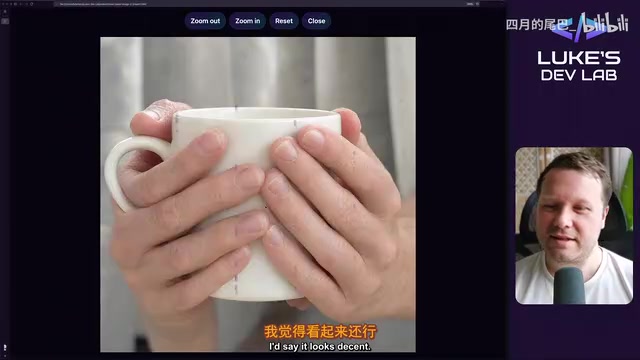
Qwen Image 2.1 Local 32-Test Review: Counting Fails, Anime Style Surprisingly Strong
Bilibili UP host Luke's DevLab ran 32 local tests of Qwen Image 2.1 on an RTX 5090: spelling and spatial layout are reliable, apple counting fails, anime style beats realistic human anatomy, and geometry like bicycle wheel spokes is a clear weak spot. A purple mark suspected to be training data residue appears repeatedly in generated images.