Local Whisper vs Cloud Dictation: How to Balance Privacy, Latency, and Accuracy

Local Whisper isn't automatically faster, more accurate, or more private—weigh privacy, latency, and accuracy across the whole pipeline.
The article breaks dictation tool selection into three questions: privacy, latency, and accuracy. On privacy, even if speech-to-text runs locally, cloud LLM formatting still sends transcripts off-device, and vocabulary/clipboard sync are side channels—so privacy is a property of the whole data path, not a single model. On latency, local isn't always faster; it depends on model size and hardware, and long speech needs pause-based chunked streaming to mask waiting. On accuracy, public WER doesn't reflect your accent or terminology—the article shows how to benchmark base/small/medium with whisper.cpp and jiwer on real text, and notes terminology errors should be fixed with vocabulary corrections rather than bigger models. Finally, it gives a fully private setup: local Whisper plus a local OpenAI-compatible LLM for formatting, verified with the network off, while noting the cloud still wins on weak hardware, multilingual use, and mobile.
Local Whisper vs Cloud Dictation: How to Balance Privacy, Latency, and Accuracy
"Just run Whisper locally" is advice that sounds right but skips a lot of details. Local speech-to-text is genuinely useful, but it doesn't automatically mean faster, more accurate, or even fully private—it depends on what else you've stuffed into your processing pipeline.
This article breaks the choice down into three questions: what data leaves your machine, where latency actually goes, and how accurate the model is on your voice. At the end, we give a complete configuration that keeps all data on your machine. Although we use InsertKit as an example dictation front-end, the trade-offs apply to any tech stack.
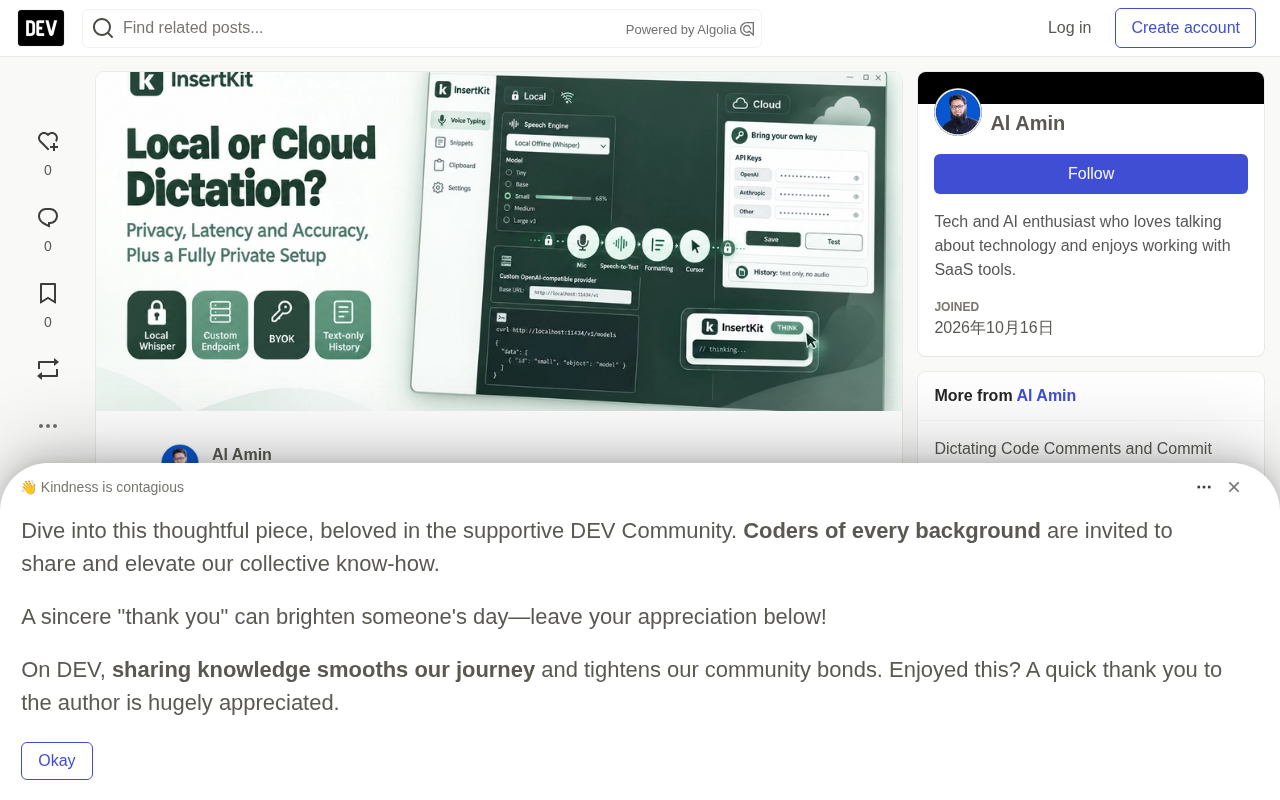
Privacy: First, Map Out the Data Flow
A modern dictation pipeline usually has two stages:
Microphone audio -> [Speech-to-text] -> Raw transcript -> [LLM formatting] -> Text at cursor
Each stage can run locally or remotely, and people often harden one while forgetting the other.
- Speech-to-text: With a cloud engine, audio is uploaded to the provider for processing; with a local Whisper model, audio stays on your machine.
- Formatting: Removing filler words, fixing punctuation, and adjusting tone are usually done by a chat model. If that model is in the cloud, then even if the audio never leaves your machine, your transcript already has.
- Side channels: Sync counts too. In InsertKit, snippets, clipboard history, custom vocabulary, and API keys all sync to your account. If your vocabulary contains the codename of an unreleased product, then even if every audio clip is local, that word list has already been synced.
It's worth knowing exactly what InsertKit stores: cloud speech history in Settings → Usage covers the last 30 days, text only, no audio, and has a clear button. Local speech history stays on the device; set its limit to 0 to disable it.
So "private" isn't a property of a model—it's a property of the entire path.
Side channel in a security context refers to a path that doesn't directly transmit the target data but indirectly leaks information. In dictation tools, the most typical side channel is account sync: audio and transcripts may stay on the local machine, but if custom vocabulary, clipboard history, and snippet libraries are synced to a cloud account, then project codenames, client names, or internal terminology appearing in the vocabulary have already left your machine. The defensive approach is to audit item by item "what data gets synced, where it syncs to, and whether it can be turned off," rather than focusing only on the main audio path. For sensitive scenarios, the safest approach is to disable sync or use a local configuration not tied to an account.
Latency: Where the Milliseconds Actually Go
Local isn't necessarily faster. A rough breakdown:
Cloud: upload time + queuing + inference on fast hardware + download. On a good connection, short utterances can return quickly because providers run large models on powerful GPUs.
Local: zero network, but inference runs on your CPU or GPU. Small models on modern laptops respond well; large models on older CPUs may take longer than you spend speaking.
Two key details in practice:
- Model loading: The first transcription after loading a large model will be slower than subsequent ones—expect this.
- Long dictation: If the tool waits until you finish a three-minute monologue before starting transcription, you'll have to wait for the whole thing to process at the end. InsertKit chunks long speech at natural pauses, transcribing and outputting while you keep talking, which masks most of the latency both locally and in the cloud.
Accuracy: Benchmark with Your Own Voice
Public word error rates (WER) come from benchmark datasets, not your accent, microphone, or industry jargon. Ten minutes of real testing beats any leaderboard.
Here's a quick tool-agnostic method to compare Whisper model sizes using whisper.cpp:
git clone https://github.com/ggml-org/whisper.cpp
cd whisper.cpp
cmake -B build
cmake --build build -j --config Release

for m in base small medium; do
  sh ./models/download-ggml-model.sh $m
done


**Word Error Rate (WER)** is the most commonly used accuracy metric in speech recognition, calculated as `(substitutions + deletions + insertions) / total words in reference text`. Lower WER means better recognition. But its limitations are obvious: it scores by "word" rather than "meaning," so a misspelled proper noun and a grammatical error may be counted as the same cost; and benchmark datasets (like LibriSpeech, Common Voice) often differ hugely from your actual work scenarios in recording conditions, speaker accents, and domain vocabulary. So leaderboard WER can only serve as a rough reference for model capability—the number that truly matters for decisions comes from WER computed on your own recordings and real text.
# Convert a 60-second recording of real work text to 16kHz mono WAV
ffmpeg -i sample.m4a -ar 16000 -ac 1 -c:a pcm_s16le sample.wav

for m in base small medium; do
  /usr/bin/time -p ./build/bin/whisper-cli -m models/ggml-$m.bin -f sample.wav -otxt -of out-$m
done
Then score each output against what you actually said:
# pip install jiwer
from jiwer import wer

ref = open("reference.txt").read()
for m in ["base", "small", "medium"]:
    hyp = open(f"out-{m}.txt").read()
    print(m, "WER:", round(wer(ref, hyp), 3))
Use real material: a commit message, a ticket description, a paragraph full of service names. Generic sentences flatter all models.
You'll likely see a few patterns:
- Larger models handle accents and noise better, at the cost of speed and memory.
- Industry jargon trips up all sizes. This is a vocabulary problem, not a model size problem.
- Whisper can hallucinate on silence or noise, outputting text no one said. Trimming silence and using a better microphone can reduce this.
For terminology problems, a correction layer helps more than a bigger model. InsertKit's custom vocabulary provides word hints and "heard as → written as" correction rules, like post gres→Postgres, and corrections run both before and after formatting, so the LLM can't change them back.
Decision Cheat Sheet
- Audio must never leave the machine: local Whisper.
- Speed on ordinary hardware: cloud, or a small local model.
- High accuracy on difficult audio: a large local model with GPU, or a strong cloud engine.
- Zero configuration: a managed engine with no key required.
- Air-gapped environment or offline work: local Whisper plus a local LLM, or disable formatting.
Many developers end up going hybrid: local for client code or internal docs, cloud for low-risk chit-chat.
A Fully Private Dictation Configuration
The following configuration keeps both audio and text on your machine. Local Whisper is an InsertKit desktop feature (Windows, macOS, Linux).
Step 1: Local Speech-to-Text
In the speech engine panel, select Local offline (Whisper) and download the model within the app. Sizes range from Tiny (~75 MB), Base (~140 MB), Small (~460 MB), Medium (~1.5 GB), to Large v3 (~3 GB). Choose based on your benchmark results. Small is a reasonable starting point on most laptops.
Step 2: Local LLM for Formatting
Run a local OpenAI-compatible server. With Ollama:
ollama pull llama3.2
curl http://localhost:11434/v1/models
LM Studio exposes a similar server, defaulting to http://localhost:1234/v1.
In InsertKit, open Settings → API Keys and add a custom OpenAI-compatible provider: name, base URL (e.g. http://localhost:11434/v1), the key your server requires, and the model (auto-fetched or entered manually). Then select that model for smart formatting.
Smaller local models are sufficient for cleanup formatting. If the output is too creative, add a short custom instruction under Use my own instructions, like "Fix punctuation and remove filler words. Do not add or change content."
Ollama is an open-source tool for running large language models locally. It packages model download, quantization, and inference serving into a single command and exposes an HTTP interface at http://localhost:11434 compatible with the OpenAI Chat Completions API. "OpenAI-compatible" means any client that would normally call https://api.openai.com/v1/chat/completions can seamlessly switch to a local model by changing the base URL to Ollama's or LM Studio's local address and filling in any placeholder for the key. LM Studio is a similar tool offering a graphical interface and a similar server, listening by default on http://localhost:1234/v1. Both let "local formatting" be plugged in without changing code, at the cost of local inference speed being limited by your CPU/GPU and model parameter count.
Step 3: Decide What Happens When Formatting Is Unavailable
Enable Keep working offline so that when the formatter can't connect, the raw transcript is pasted. Or skip formatting for sensitive sessions and rely on vocabulary corrections.
Step 4: Verify, Don't Assume
Turn off Wi-Fi (on Linux run nmcli networking off) and dictate a passage in your editor. If the text still appears and is formatted, both stages are local. Remember to turn the network back on afterward, since account sync requires it.
Linux Notes
Check Settings → General → Linux dependencies. Typing and pasting rely on tools like xdotool and wtype; on Wayland the prompt will point to wtype or ydotool.
Where the Cloud Still Wins
To be fair, cloud dictation has its advantages:
- No local resource use: Large models won't eat your memory or battery during long builds.
- Consistent quality on weak hardware.
- Language coverage: InsertKit's voice input covers 100+ languages with auto-detection. If you dictate in multiple languages, benchmark each one before committing to a local model.
- Mobile: InsertKit's Android app uses managed or BYOK engines; there's no on-device Whisper there.
If you use the cloud, at least choose deliberately. InsertKit Free requires no key but has a daily limit; Premium uses credits; BYOK covers providers like OpenAI, Groq, Deepgram, AssemblyAI, and ElevenLabs.
Wrapping Up
Local Whisper is a strong default for private work, but privacy depends on the entire path, latency depends on your hardware, and accuracy depends on your own voice. Benchmark with real text, add vocabulary corrections to your stack, and verify your configuration with the network off.
If you'd like to try this setup, desktop builds are at insertkit.com/download.
Related articles

iPhone Duo vs. Micro-Dramas: The Format Battle Between Foldables and Vertical Video
iPhone Duo and Samsung Z Fold's wide-aspect foldables are challenging vertical micro-dramas. The Verge finds creators already shoot dual-format, and the hardware-content battle is far from over.

Against Algorithms and Consumerism: How to Build a "Good Enough" Life
Vox editor Rachel Wilkerson Miller's four elements of a nice life—curiosity, beauty, joy, and meaning—and how to resist algorithms and consumerism.

Altman Declares: The Cybersecurity Crisis Is Unsolvable and There Are Too Many Vulnerabilities to Patch
OpenAI CEO Sam Altman publicly admits he can't fix all security vulnerabilities and that the cybersecurity crisis will keep worsening. This article analyzes the industry reality behind this statement: exploding software complexity, the double-edged sword of AI, and the need to shift security paradigms from "zero vulnerabilities" to resilient defense.