Localdock: $9 One-Time Payment, Turn Local Projects into HTTPS Public URLs Instantly

Turn localhost into public HTTPS URLs for $9 one-time—zero installation, perfect for mobile debugging
Localdock solves the localhost access limitation by converting local projects into shareable HTTPS URLs. With zero client installation and a one-time $9 payment, it offers a simpler, more economical alternative to subscription-based tools like ngrok. Ideal for developers needing occasional project sharing and real device testing.
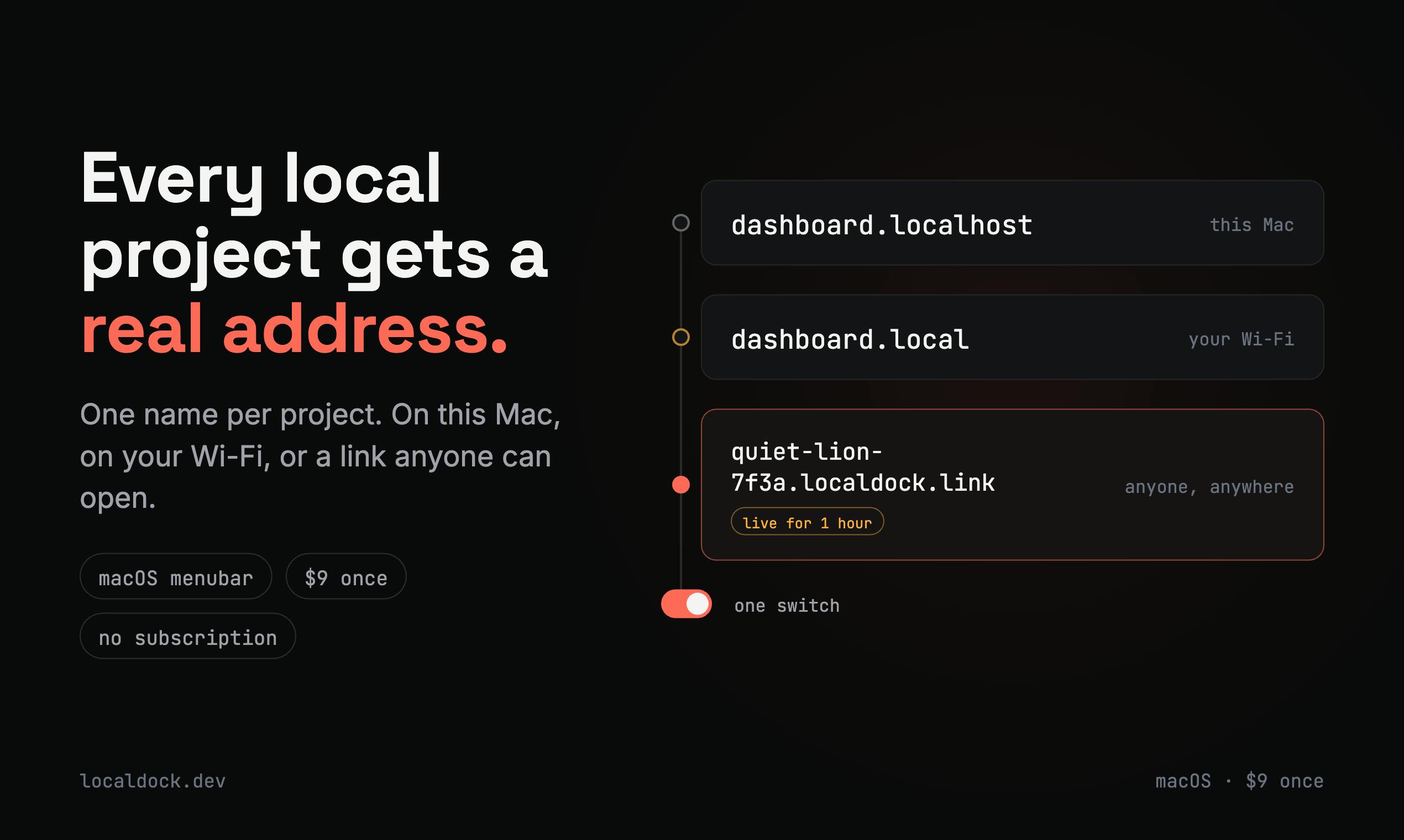
During local development, quickly enabling collaborators, clients, or mobile devices to access undeployed projects has always been a persistent pain point for developers. Recently ranking 9th on Product Hunt's Developer Tools list, Localdock attempts to solve this problem in an extremely simple way—by assigning each local project a real, accessible HTTPS address.
What Problem Does Localdock Solve
Traditional local development environments (localhost) have an inherent limitation: only the local machine can access them. Localhost refers to the local machine address (127.0.0.1), a special hostname in computer networks used to access services running on the local machine. In web development, developers typically start development servers locally (such as Node.js's Express, Python's Django, or frontend tools like Vite/Webpack Dev Server), which by default listen on a specific port of localhost (such as 3000 or 8080). Since localhost can only be accessed from the local machine, external devices cannot directly access this address over the network, creating an "island effect" in local development environments—developers can only view and debug projects on their own computers.
When you need to showcase work-in-progress projects to others, test mobile experiences on real devices, or let clients preview unreleased features, localhost falls short.
In the past, developers typically had several options: temporarily deploy projects to test servers, configure intranet penetration tools, or use tunnel services like ngrok. But these solutions either require tedious configuration, depend on complex server operations, or require installing additional software on client devices.
Localdock's core selling point is zero client installation. According to its Product Hunt introduction, you don't need to install anything on the accessing device—users simply open a standard HTTPS link to access your locally running project, even on mobile phones.
Breaking Down Localdock's Core Features
Real HTTPS Addresses: Goodbye to localhost Limitations
Localdock's most direct value is converting local addresses like localhost:3000 into real, shareable, HTTPS-encrypted public URLs. HTTPS here isn't just a nice-to-have feature—HTTPS is the secure version of HTTP, encrypting data transmission through TLS/SSL protocols to prevent man-in-the-middle attacks and data interception. Modern browsers have introduced the "Secure Context" concept: many powerful Web APIs (such as Geolocation, getUserMedia for camera/microphone access, Service Workers for offline caching, Clipboard API, Web Bluetooth, etc.) can only be used in HTTPS environments or on localhost. This means if accessed through HTTP public URLs, these features will be blocked by browsers. Therefore, providing HTTPS addresses is not only a security requirement but also necessary for functional completeness, especially important for frontend and mobile debugging.
Cross-Device Access: More Convenient Real Device Debugging
The product particularly emphasizes mobile access capability. Real device debugging refers to testing applications on actual physical devices (rather than simulators/emulators). For mobile web development, real device debugging is crucial: while browser device emulators can simulate screen sizes and touch events, they cannot fully reproduce real device performance characteristics, GPU rendering differences, network environments, sensor behavior (gyroscope, accelerometer), and specific browser engine compatibility issues. For example, iOS Safari and Android Chrome have differences in CSS rendering, JavaScript performance, and touch event handling.
For teams developing responsive websites or web apps, being able to directly open in-development pages on real phones without relying on browser device emulators allows for more realistic discovery of issues with touch interactions, viewport adaptation, and performance. Through HTTPS links provided by Localdock, developers can directly access local development servers on mobile phones, view code changes in real-time, and significantly improve mobile debugging efficiency.
One-Time $9 Payment: Rejecting Subscription Lock-In
In an era dominated by subscription models, Localdock has chosen a rather restrained pricing strategy: one-time payment of $9 for full access. Compared to competitors like ngrok that typically use monthly/annual subscriptions, this buy-once model has obvious cost appeal for independent developers and small teams, and lowers the psychological barrier to trying it out.
Comparing Localdock with ngrok and Similar Tunnel Tools
Intranet penetration and tunnel services aren't a new market segment. NAT traversal is a technology that allows external networks to access internal network services. Its core principle is: establishing a relay node on a public server, where the local development environment proactively connects to this public server through a persistent connection. When external users access the public address, the server forwards requests through the established connection to the local environment, then returns responses to users. This technology bypasses firewall and NAT (Network Address Translation) limitations.
Tools like ngrok, Cloudflare Tunnel, and localtunnel have existed for years, each with their own following. Among them, ngrok is currently one of the most well-known intranet penetration tools, created by Alan Shreve in 2013. It uses a subscription-based business model: the free version provides basic functionality but with constraints like random domains and connection limits; paid versions (Pro/Business/Enterprise) start at $8/month, offering custom domains, higher concurrency, access control, traffic analysis, and other enterprise-grade features. Ngrok's advantages lie in high stability, global node deployment, comprehensive documentation, and community support. However, for individual developers who only occasionally need to share local projects, ongoing subscription fees may seem uneconomical.
Localdock aims to differentiate itself primarily on two points: extreme simplicity and pricing strategy.
- Experience-wise, it simplifies "sharing local projects" to sending a link, emphasizing zero client configuration.
- Price-wise, the $9 one-time payment is more cost-effective compared to subscription models for users who only occasionally need to share local projects and don't want to commit to long-term subscription fees—this is Localdock's market entry point.
However, it's important to look at this realistically: mature tunnel services often have more comprehensive features in terms of stability, custom domains, access control, and concurrent connections. As a newcomer, Localdock's current stats of 84 votes and only 2 comments indicate it's still in early validation stages, and its actual stability and feature completeness await verification by more users.
It's worth noting that Product Hunt is the world's largest new product discovery community platform, founded by Ryan Hoover in 2013. The platform showcases dozens of new products daily, where users can upvote and comment, forming daily rankings. For the Developer Tools category, Product Hunt is an important channel for exposure and validation—making the daily top 10 means gaining recognition among thousands of early adopters. However, it's important to note that Product Hunt's vote counts and rankings more reflect a product's marketing ability and early appeal, not necessarily equivalent to product maturity and long-term value. Localdock's 84 votes ranking 9th indicates some success in early promotion, but it still needs more user feedback to validate its stability and feature depth.
Who Should Use Localdock
Overall, Localdock is suitable for these scenarios:
- Independent developers: Need to quickly showcase work-in-progress to clients or potential employers.
- Frontend/mobile engineers: Need to test Web capabilities requiring HTTPS environments on real devices.
- Small teams: Want to achieve temporary project preview sharing at minimal cost without introducing complex deployment processes.
If your needs are enterprise-grade, requiring strict access permission management and high availability guarantees, you may still need to evaluate more mature solutions like ngrok Pro or Cloudflare Tunnel.
Conclusion: Is the $9 Trial Cost Worth It
Localdock hasn't tried to reinvent the wheel, but rather focuses on the core pain point of "simplicity"—using one link and one payment to solve the high-frequency small need of external access to local projects. In an era where developer tools increasingly favor subscription models, its one-time pricing is itself a differentiation strategy.
For developers who frequently need to share local environments, spending $9 to try a tool emphasizing "zero configuration" intranet penetration doesn't carry much trial risk. Whether it can continue to refine stability and feature depth will determine if it can truly establish itself among tunnel tools.
Key Takeaways
- Localdock converts localhost addresses into real HTTPS public URLs, eliminating local environment access limitations
- Zero client installation required—users access via standard HTTPS links, especially convenient for mobile debugging
- One-time $9 payment model, more economical than subscription-based competitors for occasional users
- Suitable for independent developers, frontend engineers, and small teams needing quick project sharing
- As a new product, stability and feature maturity still need more user validation
Related articles

Amphibious Transforming Drone: Beyond 100x Power Savings, What Are the Real Needs?
Is the amphibious transforming drone just a gimmick? Starting from the 100x power difference of the M4 Morphobot, explore real application scenarios and thesis topic ideas, analyzing boundary conditions where pure drones and pure ground robots both fail.

Warhound Raises $200 Million: Genetically Engineered "War Dogs" Paired with Anduril Gear
Warhound raises $200M, backed by Ben Lamm and Palmer Luckey, to genetically engineer dogs for military and law enforcement use and equip them with Anduril gear. This article analyzes its technology direction, funding logic, and ethical controversy.

Claude API Comes to Google Cloud: IAM Integration and SDK Access Guide
Anthropic hosts the full Claude API on Google Cloud with IAM-controlled permissions and unified billing. This guide covers the Vertex AI and Anthropic-hosted entry points, IAM role configuration, and SDK access.