Magpie: The Open-Source Tool That Lets Claude Code, Codex, and Gemini CLI Switch Models Freely

Magpie is a menu bar app that unifies configuration file editing for AI coding assistants, enabling free model switching and automatic account switching on quota exhaustion.
Magpie is a menu bar app designed to solve the problem of Claude Code, Codex, Gemini CLI and other AI coding assistants each locking their own model configuration. By directly editing each agent's configuration files, it lets users specify a model for each agent from a single unified list—for example, running Claude Code on Kimi and Codex on DeepSeek. Additionally, when an agent's API quota runs out, Magpie can automatically switch to a backup account without the agent noticing. The tool is cross-platform for Mac, Windows, and Linux, open-sourced under the MIT license, and has over 16,000 GitHub stars. It positions itself as a lightweight configuration-editing layer that doesn't change the agent's network request path, but it needs to read login credentials to identify subscription plans—users can disable this, though it may affect automatic switching.
One Menu Bar App Breaks AI Coding Assistants' Model Lock-In
If you use Claude Code, Codex, and Gemini CLI at the same time, you've probably noticed a problem: each coding assistant locks its model configuration in its own file. The model you pay for only works in one assistant, and switching to another tool means reconfiguring everything from scratch.
According to a YouTube channel, a menu bar app called Magpie is solving this pain point. It lets you specify a model for each coding assistant from a single unified list—for example, running Claude Code on Kimi, Codex on DeepSeekAd, and Gemini CLI on GLM.
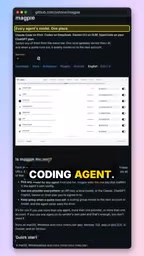
The root of the problem is scattered configuration files. Each AI coding agent maintains its own model settings file, and they don't share with each other. Magpie's approach is to edit these configuration files directly, letting you switch models for all agents at once from the menu bar.
Core Features: Unified Model Selection and Automatic Switching
Magpie's core interaction is as simple as a single list. You pick a target model for each agent from the list, and the app automatically modifies the corresponding configuration file. That means no more manually opening JSON or YAML files one by one to edit them.
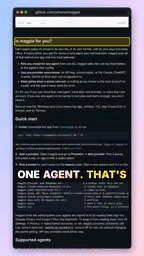
Another notable feature is automatic account switching when quota runs out. When an agent's API quota is exhausted, Magpie automatically switches to a backup account, and the agent itself never notices the error. For developers relying on multiple free tiers or team accounts, this eliminates a lot of manual intervention.
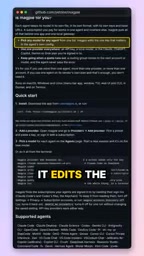
However, this feature relies on reading each agent's login credentials to identify your subscription plan. The developer offers an option to disable this reading behavior, but for privacy-conscious users, it's still a design that requires trade-offs.
The technical meaning of "automatic account switching when quota runs out"
"Quota" here usually refers to the rate limits or periodic usage caps set by major model providers (such as Anthropic, OpenAI, Google, or third-party compatible APIs)—for example, requests per minute, daily token counts, or free-tier balance. When an agent keeps calling the same account and hits a limit, the API returns a 429 or similar error, causing the agent to fail. Magpie's approach is to detect these error signals, replace the account credentials the agent is using with a backup account, and let the agent's subsequent requests continue—so from the agent's perspective, the requests still succeed. This requires Magpie to recognize the error response formats of different agents and maintain a rotatable list of accounts.
Cross-Platform and Open-Source Ecosystem
Magpie covers all three major platforms—Mac, Windows, and Linux—and is open-sourced under the MIT license. According to the video, the project has over 16,000 stars on GitHub.
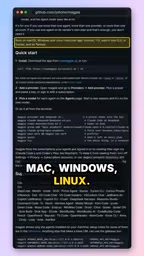
The MIT license means you can freely modify and distribute the code, which is friendly for enterprise teams that need customized configurations. The 16,000+ stars also show that community demand for this tool is real—fragmented model switching is indeed a daily friction point for multi-agent users.
What the MIT license actually means
The MIT license is a permissive open-source license that allows anyone to freely use, copy, modify, merge, publish, distribute, sublicense, and sell copies of the software, with the only requirement being to retain the original copyright and license notice. It does not require derivative works to be open-sourced, and it provides no warranty. For enterprise teams, this means Magpie's code can be integrated into internal toolchains or modified to match their own agent configuration formats without worrying about copyleft-style viral open-source obligations. This licensing model lowers the barrier to adoption and is one reason the project has quickly attracted community contributions.
Trade-Offs Worth Noting
Magpie's positioning is clear: it doesn't do model routing or act as a proxy layer—it only does unified editing of configuration files. The benefit is that it's lightweight and transparent, and it doesn't change the agent's own network request path; the cost is that it must understand each agent's configuration format and credential storage, which means when an agent updates its configuration structure, Magpie may need to follow suit with adaptations.
The privacy trade-off is equally clear. Reading login credentials is a prerequisite for identifying subscription plans. Although it can be disabled, doing so may limit features like automatic switching. Whether to accept this exchange depends on your tolerance for local tools accessing credentials.
For developers who constantly switch between multiple AI coding assistants, Magpie offers a convenient middle-layer solution. It doesn't solve differences in the models' inherent capabilities, but it does reduce the cost of "let's try running this on another model" to a few clicks.
The technical background of scattered configuration files
Tools like Claude Code, Codex, and Gemini CLI typically store settings such as model selection, API keys, and proxy addresses in hidden files or specific paths under the user's home directory—for example, configuration files in JSON, YAML, or TOML format. These tools read their own configurations at startup, and there is no unified configuration standard among them. So to switch models, users need to manually locate the corresponding file and modify fields, and different tools have different field names and nested structures. Magpie's value lies in abstracting away this layer of difference, mapping a unified list interface to each agent's configuration file paths and fields, so users don't have to edit files one by one. But this also means that once an agent changes its configuration structure or file location, Magpie's mapping logic needs to be updated accordingly.
Related articles

WorkBuddy Full Tutorial: Build an AI Office Automation Agent from Scratch
A complete WorkBuddy tutorial: installation, three working modes, multimodal picture book video practice, expert team agent building, and workflow configuration for low-cost AI office automation.

WorkBuddy Agent Complete Guide: From Beginner to Automation in 7 Days
Based on Bilibili's 256-episode WorkBuddy masterclass, this systematically breaks down Tencent's AI office workbench core capabilities: Agent principles, Skill encapsulation, cross-platform connectors, scheduled automation, knowledge bases, and zero-code development, with learning path recommendations.

8 AI Accounts, 7 Failed: An Honest Review of Using AI to Get Work Done
Only 1 of 8 AI-run Bilibili accounts succeeded. We break down the real difference between "performing AI" and "using AI to get work done."