Matt Pocock Skills Deep Dive: Turning AI Coding from Chat into Engineering
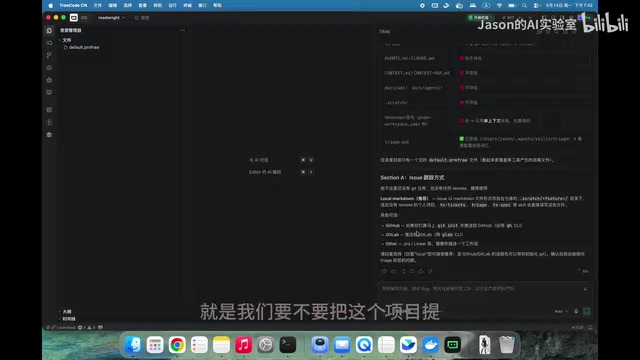
Matt Pocock Skills turns AI coding from uncontrolled chat into a structured engineering workflow.
This article introduces Matt Pocock's AI-assisted development methodology (Skills), designed to fix the core pain points of Vibe Coding — vague requirements, repeated bugs, and AI missing the intent. The workflow encodes best practices into Agent-executable steps: deeply discuss requirements with AI (which asks a dozen clarifying questions), generate a SPEC document published as GitHub Issues, break it into small tasks, implement each in an isolated context window using TDD, then review, commit, and close. AGENTS.md controls AI behavior boundaries, ADRs capture architectural decisions, and the entire process turns unpredictable conversational generation into auditable, traceable engineering.
From "Conversational Coding" to "Engineering-Grade Coding"
Most people's experience with Vibe Coding (using AI to write code) probably goes something like this: you tell the AI "add a payment feature," wait a couple of minutes, and get back either a wall of code claiming it's done — or something that completely missed the point. You open it up, the feature doesn't work, the code is a mess, and you're back to square one doing it yourself. This frustrating cycle of miscommunication and repeated bugs is something virtually every AI-assisted developer has run into.
Matt Pocock's Skills framework is designed to solve exactly this problem. At its core, it encodes "best practices for AI-assisted software development" into Agent-executable workflows — essentially, a set of pre-written prompt files you can invoke directly. The methodology itself isn't complicated: first discuss requirements with AI to generate a technical spec document, then break that document into small tasks, have the AI implement each one using TDD (Test-Driven Development), and finally complete the submission through code review.
The keyword for this entire process is engineering discipline. Rather than treating AI as a "one-shot" black box, it breaks software development into controlled, reviewable, and traceable engineering steps.
What is TDD? TDD (Test-Driven Development) is a cornerstone of this methodology. The core idea is "write tests first, then write the implementation": before writing any business logic, define the test cases the feature must satisfy. Let the tests fail first (Red), then write the minimal implementation to make them pass (Green), then refactor (Refactor) — a cycle commonly known as Red-Green-Refactor. For AI-assisted development, TDD brings extra value: test cases are themselves a precise specification of requirements, giving the AI a clear "definition of done" to work toward, which dramatically reduces situations where "the feature is implemented but the behavior is wrong." Running tests after each small task — and treating a passing test as completion — also gives code review an objective basis rather than relying solely on human judgment.
Installation and Project Initialization
Installation is essentially just placing the Skills folder in the right location. You can do this with an npx command (requires Node.js), and during installation you'll choose whether to install at the project level or globally. If you want all your IDE Agents to have access, global installation is recommended. The installer presents a list of Skills to choose from — you can select all or pick what you need.
Once installed, the first thing to do is run the initialization command to set up your project. In the demo, the author creates a minimal project — just Get and Set endpoints — to walk through the full workflow. During initialization, one important decision comes up: whether to push the project to GitHub.
Here's a practical time-saving tip: you can handle git init and git push yourself manually, then simply tell the AI "git init and git push are done" — this avoids having the AI waste tokens and time on these mechanical operations.
Initialization also asks you to confirm the task label system. The defaults are five English labels (e.g., Preparing, Ready for Agent, Ready for Human, Needs Completion), but you can ask the AI to switch them to another language. These labels add layered metadata to each task, marking which ones go to the Agent and which require human intervention.
After initialization, the project root will contain a set of generated files: an AGENTS.md-style instruction file (this naming convention is more universal than CLAUDE.md and is supported by Codex, Cursor, and other Agent IDEs), along with a context directory and ADR (Architecture Decision Record) documents. These files serve as context that the AI reads in future sessions to better understand the project background and your requirements.
What is an ADR? An ADR (Architecture Decision Record) is a document format for recording important technical decisions in software engineering, introduced by Michael Nygard in 2011 and widely adopted since. Each ADR typically includes: the context behind the decision (why it was made), the alternatives considered, the final choice and its rationale, and the expected consequences. In AI-assisted development, ADRs are especially valuable: AI models have no memory of past sessions and start fresh each time. By capturing key technical decisions in ADR files, the AI can understand "why we used TOML instead of YAML" or "why we chose Gin over the standard library," preventing future suggestions that contradict the established architecture. This is why the files generated during initialization form the foundational infrastructure that keeps the entire engineering methodology running.
Requirements Discussion: Let AI Ask Every Detail
The real first step isn't writing code — it's discussing requirements. The Skill used here is called glow-with-document.
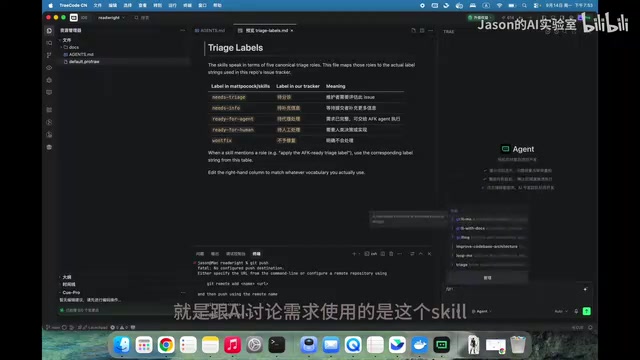
The author starts with just a single minimal requirement: "Implement read and write APIs — whatever was written can be read back, save to Redis, and overwrite on duplicate writes." But the AI then launches into a series of clarifying questions, from Q1 all the way to Q13:
- Single key or multiple keys? (Answer: multiple keys; key is any positive integer, value is a string)
- HTTP framework — standard library or Gin? (Answer: Gin, more features)
- Which Redis client? (Answer: go-redis)
- Config file format? (Answer: TOML)
- POST or PUT for the write endpoint? How to handle status codes? Authentication? Path prefix? Should values never expire or have a TTL?
The value of this step is that every implementation detail gets surfaced upfront. The author admits the demo project is simple, but real projects are far more complex — which makes this clarification step even more critical. The clearer the requirements, the more confident the AI, and the more confident you — and you avoid the awkward situation of "AI didn't get the requirement" down the road. This step produces a technical requirements document (SPEC) that gets published as a GitHub Issue.
Breaking Down Tasks and Implementing Iteratively
Once the requirements document is confirmed, use a Skill like to-tickets to break the SPEC into multiple smaller tasks and create them as GitHub Issues.
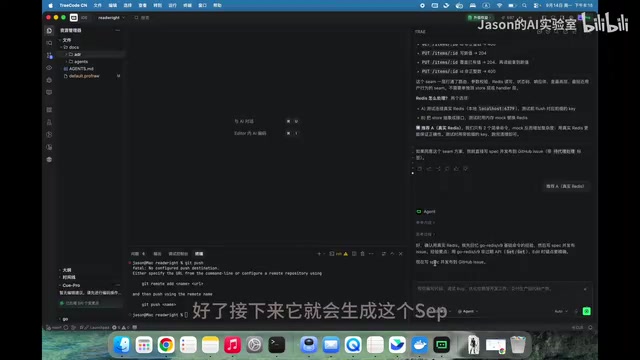
In the demo, the project is split into four tasks: scaffold the project, implement the PUT endpoint, implement the GET endpoint, and handle validation. After the split, the AI confirms whether the granularity feels right. Having tasks tracked as GitHub Issues means you can manage progress just like in a real development workflow.
Next comes the heart of the methodology — small steps, fast iterations. Each Issue is implemented independently: implement, review, commit, close. The author repeatedly emphasizes one critical practice: open a new context window for every task. Two reasons: first, it avoids context contamination — the requirements discussion context doesn't need to bleed into the implementation phase; second, it saves time and money, since every message re-sends the full history and long contexts burn through tokens fast.
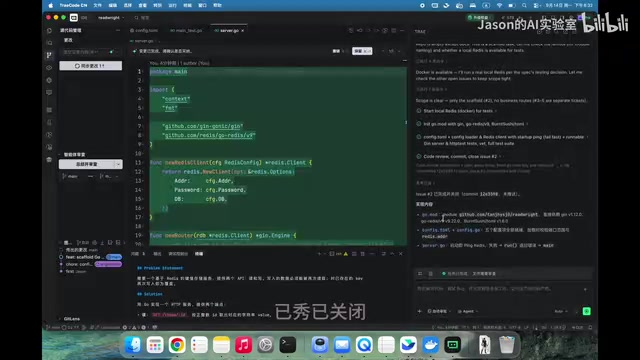
During implementation, the AI automatically does code review, commits code, and closes the Issue. But the author also shares an important control technique: if you don't want the AI to auto-commit or auto-close Issues, write that requirement explicitly in AGENTS.md — for example, "confirm with me before running git commit; only commit and close the Issue after I approve." The author tested this and confirmed the AI respects it. This file is read at the start of almost every session, and the AI will understand and follow your rules.
What is "context window contamination"? Context window contamination is a common issue with large language models in long conversation scenarios. When generating a response, the model takes the entire session history as input — meaning earlier content (like the back-and-forth during requirements discussion) continuously consumes token budget and can skew the model's judgment on the current task, for example by treating a rejected approach as still valid. Opening a new context window for each task is like giving the AI a clean workbench — only the current task's Issue description and necessary technical documents (SPEC, AGENTS.md, etc.) are in scope. This reduces wasteful token consumption and keeps the AI's attention focused. It mirrors the human engineering practice of "focus on one ticket at a time."
Testing and Methodology Recap
Once all four tasks are done, both Redis (launched via Docker in the demo) and the API code are ready. For testing, the author simply has the AI provide curl commands to test both endpoints: write a value, then read it back, verifying the read/write logic works. For web projects you can open the URL in a browser; for APIs, Postman or curl both work fine.
Worth noting: the project structure is deliberately flat with no subdirectories, because the AI determined it wasn't necessary for a project this small. If you want a more structured layout, you can add a task to have the AI handle that.
Looking back at the full methodology, the core chain is clear and repeatable:
- Discuss requirements → Have AI surface every detail through questions
- Write a technical document (SPEC)
- Break into small tasks (Tickets / Issues)
- Implement one at a time → New context window per task, TDD + code review + commit
One of Matt's core reasons for investing in this workflow is that AI "doesn't automatically carry context" — without capturing requirements and decisions in documents, the AI is guessing every time. The Skills toolkit also includes helper utilities like ask-matt, which tells you which Skill to use when you're not sure where to start.
For developers used to "one-liner AI coding," this workflow may feel heavyweight at first. But its real value is turning unpredictable, conversational code generation into an auditable, traceable, and collaborative engineering process. As projects grow in size, the upfront "overhead" is exactly what prevents costly rework down the line.
Related articles

Qwen 3.8 Beats Opus at Coding—But Can Your Mac Run It?
Open-source Qwen 3.8 beats Opus 4.6 at coding at just 18GB, but how much Mac memory do you need? 24GB crashes; 32GB is the sweet spot. Full config guide inside.

Claude Code + Agent: Building a Fully Automated AI Testing Loop
Bilibili course breakdown: how test developers can use Claude Code terminal-based Agents to build a fully automated AI testing loop. Compares permission boundaries of terminal vs. device Agents, explains why enterprise projects choose Claude Code over Open Claude-type tools, and outlines the Node.js environment setup and DeepSeek model integration path.

Working with AI Agents Requires Nerves of Steel
The more autonomous AI agents become, the heavier the user's psychological burden. Drawing from a Hacker News discussion, this article analyzes black-box anxiety, behavior drift, and monitoring fatigue in agent collaboration, and offers practical approaches like sandbox isolation, permission control, and task granularity management to reduce cognitive load.