MiniMax Code vs Cursor: Analyzing the Design Advantage of Side-by-Side Code and Agent Layout

Comparing MiniMax Code's side-by-side layout with Cursor's editor-centric design for AI-assisted coding workflows.
This article analyzes the fundamental UI layout differences between MiniMax Code and Cursor. MiniMax Code places code and Agent side by side, reducing context switching and improving code review efficiency. Cursor's editor-centric design inherits traditional IDE paradigms. The comparison reveals how layout choices impact cognitive load, workflow continuity, and developer productivity in AI programming tools.
Starting with a Simple Comparison
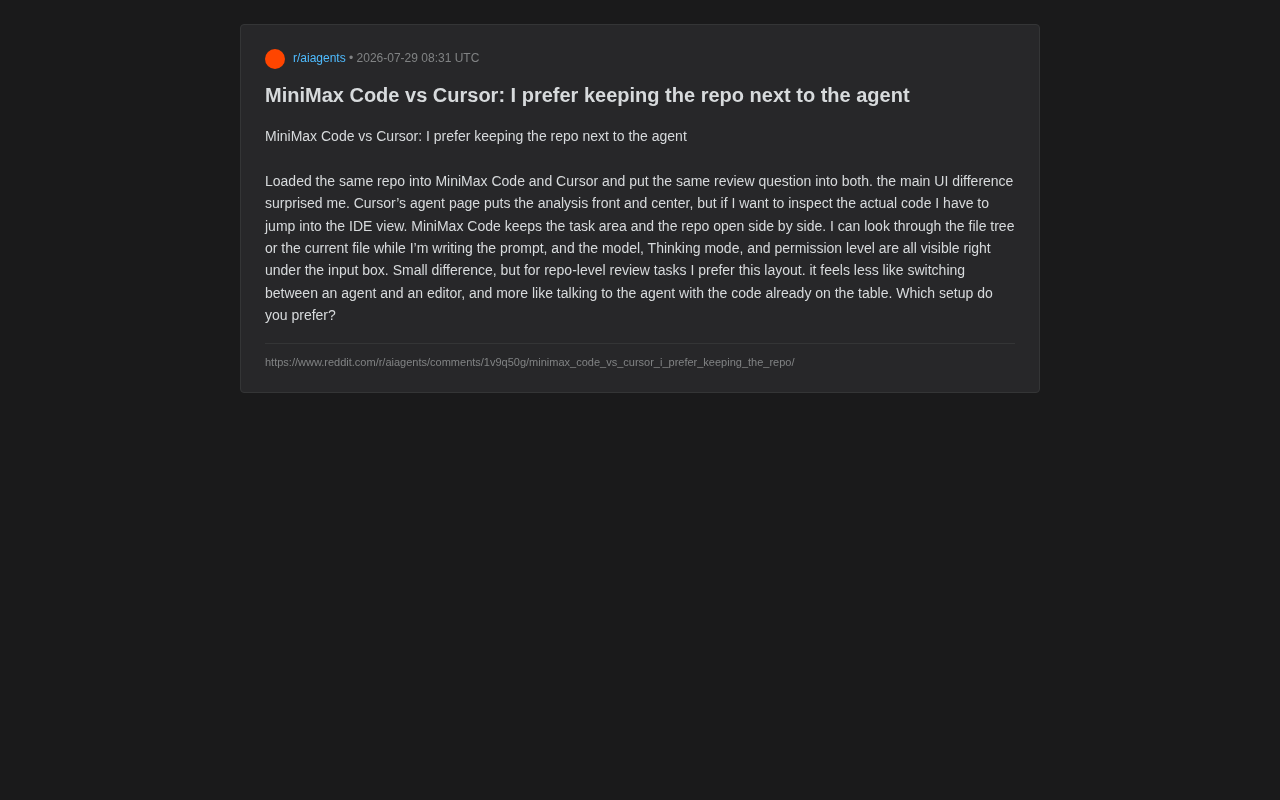
As competition among AI programming tools intensifies, UI layout—a seemingly minor design detail—is quietly shaping developers' real-world work experiences. Recently, a Reddit developer ran an interesting experiment: he loaded the same code repository into both MiniMax Code and Cursor, asked both the same code review questions, and observed the differences in their interaction experiences.
What surprised him wasn't the model capabilities themselves, but the fundamental difference in UI layout logic between the two. Though small in scale, this comparison touches on a core question in AI programming assistant design: What spatial relationship should exist between the Agent and the code?
Two Diverging Design Philosophies
Cursor: An Interaction Model Centered on Analysis Results
According to this developer's observations, Cursor's Agent page places analysis results at the visual center. When you submit a code review request, it prioritizes presenting the model's reasoning and conclusions. This design has its merits—it assumes that what developers care most about is the Agent's answer.
However, problems follow: if developers want to actually inspect the specific code to verify whether the Agent's judgment is accurate, they must switch to the IDE view. This back-and-forth jumping between the Agent page and the editor view happens frequently during repository-level review tasks, breaking the continuity of the workflow.
It's worth noting that Cursor itself is a fork of VS Code, and its underlying architecture inherits the traditional IDE design paradigm centered on the text editor. In this architecture, all features—including the debugger, version control, terminal, and AI conversations—are plugins or panels built around the editor window. This means AI functionality is essentially an enhancement layer "stacked on top of" the existing architecture, rather than a purpose-built integrated experience designed from scratch. This architectural choice brings a rich plugin ecosystem and mature editing capabilities, but also somewhat limits the deep integration between AI interaction and code browsing.
MiniMax Code: A Side-by-Side Layout of Code and Tasks
In contrast, MiniMax Code takes a fundamentally different layout approach. It displays the task area and code repository side by side, allowing developers to browse the file tree or view current file contents while simultaneously composing prompts.
Furthermore, three key configurations—model selection, Thinking mode, and permission level—are displayed directly below the input box, immediately visible at a glance. This means developers can clearly understand their current working context without searching through multiple panels or menus.
This design philosophy aligns with the emerging "AI-native" product mindset. Unlike grafting AI capabilities onto traditional tools, AI-native tools treat conversational interaction as a first-class citizen from the information architecture level, with code browsing serving as a supporting capability around the conversation. This is similar to the fundamental difference between "mobile-first" design and "adapting desktop for mobile" in the mobile internet era—the former rethinks interaction logic from the target scenario, while the latter makes incremental improvements within existing frameworks.
Why Layout Differences Have a Major Impact on Development Efficiency
This developer used a very apt metaphor to describe the experience difference: MiniMax Code's layout "feels less like switching between an Agent and an editor, and more like having a conversation with the Agent while the code is already spread out on the table."
This statement highlights a deeper philosophy in AI programming tool design. The traditional "switching" experience treats the Agent as an independent conversational partner—you ask it questions, it gives you answers, while the code is hidden behind another view. The "side-by-side" experience makes the code a shared context for the conversation—you and the Agent are both looking at the same code while discussing it.
Context Continuity: Reducing Attention-Switching Costs
In repository-level review tasks, context continuity is crucial. Developers need to cross-reference actual code while reading Agent suggestions. Every view switch means refocusing attention and increasing mental burden. MiniMax Code's side-by-side design genuinely reduces this friction for such tasks.
From a cognitive science perspective, this design advantage has a solid theoretical foundation. Research shows that every task switch produces a so-called "switch cost"—in simple tasks, it typically requires an additional 200-500 milliseconds to redirect attention, while in complex cognitive tasks, fully recovering to the pre-switch cognitive state may take several minutes. Code review is an activity highly dependent on working memory—developers need to simultaneously maintain code logic structures, variable states, function call relationships, design patterns, and other multi-layered information in their minds. Human working memory capacity is limited (often described as "7±2" information chunks). When view switching forces attention temporarily away from the code context, this cached information decays rapidly, requiring developers to "reload" the context upon returning, causing significant efficiency loss. Side-by-side layout fundamentally avoids this accumulation of cognitive burden by eliminating physical view switching.
Configuration Transparency: Maintaining Control Over AI Permissions
Exposing the model, thinking mode, and permission level directly below the input box also reflects a "transparency" design philosophy. Before submitting a request, developers can clearly see which model they're using, whether deep reasoning is enabled, and how much operational permission the Agent has. This transparency is especially important in scenarios involving code modifications—after all, permission level directly determines whether the Agent can automatically execute changes.
Regarding Thinking mode, the technical principles behind this feature deserve further exploration. It refers to the AI model performing an explicit round of "Chain-of-Thought" (CoT) reasoning before generating its final answer. This technical paradigm was popularized by OpenAI's o1 series models. The core idea is to have the model break complex problems into multiple intermediate steps, deriving conclusions progressively rather than jumping directly to the final answer. In code review scenarios, enabling Thinking mode means the model will first systematically analyze code structure, identify common anti-patterns, evaluate potential edge cases and race conditions, and then synthesize its review suggestions. This mode typically consumes more reasoning tokens and computation time but can significantly improve the accuracy of complex logical reasoning and the quality of suggestions. For developers, knowing whether this mode is currently enabled directly affects expectation management regarding response time and result quality.
Permission level is a critical dimension in AI programming Agent security design. Typical permission tiers include: read-only mode (only code analysis and textual suggestions), suggestion mode (generating code diffs for human confirmation before applying), and auto-execution mode (Agent can directly modify files, run terminal commands, or even commit code). This design borrows from the Principle of Least Privilege in operating system security—the core idea is to grant the Agent only the minimum operational permissions needed to complete the current task at any given moment, preventing AI from making irreversible modifications to the codebase without explicit authorization. In enterprise development environments, permission control also involves more complex governance needs such as code compliance auditing, operation tracking, and team collaboration permission boundaries. Visualizing this configuration directly in the input interface so developers can confirm current security boundaries before each interaction is a commendable example of responsible design.
Product Positioning Differences Behind the Layout Debate
This seemingly minor interface comparison actually reflects two different understandings of "what an AI programming assistant should be."
As a tool that evolved from an editor, Cursor's Agent functionality is an enhancement built on a mature IDE, so it naturally retains "editor" and "Agent" as two relatively independent modules. MiniMax Code, on the other hand, appears to have been designed from the start with the Agent as the core interaction entry point, with code browsing serving as a supporting capability around the conversation.
This kind of divergence is not unprecedented in technology product history. Looking back at the evolution of software tools, similar paradigm debates have played out repeatedly: Web 1.0 portal sites were disrupted by native apps when mobile internet arrived; traditional desktop software was redefined by SaaS in the cloud computing wave. Every fundamental infrastructure change triggers a debate between "enhancing existing architecture" and "rebuilding based on new paradigms." The AI programming tools space is experiencing similar differentiation—the "IDE+AI" route represented by Cursor and the "AI-native" route represented by MiniMax Code will likely coexist for a considerable period, each serving developer communities with different preferences and work styles.
It's worth mentioning that this is just one developer's subjective preference based on a specific task (code review) and does not constitute a comprehensive judgment of either product's superiority. Different usage scenarios may lead to different conclusions—for example, in scenarios requiring extensive manual coding, Cursor's editor-centric design may hold greater advantages.
How to Choose the Right AI Programming Tool
For developers currently choosing an AI programming tool, this comparison provides a valuable evaluation dimension: Don't just look at model capabilities—also evaluate workflow continuity.
Specifically, ask yourself a few questions:
- Is my primary task code review, understanding existing code, or writing new code from scratch?
- How frequently do I need to cross-reference actual code while using the Agent?
- Do I need to clearly know the current model and permission configuration at all times?
If your work primarily involves repository-level review and comprehension, MiniMax Code's "side-by-side code and Agent" layout may deliver a smoother experience. Conversely, if you value deep integration with a traditional editor, Cursor's mature ecosystem remains a strong choice.
Additionally, there's a practical factor worth considering: your project's scale and complexity. For large monorepos or microservice architecture projects, code review often requires frequent jumping between multiple files and modules—in these cases, the advantages of a side-by-side layout become more pronounced. For small projects or rapid single-file iteration scenarios, the experience gap from layout differences may not be significant.
Conclusion
Competition among AI programming tools is gradually expanding from "whose model is more powerful" to "whose interaction design better fits real workflows." This small experiment from the Reddit community reminds us that, given equal model capabilities, details like interface layout can sometimes be exactly what determines whether a tool truly integrates into a developer's daily routine. Having code spread out on the table while conversing with the Agent, or constantly switching between Agent and editor—which do you prefer? There may be no standard answer, but it's a question worth serious consideration for every developer.
Key Takeaways
Related articles

Deep Dive into Agent Eval Harnesses: Build vs. Buy?
A deep dive into the four core components of an agent eval harness — Cases, Runner, Capture, and Graders — with practical guidance on when to build vs. adopt existing frameworks.

Getting Started with Krea 2 Image Generation: A Beginner's Guide to LoRA and Checkpoints
A beginner's guide to Krea 2 image generation: how to start with free open-source workflows, understand LoRA vs Checkpoint on Civitai, and achieve consistent realistic image generation.

Nintendo 'Customer Appreciation' Sale: Switch Games and Accessories Price Cuts Roundup
Nintendo's Customer Appreciation sale discounts Switch games and accessories at Amazon, Best Buy, Walmart, and its digital store — funded by tariff refunds. Ends Sept 26.