MiniMax H3 LoRA Goes Open Source: Generate 360° Orbiting Videos from a Single Image with Free Local Deployment

A 100+ MB LoRA turns static images into 360° orbiting videos, deployed locally and for free via ComfyUI.
This article introduces the MiniMax H3 LoRA model, only about 100 MB, which uses ComfyUI to turn any static image into a 360° orbiting video and supports first/last frame control for camera-movement transitions. It covers the full local deployment process—installing ComfyUI Desktop, enabling China mirror acceleration, and placing four model files (LoRA, Diffusion, text encoder, VAE)—and demonstrates single-image orbiting, first/last frame video, and product ads. The author notes the information comes mainly from a single creator's demo, the text encoder is large, aspect ratios need care, and stability still awaits independent verification.
Recently, a LoRA model of just over 100 MB has attracted considerable attention in the AI video generation community. It can turn any static image or photo into a video that can be viewed with a 360-degree rotation without blind spots, even perfectly rendering the back side that was originally invisible. More importantly, this solution is completely free and supports local deployment. Based on the hands-on demo by Bilibili creator "Lingdu Jieshuo" (Zero-Degree Commentary), combined with community feedback, this article walks you through the complete path from model download to workflow execution.
Core Capability: Generating 360° Orbiting Videos from a Single Image
According to the demo by Bilibili creator "Lingdu Jieshuo," this LoRA model named MiniMax H3 is only about 100 MB in size, yet it can transform any static image into a dynamic video that can be viewed from all around. Whether it's a person, a product, or a 3D cartoon character, the model maintains detail consistency during rotation, and the handling of back-side details is particularly impressive.
Another highlight of this solution is its support for first/last frame control. Through a second workflow file, users can upload two images simultaneously as the first and last frames to generate a camera orbiting video. In the demo, the creator uploaded two images of a person and entered custom prompts, and the generated video was almost indistinguishable from real footage—with background music, it even had a cinematic feel.

LoRA (Low-Rank Adaptation) is a lightweight model fine-tuning technique. By injecting low-rank decomposition matrices into the weight matrices of a pretrained large model, it achieves targeted adaptation to specific capabilities or styles with an extremely small number of parameters (typically less than 1% of the original model). Its core advantages are: the fine-tuned weight file is small (commonly tens to hundreds of MB), flexible to load, and can be combined with the base model without destroying the original model's capabilities. In video generation, LoRA is often used to teach a base diffusion model specific camera movement patterns (such as orbiting, push-pull) or visual styles. The 100+ MB LoRA mentioned in this article is exactly how the base video model in ComfyUI gains the specialized ability of "single-image 360° orbiting."
First/last frame control is a conditioning method in video generation: the user provides a start frame and an end frame, and the model interpolates intermediate frames between them, thereby precisely controlling the video's starting point, ending point, and motion trajectory. Compared with pure text-prompt generation, first/last frame control significantly improves the stability and predictability of transitions, making it especially suitable for advertising, transitions, or character showcase scenarios that require "smooth motion from scene A to scene B." The second workflow in this article uses this mechanism to make the camera complete an orbiting motion between the first and last frames, avoiding results that deviate from expectations.
Full Local Deployment Process: From Environment to Models
The entire deployment process is not complicated, but several key steps need to be completed in order. First, download and install the latest version of ComfyUI Desktop. The creator recommends that Windows users download the latest installer directly (about 170+ MB) and choose a non-C drive path during installation to save system drive space. After installation, on first launch, check "Use recommended settings for quick installation." If you are in mainland China, it is strongly recommended to enable "China mirror acceleration" to speed up dependency downloads.
After the environment is configured, you need to download and place four types of model files in sequence:
- LoRA model: the core model, about 100+ MB, placed in the
models/lorasfolder. - Diffusion model: placed in the
models/diffusion_modelsfolder. - Text encoder: about 14 GB, placed in the
models/text_encodersfolder. - VAE model: includes both int8 and fp32 versions, placed in the
models/vaefolder.
The creator specifically reminds users that model files need to be placed in the corresponding subfolders under the ComfyUI installation directory. The specific path can be accessed by right-clicking the desktop shortcut, selecting "Open file location," and navigating level by level.
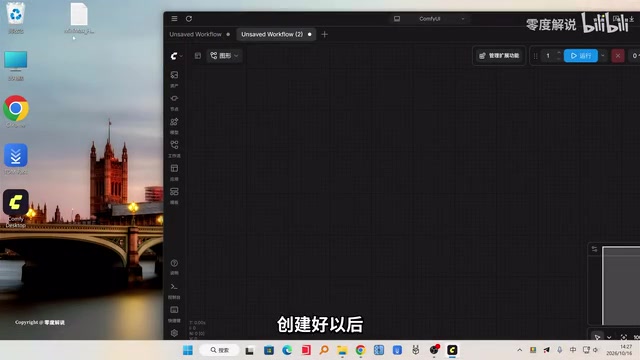
ComfyUI is a node-graph-based frontend tool for Stable Diffusion and video generation. Users build generation pipelines by dragging nodes and connecting input/output ports rather than relying on fixed forms. Its "workflows" can be saved as JSON files and shared; once imported by others, the same node configuration can be reproduced. ComfyUI Desktop further encapsulates the Python environment and dependencies, lowering the barrier to local deployment. Understanding node-graph logic helps with troubleshooting: for example, "press R to refresh" in this article actually makes ComfyUI rescan the model directory and rematch missing model nodes with local files.
In the diffusion model system, the Diffusion model, text encoder, and VAE have clear divisions of labor: the Diffusion model (also called UNet) is responsible for gradually denoising in latent space and generating content; the text encoder (such as CLIP or T5) converts prompts into semantic vectors that the model can understand, serving as generation conditions; and the VAE (Variational Autoencoder) is responsible for encoding and decoding between pixel space and latent space. The versions of all three must match each other, otherwise the image may collapse or fail to load. The text encoder in this article is as large as about 14 GB, usually because a larger T5-series encoder is used to support more complex prompt understanding, which is also the main reason downloads take time.
Workflow in Practice: From a Single Image to an Ad Clip
Once the models are in place, create a new blank workflow in ComfyUI and drag in the downloaded workflow file. On first load, it may prompt that models are missing. At this point, press the R key on the keyboard to refresh; the system will automatically identify and prompt for the missing individual model. Click download and refresh again to clear the error.
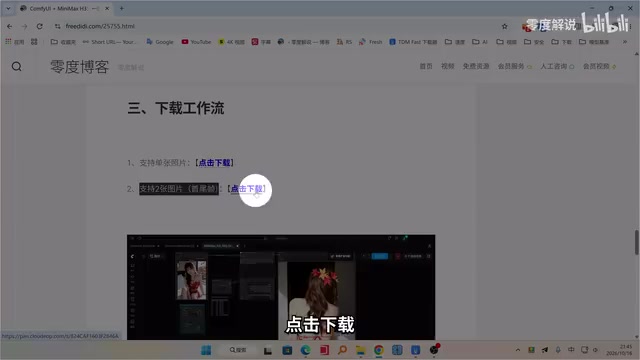
The creator demonstrated three typical use cases:
- Single-image orbiting: Upload a portrait image, set the aspect ratio to 3:4, and run it. In about one minute, a 3-second orbiting video is generated. If a longer duration is needed, adjust the frame count parameter in the workflow.
- First/last frame video: Use the second workflow, upload two images as the first and last frames, and enter a custom prompt (which can be copied from the document provided by the creator). Select a 16:9 ratio to generate a transition video with camera movement.
- Ad clip: Use a product image to generate a 5-second ad video. The creator reminds users to pay attention to the aspect ratio setting to avoid the image being squashed. After adjusting the resolution and regenerating, the result improves noticeably.
According to the creator's summary, the application scenarios of this solution cover 360-degree character display, product ad design, 3D cartoon character production, and more, making it especially suitable for e-commerce ad creation and 3D design.
Multi-Source Perspectives and Notes
It should be noted that the core information in this article comes from a single-source demo by Bilibili creator "Lingdu Jieshuo." Currently, community discussions about this LoRA model are mainly concentrated in tech channels on Bilibili and YouTube, and large-scale independent reviews have not yet appeared.
From a practical standpoint, several details are worth noting: the text encoder is large (about 14 GB), so downloading takes some time; configuring the dependency environment during the first ComfyUI installation may take several minutes; and the prompts and aspect ratios in the workflow need to be adjusted according to the actual material, otherwise image distortion is likely. In addition, the TDM download tool mentioned by the creator is a third-party multi-threaded downloader, and users should evaluate its security themselves.
Overall, MiniMax H3 LoRA provides a new low-barrier, high-freedom option for local AI video creation. The ability to generate orbiting videos from a single image has clear practical value in e-commerce display and character design scenarios. As more creators test it hands-on, the stability and generalization ability of this workflow remain to be further verified.
One-line Summary
A 100+ MB LoRA lets static images generate 360-degree orbiting videos with one click, deployed locally and for free via ComfyUI.
Paragraph Summary
This article introduces a LoRA model named MiniMax H3, only about 100 MB in size, which can use ComfyUI to transform any static image into a video viewable with a 360-degree orbit, and supports first/last frame control to generate transition clips with camera movement. The article covers the complete local deployment process from installing ComfyUI Desktop and configuring China mirror acceleration to downloading and placing four types of model files—LoRA, Diffusion, text encoder, and VAE—and demonstrates three use cases: single-image orbiting, first/last frame video, and product ads. The author also notes that the information mainly comes from a single creator's demo, the text encoder is large, aspect ratios need to be set carefully, and the solution's stability and generalization ability still await more independent review verification.
Related articles

Workbuddy for Absolute Beginners: How a Desktop AI Agent Fits Into Real Workflows
A beginner's guide to the Workbuddy desktop AI agent: installation, claiming credits, file management, and building automated workflows—compared with CodeX for fit and cost, helping professionals shift from AI question-askers to AI managers.

OpenAI's New Agent Stack: Computer Use, Decisions API, and Ultra-Fast Workflows
OpenAI Dev Day unveiled a new agent stack: Computer Use outperforms humans, Decisions API delivers ultra-low-latency classification via Luna, Agents API opens the same Computer Use capabilities, and GPT-6.1 Sol costs only one-seventh of Astra. Core updates, benchmark data, and developer insights.

Liang Wenfeng Open-Sources DeepInfo Inference Framework, Takes On U.S. Ban
DeepSeek open-sources its DeepInfo inference framework after its models, featuring GPU/CPU cross-pipelining, small-model prediction with large-model verification, and full Huawei Ascend and NVIDIA chip support—facing the U.S. federal ban head-on. This article analyzes its significance for AI deployment and open-source strategy.