MiniMax H3 Open-Source Video Model Local Deployment Review: Runs on 8GB VRAM
MiniMax H3 local deployment review: commercial-grade video quality starting at 8GB VRAM.
MiniMax's latest open-source H3 video generation model has drawn wide attention for its near-photorealistic output. This article covers a full hands-on deployment walkthrough via ComfyUI, including text-to-video, image-to-video, and first/last frame control. The 4-bit quantized version runs on as little as 8GB VRAM, with an FP variant for lower-end hardware. H3 shows marked improvements in motion smoothness, physics accuracy, and facial detail — already proven viable for MVs, ads, and other commercial uses, with 15-second clips generating in just minutes.
The rapid iteration of open-source video generation models is reshaping the barriers to content creation. MiniMax's latest open-source video generation model, H3, has caught the attention of many creators thanks to its near-photorealistic visual quality and local deployment capability. In a recent hands-on tutorial, Lingdu Jieshu (零度解说) conducted a full local deployment test of the model — covering text-to-video, image-to-video, and first/last frame control — and walked through the entire workflow from start to finish.
Results That Are Hard to Tell From Real Footage
The tutorial opens with an interesting experiment: viewers are shown several short video clips and asked to guess which ones are AI-generated and which are real recordings. As it turns out, only two clips in the set were actually filmed by a human — all the rest were generated by MiniMax H3 — yet most viewers struggled to tell the difference.
This speaks to the maturity of current open-source video models. Common issues with earlier AI video — motion distortion, physics violations, facial degradation — are significantly improved in H3. In short-video scenarios especially, where content is brief and detail is limited, it becomes even harder for viewers to spot telltale signs of AI generation. This means AI video is now ready for real-world commercial applications like ads, music videos, and creative short films.
Full Local Deployment Walkthrough
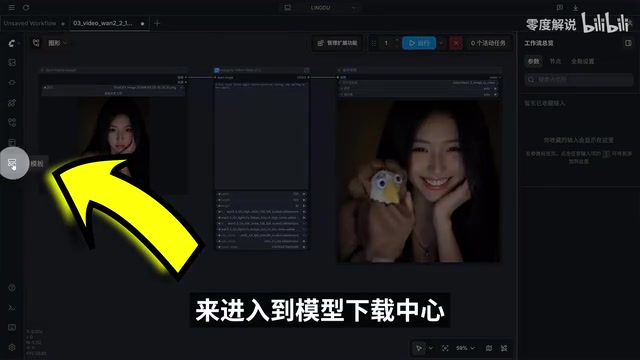
The entire deployment is built around the ComfyUI client. The first step is downloading and installing ComfyUI, which is used to load the model. Once launched, you navigate to the model download center, where three core models are available: the MiniMax H3 image-to-video model, the reference-based video generation model, and the MiniMax H3 text-to-video model.
The client will automatically flag any missing model files and let you download them directly. The official model version can be downloaded and tested straight from within the client, making it ideal for users who want to get started quickly. The installation process uses default settings throughout, keeping things beginner-friendly.
ComfyUI is an open-source node-based graphical interface tool originally designed for Stable Diffusion image generation, which has since been expanded to support video generation. Its core concept is to break down the various steps of model inference — text encoding, diffusion sampling, decode output, etc. — into visual nodes that users connect together to build a complete processing pipeline, with no coding required. Compared to command-line deployment, ComfyUI is far more accessible to general users. Its high extensibility also allows third-party developers to write custom node packages for specific models, enabling support for new models without waiting for official integration. MiniMax H3 is integrated into the ComfyUI workflow through exactly this kind of custom node.
Text-to-Video and Image-to-Video in Practice
For the text-to-video test, Li Bai's poem Zao Fa Baidi Cheng (Early Departure from Baidi City) was used as a prompt, asking the model to generate an animated video matching the poem's imagery. Generation took a few minutes, and even at low resolution, the resulting landscape — misty mountains, flowing rivers, a small boat gliding through — looked impressive. The creator noted that further prompt refinement can yield even higher-quality, more detailed visuals.
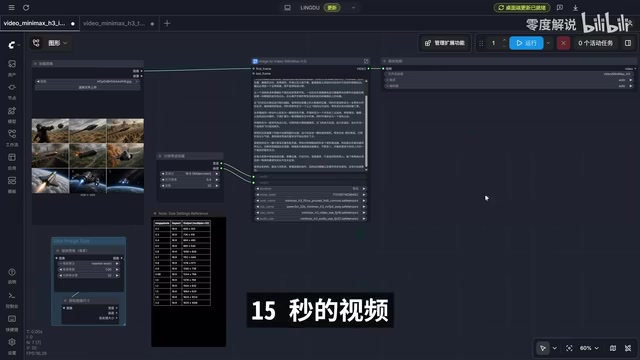
Image-to-video works similarly: upload an image, paste in a prompt, and set the video duration (15 seconds in the test). There's a useful tip about resolution here — a pixel multiplier of 0.4 corresponds to 864×480, with 0.5 and 0.6 scaling up progressively to a maximum of 1080. The recommendation is to use lower resolution during the creation phase to dramatically cut generation time, then use a free video upscaling tool in post-production to enhance the final output. This "low-res fast draft + post-upscale" workflow is especially practical for users with limited hardware.
Advanced Features and VRAM Requirements
Unlocking more flexible use cases requires downloading the full model and custom workflow nodes. The tutorial breaks down the three model files: the 7.6GB file is the tail-frame generation module (not a complete model, but required); the 50+ GB file is the full BF16 model with the highest image quality but extreme hardware demands that most consumer PCs simply can't meet; the 26.4GB quantized version is the more realistic option for most users.
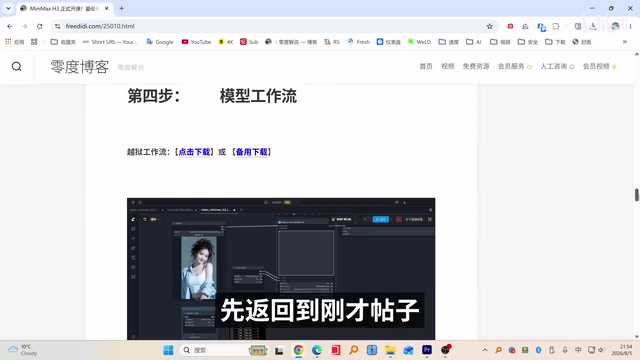
To deploy the workflow, place the downloaded custom node folder into the designated directory within ComfyUI (under the user directory's AppData\Local path), put text encoder and other model files in the models directory, then restart the client and load the workflow.
On hardware requirements, the tutorial provides clear guidance: the 4-bit quantized version runs on a minimum of 8GB VRAM; Windows users can also configure virtual memory to push through. For those with only around 8GB VRAM, there's an even smaller MiniMax H3 FP quantized version specifically designed for 8GB configurations. Importantly, the creator points out that output quality differences between quantization levels are minimal on everyday tasks — there's no need for most users to chase the full-precision version.
Quantization is a technique that compresses model weights from high-precision floating-point representations (such as BF16, where each parameter takes 16 bits) to lower-precision formats (such as 4-bit, where each parameter takes only 4 bits). The goal is to reduce VRAM usage and speed up inference, at the cost of a minor accuracy trade-off. The 50+ GB BF16 full model requires nearly 60GB of VRAM to fully load — well beyond consumer GPU limits. The 4-bit quantized version compresses that same model to roughly 13GB of VRAM usage, making consumer GPUs with 8GB VRAM (such as the RTX 3070 or 4060) a viable option. For most video generation tasks, the quality difference introduced by 4-bit quantization is barely perceptible to the naked eye, making quantized versions the go-to choice for local deployment.
Real-World Use Cases
The tutorial showcases several practical examples: a 5-second video generated on an RTX 3060 by a user overseas still looks impressive, demonstrating that mid-range GPUs can produce usable output; a dynamic music video generated from a model reference photo plus prompt delivers striking visual quality and text overlay effects; and H3-generated advertisement footage achieves a cinematic look.
These examples illustrate that MiniMax H3's value isn't just in its ability to generate video — it's that the generation quality has reached commercial-grade standards. Text overlays, audio sync, and scene transitions can all be handled in one pass, and generation is fast: a 15-second video takes only a few minutes. For independent creators and small teams, this means completing the full pipeline from idea to finished video locally — no cloud subscriptions, no expensive compute costs.
Summary
MiniMax H3 represents another major leap forward for open-source video generation models. Its 8GB VRAM entry point, flexible quantization options, and near-real-footage generation quality make it a genuine candidate for a primary creative tool. That said, local deployment still requires some technical know-how, and the large model file sizes place real demands on storage and download bandwidth. For creators willing to invest the time in setting up the environment, H3 offers a cost-effective, high-quality local video generation solution that's hard to beat.
Related articles

Letting AI Build AI Tools: A 7-Day, 31-Commit Bootstrapping Post-Mortem
An engineer ran a fully autonomous AI-builds-AI pipeline for 7 days, 31 commits, with a 1-in-6 success rate. This post-mortem covers 5 failure types, 11 structural rules, and how every mistake became a permanent immunity gate.
Building an AI-Powered E-Commerce Business from Scratch: A Real-World Account of Multi-Agent Architecture for Print-on-Demand
A blogger builds a print-on-demand e-commerce company from scratch using AI agents — documenting specialized Agent profiles, GPT-5.6 vs Claude Fable multi-model orchestration, and reusable skill accumulation.

AI Agent Earns $10K in One Week: 3 Key Upgrades Explained
A blogger shares how he earned $10K in a week with an AI Agent — not by adding more skills, but through verification, approval gates, and subagents to raise trust and enable true automation.