MiniMax Music Production Toolkit 2.5 Released: Complete Mastering Chain Comes to ComfyUI

MiniMax Music Toolkit 2.5 adds a full mastering chain to ComfyUI, covering the complete AI music pipeline from idea to release.
MiniMax Music Production Toolkit 2.5 runs on ComfyUI and introduces a complete mastering module featuring Auto-EQ, an 8-band parametric EQ, stereo compressor, LUFS loudness targeting, and true-peak limiting with 44.1 kHz default output. The mastering section runs entirely on CPU with no VRAM overhead, lowering the barrier for users with modest hardware. The toolkit covers the full pipeline from prompt generation and MiniMax Music 3 generation to audio enhancement, mastering, cover art, and export, plus a standalone Audio Enhancement Lab. The workflow has been redesigned with clearer stage labels, and the next version will focus on cover song creation.
Open-source creator jplenio recently posted on Reddit about the release of MiniMax Music Production Toolkit version 2.5. This is a set of AI music production plugins running on ComfyUI, and the standout addition in this update is a complete mastering module — bringing the chain from AI-generated music to finished product closer to professional standards.

A Complete AI Music Production Pipeline
For users unfamiliar with the project, this toolkit is designed to take a song idea all the way to a finished product. The full workflow covers prompt generation, music generation via the MiniMax Music 3 model, audio enhancement, mastering, cover art creation, and final export. In other words, it aims to replicate a near-professional music production pipeline within ComfyUI's node-based workflow environment.
Beyond the main flow, the toolkit also offers a standalone Audio Enhancement Lab, letting users process existing recordings directly without regenerating a song from scratch. This modular design means it works both for original creation and as a post-processing tool for existing material.
ComfyUI was originally designed as a node-based visual workflow tool for AI image generation (Stable Diffusion), allowing users to build processing pipelines by connecting functional nodes — no coding required. Its flexible plugin ecosystem has since expanded it into video, audio, and other multimedia domains. MiniMax Music 3 is a music generation model from MiniMax that supports generating complete songs with vocals and instrumentation from text prompts, following specified song structures (e.g., verse, chorus) and lyric content. It is one of the higher-quality locally deployable AI music generation models currently available.
The Core Upgrade in 2.5: Mastering
The biggest value in this update is the fully formed mastering section. AI-generated music has often felt amateur in terms of tonal detail and loudness control — version 2.5 addresses this gap:
- Auto-EQ: Can be used for gentle tonal shaping or reference track matching. It enables a mild preset by default, which users can disable if they prefer manual control.
- 8-Band Manual Parametric EQ: Comes with a visual editor, giving users who need fine-grained control more room to work.
- Compression and Loudness Control: Includes a stereo-linked compressor, LUFS loudness target setting, and true-peak limiting — all key parameters in a professional mastering workflow.
- Improved Output Specs: Defaults to 44.1 kHz with an optional 48 kHz setting.
Notably, Auto-EQ, manual EQ, and compression each have their own independent controls, so users can mix and match as needed rather than being locked into a fixed chain.
Mastering is the final stage of the music production process, aimed at optimizing audio quality and standardizing loudness so that the track sounds consistent across all playback devices and platforms. LUFS (Loudness Units relative to Full Scale) is the internationally accepted loudness measurement unit — streaming platforms like Spotify and YouTube each have their own LUFS targets (typically between -14 and -16 LUFS) that must be met to avoid automatic volume reduction. True-Peak Limiting protects against signal clipping during digital-to-analog conversion by ensuring the signal never exceeds 0 dBFS. Traditionally, mastering required professional engineers with experience and expensive software. Integrating this stage into an AI music workflow allows non-professional users to export audio that meets release standards.
Hardware-Friendly by Design
The author clearly had lower-end hardware in mind during the design process. All mastering tools run entirely on CPU, consuming no additional VRAM. This means users with limited GPU resources can still complete the post-processing stage.
That said, the author is upfront that the generation stage still depends on model choice and GPU capability, and users need to select appropriate generation models and settings based on their hardware. In other words, the low-overhead mastering optimization doesn't fully offset the compute demands of AI music generation itself. Version 2.5 also improves memory management, model downloads, audio processing, prompt handling, and file output across various components.
Redesigned Workflow
For node-based tools like ComfyUI, workflow clarity often directly determines the user experience. Version 2.5 features a redesigned workflow with clear labels for each stage and a dedicated mastering section.
The author shared an example with no manual adjustments — a one-shot result generated using the Synth Pop Vocal template. While some imperfections remain, the overall audio quality is reportedly better than the previous version. He also shared the LLM prompts generated by the tool to demonstrate how MiniMax Music 3 accurately follows structure and lyrics — a subtle indicator of just how much prompt engineering matters in AI music generation.
How to Update and What's Next
Upgrading is straightforward: restart ComfyUI, refresh the browser, and open the newly bundled workflow. The author specifically reminds users who have customized their workflows to keep personal copies to avoid them being overwritten.
As for future plans, the author says the next version's focus will be cover song creation support. However, he notes this feature still requires significant polish and will only be released once the quality meets the bar.
The project repository and sample audio are publicly available on GitHub. For creators looking to build a local AI music production workflow without relying on cloud services, this actively iterated open-source tool is worth watching. The author is also particularly interested in collecting comparative listening feedback across different music genres, as well as usage experiences from users with lower-VRAM setups.
Related articles
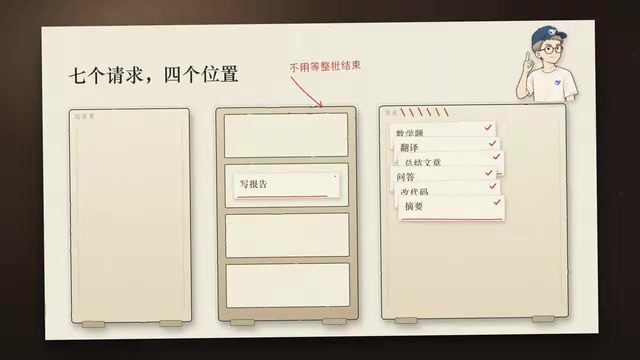
DeepSeek Open-Sources DeepInfer: What Is an Inference Framework Actually For?
DeepSeek open-sources its inference framework DeepInfer under Apache 2.0, supporting DeepSeek V4.1 Flash offline inference. This article explains its request scheduling, FlashMLA/DeepGEMM compute optimization, DSPark speculative verification acceleration, and what it means for developers and ordinary users.
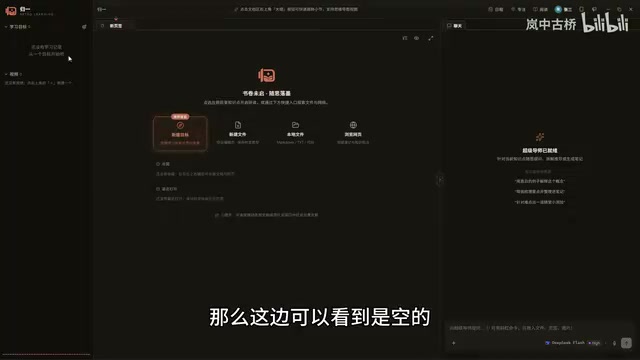
Open-Source AI Learning Agent: A Full Workflow Experience from Topology Graphs to Exam Generation
Explore an open-source AI learning agent: built on DeepSeek API, it constructs knowledge systems via topology graphs, with automatic document generation, notes, super documents, and exams. Learn about its Agent workflow and design highlights.

DeepSeek Whale Girl Open-Source MV Meme: AI Industry Coded Slang About Pivoting to Closed Source
Bilibili's DeepSeek Whale Girl rap MV uses fictional memes to tease the AI open-source vs. closed-source debate, with lyrics full of industry slang. This article explains the meme culture, the Whale Girl symbol, and the open/closed tension.