Mintlify Desktop: An AI-Native Desktop App for Technical Documentation

Mintlify Desktop reimagines technical documentation with an embedded AI agent and local-first writing for engineering teams.
Mintlify Desktop is a desktop documentation app for engineering teams and technical writers, built around three core features: an embedded AI agent that operates directly on the current editing page (not a separate chat sidebar), a local-first architecture enabling offline writing with online sync, and multi-project management with tabs, split views, and persistent sessions. It aims to unify internal knowledge bases, runbooks, and public-facing docs in one environment. It ranked 7th on Product Hunt with 93 upvotes on launch day, though the agent's real context-awareness quality and sync reliability remain to be validated in practice.
Mintlify has launched Mintlify Desktop, a desktop application aimed at developers and technical teams, positioned as an "AI-native" tool for documentation and knowledge writing. After debuting on Product Hunt, it earned 93 upvotes and ranked 7th for the day, listed under the Writing, SaaS, and Developer Tools categories. The product takes on a familiar problem — technical docs scattered across tools, fragmented workflows, and a poor writing experience — and tackles it by embedding an AI assistant directly into the editing process.
A Single Home for All Your Documentation
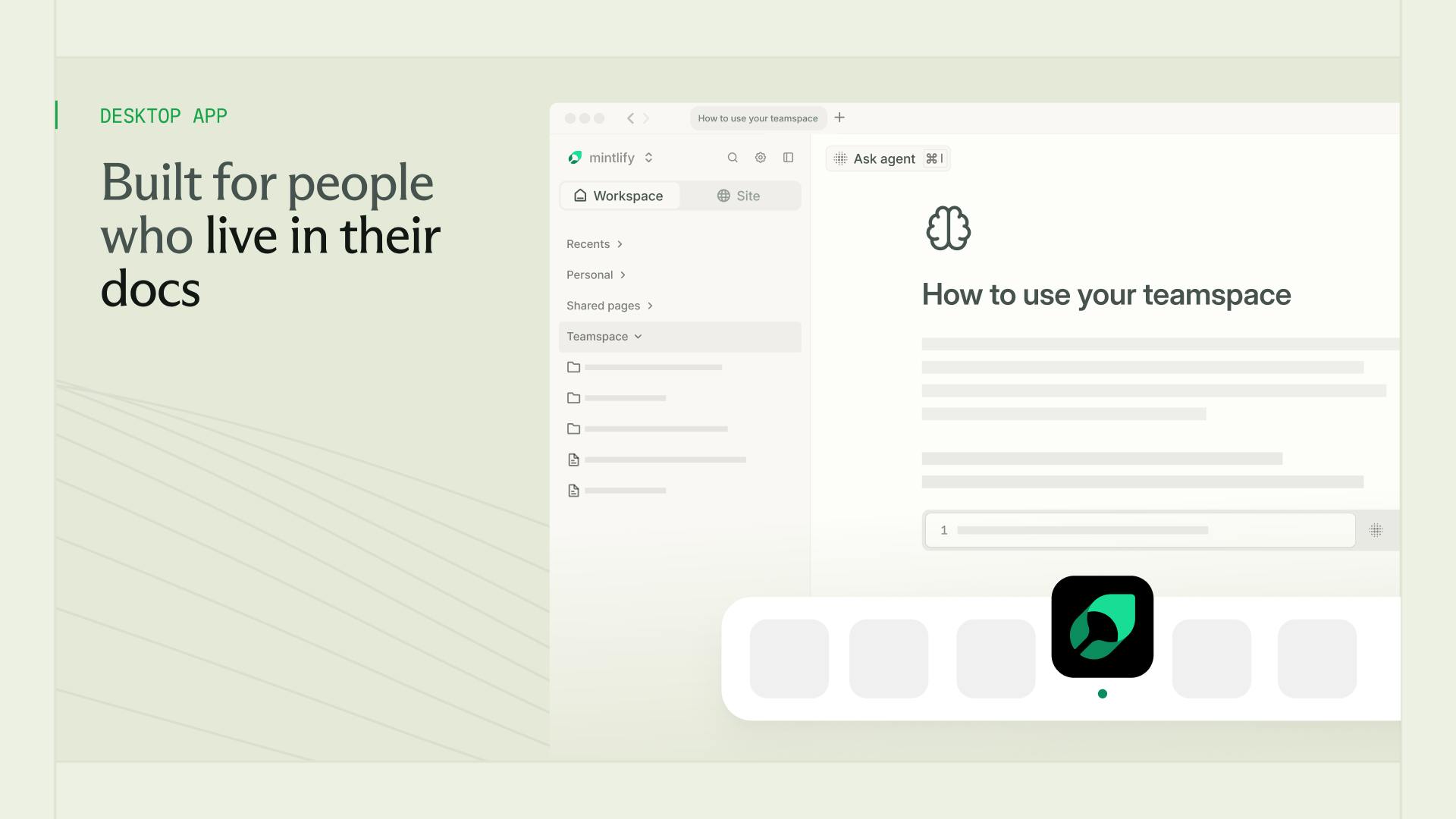
Mintlify Desktop's core promise is to give all your documentation one unified place to live. Whether it's an internal knowledge base, runbooks, onboarding guides, or public-facing product docs, everything can be managed within the same application.
For teams working across multiple organizations or projects, context-switching has always been costly. Mintlify Desktop supports opening multiple projects side by side across organizations, with tabs, split views, and persistent sessions that let users move between projects without losing their work state. This kind of desktop-grade multi-project management is something pure web-based documentation tools struggle to deliver.
Embedded AI Agent Co-Authoring Is the Headline Feature
The "AI-native" label in the product's name isn't just marketing — it points to a fundamental shift in how the editing experience works. According to the official description, an AI agent works "alongside you" on the page you're currently editing. It's not a separate sidebar chat window; it's a collaborator acting directly on the content of your current document.
This aligns with the broader trend of documentation tools adding AI features over the past couple of years, but the difference lies in the depth of integration. Most tools treat AI as a bolt-on generation button. Mintlify emphasizes the agent's contextual awareness of the "current page." For technical writing — which demands heavy structure and constant revision — an agent that understands the page's context can theoretically cut down on a significant amount of repetitive work.
What sets an "AI Agent" apart from a standard AI assistant? The key differences are autonomy and contextual awareness. Traditional AI writing features (like "one-click polish" or "autocomplete") are typically stateless, single-shot calls: you select text, trigger a request, get an output. Agent mode means the AI continuously tracks your working context — document structure, existing content, edit history — and can proactively suggest changes or execute multi-step operations without requiring you to manually specify scope each time. In technical documentation, this distinction matters enormously. An API reference might contain parameter descriptions, code examples, and notes across several structured sections. An agent that understands the full structure can detect, when you update a parameter definition, that the corresponding reference in the code example also needs updating — and flag it for you, rather than treating each text block in isolation. Of course, the actual capability of any agent depends heavily on the quality of the underlying model implementation. The gap between "context-aware" as a marketing claim and context-aware as a real-world experience is something that needs to be verified through actual use.
Local-First and Offline Capability
Another notable design decision is local file support. Mintlify Desktop lets users write offline using local files, then sync when they reconnect.
This "local-first" approach has strong appeal among developers. Technical documentation typically lives in Markdown or similar formats, tightly coupled with code repositories — local editability and version control are table stakes. The combination of offline writing and online sync offers both the flexibility to capture ideas anywhere and the consistency required for team collaboration. Compared to fully cloud-dependent editors, this model holds up better in low-connectivity environments or when data control is a priority.
What is "Local-First"? Local-First is a software architecture philosophy that gained widespread attention through a 2019 paper of the same name by the Ink & Switch research team. The core idea is that user data should be stored primarily on the local device, with the cloud serving only as a sync and backup channel — not the sole authoritative source of truth. This is the inverse of traditional SaaS tools, where the cloud is primary and local storage is just a cache. The benefits of local-first architecture include offline availability, faster response times (no network latency), clear data ownership, and easier integration with version control systems like Git. For developers, Markdown files stored locally mean you can open them in any editor, check them into a code repository alongside the code itself, and run documentation reviews through Pull Requests — a stark contrast to the closed data formats of purely cloud-based tools like Confluence or Notion. Mintlify Desktop's embrace of this approach is a deliberate move toward the workflows developers already know and trust.
Who It's For, and What It Signals
Mintlify already has a track record in the developer documentation space. With this desktop release, the goal is to move documentation writing out of the browser and into a purpose-built work environment. The target audience is well-defined: engineering teams that maintain technical docs on an ongoing basis, technical writers, and organizations managing multiple knowledge bases.
From a product direction standpoint, it reflects a larger shift — AI is evolving from a "helper tool" into a "collaborator," being embedded deeply into professional workflows rather than staying confined to general-purpose chat interfaces. Documentation writing is a particularly good fit for this: it's structured, rule-bound, and highly repetitive — exactly the kind of work where agents can make a real impact.
It's worth noting that the information currently available comes primarily from the Product Hunt listing. The actual boundaries of the AI capabilities, the reliability of the sync mechanism, and the depth of integration with Mintlify's existing cloud service all remain to be tested in real-world use. The 93-vote first-day showing indicates genuine interest, but whether this becomes a go-to daily tool for technical teams depends on whether the agent is genuinely useful and whether the local sync experience is smooth.
Summary
Mintlify Desktop combines centralized document management, an embedded AI agent, and local-first writing into a single desktop application — all under an "AI-native" banner. The philosophy it represents is a meaningful evolution for professional writing tools: rather than bolting an AI button onto an existing tool, the editing experience is redesigned from the ground up around AI collaboration. For technical teams frustrated by documentation sprawl, this is a product worth trying and watching closely.
Related articles

Random Pruning of the DPO Computation Graph: 1.4x Training Speedup and Lower Peak Memory
DPO training too slow and memory-hungry? This paper proposes a random pruning framework for the DPO computation graph, sampling independently across position, sequence, and branch dimensions; branch pruning achieves a 1.426x step-time speedup and cuts training time by about 30%, with in-depth attribution of memory and time gains.

Why Does JEPA Underperform MLM in Longitudinal EHR Representation Learning?
New study compares JEPA and MLM for longitudinal EHR representation learning on MIMIC-IV: three JEPA variants train stably without collapse but underperform MLM; target size, not heterogeneity, drives prediction error.

Transfer Learning + Visible Light Communication: A New Approach to Energy-Efficient Indoor Positioning
A study proposes a transfer learning-based visible light communication indoor positioning method, achieving 47% accuracy improvement on the BOSCH factory dataset, 67.5% model efficiency under high noise, and introducing the ME composite metric for energy-efficient positioning in energy-constrained industrial IoT scenarios.