Mo: The Little Mac Assistant That Handles 232 Tasks for a One-Time Fee

Mo is a $19.99 one-time Mac desktop AI assistant claiming 232 tasks via local models or BYOK.
Mo is a character-based AI assistant that lives on your Mac screen, lowering the barrier to AI invocation compared to chat windows. It claims 232 tasks across file management, PDFs, photos, email, calendars, and system settings, with voice or typed commands, card-based results, and undoable actions. Privacy-wise, it supports local models or BYOK so data can bypass vendor servers; priced at $19.99 one-time with no subscription, though BYOK inference costs fall on the user. It received 62 votes and ranked 17th on Product Hunt, and the 232-task claim lacks third-party testing — start with low-risk tasks before expanding permissions.
In an era where AI assistants are everywhere, most products try to pull you into their cloud workflows. Mo, a Mac app spotted on Product Hunt, takes a different path: a little character that lives on your screen, using local models or your own API keys to handle 232 tasks across files, PDFs, photos, email, calendars, system settings, and more — all for a one-time purchase of just $19.99.
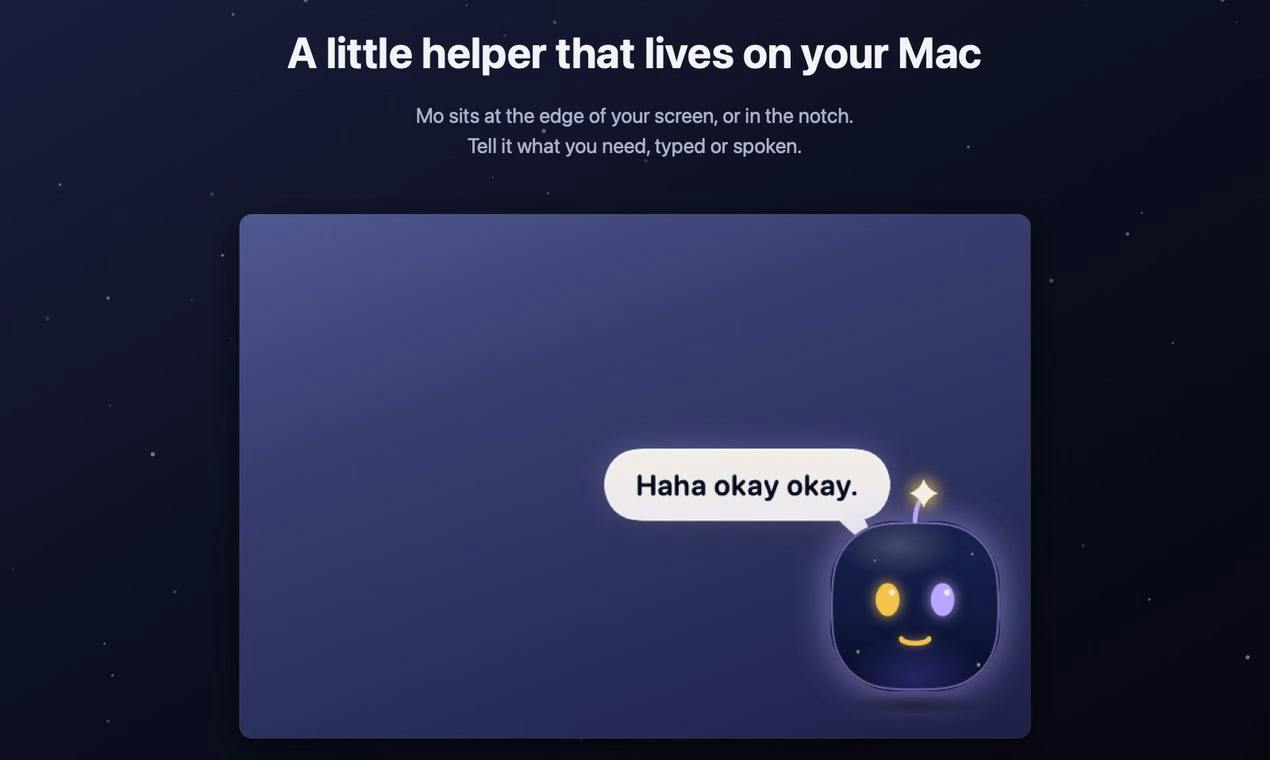
Mo in a Nutshell: A Task Executor That Lives on Your Desktop
Mo's positioning is clear — it's not another chat window, but "a little character that lives on your Mac screen." You can give it instructions by voice or typing, results come back as cards, and any action can be undone. The officially listed capabilities cover file management, PDF processing, photo operations, email, calendar, system settings, and daily routines, with emphasis on the fact that these 232 tasks can be completed without relying on other apps.
This "character-based" design approach is worth noting. Most desktop AI tools still exist as sidebars or pop-up panels, requiring users to actively switch context; Mo turns itself into a persistently visible desktop element, effectively lowering the psychological barrier to invoking AI.
232 Tasks: A Breadth-First Capability List
Based on the scope presented in the source material, Mo's capability list spans several high-frequency scenarios typical for knowledge workers:
- Files & documents: file organization, PDF processing — classic desktop assistant needs;
- Media: photo-related operations;
- Communication & scheduling: email, calendar;
- System level: settings adjustments and daily routines.
The number 232 itself signals "breadth." For users who don't want to switch back and forth between multiple small tools, having one entry point covering multiple task categories is genuinely appealing. However, the source material doesn't disclose the specific depth of each task, and the common trade-off for such "broad and comprehensive" products in practice is: simple tasks feel smooth, while complex tasks still require human backup.
Privacy & Cost: Local Models or Bring Your Own Key
Mo's stance on privacy is explicit: use local models, or your own API keys. This means data processing can stay on-device, or at least go through an account channel the user controls, rather than being forced through the vendor's servers.
The pricing strategy is equally straightforward — $19.99 one-time purchase, no subscription. In a market where AI tools typically charge monthly, this pricing is quite attractive for light to moderate users. It's worth noting that if you choose to bring your own key and call cloud models, inference costs are still borne by the user; the one-time price only covers the app itself.
Local models refer to AI models that run directly on the user's device (such as quantized versions of Llama, Mistral, etc., loaded through frameworks like Ollama or llama.cpp). Inference doesn't depend on the network or cloud servers, so input data (files, email content, etc.) never leaves the machine. The trade-off is hardware requirements: the Mac needs sufficient unified memory (typically 16GB or more for smooth performance), and small-parameter models are weaker than large cloud models on complex tasks.
BYOK (Bring Your Own Key) is another model: users enter their own API keys from providers like OpenAI or Anthropic into the app, requests go directly from the app to the model provider, and costs are billed per token from the user's account. For developers, this eliminates the cost and compliance burden of reselling inference; for users, data flows to a provider they trust rather than the app developer, but they need to manage key security and usage themselves.
Interaction Details: Voice, Cards, and Undo
Several interaction design choices deserve individual attention:
Dual input via voice or typing. This reduces friction across different scenarios — for example, speaking feels more natural than typing when organizing files.
Results presented as cards. Compared to a pure text stream, cards are better suited for carrying "operation results" rather than "conversation content," aligning with its positioning as a task executor rather than a chatbot.
Any action can be undone. This is the key trust mechanism for desktop automation tools. When AI can directly modify your files and settings, undoability does more to make people comfortable letting it work than any marketing copy.
Undo mechanisms in desktop automation tools typically rely on two approaches: one is taking snapshots/backups of target files or settings before operations and rolling back when undoing; the other is encapsulating each action as a reversible transaction, recording the reverse operation (e.g., recording the original path after moving a file). This differs from the Ctrl+Z logic of text editors — the latter only needs to maintain an edit history stack, whereas changes to the file system and system settings involve external state, and rollback reliability depends on how thoroughly the tool covers each type of operation. Users should note: not all operations are equally easy to undo — for example, already-sent emails or files modified by external programs may not be undoable.
Market Position and Realistic Expectations
On Product Hunt, Mo received 62 upvotes and 1 comment, ranking 17th. This result shows it has caught the interest of some early-bird users, but it's still far from being a phenomenon, and the community discussion sample is quite limited.
Looking at the competitive landscape, the AI assistant space on Mac is far from empty — system-level assistants and various third-party tools are all competing for the same entry point. Mo's differentiation rests on three pillars: a character-based desktop presence, one-time pricing, and the privacy narrative enabled by local models. These three points constitute clear selling points for a specific audience — Mac users who care about data sovereignty, are tired of subscriptions, and want one tool to cover multiple miscellaneous tasks.
A word of caution: the claim of 232 tasks is currently only the vendor's own assertion, lacking third-party verification; a single comment also means real user reputation hasn't formed yet. For desktop automation tools like this, it's advisable to start with low-risk tasks (organizing files, reading PDFs, checking calendars), confirm the behavior meets expectations, and then gradually expand the scope of authorization.
Product Hunt rankings are calculated in real time based on the number of upvotes received that day; 17th place means mid-to-upper tier among products launched that day but not top-tier. The platform's users are mainly early adopters, indie developers, and tech media, and voting behavior is heavily influenced by launch timing (launching at midnight Pacific Time is optimal), community mobilization, and the influence of hunters — so vote counts reflect exposure more than product maturity. 62 votes is a typical small-scale launch; the sample is insufficient to infer retention or paid conversion, and readers should treat it as a "worth watching" signal rather than "market-validated."
Who It's For, Who It's Not For
If you're a heavy Mac user whose days are consumed by fragmented tasks like file organization, PDF extraction, and calendar lookups, and you're fatigued by subscriptions, Mo's one-time price and local-first strategy are worth a try. If you need deep professional capabilities (like complex code refactoring or long-form document writing), a desktop assistant that excels at breadth is probably not the optimal solution.
AI assistants are moving from "chat boxes" to "persistent desktop presence," and Mo is a lightweight but clearly directed attempt in this direction. Its success ultimately depends on how many of those 232 tasks can truly make people comfortable enough to stop doing them by hand.
Related articles

34 AI Coding Assistants Battle It Out in the Terminal — How to Avoid Picking Wrong
34 AI coding assistants are flooding the terminal, and Orca supports multi-agent parallelism. This article analyzes the consolidation trend behind the gold rush, the cost traps of multi-agent parallelism, and how to maintain an agent-neutral workflow to avoid picking the wrong tool.

Gemini CLI in Practice: An AI Coding Agent in Your Terminal
A deep dive into Gemini CLI: from installation and authentication to building a task management app hands-on, covering plan mode, auto-debugging, GEMINI.md context persistence, and token cost tracking.

Open Design: A Free Open-Source Alternative to Claude Design That Activates Your Coding Agent
Open Design is a free, open-source Claude Design alternative that runs locally with 250+ design skills, auto-detects 16 coding agents, and supports prototypes, slides, and mobile UIs.