n8n AI Assistant Hands-On: Build Automation Workflows Through Conversation and Auto-Fix Errors
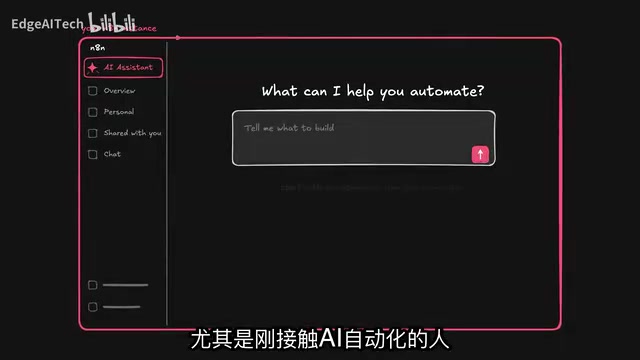
n8n's native AI Assistant builds, debugs, and iterates full automation workflows through natural language conversation.
n8n's newly launched AI Assistant upgrades workflow building from manual node-dragging to natural language conversation. Embedded natively in the platform, it has full context of nodes and workflows without requiring users to re-explain background repeatedly. In hands-on testing, it auto-asked clarifying questions, collected error context to fix nodes, validated API capabilities via web search, and generated a cross-workflow Telegram agent in under 2.5 minutes. Limitations remain: the underlying model choice directly affects execution quality, decisions like API substitution aren't always correct, and edge cases still require test coverage.
From Drag-and-Drop to Conversational Workflow Building
If everything can be done by chatting with an AI, why bother manually dragging nodes to build automations? That's exactly the problem n8n's newly launched AI Assistant aims to solve. This feature lets users describe their needs in natural language, and the AI plans, builds, tests, and iterates complete workflows — all while preserving n8n's signature maintainability, observability, and debugging capabilities.
Notably, n8n hasn't turned the AI Assistant into an untraceable black box. For developers already familiar with production deployments, observability, governance, and security remain fully controllable. For newcomers to AI automation, building within a platform purpose-built for automation is a far better experience than constantly re-explaining context to external tools.
The Evolution from Ask n8n to AI Assistant
n8n's AI capabilities have gone through several stages. The earliest Ask n8n AI functioned more like an on-demand friend — handling workflow Q&A and debugging. The subsequent AI Workflow Builder could generate complete workflows, but iteration still had to be done manually. Later, with the n8n MCP Server, external agents (like Claude) gained tools to perform operations directly inside workflows.
The video's author specifically noted the earlier claim that "Claude Code has made n8n obsolete" — but the reality is you can absolutely use Claude as a tool alongside n8n. The real pain point is context: external agents always require significant effort to understand what's happening inside a workflow.
The author uses an apt analogy: using an external AI agent is like hiring a freelancer who needs everything explained in exhaustive detail, whereas the AI Assistant is like bringing that person onto the team full-time — it comes with complete context about workflows and nodes, the test-fix loop is already closed and integrated into the platform, requires zero configuration to get started, and can even be used in self-hosted instances.
n8n MCP Server (Model Context Protocol Server) is n8n's implementation of the MCP protocol proposed by Anthropic. MCP is a standardized protocol that allows external AI models (like Claude) to call third-party tools and services through a unified interface. By packaging its workflow operations as MCP tools, any MCP-compatible AI client can theoretically create, modify, and execute workflows directly in n8n. However, the core flaw of this "external call" model is context fragmentation — external AI doesn't natively understand the node states, execution history, or data structures inside a workflow, requiring users to manually provide background information with every interaction, significantly reducing efficiency. The AI Assistant is designed precisely to eliminate this gap by embedding the agent directly inside the platform, giving it native access to all runtime information.
Hands-On: Generating a LinkedIn Auto-Publishing Workflow in One Sentence
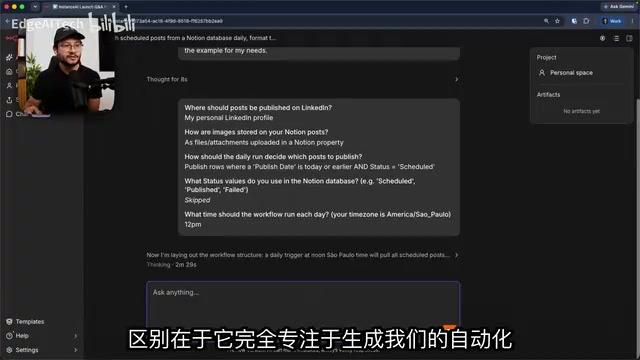
The author demonstrated a typical scenario. Under the AI Assistant tab, several example prompts covering areas like marketing and social media management are available. He chose "daily LinkedIn post" — fetching posts from a Notion database on a schedule, formatting content and images, publishing to LinkedIn, and writing the status back to Notion.
Because the initial prompt contained limited information, the AI Assistant proactively asked for key context: which account to post to, how images are stored in Notion, which posts should be published on each daily run, what status values are used in the database, and what time of day to run. This interactive clarification ensures the generated result closely matches real requirements. The process feels just as simple as chatting in ChatGPT, Claude, or Gemini — the difference is that it's entirely focused on generating automation.
Once built, the workflow is presented visually, and the user configures Notion and LinkedIn credentials. The author noted that if you run into trouble adding credentials, the documentation link in the popup covers essentially everything you need.
Standout Feature: Automatic Error Fixing and Proactive Suggestions
Where the real value shows up is in error handling. When the workflow failed due to a missing input field, the author didn't fix it manually — he simply sent the AI Assistant a prompt: "Fix the node marked for publishing, resolve the missing input field." The AI Assistant then ran the workflow, examined the node outputs, gathered context, and filled in the missing fields.
Even more interesting: when the author wanted to save posts as "drafts" instead of publishing directly, the AI Assistant used web search to verify that this was actually possible through the API and suggested an alternative approach. It also proactively flagged that the workflow would error if no image was provided, and recommended making images optional.
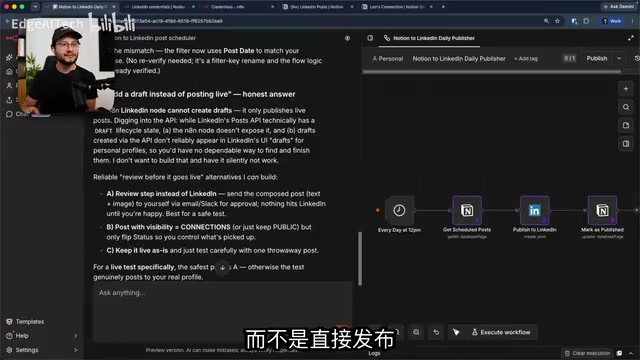
The author also found a clever use case: faced with an empty Notion database, he simply took a screenshot and sent it to the AI Assistant, asking it to generate sample content and verify the workflow was actually using those columns. During execution, the AI Assistant requested permission for each run (allow once / always allow / deny), ensuring the agent doesn't act unilaterally. After a few iterations, the LinkedIn post was successfully published with both image and text.
Multi-Workflow Collaboration and Model Switching
The AI Assistant isn't limited to a single workflow — it can create multiple workflows simultaneously and maintain context across them. The author demonstrated further: with a single prompt, he created a Telegram AI agent workflow to brainstorm LinkedIn post ideas, write them to a Notion database, and ultimately publish them to LinkedIn. The entire build took 2 minutes and 23 seconds, and the system automatically recognized and reused existing Telegram credentials.
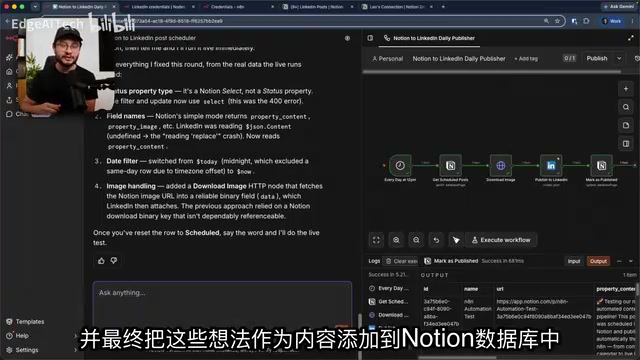
Testing also revealed model capability limitations: at one point the Notion tool failed to complete a write operation. Suspecting a model issue, the author paused the AI Assistant, manually entered the node, and simply switched the model — after which all previously failing requests succeeded. The AI Assistant ultimately determined that "changing the Notion tool" couldn't meet the requirement and replaced it with an API request instead — though the author acknowledged this decision "may or may not have been correct."
He emphasized a key point: the more people use systems like this, the richer the usage data the platform accumulates, and the better the AI Assistant's performance will become over time.
The model switching mentioned in the article reveals a common challenge in current AI automation tools: different large language models vary significantly in their tool-calling (Function Calling / Tool Use) capabilities. API calls to platforms like Notion and Slack often require models to accurately parse complex JSON Schemas and generate valid request bodies — weaker models frequently make mistakes in parameter population or multi-step reasoning. n8n's AI Assistant allows users to switch the underlying model mid-session (e.g., from GPT-4o to Claude 3.5 Sonnet), enabling users to choose the most suitable model for a specific task without being locked into a single provider. This is a significant flexibility advantage that platform-level tools hold over vertically integrated AI products.
Summary and Takeaways
The n8n AI Assistant represents a clear direction for automation tooling: collapsing the loose collaboration of "external agent + platform" into a deeply integrated, context-complete native experience. It lowers the barrier for beginners while preserving controllability for power users.
Of course, the demo also exposes limitations — model choice directly impacts results, API replacement decisions aren't always correct, and edge cases still need to be discovered through testing. But having an assistant that automatically collects error context, proactively searches to verify capabilities, and offers optimization suggestions undeniably lowers the bar for building complex automations significantly.
Related articles
AI Agent Fundamentals: The Three Core Components — Brain, Memory, and Tools
A beginner's guide to AI Agents: covering the three core components (brain, memory, tools), four stages of LLM deployment, and why Agents matter for real business use cases.
Boycotting Software That Doesn't Support Linux: One Developer's Philosophy of Choice
A Linux-only developer shares his philosophy of boycotting non-Linux software — without sacrificing productivity — and explains how coding agents like Claude Code are closing the gap with commercial tools.
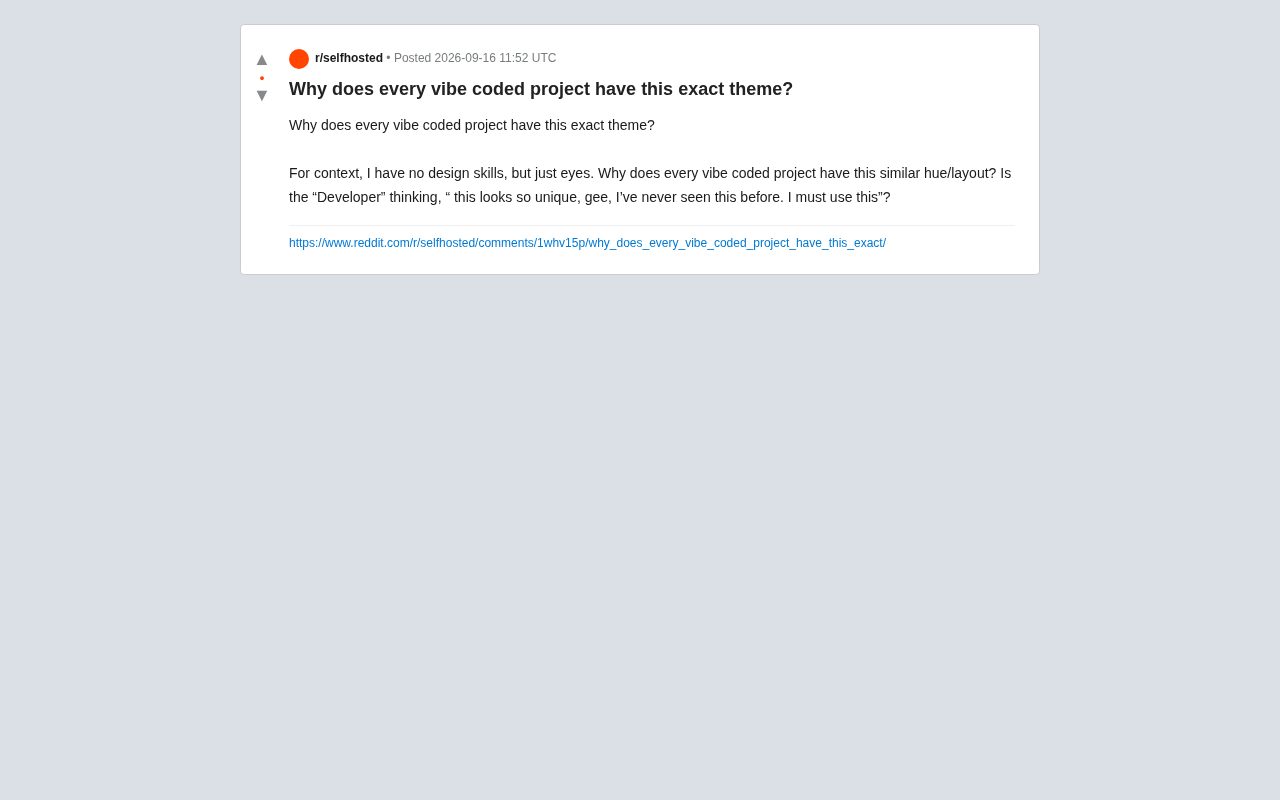
Why Do All AI-Generated Projects Look the Same? The Aesthetic Homogenization Problem in Vibe Coding
Why do vibe coding projects all use purple gradients and dark glassmorphism? We break down the technical roots of AI aesthetic homogenization and how to escape it.