n8n: The 187K-Star Open-Source Automation Powerhouse That Turns Repetitive Work into Workflows
n8n is an open-source visual workflow engine that automates tasks via node connections, with low-cost self-hosting and data security.
n8n is an open-source visual workflow automation engine whose core concepts are just nodes, connections, and execution—no coding required to build automated flows. It supports scheduled, Webhook, and polling triggers, offers 400+ official nodes covering mainstream SaaS and databases, plus HTTP and code nodes as fallbacks. Newer versions include AI Agent nodes for building AI workflows, such as automatically scraping news and generating briefings. Compared to Zapier and Make's subscription models, n8n's self-hosting is low-cost and keeps data within your intranet—its biggest killer feature. The article also warns about data persistence and secret management for self-hosting, and recommends code nodes for complex logic. Suitable for those with daily repetitive data moving, reconciliation, or notification needs, but simple needs or non-technical users should proceed with caution.
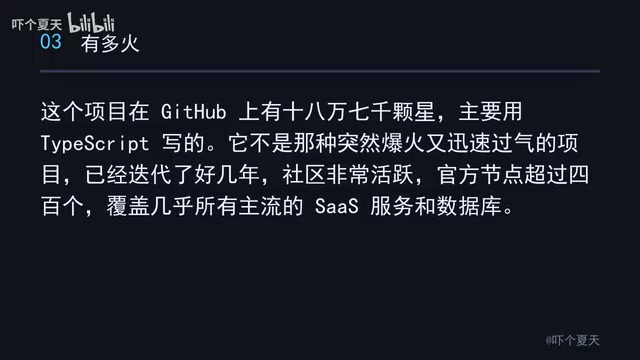
Every day it's exporting spreadsheets, moving data around, sending notifications, reconciling accounts, running scheduled scripts... These tasks aren't hard, but they're tedious—and they never end. n8n was built for exactly these scenarios: an open-source, visual workflow automation engine that gives you a canvas full of nodes, and when you connect them with lines, you get an automated pipeline that runs on its own. The project has 187,000 stars on GitHub, is written primarily in TypeScript, and has been iterating for years with a very active community. It offers over 400 official nodes covering nearly all mainstream SaaS services and databases.
Understanding n8n Only Requires Grasping Three Things
According to a Bilibili creator's explanation, n8n's core concepts are extremely simple: nodes, connections, execution. Each node does one specific thing—like sending an email or querying a database. Connections determine where data flows. Execution lets you see the input and output of every step after a workflow runs, so you can pinpoint problems at a glance. The entire process requires zero lines of code.
This design makes n8n's learning curve far lower than pure-code solutions, while also being more flexible than pure drag-and-drop tools—after all, it keeps a code node as a fallback.
Three Trigger Types Cover All Automation Needs
There are three common ways to start a workflow:
- Scheduled trigger: e.g., run once every day at 8 AM;
- Webhook: an external system calls the address you provide and the flow starts immediately;
- Polling: e.g., check the inbox for new emails every 5 minutes.
These three basically cover all your automation needs. Whether it's periodic report generation or event-driven instant responses, there's a corresponding trigger method.

Webhook is a "reverse API" mechanism: n8n generates a unique URL that you give to an external system (like GitHub, Stripe, or a form service). When an event occurs, the external system sends an HTTP request to that URL, and n8n triggers the workflow immediately upon receiving it. Compared to polling, Webhooks are event-driven, offer high real-time responsiveness, and waste no requests; however, the external system must support configuring a callback URL. Polling, on the other hand, has n8n actively call an external API at fixed intervals to check for changes. It suits services that don't support Webhooks but introduces latency and consumes API call quotas. Understanding the difference between these two helps you choose the right trigger method.
400+ Official Nodes, Plus New AI Agent Capabilities
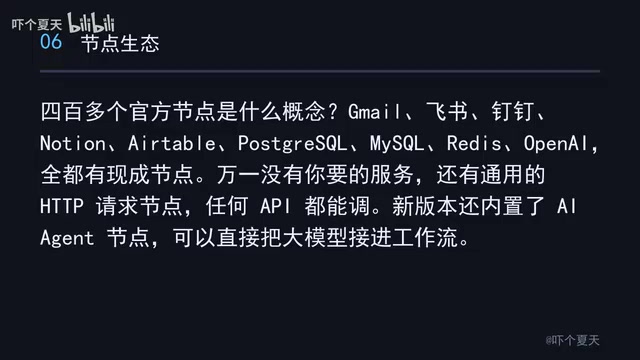
What does 400+ official nodes mean? Gmail, Feishu, DingTalk, Notion, Airtable, Postgres, MySQL, Redis, OpenAI—all have ready-made nodes. If the service you need isn't there, there's a generic HTTP request node that can call any API. Newer versions also include a built-in AI Agent node that lets you plug large language models directly into workflows.
This means n8n isn't just for traditional system integration—it can also rapidly build AI workflows. For example, automatically scrape a batch of industry news every morning, hand it to an LLM to summarize into a 300-word briefing, then automatically post it to a WeChat or Feishu group—you only build it once at the start, and it runs automatically every day after that.
The AI Agent node is the core component in n8n for orchestrating LLM capabilities. It lets you define system prompts, connect conversation models (like OpenAI or Anthropic), attach tools (like HTTP requests or database queries), and maintain multi-turn conversation context. The Agent autonomously decides which tool to call based on user input, how to combine results, and ultimately returns structured output. This enables n8n to go beyond linear automation and build intelligent workflows with reasoning and decision-making capabilities—such as automatically classifying emails, generating reports, or powering customer service bots.
Typical Scenarios: From Form Processing to AI Briefings
The most typical scenario: a user submits a form on your website. n8n receives it, cleans the data, writes it to a database, then checks whether the amount exceeds 1,000. If it does, send a DingTalk alert; if not, send an email confirmation. If any step fails, it automatically retries three times.
The second scenario is even more imaginative: plug in an LLM to automatically generate a daily industry briefing and distribute it to group chats. This is the currently popular AI workflow—n8n plays the orchestration layer, stringing data collection, model calls, and message delivery into an automated pipeline.
When Nodes Aren't Enough: The Code Node as Fallback
No matter how many nodes there are, they can't cover every case—that's when you use the code node. It supports JavaScript and Python, letting you write code directly to process data, with structured JSON as both input and output. So n8n's positioning is clever: 80% of scenarios are drag-and-drop, and the remaining 20% are handled with code as a fallback, so you never get stuck.

However, note that while there are many nodes, documentation quality varies. Don't force complex logic into drag-and-drop—using the code node directly is more efficient.
The code node runs in an isolated sandbox environment within n8n and supports JavaScript (Node.js) and Python. Each code node receives a JSON array from upstream as input; you can iterate, filter, and transform data in code, and output a new JSON array for downstream use via the return statement. Code nodes cannot directly access the file system or network (unless using the built-in HTTP request library), but they can call helper functions injected by n8n. This design ensures both flexibility and safety, making it the go-to choice for complex data mapping and custom logic.
Compared to Zapier and Make: Self-Hosting Is the Killer Feature
You might ask: can Zapier and Make do this too? Yes, but they charge monthly subscriptions based on task volume—bills get ugly once you have many tasks—and your data has to pass through third-party servers. n8n can be self-hosted, keeping data entirely within your intranet, at a cost of just one small server—this is its biggest killer feature.
Deployment is very simple. The official recommendation is Docker—one command and it's up—or you can install it globally via npm. If you don't want to maintain a server, there's also an official cloud version with monthly billing, but the free tier is enough for individual users to tinker with. For self-hosting, at least 2GB of RAM is recommended; it's actually quite lightweight.
Self-hosting means you install n8n on your own server or local machine, and all workflow definitions, execution logs, and credentials are stored in a database you control (SQLite by default, PostgreSQL optional). Data never passes through n8n's cloud servers, satisfying compliance and privacy requirements. Self-hosting also has no per-task billing limits—costs depend only on server resources. But you're responsible for backups, upgrades, and security hardening. For teams, self-hosting also supports multi-user and permission management, making it suitable for internal system integration.
Three Pitfall Warnings
- Self-hosting must have data persistence configured properly, or all your workflows will disappear when the container restarts.
- Don't force complex logic into drag-and-drop—node documentation quality varies, so use the code node directly.
- Route all secrets through n8n's credential management—never hardcode them into workflows, or they'll leak when you export and share.
Who Should Use It, Who Shouldn't
If you spend more than half an hour a day on repetitive data moving, reconciliation, or sending notifications, or if you act as a "human relay" in a small team, then n8n is worth a weekend of your time. But if you only have one or two simple needs, off-the-shelf subscription tools are actually easier. If you have no technical background at all, the self-hosting step will deter you—try the official cloud version first.
Suggested learning path: start a local instance with Docker, then copy an existing workflow from the official template library and get it running, then modify it to your needs. Don't try to build a big project right away—automate the one small thing that annoys you most first. Once it runs successfully, you'll never go back.
One-line Summary
n8n is an open-source visual workflow engine that automates tasks through node connections, with low-cost self-hosting and data security.
Paragraph Summary
n8n is an open-source visual workflow automation engine. Its core concepts are just nodes, connections, and execution—no coding required to build automated flows. It supports scheduled, Webhook, and polling triggers, offers 400+ official nodes covering mainstream SaaS and databases, plus HTTP and code nodes as fallbacks. Newer versions include AI Agent nodes for building AI workflows, such as automatically scraping news and generating briefings for distribution. Compared to Zapier and Make's subscription models, n8n's self-hosting is low-cost and keeps data within your intranet—its biggest killer feature. The article also warns about data persistence and secret management for self-hosting, and recommends using code nodes for complex logic. Suitable for those with daily repetitive data moving, reconciliation, or notification needs, but simple needs or non-technical users should proceed with caution.
Related articles

WorkBuddy AI Agent in Practice: The Real-World Gap Between LLMs and Agents
Through a hands-on batch PDF conversion test, this article analyzes the essential differences between WorkBuddy AI Agent and LLM products—covering authorized execution, credit consumption, scenario fit, and adoption mindset—to help you judge whether an Agent tool suits your current workflow.

The Father of GrokBot: Merging a Thousand PRs a Month — Engineering Principles Behind Agent-Driven Auto-Merges
A SpaceX-background AI engineer shares the GrokBot workflow: merging ~1,000 PRs a month, with agents auto-merging 20. Core methodology covers verification skills, EVAL testing, Dune architecture, and hard CI constraints, revealing how to move from local trust to cloud agent automation.

Bright Data Review: Free Credits, AI Agent MCP Server, and Pricing
Bright Data offers 5,000 free credits, an open-source MCP server, and proxy/scraping APIs. Learn about its pricing model, AI assistant integration, and compliance considerations.