Nameshot: Auto-Naming Screenshots with Apple Intelligence
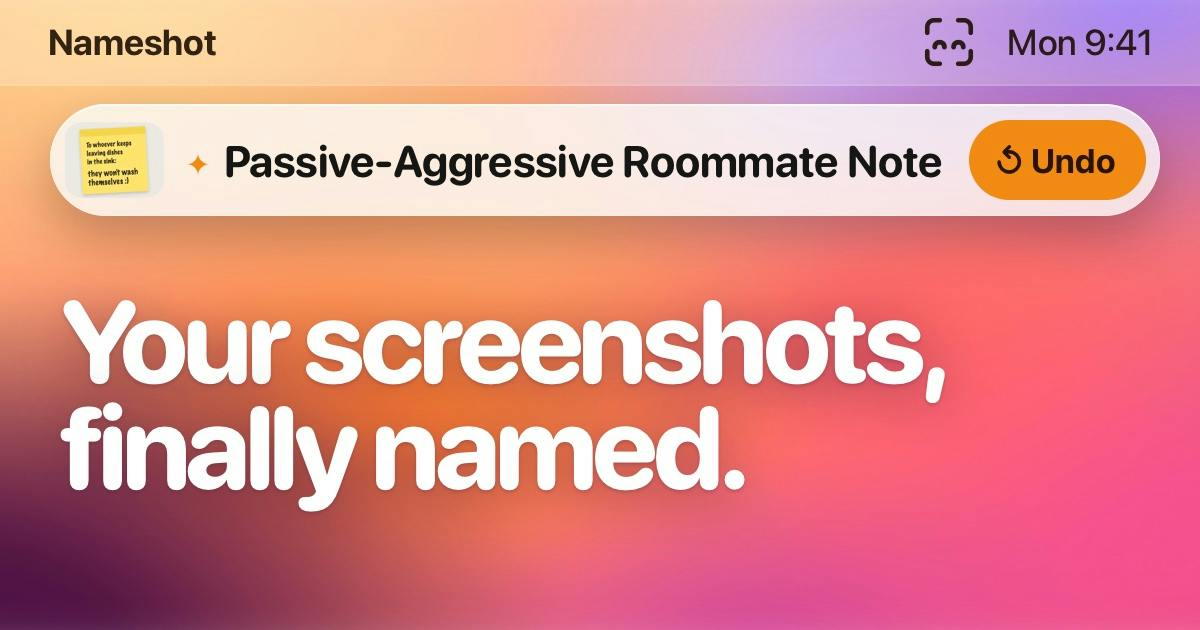
Nameshot uses Apple Intelligence to automatically generate semantic filenames for screenshots on-device, solving the pain point of an unsearchable screenshot library.
Mac user Ryan McLeod released Nameshot on Product Hunt, a tool that uses Apple Intelligence's on-device capabilities to generate meaningful filenames for screenshots, replacing uninformative timestamp names. Naming happens entirely on-device with no cloud upload, balancing privacy and searchability. The minimal product solves a single pain point and received 77 upvotes, ranking 12th on Product Hunt. The article analyzes on-device AI's triple value—searchability, privacy, and low friction—while noting unclear naming accuracy and Chinese support, plus the risk of being subsumed by native macOS features.
Taking dozens of screenshots every day, only to end up with garbled filenames like "Screenshot 2025-12-15 at 06.59.24"? Mac user Ryan McLeod has released a small tool called Nameshot on Product Hunt that attempts to use Apple Intelligence to automatically name screenshots on-device, turning a chaotic screenshot library into searchable, manageable assets.
A Neglected "Big Problem"
Nameshot's product description gets straight to the point: it solves the "big problem" of naming a pile of messy screenshots. The information carried by a screenshot filename itself is nearly zero—a timestamp neither helps with retrieval nor hints at the content. Once screenshots accumulate into the hundreds, users often have no choice but to flip through them one by one by eye.
Nameshot's approach is to let the system automatically generate meaningful names for each screenshot. According to information on the Product Hunt page, the naming process is completed entirely on-device, relying on Apple Intelligence's on-device capabilities, and screenshots never leave the machine. For users who frequently handle sensitive information (chat records, work documents, design drafts), this is more appealing than cloud-based OCR solutions.
The product received 77 upvotes and ranked 12th on Product Hunt, making it a typical "small niche, high resonance" tool: single-purpose, but hitting the pain point directly.
Apple Intelligence is a set of system-level AI capabilities Apple announced at WWDC 2024, deeply integrated into iOS, iPadOS, and macOS. Its core design principle is "on-device first": most inference tasks are completed directly by the chip on the device (such as the neural engine in Apple Silicon), and only when a task's complexity exceeds on-device capability is encrypted data sent to Apple's own servers for processing via "Private Cloud Compute," with no data retained. For developers, Apple Intelligence provides APIs such as the Foundation Models framework, allowing third-party apps to call on-device capabilities like text understanding and image recognition. Nameshot uses exactly this framework to let screenshot content be "understood" and turned into semantic filenames without uploading to the cloud.
How On-Device AI Changes Screenshot Management
Handing naming over to Apple Intelligence brings more than just convenience.
First, searchability. Semantic filenames make Spotlight and Finder search genuinely useful. Searching for "quote sheet" or "login page" locates the screenshot, rather than relying on remembering when it was taken.
Second, privacy boundaries. On-device processing means there is no upload step, and it avoids the data retention issues of third-party services. This echoes growing user concerns about cloud-based AI tools in recent years.
Third, low friction. Nameshot is positioned as a "tiny app"—no complex configuration, automatically taking over the naming process after installation, in line with the Mac tool aesthetic of "install and use."
One detail worth mentioning: the value of such tools depends heavily on how precisely Apple Intelligence understands image content. Whether the naming is accurate and whether it supports Chinese interfaces and Chinese content recognition—public information is currently limited and needs to be verified through actual use.
Spotlight is the built-in global search system in macOS, whose indexing covers filenames, file contents, metadata, and some in-app data. For screenshots, Spotlight by default can only index the filename and creation time—and screenshot filenames are usually timestamps like "Screenshot 2025-12-15 at 06.59.24," with zero semantic information. This means that when a user searches for "quote sheet," a screenshot containing a quote sheet will not appear in the results unless it was manually renamed. Nameshot's value lies in injecting semantic tags (i.e., filenames) into screenshots, enabling Spotlight's inverted index to associate keywords like "quote sheet" and "login page" with the corresponding screenshots, thereby transforming the screenshot library from "browsing by time" into "searching by content."
Signals from the Mac Productivity Tools Track
Nameshot's categories are Mac, Design Tools, and Productivity, and these three tags also outline its target audience: designers, developers, and content workers—heavy screenshot users.
The continued emergence of such micro-tools on Product Hunt reflects a trend: as large model capabilities sink down to the operating system layer, indie developers can rapidly build products around a single scenario. Nameshot doesn't build a full screenshot management suite; it does only one thing—"naming"—and this restraint actually lowers the cost of understanding.
Risks exist as well. Once Apple Intelligence's system-level screenshot understanding and naming capabilities are covered by native macOS features, the room for third-party micro-tools will be squeezed. Nameshot needs to build its moat through experiential details (naming style, batch processing, integration with Finder workflows).
Who It's For, and What to Watch For
If you generate a large number of screenshots every day and can't be bothered to organize them manually, Nameshot offers a solution with almost zero learning cost. It is especially suited to design and content workflows where screenshots are raw material, as well as security-sensitive scenarios where uploading screenshots to the cloud is inconvenient.
Points to watch include: naming accuracy and language support range, the stability of batch processing, and whether it is merely a thin wrapper around Apple Intelligence capabilities. Currently the Product Hunt page has only 1 comment, too small a sample of community feedback, so actual reputation remains to be seen.
For indie developers, Nameshot is more of a hint: operating-system-level AI is turning "small but painful" scenarios into productizable opportunities, and whoever can package on-device capabilities into a smooth single-point experience will be able to hold a place in the long-tail market for productivity tools.
One-line Summary
Nameshot uses Apple Intelligence to automatically generate semantic filenames for screenshots on-device, solving the pain point of an unsearchable screenshot library.
Paragraph Summary
Mac user Ryan McLeod has released a small tool called Nameshot on Product Hunt that uses Apple Intelligence's on-device capabilities to automatically generate meaningful filenames for screenshots, replacing uninformative timestamp names like "Screenshot 2025-12-15 at 06.59.24." The naming process is completed entirely on-device, with screenshots never uploaded to the cloud, balancing privacy and searchability. The product is positioned minimally, solving only the single pain point of "meaningless screenshot filenames," and received 77 upvotes and ranked 12th on Product Hunt. The article analyzes the triple value of on-device AI—searchability, privacy boundaries, and low friction—while also noting that naming accuracy and Chinese support range remain unclear, and that it faces the risk of being covered by native macOS features.
Related articles

Hands-On with the Genie 4 World Model: Directing Worlds in Real Time Like a Puppeteer
Google DeepMind's Genie 4 world model in depth: Special Guest X's hands-on demo of real-time scene direction via prompts, custom interactive apps in Project Genie, and prompts-as-seeds reproducibility.

Nvidia RTX Spark Mini PCs Go on Sale, Asus, Dell, and MSI Lead the Launch
Nvidia's RTX Spark N1X chip expands to desktops, with Asus, Dell, and MSI launching the first mini PCs, followed by Acer, Gigabyte, HP, and Microsoft's Surface Dev Box, accelerating the desktop AI PC ecosystem.

If Jensen Huang Steps Down, What Happens to Nvidia's AI Empire?
Is Nvidia's AI dominance overly dependent on Jensen Huang? This article analyzes Silicon Valley's CEO personality cult phenomenon, explores Nvidia's technical moat and organizational risks, and why the AI industry must shed the savior narrative.