New Vercel Flags Feature: Block Missing Feature Flags Before Deployment

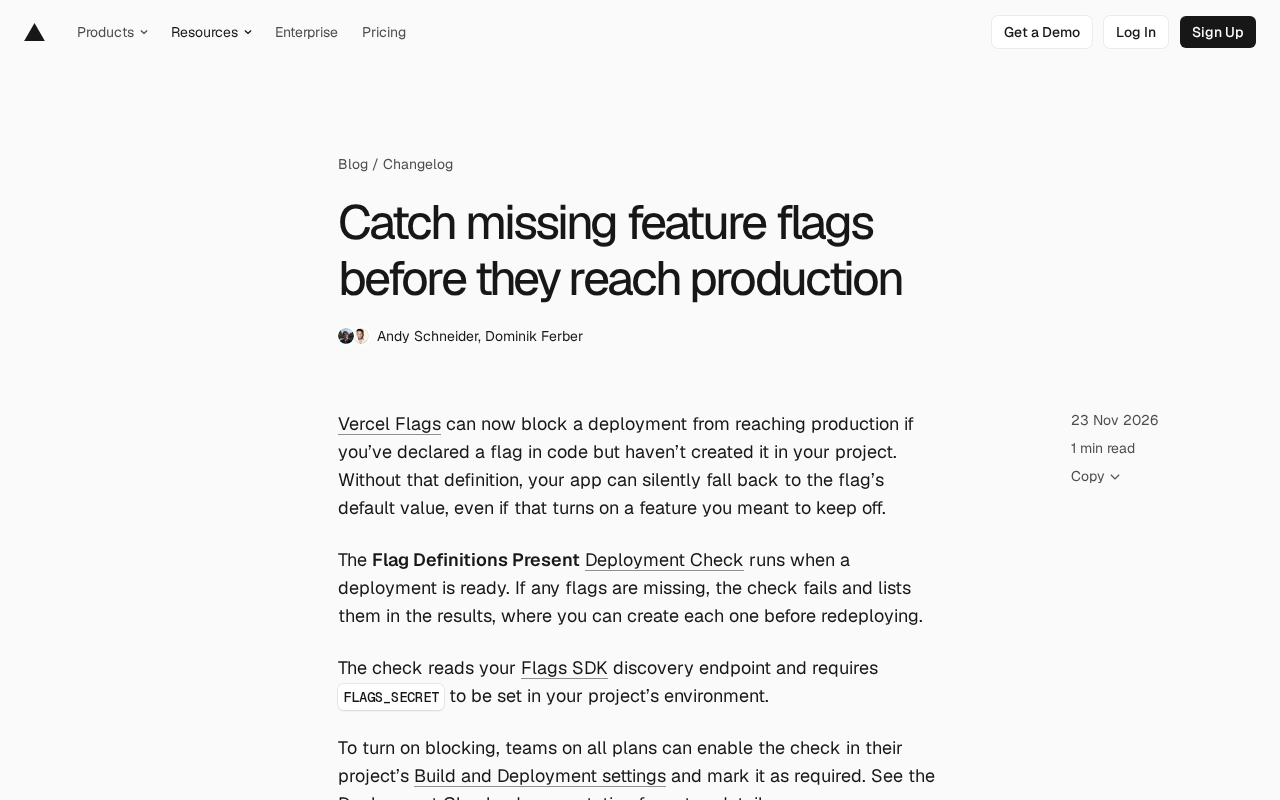
Vercel Flags adds a deployment check to block flags referenced in code but never defined from reaching production.
Vercel Flags introduces the Flag Definitions Present deployment check to solve the problem of flags declared in code but not created in the project. Missing definitions cause silent fallback to defaults, potentially enabling features meant to stay off. The check runs at deployment readiness, compares code-declared flags against project definitions, fails and lists all missing ones, and lets developers create them and redeploy. Available on all plans via Build and Deployment settings as required, given FLAGS_SECRET and the Flags SDK discovery endpoint are configured. It shifts the problem left, adding flag definition completeness to the deployment pipeline.
Feature flags are a powerful release tool when used well—but a ticking time bomb for production incidents when used poorly. Vercel Flags recently introduced a Deployment Check specifically designed to solve a subtle yet common problem: code declares a flag, but the project never creates it.
The Problem: Missing Flags Silently Fall Back to Defaults
In feature flag practice, one easily overlooked detail is this: if code references a flag that doesn't exist in the management platform, the application won't throw an error—it silently falls back to the flag's default value.
This behavior is a reasonable fault-tolerance design, but the risks it introduces are not to be underestimated. Suppose a flag's default value is "on," while your intent is to keep that feature off. In that case, with the definition missing, the feature gets unexpectedly enabled—with no explicit warning throughout the entire process. By the time the issue is discovered, production may already be affected.
Vercel's announcement directly targets this pain point: without a definition, the application silently falls back, and may even enable a feature you intended to keep off.
Feature flags are a technique for controlling feature visibility at runtime, allowing developers to turn specific features on, off, or adjust them without large-scale redeployment. Common flag types include release flags (controlling whether a new feature is visible to users), experiment flags (for A/B test splitting), permission flags (effective by user group or environment), and operational flags (for emergency kill switches). Each flag typically has a default value; when a flag is not explicitly evaluated or doesn't exist in the management platform, the SDK returns that default value to ensure code doesn't crash due to a missing flag. This design improves fault tolerance, but it also means the "existence" of flags must be guaranteed by process—otherwise, silent fallbacks occur.
The Solution: Flag Definitions Present Deployment Check
Vercel Flags' new Flag Definitions Present deployment check was built precisely to intercept such issues. It works in a straightforward way:
- It runs automatically when a deployment reaches the ready state;
- It checks whether every flag declared in code has a definition in the project;
- If any are missing, the check fails and lists all missing flags in the results;
- Developers can create the flags one by one based on the list, then redeploy.
The core value of this check is shifting the problem left—from "discovering it via monitoring after launch" to "blocking it directly at deployment." For teams relying on feature flags for canary releases or A/B testing, this layer of protection can prevent many low-level but critical mistakes.
Deployment Checks are a pluggable quality gate mechanism provided by Vercel, allowing custom checks to run at specific points in the deployment lifecycle (such as after build completion, before entering the ready state). Check results can be success, failure, or pending, and teams can mark them as "required," thereby preventing deployments that fail the check from reaching production. This mechanism is commonly used for integration testing, security scanning, performance budgets, and similar scenarios. Vercel Flags' Flag Definitions Present check is built on this framework, turning feature flag definition completeness into an automated deployment gate.
How to Enable: Available on All Plans
Enabling this check is not complicated. According to the official documentation, teams on all plans can enable the check in the project's Build and Deployment settings and mark it as required. Once marked as required, deployments with missing flags cannot reach production.
Note that this check depends on two prerequisites:
- It reads the list of flags declared in code via the Flags SDK discovery endpoint;
- The FLAGS_SECRET environment variable must be set in the project.
If these two conditions are not met, the check may not work properly. For detailed configuration steps, refer to Vercel's Deployment Checks documentation.
The Flags SDK is an open-source library from Vercel for declaring and evaluating feature flags in a code-first manner within frameworks like Next.js. It supports defining flags and their default values in code via the flag() function, and provides a discovery endpoint for enumerating all flags declared in the project during the build or deployment phase. FLAGS_SECRET is an environment variable that protects this discovery endpoint, ensuring that only deployment checks holding the secret can read the flag list. Therefore, before enabling the check, you must ensure the Flags SDK is correctly integrated and FLAGS_SECRET is configured in the Vercel project settings—otherwise the check cannot retrieve the flag declarations from code, and thus cannot perform the comparison.
Practical Impact on the Development Workflow
From an engineering practice perspective, this feature fills a gap in feature flag lifecycle management. Most teams focus on flag creation, toggling, and cleanup, but tend to overlook the intermediate state of "referenced in code but not defined in the platform."
Once this check is marked as required, the deployment process gains an automatic gate. It won't slow down normal deployments—it only fails when definitions are genuinely missing—but it can stop changes that might cause production anomalies at critical moments. For teams using Vercel Flags with the Flags SDK, it's recommended to enable it in project settings as soon as possible.
The reliability of feature flags depends not only on the flags themselves but also on whether their definitions are complete. Vercel's new check brings "definition completeness" into the scope of deployment pipeline safeguards.
One-line Summary
Vercel Flags adds a deployment check that blocks flags referenced in code but not defined from reaching production.
Paragraph Summary
Vercel Flags introduces the Flag Definitions Present deployment check to solve the problem of flags declared in code but not created in the project. Missing definitions cause the application to silently fall back to default values, potentially enabling features that should be off. The check runs automatically at deployment readiness, compares flags declared in code against project definitions, fails when any are missing and lists them all, and developers can create them and redeploy. Teams on all plans can enable it in Build and Deployment settings and mark it as required, provided the FLAGS_SECRET environment variable is configured and the Flags SDK discovery endpoint is available. This feature shifts the problem left, bringing feature flag definition completeness into deployment pipeline safeguards.
Related articles
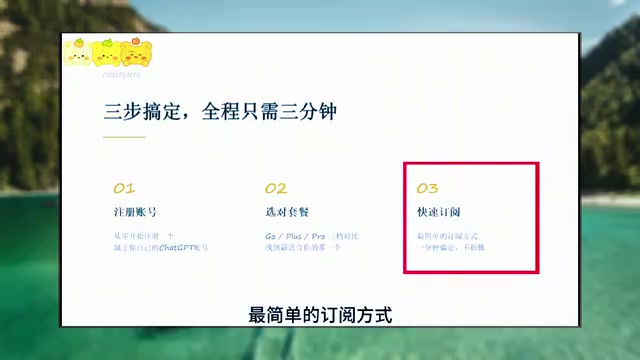
ChatGPT Plus Subscription Pitfall Guide: Go/Plus/Pro Tier Comparison and Quick Activation
A complete ChatGPT Plus subscription guide based on a Bilibili tutorial: from registering an account, comparing Go/Plus/Pro tiers, to the practical steps for quickly completing your subscription.

GPT-6.2 Sol/Astra Released! A Step-by-Step ChatGPT Plus Subscription Guide and Tier Comparison
GPT-6.2 Sol/Astra is out—here's a ChatGPT Plus subscription guide: register an account, compare Go/Plus/Pro tiers, and subscribe in a minute.
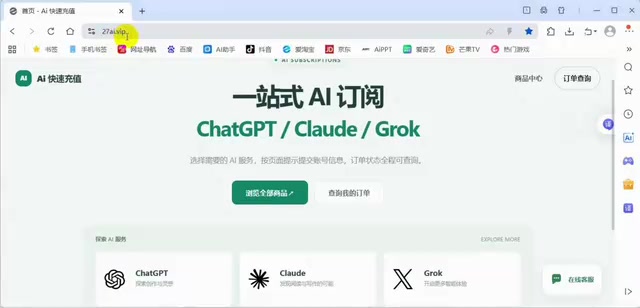
Comparing Three Channels for Subscribing to GPT Plus in China: Is Website Top-Up the Easiest?
How to subscribe to GPT Plus in China? This article compares website top-up, credit card, and mobile top-up channels—process, cost, and risk—with steps and tips to help you choose wisely.