No Code Needed: Generate an Employee Scheduling App with a Single AI Prompt
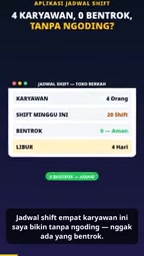
A single prompt lets AI generate an automatic scheduling app for 4 employees and 2 shifts, showing a practical path for small tools.
A YouTube creator used just one prompt—generate an automatic scheduling app for 4 employees and 2 shifts—to have AI produce a runnable interface without writing code. The result achieved balanced morning/afternoon shift distribution, clearly marked rest days, and instant shift-conflict detection, covering exactly the areas where manual scheduling most easily goes wrong. The article argues that scheduling apps have clear logic boundaries, limited scale, and well-defined rules, making them one of the small management-tool scenarios where AI coding is currently most effective; writing out all constraints in the prompt (headcount, shift time slots, rest arrangements) is key to output quality. It also notes that AI-generated scheduling apps are better suited to small-team prototyping—as teams grow or rules become complex, engineering work such as data persistence, multi-user collaboration, and fairness validation is still needed.
Scheduling sounds simple, but it easily turns into a mess in practice. With four employees and two shifts, manual scheduling often leads to shift-swap conflicts, someone being double-booked, or gaps with no one assigned. A YouTube creator used a single prompt—without writing a line of code—to have AI generate an automatic scheduling app. The value of this case isn't how complex the app is, but that it demonstrates a practical path for AI-assisted coding on small management tools.
One Prompt, and AI Handles All the Scheduling Logic
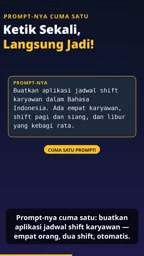
The creator's approach was straightforward: give the AI a single prompt—generate an automatic scheduling app for 4 employees and 2 shifts. No wireframes, no requirements doc—the AI produced a runnable interface directly.
According to the YouTube channel's demo, the result covered several key points: morning and afternoon shifts were evenly distributed, rest days were clearly marked, and shift conflicts were immediately surfaced. These three points happen to be exactly where manual scheduling most often goes wrong. In the traditional approach, the scheduler has to repeatedly check who can't be on the same shift as whom and who has already worked several days in a row—one lapse means rework.
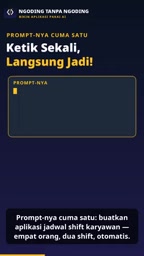
This "one-prompt generation" capability essentially hands the process of translating business rules into code logic over to the large model. Users only need to clearly describe the constraints (headcount, number of shifts, even distribution, conflict detection), and the AI handles the data structures and UI rendering. For small-team managers without a programming background, the barrier drops to near zero.
Constraint Satisfaction Problem (CSP) is the key concept for understanding the underlying logic of scheduling apps. Scheduling is essentially a constraint satisfaction problem: given a set of variables (which shift each employee is assigned to on each day) and a set of constraints (each person can work only one shift per day, each shift needs a fixed headcount, employees can't work more than N consecutive days, rest-day requirements must be met, etc.), find an assignment that satisfies all constraints. In computer science, this class of problem is NP-hard; at small scale it can be solved efficiently with backtracking search or greedy algorithms, but complexity rises sharply as scale grows. The reason AI can "generate a scheduling app from one prompt" is that it recognizes this as a typical CSP scenario and automatically chooses appropriate data structures (such as 2D arrays or dictionaries) and solving strategies (such as round-robin assignment plus conflict detection), without requiring the user to understand the underlying algorithmic principles.
What the Schedule Looks Like: See at a Glance Who Works and Who Rests
The generated app consolidates information into a single interface. Who's on the morning shift, who's on the afternoon shift, from what time to what time, and who's off on which day—all shown on one screen, so you no longer need to ask around or dig through spreadsheets.
From the demo screen, the headcount distribution between morning and afternoon shifts is balanced, and rest arrangements are clearly indicated. This "single-screen overview" design actually solves a communication-cost problem—team members no longer have to ask each other about shifts, and managers don't have to explain repeatedly.

Conflict detection is another practical feature. With manual scheduling, conflicts often aren't discovered until the day of execution; the app, however, can flag overlaps or gaps during the scheduling phase, moving problems forward into planning. For a small team of just four people, this kind of instant feedback is already enough to cover most day-to-day scheduling needs.
Conflict detection in the scheduling context usually refers to two types of checks: first, hard conflicts—assignments that violate non-negotiable rules, such as the same employee being scheduled for two shifts in the same time slot, or a shift being understaffed and leaving a gap; second, soft conflicts—assignments that violate preferences or fairness rules, such as one person being scheduled for morning shifts several days in a row while another never gets a turn. Hard conflicts must be eliminated, while soft conflicts are allowed within an acceptable range. With manual scheduling, hard conflicts often only surface on the day of execution, because the human brain struggles to track all combinations of four employees times multiple days times two shifts simultaneously. Programmatic scheduling, by contrast, can iterate through all assignment combinations at the generation stage, instantly flagging overlaps and gaps, moving the problem from "after-the-fact remediation" to "before-the-fact prevention."
Why Small Tools Like This Are Especially Suited to AI Generation
The logic boundary of a scheduling app is clear: the input is the employee roster and shift definitions, and the output is a timetable that satisfies the constraints. There's no complex permission system, no external system integration, and the data volume is small. This kind of "clear rules, limited scale" tool is exactly the scenario where AI coding is currently most likely to deliver results.
By contrast, for systems involving multi-role permissions, real-time collaboration, and historical data migration, the success rate of one-shot AI generation drops noticeably, and manual debugging is still required. In the video, the creator also mentions that this is just the starting point of a full attendance-app tutorial, with step-by-step lessons to follow. This shows that even for small tools, there's still a gap between "it runs" and "it's good to use."
Another notable point is reusability. Once AI has generated the scheduling logic, adjusting headcount or the number of shifts only requires modifying the constraints in the prompt and regenerating. For small teams whose business changes frequently, this flexibility is more cost-effective than traditional custom development.
Prompt Engineering's role here is often underestimated. The quality of code generated by a large model depends heavily on the completeness and precision of the constraints in the prompt. The reason a single prompt like "generate an automatic scheduling app for 4 employees and 2 shifts" works is that it implies three key constraints: scale (4 people), dimension (2 shifts), and goal (automated assignment). If the prompt only says "make a schedule table," the model may generate a static table template rather than an assignment algorithm with logic. For scheduling-type tools, an effective prompt usually needs to cover: headcount and shift definitions, the maximum number of workdays per person per week, whether consecutive shifts are allowed, rest-day rules, and the trigger conditions for conflict detection. The more specific the constraints, the easier it is for the model to translate them into conditional checks and loop logic, reducing post-generation rework and debugging.
Practical Implications for Non-Technical Managers
The most direct takeaway from this case is: for repetitive spreadsheet work in daily management, consider using AI to generate lightweight tools as a replacement first. Scheduling, duty rosters, and simple task assignment all belong to the same class of problem—the rules can be stated clearly, the scale isn't large, but the cost of errors isn't low.
In practice, the quality of the prompt determines the quality of the output. Writing out all the constraints (headcount, shift time slots, rest days per person per week, whether consecutive shifts are allowed) works far better than vaguely saying "make a schedule table." The reason the creator's single prompt works is that it simultaneously provides three key constraints: headcount, number of shifts, and the automation requirement.
What needs to be kept in mind is that AI-generated scheduling apps are currently better suited to small-scale scenarios. As the team grows and the rules become more complex, engineering issues such as data persistence, simultaneous multi-user editing, and scheduling fairness validation still need to be addressed. Treating it as a prototyping tool for quickly validating ideas, rather than a one-step production system, is a more pragmatic positioning.
One-line Summary
A single prompt lets AI generate an automatic scheduling app for 4 employees and 2 shifts, demonstrating a practical path for small tools.
Paragraph Summary
A YouTube creator used just one prompt—generate an automatic scheduling app for 4 employees and 2 shifts—to have AI produce a runnable interface without writing code. The result achieved balanced morning/afternoon shift distribution, clearly marked rest days, and instant shift-conflict detection, covering exactly the areas where manual scheduling most easily goes wrong. The article argues that scheduling apps have clear logic boundaries, limited scale, and well-defined rules, making them one of the small management-tool scenarios where AI coding is currently most effective; writing out all constraints in the prompt (headcount, shift time slots, rest arrangements) is key to output quality. It also notes that AI-generated scheduling apps are better suited to small-team prototyping—as teams grow or rules become complex, engineering work such as data persistence, multi-user collaboration, and fairness validation is still needed.
Related articles
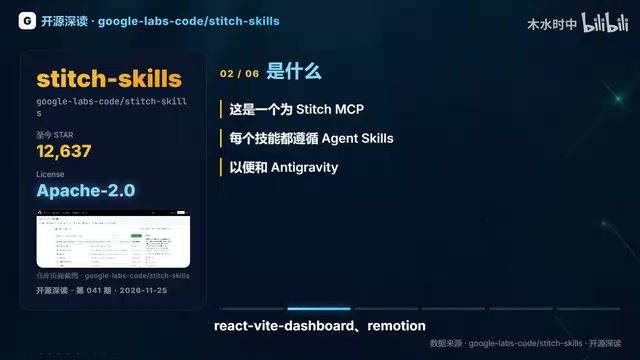
Google Stitch Skills: Connecting Coding Agents to the Design Workflow
Google Stitch Skills is an Agent Skills library following the open standard, adding a design-to-code workflow to the Stitch MCP Server. This article breaks down its three skill groups, SKILL.md directory structure, installation paths, and dependency pitfalls.

40.5-Inch Color E-Paper Art Frame: An Art Display You Charge Once a Year
The Ink Poster Tella 40.5-inch color e-paper art frame uses the E Ink Spectra 6 full-color solution: A1 format, no backlight, no noise, about one charge a year, 2,000+ licensed artworks built in, and automatic adaptation of phone photos.

Jingle Jam Memories: RT's Awkward First Encounter with Lewis
RT shares his awkward first Jingle Jam experience: unexpectedly pushed into the studio, meeting Lewis and Yogg's cast, and Toddy appearing in armor.