Node.js 26 LTS Lands on Vercel: HTTP/2 by Default and the Temporal API
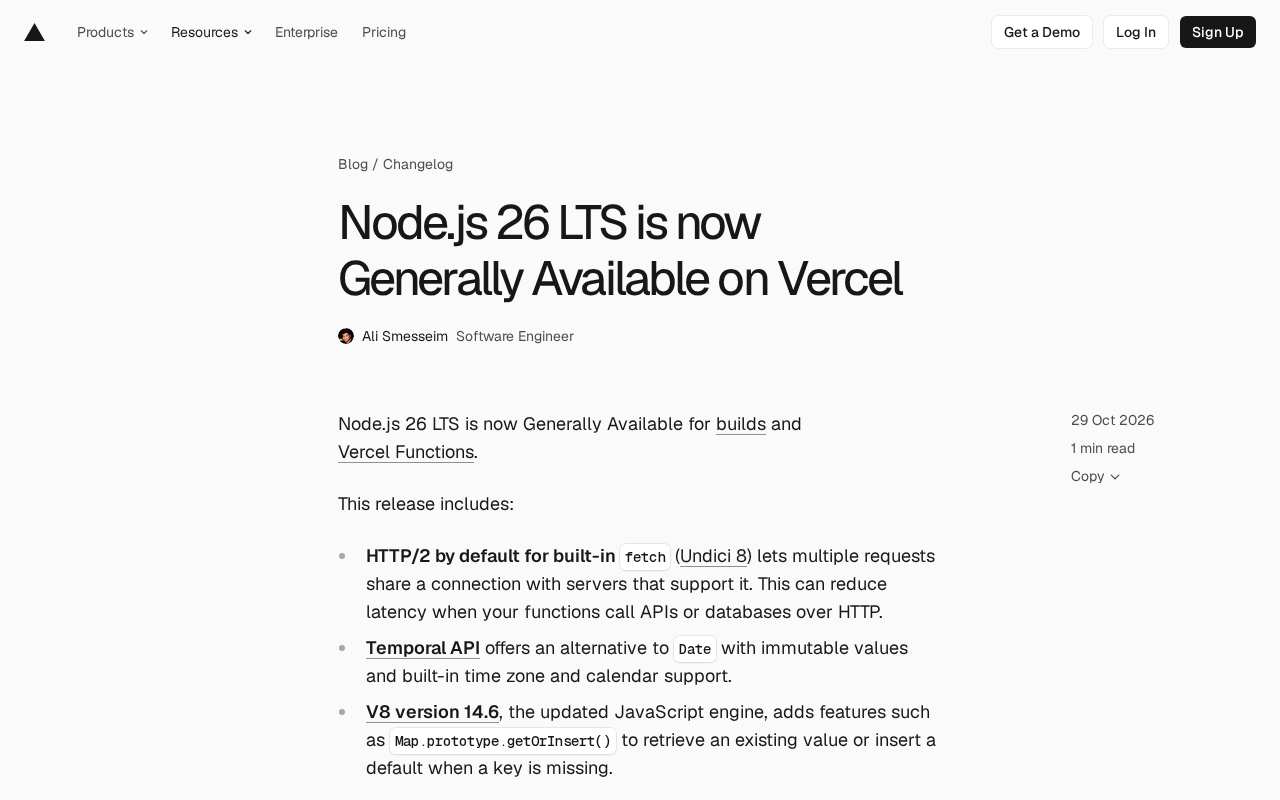
Vercel ships Node.js 26 LTS with default HTTP/2 fetch, Temporal API, and V8 14.6 features.
Vercel announced that Node.js 26 LTS is generally available for builds and Vercel Functions, and is now the default runtime for new projects. Key changes include: built-in fetch (Undici 8) enabling HTTP/2 by default for supporting servers, allowing connection reuse to cut latency, with a fallback via VERCEL_FETCH_DISABLE_H2=1; the Temporal API entering the runtime with immutable date-time values and built-in timezone/calendar support; and V8 14.6 bringing Map.prototype.getOrInsert(). Projects whose engines.node permits 26 upgrade automatically on next deploy, so watch for silently enabled HTTP/2; teams wanting to pin versions can set 26.x explicitly, and prebuilt deployments require Vercel CLI 65.8.0 or higher.
Vercel has announced that Node.js 26 LTS is now Generally Available for both build pipelines and Vercel Functions. For developers running server-side logic on Vercel, this upgrade isn't just a version bump — it moves several low-level capabilities that directly affect function performance and code style into the default position.

Three Runtime Changes Worth Noting
Built-in fetch Uses HTTP/2 by Default
In Node.js 26, Undici — the library behind the built-in fetch — has been upgraded to version 8, and HTTP/2 is now enabled by default for servers that support it. The most direct impact: multiple requests can reuse a single connection, rather than being constrained by connection limits as is common with HTTP/1.1.
When Vercel Functions need to reach external APIs or databases over HTTP, this connection reuse reduces handshake and queueing overhead — described officially as "lower latency." For functions that call external services at high frequency, this is a benefit you get without changing any code.
If your existing services depend on HTTP/1.1 behavior (for example, certain middleware or debugging tools that have specific protocol requirements), Vercel provides a fallback switch: set VERCEL_FETCH_DISABLE_H2 to 1 in your environment and redeploy to stay on HTTP/1.1.
Undici is the built-in HTTP client officially implemented by Node.js, providing the foundation for web-standard APIs like fetch and WebSocket in Node. It's not a simple wrapper around the http module — it's a high-performance client implemented in a mix of C++ and JavaScript, supporting connection pooling, keep-alive, proxies, and HTTP/2. Undici's version is tied to the Node mainline, and the key change in version 8 is defaulting to h2 protocol negotiation for servers that support HTTP/2.
The difference between HTTP/2 and HTTP/1.1 isn't just "faster": it splits requests into frames and multiplexes them over a single TCP connection, avoiding HTTP/1.1's head-of-line blocking, and it supports header compression (HPACK). But this also means connection lifecycle, timeouts, and error retry semantics differ from the past. When certain intermediary proxies or older server versions have incomplete h2 support, handshake failures or connection reuse anomalies can surface — which is exactly why Vercel provides the fallback switch.
The Temporal API Enters the Runtime
The long-criticized problems with the Date object — mutability, cumbersome timezone handling, weak calendar support — now have an official alternative in Node.js 26. The Temporal API provides immutable value types with built-in timezone and calendar support.
For business code, this means date arithmetic, cross-timezone display, and daylight saving time boundary handling require far fewer helper functions. But migration has a cost: Temporal's API shape differs significantly from Date, existing code won't switch automatically, and teams need to evaluate whether a gradual replacement is worthwhile.
Temporal is the modern date-time API from a TC39 proposal, which reached formal stage after years of standardization. It strictly distinguishes between "points in time" and "wall-clock time": Temporal.Instant represents a point on the absolute timeline, Temporal.ZonedDateTime represents local time with a timezone, and PlainDate/PlainTime carry no timezone. This type separation is designed to avoid the common bugs caused by Date conflating instants with local representations.
The root of Date's problems is that it's a mutable wrapper around a millisecond timestamp, months are zero-indexed, timezones can only be handled implicitly via strings, and DST overlaps and gaps can't be expressed. All Temporal objects are immutable, operations return new values, and it provides explicit timezone parsing, calendar systems (such as iso8601, japanese), and a Duration difference type. When migrating, note that Temporal is not a globally exported syntactic sugar that can directly replace Date — it's a separate namespace Temporal, and interoperability with existing libraries (like date-fns, Luxon) needs to be evaluated case by case.
V8 14.6 and getOrInsert()
The underlying JavaScript engine has been upgraded to V8 14.6, bringing one particularly practical new feature: Map.prototype.getOrInsert() — returns the existing value if the key exists, otherwise inserts a default value. This "look up, and write if missing" pattern previously required a get, then a check, then a set; now it's a single line, making code more compact and eliminating duplicate lookups.
Map.prototype.getOrInsert() is the V8 implementation of TC39's "Map upsert" proposal, paired with getOrInsertComputed(), which accepts a callback and only computes and inserts the default value when the key doesn't exist — ideal for cases where constructing the default is expensive or depends on other state.
Compared to the if (!map.has(k)) map.set(k, v) pattern, the new method merges lookup and insertion into a single internal operation, which is semantically clearer and avoids the race condition where other code modifies the map between has and set. Note that the default value argument is evaluated immediately, so if you don't want to pay the construction cost when the key already exists, use getOrInsertComputed() instead. This feature is a runtime API, so before using it, confirm that type definitions (such as @types/node and TypeScript's lib configuration) have been updated accordingly — otherwise your editor will report an unknown method.
How to Upgrade on Vercel
The upgrade path breaks down into several cases, with clear official guidance:
- New projects: Node.js 26 is already the default version for all new projects, no extra configuration needed.
- Automatic upgrade: If an existing project's
engines.nodefield inpackage.jsonpermits 26 (for example, written as>=20), the next deployment's build will automatically use Node.js 26. Such projects should watch for behavioral differences from this "passive upgrade," especially the HTTP/2 default noted above. - Manual upgrade: Explicitly set
engines.nodeto26.xand redeploy — suitable for teams that want to lock the version and control upgrade timing. - Prebuilt deployments: Requires Vercel CLI 65.8.0 or higher to deploy Node.js 26 Functions.
Node.js 26 minor and patch updates roll out automatically for builds and Vercel Functions, so developers don't need to take manual action for each small release.
A Few Things to Consider Before Upgrading
The essence of this change is moving the runtime defaults forward by one notch. HTTP/2 being on by default is a "silently effective" change — your code hasn't changed, but your network behavior has. For projects that depend on external services with uneven HTTP/2 support, it's advisable to monitor function call stability after upgrading and fall back via the environment variable if needed.
Temporal and getOrInsert() offer incremental benefits: they don't force you to rewrite code, but they provide a more modern syntax foundation for future refactoring. Migrating date logic to Temporal needs to be scheduled separately and shouldn't be bundled with the runtime upgrade.
For most projects, the safest approach is to first check your engines.node range to determine whether you'll take the automatic or manual upgrade path, then decide whether you need a fallback plan for HTTP/2-related behavior.
Related articles

AI Comic Drama with WorkBuddy from Scratch: A Step-by-Step Skill Pack Installation Guide
Learn how to create AI comic dramas with WorkBuddy from scratch. This guide covers installation, Skill pack import and invocation, plus a script generation demo with manual revision tips to get you through the first step from script to storyboard.

WorkBuddy Agent Runs the Entire GEO Database Mining Pipeline with a Single Prompt
WorkBuddy agent automates GEO database mining: from data search and curation to batch correction, differential analysis, co-expression networks, feature gene screening, and immune infiltration—a single prompt generates a complete bioinformatics report, greatly lowering the barrier to bioinformatics analysis.

PC Memory Wasted? Hacker News Debates Centralized Data Centers
Hacker News users argue that personal computer memory is wasted and should be centralized in data centers, sparking debate on centralized vs. distributed computing resource allocation. This article analyzes the logic behind the claim, the costs of centralization, and new tensions in memory resource allocation in the AI era.