Ollama Beginner's Guide: Deploy LLMs Locally and Explore AI for Free

Ollama is a free, open-source, cross-platform local LLM manager that runs open-source models with a single command.
Ollama is an open-source, free local LLM management platform that turns downloading, managing, and running open-source models into a single command, supporting macOS, Windows, Linux, and Docker. Unlike online APIs, models run locally with no key application and no per-token fees. Its core strengths are mixed CPU + GPU utilization—saving manual GPU driver and CUDA setup—plus both a CLI client and a WebUI, with API support for Python, Java, Rust, and more. Typical use cases include enterprise private knowledge base Q&A and local Agent development with data staying local; but larger models demand more hardware, so beginners should start small.
Want to run large language models on your own computer without the hassle of complex environment setup? Ollama is made for you. This open-source tool packages the download, management, and execution of open-source models into a single command—and it's completely free.
What Is Ollama? In a Nutshell: A Local LLM Manager
According to a popular science video by a Bilibili creator, Ollama is essentially a platform tool for managing various large models. It lets you download open-source models (such as the DeepSeekAd series, LLaVA, etc.) to your local machine and run them there, instead of logging into someone else's website to use an online service.
This is fundamentally different from calling online APIs. With online models, you use a vendor's preconfigured version, and API access requires applying for a key and paying based on token consumption. DeepSeek used to give 10 yuan in credit for early sign-ups, but that's gone now. Ollama's approach is: bring the model onto your own machine and run it with local compute—so naturally, there are no API fees.
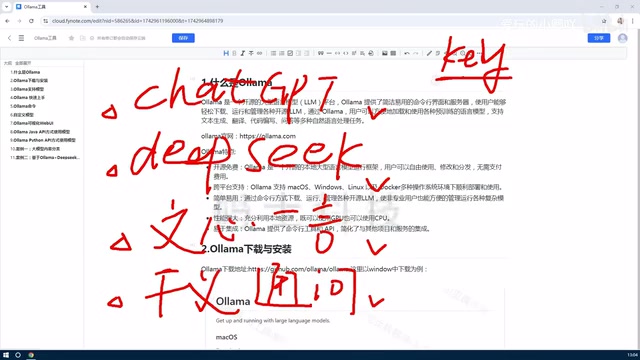
There are two ways to use it: command-line (client) interaction and a WebUI graphical interface. Downloading, deleting, and managing models—or creating personalized versions based on existing models—can all be done within the platform.
Four Core Features That Show Ollama's Value
Open Source, Free, and Cross-Platform
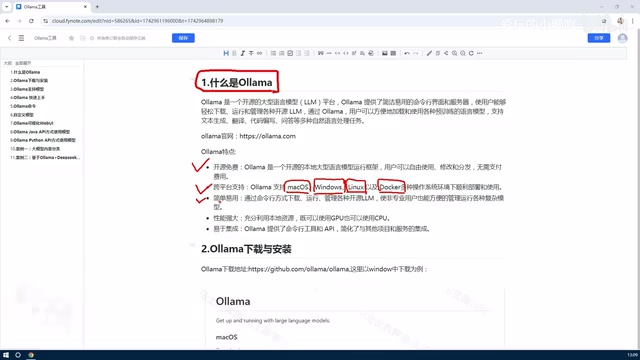
Ollama itself is open source and free. Cross-platform support is a major selling point—it runs on macOS, Windows, and Linux, and can even run in Docker. Individual users will find installation and testing easiest on Windows or Mac; enterprise users can choose Linux or Docker deployment to integrate open-source models into internal systems.
Mixed CPU + GPU Utilization Lowers the Barrier
This is Ollama's most practical design. With the traditional approach to self-hosting models, you first have to sort out GPU drivers, the CUDA environment, and a pile of other configurations—and whether your computer even supports a GPU is another question. Once Ollama is installed, it can make full use of your machine's resources, calling on both GPU and CPU. The creator repeatedly emphasized in the video that this directly lowers the barrier to using various open-source models.
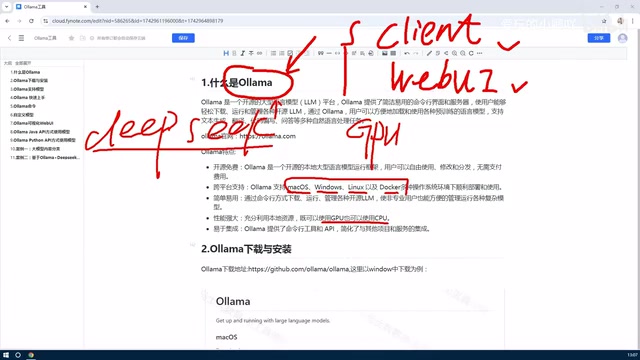
Of course, the larger the model, the higher the hardware requirements. Downloading a model hundreds of GB in size to your local machine means your hardware has to keep up—set your expectations accordingly.
CUDA is a parallel computing platform and programming model introduced by NVIDIA, and it is the key software layer that lets deep learning frameworks offload computational tasks to run on its GPUs. With traditional local LLM deployment, users not only need to install drivers matching their graphics card model but also configure the corresponding version of the CUDA toolchain and inference framework—any version mismatch easily leads to errors. Ollama packages these dependencies into its installer and automatically detects available GPUs at runtime, placing layers that can be accelerated into VRAM while the rest falls back to CPU and memory. This is the technical reason it enables out-of-the-box use for non-expert users.
Model quantization refers to representing model weights with lower bit widths (such as 4-bit or 8-bit) to trade a small amount of precision for significant improvements in VRAM usage and inference speed. Some models pulled by Ollama come with quantized versions, which allows consumer-grade GPUs—or even pure CPU machines—to run medium-sized models. Understanding this helps you judge how large a model your hardware can handle.
Dual Entry Points: Command Line and WebUI
Ease of use shows in two ways of operating. The client command-line approach suits scripting and automation scenarios; the WebUI gives users unfamiliar with the command line a graphical entry point.
API and Multi-Language Extensibility
Ollama provides APIs and command-line methods for operating offline models. In actual development, the most common approach is interacting with local models through the API. Languages such as Python, Java, and Rust can all access the models, offering strong extensibility.
REST API is an HTTP-based interface style in which clients exchange JSON data with a server through standard methods such as GET and POST. After Ollama starts locally, it listens on a fixed port (11434 by default) and exposes interfaces for generation, chat, model management, and more. Any language or tool that can send HTTP requests can call it—this is exactly why Python, Java, Rust, and even curl can connect to local models. For developers, this means you only need to swap the request address that previously pointed to a cloud service for a local address, with virtually no changes to your business code.
Typical Scenarios: Private Knowledge Bases and Local Agents
Once an open-source model is deployed on your machine, the most immediate value is that data never leaves your local environment. Feeding an enterprise's internal private knowledge base into an existing model to build a domain-specific intelligent Q&A bot is a very common implementation. Combined with ecosystem tools such as LangChain, MCP, and Agent, local models can also support a complete application chain.
For individual developers, this means prototyping with zero API cost; for enterprises, it means using LLM capabilities under compliance requirements.
RAG (Retrieval-Augmented Generation) is a common paradigm for building private knowledge base Q&A: first, enterprise documents are split into chunks and converted into vectors stored in a vector database; when a user asks a question, the most relevant chunks are retrieved first and then passed to the model along with the question to generate an answer. This way, the model can answer private-domain questions without retraining, while data stays local throughout. MCP (Model Context Protocol) is an open protocol that lets models call external tools and data sources in a standardized way. Combined with Agent frameworks, local models can read files, query databases, or call internal systems—expanding single-turn Q&A into agents that can execute tasks.
Conclusion
Ollama's positioning is clear: a free, open-source, cross-platform model management tool. The core problem it solves is turning local deployment of open-source models from "fiddling with the environment" into "a single command." As for how large a model to choose and how powerful your hardware should be, that depends on your actual needs. At the beginner stage, getting a small model running first and experiencing the speed and quality of local inference is more practical than anything else.
One-line Summary
Ollama is a free, open-source, cross-platform local LLM manager that gets open-source models running with a single command.
Paragraph Summary
Ollama is an open-source, free local LLM management platform that simplifies downloading, managing, and running open-source models into a single command, supporting macOS, Windows, Linux, and Docker. Its essential difference from online APIs is that models run locally—no key application and no per-token fees. Its core advantage is mixed CPU + GPU utilization, eliminating the hassle of manually configuring GPU drivers and CUDA environments, while offering both a command-line client and a WebUI, plus API support for multi-language calls in Python, Java, Rust, and more. Typical use cases are enterprise private knowledge base Q&A and local Agent development, with data staying local; however, larger models demand higher hardware specs, so beginners are advised to start with a small model.
Related articles

Chain of Thought Isn't Just for AI: How Humans Can Use CoT to Improve Thinking Quality
Chain of Thought isn't just a prompt trick for large models. Starting from a Hacker News discussion, this article analyzes why CoT works for human thinking too, breaks down actionable ways to transfer it, and highlights the key differences between human CoT and machine CoT.
Cloudflare Teams Up with OpenAI: Closi…
Cloudflare Teams Up with OpenAI: Closing the Loop from Vulnerability Discovery to Defense with AI
Cloudflare uses OpenAI Daybreak to investigate security vulnerabilities and generate reviewable remediation plans, while developers use Codex to boost coding efficiency and quality.

Orca Multi-Agent Orchestration in Practice: A Guide to Parallel Collaboration with Claude and Codex
Orca is Stable AI's free open-source agent workbench supporting 34 agents like Claude Code and Codex in parallel. Learn its Git worktree isolation, multi-model orchestration, and mobile management.