Ollama Complete Guide: Running Open-Source LLMs Locally

Ollama lets you deploy and run open-source LLMs locally for free, with no cloud API fees or data privacy concerns.
Ollama is a free, open-source local LLM management platform built on llama.cpp that makes it easy to download, run, and manage models like DeepSeek and LLaMA on your own machine. It supports GPU and CPU inference, exposes an OpenAI-compatible REST API, and enables private RAG pipelines — all without sending data to any third-party server.
Why Do You Need Ollama?
Most large language models we use today — whether ChatGPT, DeepSeekAd, or other popular AI assistants — are accessed by logging into a cloud service and interacting with someone else's hosted model. For casual users, this is perfectly convenient. But the moment you need to do custom development, things get complicated.
When you want to call these models via API, you typically need to apply for an API Key and pay based on the number of tokens processed. Tokens are the basic units models use to process text — roughly corresponding to words or character fragments in English or Chinese. A complete conversation request includes "input tokens" (your prompt) and "output tokens" (the model's response), each billed separately. For enterprise scenarios involving long documents or high-frequency calls, token costs can accumulate quickly to a significant scale. Even though models like DeepSeek are relatively affordable, any paid cloud service carries two concerns: cost and data privacy. For enterprise applications especially, feeding internal proprietary knowledge into a cloud model always raises security questions.
A natural question then arises: since so many excellent models like DeepSeek, LLaMA, and Mistral are already open-source, can we deploy them locally and break free from cloud service dependency? These models are released as model weights — files consisting of billions of floating-point parameters that encode the compressed knowledge the model learned from massive datasets. Model scale is typically measured by parameter count, such as 7B (7 billion parameters) or 70B (70 billion parameters) — the more parameters, the more capable the model, and the higher the hardware requirements. What makes local deployment truly viable is the maturity of model quantization technology: by compressing high-precision parameters into lower-precision representations, model size and VRAM usage can be reduced by 2–8x with minimal accuracy loss. The answer is yes — and the key tool that makes it possible is Ollama.
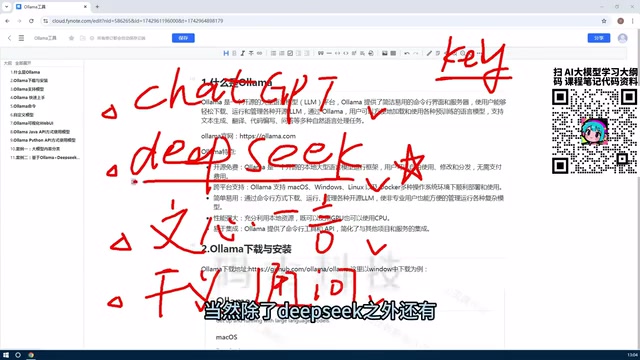
What Is Ollama?
Simply put, Ollama is a local LLM management platform. Think of it as a "butler" for your local models — handling everything from downloading and deploying to managing, deleting, and creating models. Under the hood, it integrates the llama.cpp framework — a high-performance quantized inference engine built by developer Georgi Gerganov, specifically optimized for CPUs and consumer-grade GPUs, making it possible to run 7B–13B scale models on an ordinary laptop.
Two Ways to Use It
Ollama offers two interaction modes to suit different users:
- Command-line (CLI) mode: Interact with models directly through an interactive terminal — ideal for developers and users comfortable with command-line tools.
- Web UI mode: A graphical interface for more intuitive operation, great for users who want to get started quickly.
With Ollama, you can easily pull and manage a wide variety of open-source models. Take the latest version of DeepSeek as an example — even if the model is hundreds of GB in size, a single command is all it takes to deploy it locally, with no need to manually wrestle with environment configuration.
Cross-Platform Support

One of Ollama's standout features is its cross-platform compatibility, supporting macOS, Windows, Linux, and Docker environments:
- Individual users: Quick installation on Windows or Mac to start experiencing local LLMs out of the box;
- Enterprise users: Linux or Docker deployment is recommended for service management and horizontal scaling.
Note: The larger the model, the higher the hardware requirements. Before deploying, evaluate whether your local hardware meets the target model's specifications.
Four Core Advantages of Ollama
Ollama dramatically lowers the barrier to local LLM deployment, thanks to several key features.
1. Completely Open-Source and Free
Ollama itself is open-source and free. Running models locally incurs zero token fees — no matter how many times you call the API or run inference, the cost is always zero. For development scenarios that require high-frequency model calls, this directly eliminates a significant expense.
2. GPU and CPU Dual-Mode Operation

This is one of Ollama's most popular features. GPUs are particularly well-suited for LLM inference due to their "massively parallel" architecture — a modern GPU has thousands of compute cores capable of simultaneously processing matrix multiplications and tensor operations, which are the core computational bottlenecks in the Transformer attention mechanism. Before tools like Ollama existed, running LLMs locally required manually configuring complex GPU environments, with heavy dependency on graphics drivers and low-level libraries — a nightmare for beginners.
Ollama abstracts all of this away — it automatically leverages GPU compute via CUDA (NVIDIA GPUs) and Metal (Apple Silicon); when no dedicated GPU is available, it automatically falls back to CPU multi-threaded inference. For quantized models under 7B parameters, modern multi-core processors can typically achieve a generation speed of 5–20 tokens per second — acceptable performance that truly works out of the box, significantly lowering the hardware barrier.
3. Multi-Language API for Flexible Integration
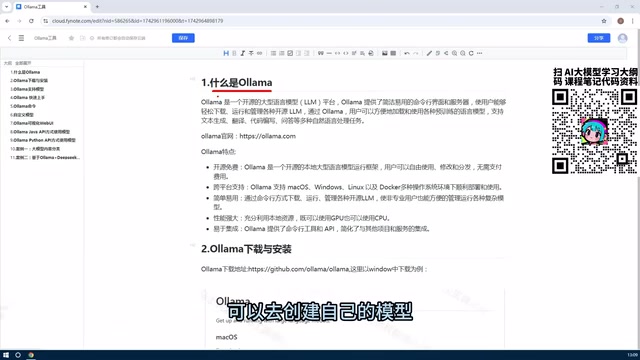
Once Ollama is running locally, it launches an HTTP service on default port 11434, exposing a REST API interface compatible with the OpenAI specification. This means any code originally built against the OpenAI API can seamlessly switch to a local model by simply pointing base_url to the local address — with almost no changes to business logic. Whether you're using Python, Java, or Rust, integration is seamless. Popular AI frameworks in the Python ecosystem like LangChain and LlamaIndex also natively support Ollama as a backend.
Going further, you can customize models based on open-source weights — by combining "Retrieval-Augmented Generation (RAG)" technology, converting private documents into vectors stored in a local vector database, and automatically retrieving relevant content to inject into the context when users ask questions. This lets you build a dedicated Q&A bot or domain-specific assistant — and this is the core value proposition of Ollama's private deployment.
4. Complete Data Sovereignty
All data flows locally — nothing passes through any third-party servers. The entire RAG pipeline — from document vectorization to model inference — can run completely within your internal network, eliminating any risk of data leakage. For enterprise scenarios involving trade secrets or user privacy, local deployment is a far more reliable choice than cloud APIs.
Typical Use Cases for Ollama
Based on the advantages above, the most common real-world applications of Ollama include:
- Personal development and debugging: Zero-cost local API calls, ideal for iterative prompt testing;
- Enterprise data security: Sensitive data stays within the internal network, completely eliminating cloud privacy risks;
- Private knowledge base Q&A: Combine RAG with internal documents to build a customized intelligent assistant or customer service bot;
- Multi-platform application integration: Connect Java, Python, frontend web, and other systems through a unified OpenAI-compatible API.
Summary
Here's a recap of the key points covered in this article:
- What Ollama is: A free, open-source local LLM management tool built on the llama.cpp quantized inference engine, enabling open-source models to run on your own machine;
- Core advantages: Cross-platform support, CLI and Web UI dual modes, flexible GPU/CPU scheduling, and multi-language API integration compatible with the OpenAI specification;
- Core value: Dramatically lowers the technical barrier to local LLM deployment while addressing both cost control and data security.
For developers and enterprises looking to break free from paid cloud APIs and explore the capabilities of local LLMs, Ollama is one of the most worthwhile tools to try first. Future articles will cover installation steps and hands-on command walkthroughs — stay tuned.
Key Takeaways
Related articles

AI Comic Drama with WorkBuddy from Scratch: A Step-by-Step Skill Pack Installation Guide
Learn how to create AI comic dramas with WorkBuddy from scratch. This guide covers installation, Skill pack import and invocation, plus a script generation demo with manual revision tips to get you through the first step from script to storyboard.

WorkBuddy Agent Runs the Entire GEO Database Mining Pipeline with a Single Prompt
WorkBuddy agent automates GEO database mining: from data search and curation to batch correction, differential analysis, co-expression networks, feature gene screening, and immune infiltration—a single prompt generates a complete bioinformatics report, greatly lowering the barrier to bioinformatics analysis.

PC Memory Wasted? Hacker News Debates Centralized Data Centers
Hacker News users argue that personal computer memory is wasted and should be centralized in data centers, sparking debate on centralized vs. distributed computing resource allocation. This article analyzes the logic behind the claim, the costs of centralization, and new tensions in memory resource allocation in the AI era.