Ollama Local Deployment Guide: Run Open-Source LLMs at Zero Cost
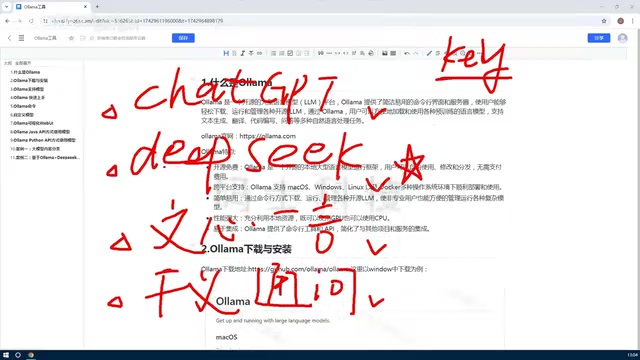
A complete guide to deploying and running open-source LLMs locally with Ollama at zero cost.
Ollama is an open-source platform that simplifies local deployment of large language models like DeepSeek and Llama. This guide covers its core advantages — zero inference cost, data privacy, and offline availability — along with hardware requirements, cross-platform setup, API integration with OpenAI-compatible endpoints, quantization techniques, and real-world use cases including enterprise RAG systems and AI coding assistants.
Ollama Local Deployment Guide: Run Open-Source LLMs at Zero Cost
In AI application development, calling online LLMs like ChatGPT or DeepSeekAd typically requires applying for an API Key and paying per token. A token is the basic unit of text processing for LLMs — in English, roughly 1 token per word (for Chinese, each character corresponds to about 1.5-2 tokens). Taking GPT-4o as an example, input tokens cost approximately $2.50 per million tokens, and output tokens around $10. An enterprise-level customer service system processing thousands of conversations daily could incur monthly costs of thousands or even tens of thousands of dollars. The actual cost of cloud-based inference includes GPU compute rental (A100/H100 GPUs at several dollars per hour), network bandwidth, storage, and operations personnel — all of which are factored into the per-token pricing.
For individual developers and enterprises alike, how can you reduce costs and protect data privacy while maintaining flexible access to LLMs? Ollama offers an elegant solution — deploy open-source LLMs locally and achieve zero-cost inference.
What Is Ollama?
Ollama is an open-source LLM management platform designed specifically for local deployment and running of large language models. Its core value lies in simplifying the model download, management, and usage workflow, allowing developers to easily run mainstream open-source models like DeepSeek and Llama without needing deep expertise in GPU environment configuration.
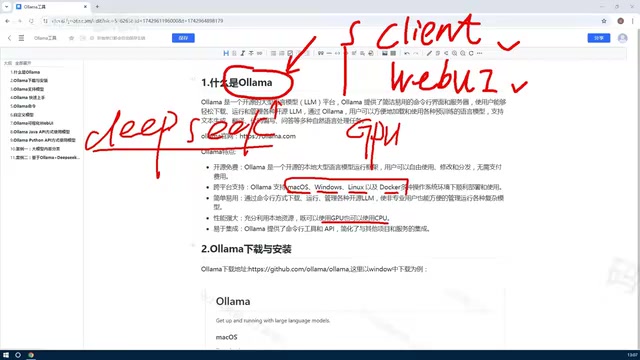
The open-source models that Ollama can run stem from the booming open-source LLM movement in recent years. In 2023, Meta pioneered the trend with its Llama series, followed by Mistral AI's efficient Mistral/Mixtral series. China's DeepSeek attracted widespread attention with its remarkably low training costs and excellent performance. These models are built on the Transformer architecture and acquire language capabilities through pre-training on trillions of tokens. Open-source model weights are typically published in GGUF or SafeTensors formats. Under the hood, Ollama uses llama.cpp as its inference engine — a pure C/C++ inference framework that can efficiently run models without depending on a Python deep learning environment.
Unlike traditional online model services, Ollama runs models locally, which means:
- Zero inference cost: No need to pay for API tokens — model inference runs entirely on your machine
- Data privacy protection: Sensitive data never leaves your local environment for cloud servers
- Offline availability: No network dependency, making it ideal for air-gapped or intranet deployments
Core Advantages of Ollama
Cross-Platform Support
Ollama supports all major operating systems and deployment environments:
- macOS / Windows / Linux desktop systems
- Docker containerized deployment
- Remote deployment on cloud servers
This broad compatibility allows individual developers to quickly validate ideas locally, while enterprises can choose Linux servers or Kubernetes clusters for production deployment.
Intelligent Resource Scheduling
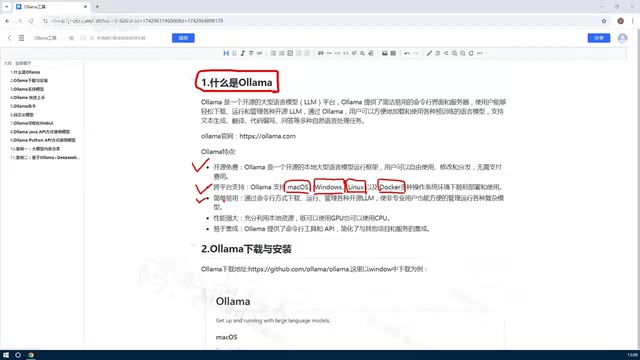
One of Ollama's key breakthroughs is its resource management mechanism. Traditional LLM deployment often strictly depends on GPUs, with complex configuration and high hardware requirements. Ollama implements hybrid CPU/GPU scheduling:
- GPU acceleration: Automatically detects and utilizes NVIDIA/AMD GPUs
- CPU fallback: Automatically switches to CPU inference when no GPU is available
- Memory optimization: Dynamically adjusts model loading strategies based on available resources
To understand this hybrid scheduling mechanism, it helps to know the fundamental architectural differences between CPUs and GPUs. GPUs have thousands of small compute cores that excel at parallel matrix multiplication — precisely the core operation in Transformer model inference. An NVIDIA RTX 4090 has 16,384 CUDA cores and 24GB of VRAM, achieving inference speeds 10-50x faster than CPUs. However, a GPU is not required: llama.cpp optimizes for CPU vectorization instruction sets like AVX2/AVX-512, and combined with quantization techniques, achieves usable inference speeds on modern multi-core CPUs. Apple Silicon chips (M1/M2/M3) perform particularly well with Ollama thanks to their unified memory architecture, where CPU and GPU share the same memory pool — a 16GB M2 MacBook can smoothly run 7B models.
This design dramatically lowers the barrier to entry. Even developers without high-end GPUs can run small to medium-sized models like 7B and 13B.
Versatile Interaction Methods
Ollama provides flexible usage interfaces:
Command Line Interface (CLI): Ideal for quick testing and script automation
ollama run deepseek-coder
Web UI: Provides a visual chat interface with a user experience similar to ChatGPT
RESTful API: Supports HTTP API calls for easy integration into existing applications
import requests
response = requests.post('http://localhost:11434/api/generate',
    json={'model': 'deepseek-coder', 'prompt': '解释Python装饰器'})
The API exposed by Ollama on port 11434 provides not only its native interface but also compatibility with OpenAI's API format (the /v1/chat/completions endpoint). This means a large number of applications built with the OpenAI SDK can seamlessly switch to Ollama by simply changing the base_url to point to the local address. In terms of ecosystem, Open WebUI (formerly Ollama WebUI) offers a feature-rich web interface supporting multi-model conversations, document uploads, and user management. VS Code plugins like Continue.dev can integrate Ollama as a local coding assistant. Low-code AI platforms such as Dify and FastGPT also natively support Ollama as a model backend. This extensive compatibility greatly reduces migration costs.
Typical Use Cases
Enterprise Knowledge Base Q&A Systems
By deploying open-source models through Ollama and combining them with RAG (Retrieval-Augmented Generation) technology, enterprises can build intelligent Q&A systems based on private documents. With models running locally, trade secrets are fully protected from leakage.
The RAG workflow consists of three steps: First, enterprise documents are chunked into paragraphs and converted into vector representations using an embedding model (such as nomic-embed-text), then stored in a vector database (like ChromaDB or Milvus). Second, when a user asks a question, the query is similarly vectorized and the most semantically similar document fragments are retrieved from the database. Finally, the retrieved documents are injected as context into the prompt, and the LLM generates answers based on this specific information. This architecture addresses the LLM's knowledge cutoff date and hallucination issues. Combined with Ollama's local deployment, it ensures data never leaves the internal network. A typical tech stack combination is LangChain + Ollama + ChromaDB.
AI Coding Assistant Development
Using code-specialized models like DeepSeek-Coder and CodeLlama, developers can integrate local code completion and explanation features into their IDEs without worrying about source code leakage.
Education and Research Experiments
Research institutions can load multiple models on the Ollama platform for comparative experiments, or fine-tune open-source models without being constrained by online service API limitations.
Cost Comparison Analysis
Taking DeepSeek as an example, while its online API is relatively affordable, long-term usage still generates significant costs. Based on real-world analysis, a mid-sized application can incur monthly API fees of hundreds of dollars.
With Ollama's local deployment approach, the initial investment is primarily hardware (16GB+ RAM recommended), and all subsequent usage is completely free. For high-frequency inference scenarios, the cost typically pays for itself within 3-6 months.
Hardware Requirements and Performance Optimization
Hardware Requirements
Different model sizes have significantly different hardware requirements. The "B" in 7B, 13B, and 70B stands for Billion, referring to the number of model parameters. Parameter count roughly determines a model's capability ceiling: 7B models are suitable for simple conversations, text summarization, and basic code generation; 13B models show notable improvements in logical reasoning and complex instruction following; 70B models approach GPT-3.5-level overall capability. However, parameter count isn't the only indicator — the DeepSeek-R1 series, trained with reinforcement learning, enables distilled versions with fewer parameters to still demonstrate excellent reasoning capabilities. Mixtral 8x7B uses a MoE (Mixture of Experts) architecture with 47B total parameters but only activates 13B per inference pass, maintaining high performance while controlling computational costs.
Specific hardware recommendations:
- 7B models (e.g., Llama2-7B): Minimum 8GB RAM, 16GB recommended
- 13B models: 32GB RAM or a GPU with 8GB VRAM recommended
- 70B+ models: Requires multi-GPU setup or quantized deployment
When choosing a model, consider your hardware capabilities, task complexity, and response speed requirements holistically.
Model Management Commands
Ollama provides comprehensive model lifecycle management:
ollama list              # List installed models
ollama pull llama2       # Download a model
ollama rm llama2         # Remove a model
ollama create my-model   # Create a custom model from a Modelfile
Performance Optimization Tips
-
Quantized models: Choose Q4 or Q5 quantized versions to dramatically reduce resource usage with acceptable precision loss. Quantization is a key technique for local LLM deployment — it compresses model size and computation by reducing the numerical precision of model weights. Original models typically store weights in FP16 (16-bit floating point), where each parameter occupies 2 bytes, meaning a 7B model requires approximately 14GB of VRAM. Q4 quantization reduces precision to 4-bit integers, shrinking the model to about 4GB and dramatically lowering memory requirements. Common quantization levels include: Q2_K (most aggressive, noticeable precision loss), Q4_K_M (best cost-performance ratio, recommended for daily use), Q5_K_M (close to original precision), and Q8_0 (virtually lossless). GPTQ and AWQ are two mainstream quantization algorithms that minimize quantization error using calibration datasets. Models provided by Ollama are typically pre-quantized at Q4 by default, though users can select different quantization levels via specific tags.
-
Concurrency control: Limit concurrent requests via the
OLLAMA_NUM_PARALLELenvironment variable -
Context length: Adjust the
num_ctxparameter based on actual needs to avoid unnecessary memory overhead
Conclusion
Ollama has redefined how developers use LLMs. It simplifies what was once a complex model deployment process into just a few commands while maintaining professional-grade performance and flexibility. For scenarios demanding cost control, data security, or offline capability, Ollama is one of the most mature open-source solutions available today.
As the open-source model ecosystem continues to evolve rapidly, Ollama's value will only grow. Whether for personal learning, prototype validation, or enterprise-grade applications, this tool is well worth mastering for every AI developer.
Related articles

AI Comic Drama with WorkBuddy from Scratch: A Step-by-Step Skill Pack Installation Guide
Learn how to create AI comic dramas with WorkBuddy from scratch. This guide covers installation, Skill pack import and invocation, plus a script generation demo with manual revision tips to get you through the first step from script to storyboard.

WorkBuddy Agent Runs the Entire GEO Database Mining Pipeline with a Single Prompt
WorkBuddy agent automates GEO database mining: from data search and curation to batch correction, differential analysis, co-expression networks, feature gene screening, and immune infiltration—a single prompt generates a complete bioinformatics report, greatly lowering the barrier to bioinformatics analysis.

PC Memory Wasted? Hacker News Debates Centralized Data Centers
Hacker News users argue that personal computer memory is wasted and should be centralized in data centers, sparking debate on centralized vs. distributed computing resource allocation. This article analyzes the logic behind the claim, the costs of centralization, and new tensions in memory resource allocation in the AI era.