On-Device AI in React Native: Apple Foundation Models vs. ExecuTorch — A Real-World Comparison

Apple Foundation Models vs. ExecuTorch in React Native: structured output, speed, and 7 build pitfalls compared.
This real-world benchmark places Apple Foundation Models and ExecuTorch (Llama 3.2 1B) behind the same AI SDK interface in a React Native 0.87 app and compares them on identical tasks. The structured output gap is stark: Apple's guided generation passed Zod validation 20/20 times; ExecuTorch managed only 2/20, with passing responses still containing hallucinated content and field errors. After warm-up, median TTFT is nearly identical (~580 ms), but cost distribution differs: ExecuTorch requires a 1.14 GB download, ~5-second load on each app start, and ~900 MB memory; Apple has zero download and memory overhead but a 10–19 second first-call penalty. Critically, availability flags are unreliable — a real probe call is required — and getting the app running demands seven undocumented build fixes plus manually disabling ExecuTorch's default telemetry.
Running large language models directly inside a React Native app — no server, no API key — has moved from "proof of concept" to "production-viable engineering practice." But the two mainstream on-device inference engines, Apple Foundation Models and ExecuTorch, are suited to very different tasks. One developer ran both engines behind the same AI SDK interface in a real small-scale app, benchmarked them on identical tasks, and published results every team evaluating on-device AI should read.
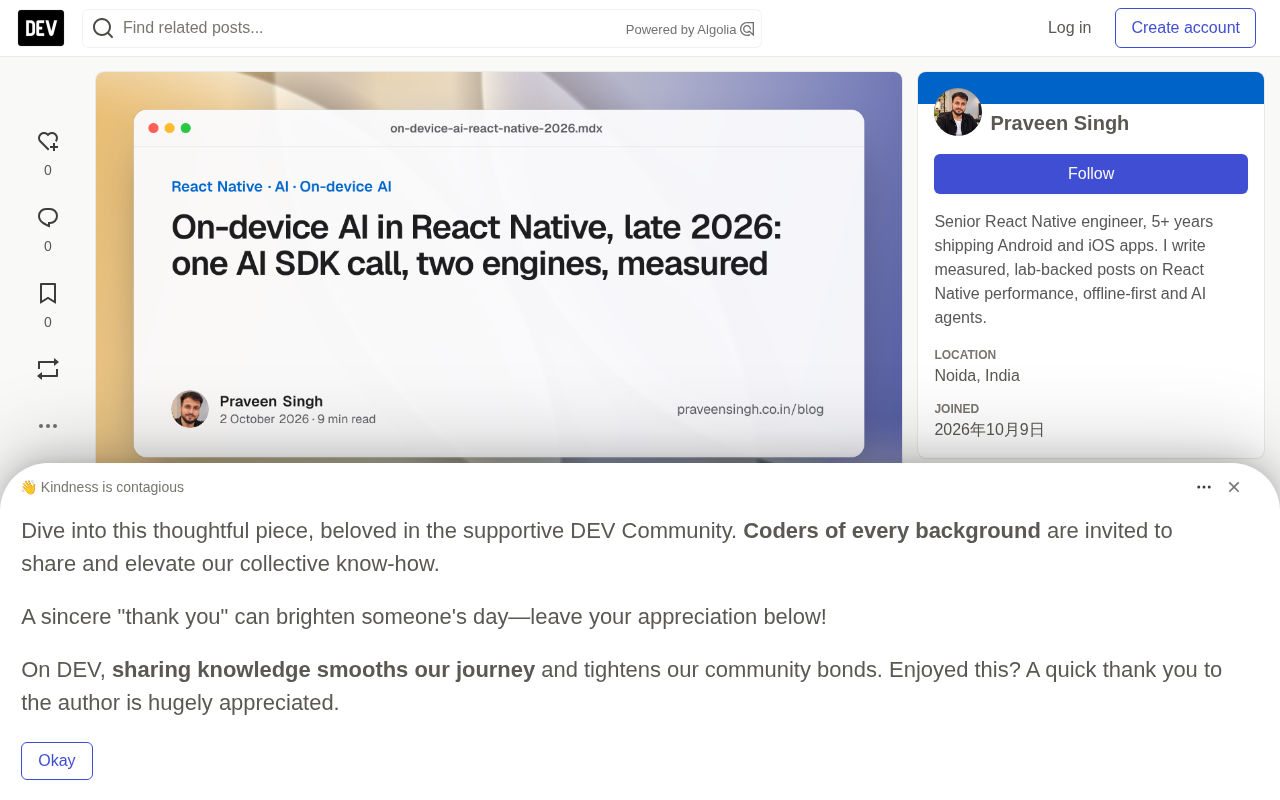
The Core Finding: 20 vs. 2 on Structured Output
The starkest number in the entire benchmark is the structured output pass rate. The author designed a "store inspection checklist" task: convert a free-form inspector's notes into structured JSON validated by a Zod schema — each item containing an area, an issue, and a severity level (low/medium/high).
The results:
- ExecuTorch (Llama 3.2 1B, schema injected into prompt): 2 valid out of 20
- Apple Foundation Models (guided generation): 20 out of 20 valid
The gap comes down to mechanism. Apple's model uses guided generation to constrain output at the framework level, guaranteeing that every token emitted conforms to the given type schema. ExecuTorch has no equivalent capability — the adapter can only paste the schema into the prompt and hope the model follows it. This fundamental architectural difference determines whether structured tasks succeed or fail.
A note on guided generation: Guided generation constrains model output in real time during inference, typically using finite state machines or context-free grammars. Before each token is sampled, the framework masks out every candidate token that would violate the current structural constraint, ensuring the final output is syntactically valid by construction. The key difference from "putting the schema in the prompt" is that guided generation is a hard constraint applied at the sampling layer, whereas prompt-based schema injection is a soft nudge that relies on the model's instruction-following ability — which is inherently limited at the 1B parameter scale. Zod is a widely used runtime schema validation library in the TypeScript/JavaScript ecosystem. The AI SDK uses it to describe expected output shapes and strictly validates model responses against them, which is why a mismatched enum casing or a missing field counts as a failure rather than a near-miss.
How the 1B Model Fails
The author carefully documented three failure modes for the 1B model — all worth knowing:
- Returns the schema itself: In one run of 9 failures, 5 responses returned the JSON Schema definition (
{"$schema": ...}) instead of filling it in. - Wrong casing: Output
"severity": "High"when the schema requires lowercase"high". - Not JSON at all: A bulleted list wrapped in curly braces.
Two low-effort fixes improved the pass rate from 1/10 to 6/10: replacing the schema with an example in the prompt, and normalizing enum values to lowercase before validation using the AI SDK's experimental_repairText.
But 6/10 still isn't production-ready — and passing schema validation doesn't mean the content is correct. The author read through every "valid" checklist and found the model had copy-pasted example content ("Aisle 2: spilled milk" — not in the original notes), swapped field values, duplicated entries, and flagged every single item as high severity.
Apple's 20 checklists, by contrast, accurately listed each issue, categorized items sensibly, never hallucinated, and only occasionally rated minor problems too severely. The conclusion is unambiguous: if your feature requires reliable structured output, a 1B model isn't enough — use the system model, a larger downloaded model (e.g., Llama 3.2 3B), or fall back to the cloud.
Speed: After Warm-Up, They're About the Same
Many assume on-device small models are always faster. The benchmark data tells a more nuanced story. After warm-up, the two engines perform nearly identically — the differences are all at the edges:
| Metric | ExecuTorch 1B (Simulator) | Apple (Mac) |
|---|---|---|
| One-time download before first use | 1.14 GB, 6 min 12 sec | None — ships with the OS |
| Disk load time | 4.4–5.3 sec | None |
| First-ever call TTFT | 0.6–0.8 sec | 9.7–19.2 sec |
| Subsequent TTFT (median) | 579 ms | 580 ms |
| Generation speed | 43 tokens/s | Not reported |
| In-process memory during generation | 907 MB | Zero (runs in system process) |
ExecuTorch's cost is front-loaded: 1.14 GB download, ~5 seconds to load on every app launch, and ~900 MB memory during inference — significant on phones that aggressively kill background processes. Apple's cost is on the first call: 10–19 seconds initially, then ~half a second thereafter, with the model running in a system process that consumes none of the app's memory and requires no download.
Important caveat: Apple's numbers were measured on a Mac (M1/8 GB, under memory pressure with active swapping). They cannot be used to predict latency on a real iPhone — only for engine-to-engine comparison.
On the metrics: Time to First Token (TTFT) is the single most important latency metric from a user experience standpoint — it determines how long users wait before seeing the first character. Apple Foundation Models' 10–19 second TTFT on the first call reflects the time needed to load model weights into the Neural Engine (ANE) memory via the shared system process; this cost is paid only once. ExecuTorch loads the model within the app's own process and must reload it (~5 seconds) on every cold start. Tokens/s measures generation throughput after prefill; 43 tokens/s roughly matches human reading speed and is acceptable on mobile. Note that the simulator and physical devices differ fundamentally in ANE access paths — the simulator cannot use real hardware acceleration, so ExecuTorch simulator numbers may differ significantly from real-device performance.
Availability Flags Lie — Use a Real Probe Call
One of the most engineering-valuable lessons from this benchmark: don't trust the engine's self-reported availability flags.
On the iOS 26.3 simulator, apple.isAvailable() returned true — but all 30 calls across two test runs failed with GenerationError error -1. The real cause was buried in simulator logs: the model directory had no assets (UnifiedAssetFramework Code=5000). The same model worked fine in a Swift environment on macOS 26.6.
Similarly, an MLX variant downloaded its full 1.18 GB before failing to load (Error::NotFound), because the MLX backend is only linked into device builds — the simulator SDK lacks the required Metal APIs. Using the .DEFAULT variant avoids this, since it only selects backends that are actually linked into the current build.
The author's solution: use a real single-token inference call as a health check and cache the result — never rely on flags or hardcode a variant. The selection order is fixed: Apple model (if it actually works) → locally downloaded model (with user consent) → cloud fallback.
Seven Build Pitfalls You'll Hit Before It Even Runs
Published blog posts make on-device AI sound effortless. Getting a React Native 0.87 app actually running required working through seven undocumented issues, each capable of blocking a build or runtime:
- iOS build error
unknown type name 'RCTCxxBridge': Removed in RN 0.87 — patch to useRCTTurboModuleWithJSIBindingsfor JSI binding injection. - CocoaPods deployment target too low: Set
platform :ios, '17.0'in the Podfile. - Metro error on export namespace: Add
@babel/plugin-transform-export-namespace-fromv7 specifically. - ExecuTorch native calls failing: Add
react-native-worklets/pluginas the last Babel plugin. TextDecodernot defined: Polyfill for Hermes to satisfy the AI SDK's requirements.ai@latestinstalls 7.x: Must pin toai@6— the RN AI providers implement the v6 spec.- npm 11 skips ExecuTorch's postinstall: Read and manually approve it — it downloads native libraries from the project's GitHub releases.
Two subtler traps deserve special mention: the adapter's streaming implementation must use the global globalThis.ReadableStream (the AI SDK validates against the global class); and ExecuTorch 0.10 enables anonymous download analytics by default — call setTelemetryEnabled(false) to disable it. If users chose on-device AI specifically for privacy, this matters a great deal.
On the technical context: JSI (JavaScript Interface) is the core bridge layer in React Native's new architecture, enabling JavaScript to call C++ objects directly without serialization — the foundation that allows high-performance native modules like ExecuTorch to achieve low-latency inference. After RN 0.87 removed the legacy
RCTCxxBridge, native modules must useRCTTurboModuleWithJSIBindingsto inject JSI bindings — a common compatibility issue during the old-to-new architecture migration. Hermes is Meta's JavaScript engine optimized for React Native; it aggressively trims bundle size and startup time at the cost of omitting some Web standard APIs likeTextDecoder, which must be polyfilled manually.react-native-workletsallows code to run concurrently in an isolated JS runtime (a worklet); ExecuTorch uses it to offload inference calls off the main thread to keep the UI responsive. Its Babel plugin must come last, or it will conflict with other code-transformation plugins.
How to Choose: A Decision Framework
Based on the full benchmark, the author's recommendations are clear and actionable:
Prefer Apple Foundation Models on iOS: No download required, zero app memory overhead, guided generation makes structured output reliable. The only thing to do is warm up the model to avoid that slow first call.
Use ExecuTorch when there's no system model: Best suited for short text, human-readable free-text tasks (rewrites, suggestions, drafts). Always validate output before acting on it, ask users before downloading 1 GB and show progress, disable telemetry, and don't expect JSON from a 1B model.
Always keep a cloud fallback and label it in the UI: If users chose this feature because "text never leaves the device," tell them honestly when a request does leave — including the cloud fallback, and on iOS 27 when Apple's Private Cloud Compute is involved.
Watch expo-ai: It's currently under review in the Expo repository and already includes an Apple provider, streaming, and tool calls. Once it lands, most of the setup pain above becomes Expo's problem, not yours.
As for Android's Gemini Nano: the author couldn't test it without a supported device, but the documented pattern is the same — @react-native-ai/adk is an AI SDK provider that fits as another branch in pickModel. Given what happened with the Apple availability flag, a probe call is still recommended. ExecuTorch on Android runs on GPU via Vulkan, and the model download branch can be reused directly.
Final Thoughts
The greatest value of this benchmark isn't a macro verdict on whether on-device AI "works." It's that every engineering detail, every failure, and every data point is laid out in the open (code, raw results, and failure cases are all in a public repository). It's a reminder that published blog posts tell you what's possible — only actually building it reveals the cost. For teams evaluating on-device AI in React Native, this kind of first-hand experience — complete with patches and benchmarks — is worth far more than any marketing narrative.
Related articles

Random Pruning of the DPO Computation Graph: 1.4x Training Speedup and Lower Peak Memory
DPO training too slow and memory-hungry? This paper proposes a random pruning framework for the DPO computation graph, sampling independently across position, sequence, and branch dimensions; branch pruning achieves a 1.426x step-time speedup and cuts training time by about 30%, with in-depth attribution of memory and time gains.

Why Does JEPA Underperform MLM in Longitudinal EHR Representation Learning?
New study compares JEPA and MLM for longitudinal EHR representation learning on MIMIC-IV: three JEPA variants train stably without collapse but underperform MLM; target size, not heterogeneity, drives prediction error.

Transfer Learning + Visible Light Communication: A New Approach to Energy-Efficient Indoor Positioning
A study proposes a transfer learning-based visible light communication indoor positioning method, achieving 47% accuracy improvement on the BOSCH factory dataset, 67.5% model efficiency under high noise, and introducing the ME composite metric for energy-efficient positioning in energy-constrained industrial IoT scenarios.