Open-Source Big Fat Fish Pro Desktop Pet: AI Chat and Music Integration, Full-Platform Installation Guide
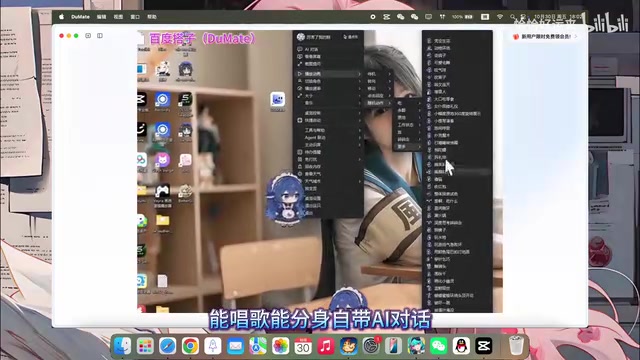
Open-source desktop pet Big Fat Fish Pro integrates AI chat and music integration, garnering 2.4K stars right after launch.
Big Fat Fish Pro is an open-source desktop pet project on GitHub that gained 2.4K stars soon after launch and supports Windows, Linux, and macOS. It integrates AI text chat, singing and vocal separation, and music software integration. Two installation paths: clone the repo and configure per the README, or let an AI assistant handle the download and deployment. Its popularity reflects desktop pets evolving into lightweight AI interaction entry points.
From Meme to Desktop: Why Big Fat Fish Pro Suddenly Blew Up
Recently, a blue "Big Fat Fish" has been flooding desktop pet circles. A Bilibili creator declared in a video that "the highest mountain in the desktop pet world has appeared," and this project called "Big Fat Fish Bug-Catcher Pro Edition" is no simple live wallpaper—it integrates upgraded features from multiple developers, packing AI chat, singing, vocal separation, and even music software integration into a single desktop pet.
According to the video, the project is hosted on GitHub, has already garnered 2.4K stars shortly after launch, and supports Windows, Linux, and macOS across the board. For users who enjoy tinkering with desktop customization, this is almost a "one-stop" choice.
Feature Breakdown: What It Can Actually Do
AI Chat: The Desktop Pet Is No Longer Just Decoration
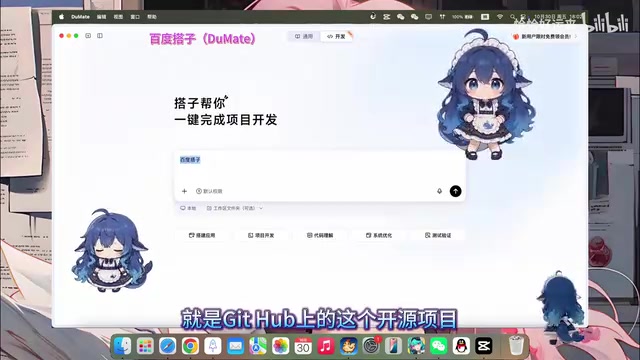
Traditional desktop pets are often limited to click feedback and preset animations, but Big Fat Fish Pro integrates AI chat capabilities. From the screenshots, users can interact with the blue Big Fat Fish directly on the desktop via text, making it feel more like a lightweight desktop AI assistant than a mere ornament.
To understand the technical path of integrating AI chat into a desktop pet, you first need to understand how Large Language Model (LLM) APIs are called. The desktop pet program itself does not contain model weights; instead, it calls cloud-based or locally deployed LLM services (such as the OpenAI API, Ollama, etc.) via HTTP requests, sending the user's text input along with persona prompts, and then rendering the returned text into the pet's dialogue bubble. The advantage of this architecture is that the desktop pet client can remain lightweight and model capabilities can be upgraded at any time; the trade-off is that it requires a network connection and API key, and response latency depends on the server. Some open-source desktop pets also support connecting to local small models in exchange for privacy and offline availability, but this has certain hardware requirements.
Singing and Vocal Separation: Entertainment Value Maxed Out
The video also mentions that it "can sing and separate vocals," meaning the desktop pet can provide richer feedback in sync with audio. More importantly, it integrates with music software—when you're playing music, the Big Fat Fish can sense it and react accordingly. This kind of cross-application interaction is not common among open-source desktop pet projects.
"Vocal separation" in the AI audio field usually refers to vocal separation or voice cloning/multi-timbre synthesis. The former uses models like UVR and Demucs to split a song into vocal and accompaniment tracks, allowing the desktop pet to move to the beat of the vocals; the latter uses TTS (text-to-speech) and voice cloning technology to let the desktop pet "sing" lyrics in a specific voice. Desktop pet integration with music software generally relies on system media control interfaces (Windows' SMTC, macOS's MediaRemote) to read the current playback status and track information, then trigger corresponding animations. This kind of cross-application awareness is a key step for desktop pets evolving from "local animation players" to "system-level companions."
Full-Platform Coverage
Support for Windows, Linux, and macOS means that whether your daily driver is Windows or Mac, or even if you're tinkering on Linux, you can run it. This point was explicitly emphasized in the video and is one of the reasons the project's star count rose so quickly.
Installation Process: Two Methods to Choose From
Method 1: Go Directly Through GitHub
If you're familiar with deploying open-source projects, you can go directly to the project's GitHub repository and follow the README instructions to pull the code and install dependencies. The video's mention of "installing it in the repo" refers to this step—cloning the project locally, completing environment configuration, and then launching it from the desktop.
For readers unfamiliar with open-source workflows, a few basic concepts are worth explaining. A GitHub repository's "star" is similar to a bookmark plus a like, serving as a rough indicator of project attention—2.4K stars means thousands of users have marked it. Cloning (git clone) is making a complete copy of the remote code repository to your local machine; the README is the documentation on the repository's homepage, typically containing dependency installation, run commands, and FAQs. Environment configuration commonly involves installing Python or Node.js runtimes and running package manager commands to pull third-party libraries. Desktop pet projects often also require additional graphics rendering libraries or system permissions (such as reading media information or auto-start on boot), and on Linux may involve additional window manager compatibility issues.
Method 2: Let AI Handle It for You
For users who don't want to deal with GitHub, the video offers a more hassle-free approach: feed the prompt to an AI assistant on your computer (referred to in the video as a "computer-side buddy") and let it fetch the project and complete the installation for you. The screenshot shows that users only need to send a command and the AI will handle the download and deployment process on their behalf.
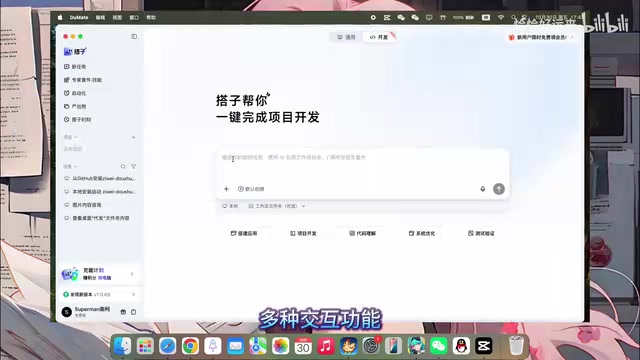
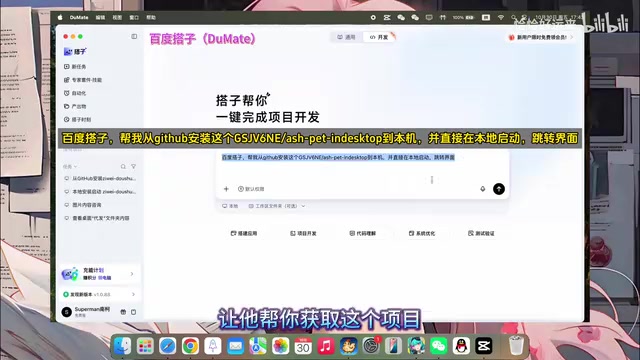
This "using AI to install an AI desktop pet" approach lowers the barrier to entry, especially for users unfamiliar with the command line. However, note that the effectiveness of AI-assisted installation depends on the capabilities of the specific tool, and the actual experience may vary from person to person.
Observation: Open-Source Desktop Pets Are Becoming a New Entry Point for AI Applications
The popularity of Big Fat Fish Pro reflects a trend worth watching: desktop pets are evolving from "good-looking decorations" to "useful interaction entry points." Once a desktop pet has AI chat and cross-software integration capabilities, it effectively becomes a lightweight AI assistant that resides on your desktop.
The open-source community is moving fast in this direction. Although 2.4K stars isn't quite top-tier project scale, for a desktop pet project that has only been online for a short time, it already shows that real demand exists. Multi-platform support and active secondary development ("integrating upgraded features from multiple masters") also keep its playability growing.
If you're interested in desktop customization or AI applications, this project is worth ten minutes of your time. After all, having a chatty blue Big Fat Fish on your desktop is itself a pretty interesting thing.
One-line Summary
Open-source desktop pet Big Fat Fish Pro integrates AI chat and music integration, garnering 2.4K stars right after launch.
Paragraph Summary
Big Fat Fish Pro is an open-source desktop pet project hosted on GitHub that garnered 2.4K stars shortly after launch and supports Windows, Linux, and macOS. It's not a traditional live-wallpaper-style desktop pet but integrates upgraded features from multiple developers, offering AI text chat, singing and vocal separation, and music software integration. Two installation paths are available: users familiar with open-source workflows can clone the repository and configure the environment per the README; those who don't want to tinker can hand the prompt to an AI assistant on their computer to download and deploy it for them. The article argues that the project's popularity reflects desktop pets evolving from pure decorations to lightweight AI interaction entry points residing on the desktop, and the open-source community's exploration in this direction is worth continued attention.
Related articles

Building an AI Agent with Claude Code from Scratch: From Workspace to Cloud Autonomy
No coding required: build an AI Agent in four steps with the Claude Code desktop app—from workspace setup and Agent Designer to Skills, Memory, and cloud autonomy.

No Python Required: How Cursor AI Coding Is Reshaping Automated Testing and Test Development
Test engineers can do automated testing without learning Python? This article examines how Cursor and other AI coding tools empower functional testing, automation scripts, test platform development, and performance tuning, compares the cost and access restrictions of mainstream domestic and foreign tools, and offers capability transformation advice for testers.

Nearly 5,000 Affected! AI Coding Plugin Found with Backdoor, Officials Urgently Remove It
Claude Code's VS Code extension version 2.1.313 was maliciously tampered with, implanting a backdoor for remote login and persistent control, potentially affecting up to 5,000 users. Officials have removed the malicious version; this article details the attack method and cleanup steps.