OpenAI Agents API Public Beta Hands-On: Managed Sandbox, Artifacts, and Skills in Action
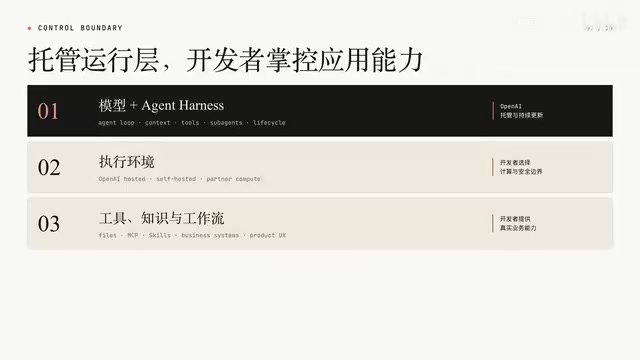
OpenAI opens its Codex Agent Harness to developers via a public beta Agents API with managed sandboxes and Skills.
OpenAI's public beta Agents API exposes the Agent Harness behind Codex as a managed runtime, letting developers submit tasks via `/v1/agents/sessions` while OpenAI handles the full Agent Loop server-side. Execution environments are flexible — hosted sandbox, custom VPC, or third-party compute. The API uses a Session/Turn/Items structure for long-task observability, with results returned as downloadable Artifacts. Skills, packaged as zip files, inject reusable method specs into the execution environment and verifiably alter task output.
OpenAI recently released a public beta of its Agents API, opening up capabilities previously powering Codex — including the Agent Harness, Sessions, managed sandboxes, file handling, and Skills — to developers via API. Bilibili creator Xiaomutou ran a hands-on test of this API, validating its complete workflow with two real requests. This article summarizes the architecture and practical usage based on that demonstration.
What the Agents API Actually Provides
Unlike traditional model calls that generate text in a single shot, the Agents API is designed for tasks that require sustained, multi-step execution. Developers submit a goal along with a run configuration, and the Agent can invoke tools, run commands, process files, and generate outputs (called Artifacts) within a Session — continuously streaming the entire process back to the application.
The core value of this API lies in the fact that OpenAI has exposed the Agent Harness powering Codex as a managed capability. The Harness can be thought of as the Agent runtime layer sitting above the model itself. It orchestrates model calls and tool calls, feeds tool results back to the model, manages context across long-running tasks, compresses history when needed, coordinates SubAgents, and maintains the full Session lifecycle — from creation and execution to waiting and resumption.
The model decides what to do next; the Harness turns those decisions into continuous action — issuing tool calls, recording results, updating context, handling failures, and entering the next iteration. These steps together form an Agent Loop, which OpenAI runs and maintains on the server side.
The Agent Loop is the core mechanism of any Agent system. The basic pattern is: the model receives the current context → decides the next action (tool call or output) → the tool executes and returns a result → the result is written back to context → the next decision round begins. This loop runs continuously until the task is complete. Early developers had to implement this loop themselves, including error retries, context length management, and SubAgent coordination. By making this logic a managed service, OpenAI means developers no longer need to build an Agent framework from scratch — they simply define task goals and capability boundaries on top of it.
MCP (Model Context Protocol) is a tool-calling protocol proposed by Anthropic that has gradually become an industry standard. It defines how models discover and invoke external tools or services. The Agents API supports extending an Agent's toolset via MCP services — developers can wrap their internal systems as MCP services and attach them without modifying the Harness itself.
Managed Harness, But Execution Environments Remain Developer-Owned
The division of responsibility in the Agents API is worth examining. OpenAI manages the general-purpose runtime layer, while the environment where tasks actually run remains the developer's choice.
The most straightforward option is OpenAI's Hosted Sandbox, where the platform handles creating and connecting a Linux workspace. Developers only need to configure network permissions, environment variables, dependencies, and files — ideal for quick starts. Tasks can also run within a developer's own infrastructure, connected to enterprise VPCs, custom images, internal data, secret management systems, and specialized hardware. A third option is third-party partner compute environments, where tradeoffs can be made around CPU/GPU, memory, geography, and cost.
Tools, MCP services, domain knowledge, and workflows are still provided by the developer — they decide which systems the Agent can access, what rules it must follow, and how it ultimately integrates into a real product. This division of responsibility directly changes what development teams need to focus on: less time maintaining a generic Agent Loop, more time on task design, permission security, and business capabilities. In other words, the Agents API offers a composable Agent infrastructure.
The First Request: Files Enter the Workspace and an Artifact Is Generated
The entry point for the Agents API is /v1/agents/sessions. The request headers must include an API Key, the OpenAI-Beta: agents=v1 flag, and application/json as the content type. The request body specifies the model, execution environment, input files, task instructions, and enables streaming.
In the demo, Xiaomutou selected the OpenAI Hosted sandbox with network access disabled, and placed amounts.csv into the Workspace as an inline file. An inline file has three key fields: type is set to inline, path determines the file's location in the sandbox, and data holds the Base64-encoded file content. The Base64 encoding is purely a transport format — once the Agent starts, it sees a regular CSV file. For larger inputs, you can upload files via the Files API first and then reference the File ID in the environment configuration.
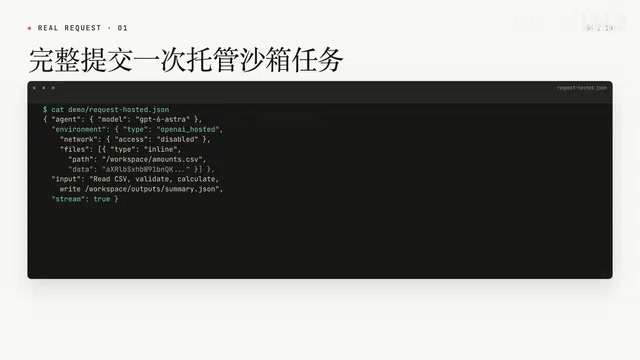
The task itself is straightforward: read the CSV, check the amount column, calculate the row count and total, and write the results to summary.json. After sending the curl request, the server returns HTTP 201 and creates a Session. Subsequent command executions, tool results, the final answer, and Artifacts all belong to this Session.
Because stream: true was set, the server continuously returns SSE events. The event stream begins with Agent Session Created, followed by Turn Started. Each piece of work the Agent performs generates a corresponding event (for example, a command appears as a Command Execution event with its execution status and output), ending with Turn Completed and the Session returning to Idle.
There are three distinct layers here: a Session is a persistent task container, a Turn is a single step or iteration within it, and Items are the messages, commands, tool results, and final outputs produced during a turn. For tasks that take tens of seconds or longer, this structure is far easier to observe, resume, and integrate into a product UI than simply waiting for a block of final text.
From Execution to Download: How the Loop Closes
Once the Session is created, the input file is present in the workspace. The Agent first runs pwd to confirm the working directory, then cat to inspect the CSV contents — three rows of data: Alpha 10, Beta 20, Gamma 30.
With network access disabled, the Agent still completes the task using the mounted inputs and the sandbox's built-in Python: it reads the CSV with DictReader, converts amounts to integers and sums them to 60, creates an output directory and writes the JSON, then reads the result again with cat for verification. Xiaomutou emphasized that what's shown on screen is a real request log — no screenshots were substituted and no actual input/output was omitted.
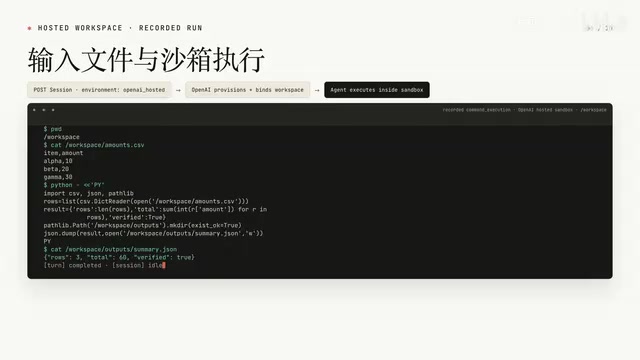
Once the task is complete, summary.json is published as an Artifact. Notably, the file doesn't automatically appear on your local machine when the task ends — the application must explicitly call the Artifact API to retrieve it: first call the Session's Artifact endpoint to get the Artifact ID, filename, and size, then call the Content endpoint to download it locally. This completes a full loop: input file → command execution → generated file → Artifact download → local retrieval.
SSE (Server-Sent Events) is an HTTP-based server push technology that allows a server to continuously send events to a client over a persistent connection, without the client needing to poll. Unlike WebSockets, SSE is unidirectional (server to client), lighter to implement, and well-suited for scenarios like task execution logs and progress updates. The Agents API's streaming response is built on SSE: whenever the Agent completes a command, produces a message, or transitions to a new state, the server pushes a structured event. The client can render the execution process in real time rather than waiting for the entire task to finish. For tasks that take tens of seconds to several minutes, this mechanism is critical for both user experience and system observability.
The Second Request: Uploading a Skill Changes Task Behavior
The second request adds a Skill to the same CSV task. This CSV-report Skill contains a real skill.md file and output format specifications, requiring both a JSON and a Markdown report to be generated, with the actual Skill name used annotated in the results.
The Skill is included in the API request by packaging the entire Skill directory into a zip file. In the request body, the skills array uses base64 as the type, media_type is set to application/zip, and data contains the Base64-encoded zip content. The input explicitly requests that the CSV-report skill be used.
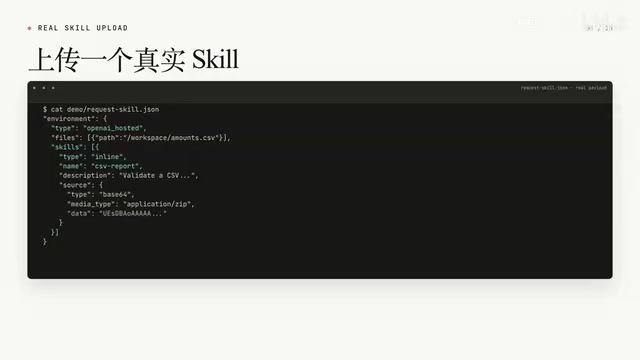
After the request returns HTTP 201, the Skill is mounted at .managed_agents/.skills/CSV-report in the workspace. Xiaomutou presented four pieces of evidence confirming the Skill was actually applied: the Session's environment info includes CSV-report; the managed environment shows the corresponding managed skills path; the event stream records the Agent reading skill.md and generating both output formats as required; and the final JSON contains skill_used: CSV-report, with the Markdown report following the structure specified by the Skill.
This run produced two Artifacts — summary.json (81 bytes) and report.md (221 bytes). The comparison is telling: without a Skill, only a basic JSON is generated; with the Skill loaded, both a more complete JSON and a Markdown report are produced. Both give consistent results for the same CSV — three rows, total of 60, validation status true. This confirms that the Skill was uploaded, loaded, and did influence the task output.
A Skill in the context of the Agents API is essentially a structured instruction document injected into the execution environment alongside the task. It typically includes a skill.md file (describing task methodology, output specifications, field requirements, etc.) and optionally template or example files. The key difference from a System Prompt is that a Skill exists as a file in the workspace, which the Agent actively reads during execution rather than having it written into the context at request time. This design allows Skills to carry longer specification documents without consuming the initial context window, and makes version management and reuse straightforward — the same Skill can be shared across different tasks, models, or execution environments, and teams only need to maintain the Skill files themselves rather than editing every prompt.
Key Takeaways and What's Next
For a first look at the Agents API, four actions capture the core flow: create a Session, place files into the managed sandbox, have the Agent execute tasks in the workspace, and download results as Artifacts. Skills add a layer of reusable methodology and output specifications that travel with the execution environment.
The responsibility boundary is clear: OpenAI manages the Agent Harness and the optional Hosted Sandbox; developers still own the task instructions, input files, Skills, network permissions, and how the resulting data or files are consumed.
Xiaomutou noted that the next installment will switch the execution environment to a developer-owned sandbox or VPC, demonstrating how the same Agents API connects to custom infrastructure. For developers focused on productionizing Agent systems, this combination of a managed runtime layer, flexible execution environments, and developer-owned capability layers may be one of the most important lenses through which to understand OpenAI's Agent strategy.
Related articles
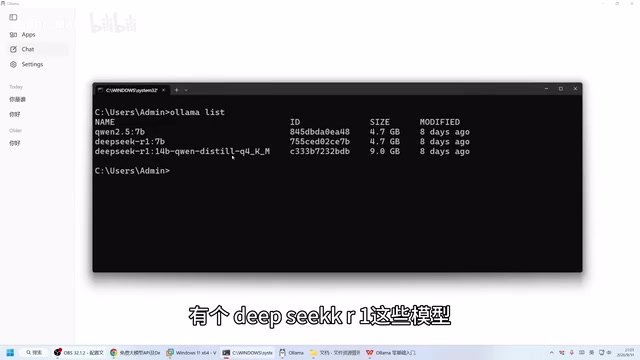
Ollama Beginner's Guide: Run Large Language Models Locally on Your Own Computer
Run LLMs locally with Ollama — fully offline, private, and free. This guide covers installation, CLI and Web UI usage, model download, and hardware requirements.
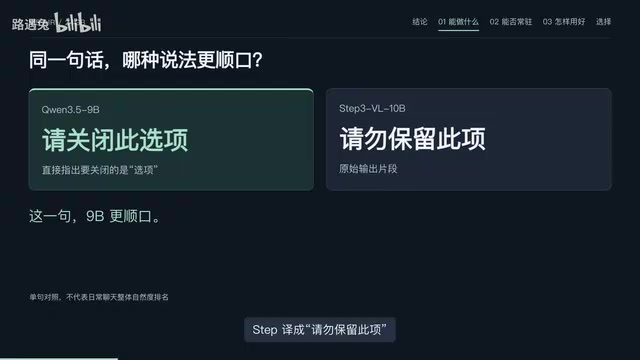
Running Local AI on a 24GB MacBook Air: Why I Chose Qwen 9B
Running local LLMs on a 24GB M5 MacBook Air: why Qwen 3.5 9B wins on memory, translation quality, vision capability, and practical workflow setup.
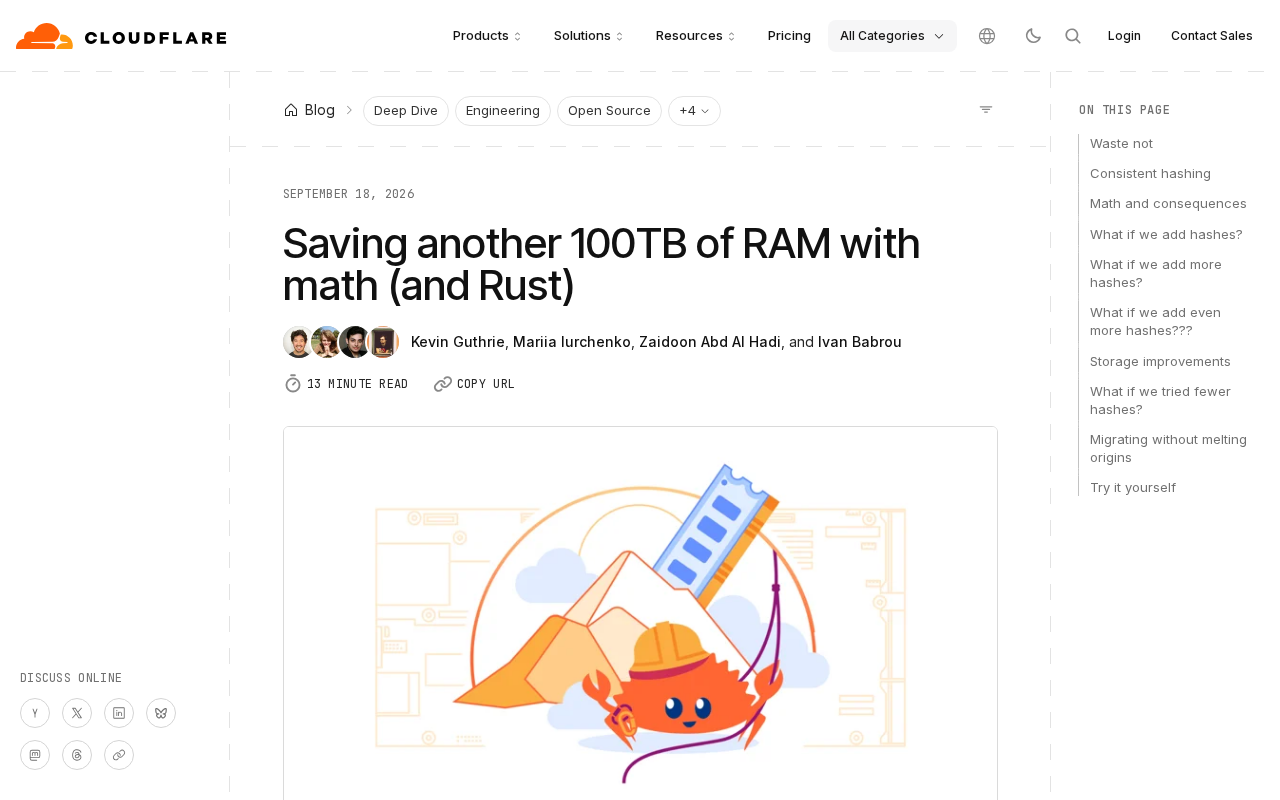
How Cloudflare Saved Another 100TB of RAM with Math: Probabilistic Data Structures in Practice
How Cloudflare saved another 100TB of RAM using probabilistic data structures like Bloom Filters and HyperLogLog — principles, trade-offs, and lessons for large-scale systems.