Running Local AI on a 24GB MacBook Air: Why I Chose Qwen 9B

Qwen 9B hits the sweet spot for local AI on a 24GB MacBook Air — capable, memory-lean, and always-on.
A Bilibili creator tested several local LLMs on a 24GB M5 MacBook Air and settled on Qwen 3.5 9B as the ideal always-on background model. Its ~5.1 GB MLX memory footprint far undercuts the ~14 GB required by 27B or 35B models, leaving room for everyday work. In a 16-segment professional translation benchmark, adding a glossary pushed scores from 43 to 47 — a bigger gain than adding prior context. The model also handles image understanding, scoring 8/9 on a save-or-delete photo test, though vision tasks spike memory to 10.8 GB. The workflow pairs OLLAMA for model management with an on-device Codex agent, with full pipeline validation still in progress.
When running local LLMs on an M5 MacBook Air with 24GB of RAM, which model strikes the right balance between capability and memory headroom? After hands-on testing, one Bilibili creator settled on Qwen 3.5's 9B variant as their always-on background model. It handles thinking-mode translation, understands images, and still leaves enough memory for the rest of the machine to breathe. This article walks through the creator's testing logic: capability first, then memory footprint, then how to put it all together.
Why 9B — and Not Something Bigger
The core tension here is that a MacBook Air isn't a dedicated inference server. While a model runs in the background, the machine still needs to handle real work. 24GB sounds spacious — until a model claims most of it and the whole system starts to drag.
The creator ran short-text tests across several candidate models and compared peak memory usage:
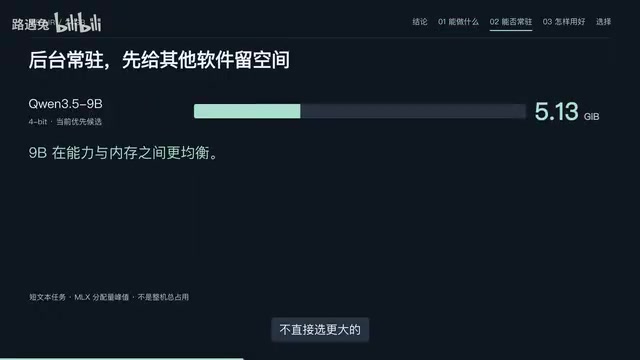
- 9B with MLX: ~5.1 GB peak
- 27B: more precise on certain sentences, but requires ~14.6 GB
- 35B A3B (3-bit quantization): also requires ~14.4 GB
There's a common misconception worth clearing up here: "A3B" or "activated 3B" does not mean only 3B worth of weights are loaded into memory. Fewer activated parameters doesn't equal lower memory usage — the full weight matrix still needs to be resident. Don't let "3B activation" fool you; the real memory footprint is still around 14 GB.
For a laptop that also needs to run a browser, write code, and handle everyday tasks, a 5 GB footprint versus 14 GB is a completely different experience. That's exactly where 9B earns its keep — capable enough, memory-conscious enough.
MLX is Apple's machine learning framework built specifically for Apple Silicon (M-series chips). It takes advantage of the Unified Memory Architecture, where CPU and GPU share the same physical memory pool — eliminating the costly data transfers between system RAM and VRAM that traditional PC setups require. This gives M-series Macs a distinct edge for local LLM inference. Model packages labeled "MLX" are optimized specifically for this architecture, and typically offer better inference speed and memory efficiency than generic llama.cpp formats. The "5.1 GB MLX peak" mentioned here refers to the memory allocated by the MLX framework when loading the 9B model — a figure that reflects actual runtime memory pressure more accurately than the model's on-disk file size.
Translation Quality: Naturalness vs. Precision
Judging translation quality on a single sentence doesn't tell the whole story. The creator compared specific examples: for a UI-related string, the 9B model produced "请关闭此选项" ("Please disable this option"), which flows more naturally in Chinese than an alternative phrasing — a small but telling difference.
That said, the creator acknowledges that a single example doesn't capture overall naturalness in everyday conversation. A more systematic evaluation came from a 16-segment professional translation test (scored out of 48):
- 9B, direct translation: 43
- With preceding context added: 45
- With a glossary: 47
- With both context and glossary: 47
This data points to a practical takeaway: a glossary delivers more improvement than adding prior context. For anyone doing repeated translation in the same domain, it's more efficient to have the model compile a glossary of specialized terms, verify the translations, and save it locally for reuse — rather than feeding in large chunks of context every time.
If your use case is purely translation, the creator also mentioned Hunyuan MT2's 7B variant as a solid option, though it wasn't included in this on-device comparison.
"Thinking-mode translation" refers to a chain-of-thought inference style where the model generates an internal reasoning trace before producing its final answer. Some versions of the Qwen 3 series support dynamically adjusting thinking depth at inference time, letting you trade off speed against quality. For translation tasks that require contextual understanding and disambiguation, enabling thinking mode typically improves output quality — at the cost of longer wait times and higher token consumption. When a glossary is injected as part of the system prompt, the model can lock in key term translations during its "thinking" phase. This explains why a glossary boosts scores more than simply appending prior context: context adds situational information, but a glossary directly constrains the translation decisions most prone to error.
Vision Capability and the Memory Cost of Seeing
The 9B model supports image understanding out of the box — a meaningful advantage over purely text-based small models. The creator tested it on 9 images with a "save or delete?" prompt and got 8 out of 9 correct, which is roughly in line with expectations.
One telling example: a receipt from a refund dispute, where the model correctly identified it as "the only proof of payment — keep it." This kind of judgment has real practical value. That said, the creator was careful to note: in actual use, let the model make recommendations rather than automatically deleting photos. The sample size is small, and it's not ready to be fully trusted with irreversible actions.
Vision capability comes at a cost. During text-only tests, process memory peaked around 6.5 GB; when the vision module processed images, that number jumped to 10.8 GB. As a point of comparison, another model (STEP) achieved similar task results to Qwen but demanded even more memory for image processing.
One important caveat on measurement: process memory peaks (6.5 GB / 10.8 GB) and MLX-allocated memory (5.1 GB) use different measurement methodologies and shouldn't be directly compared in the same ranking.

How to Use It: Building a Local Workflow
Choosing the right model is just the first step. Integrating it into a daily workflow is what actually matters. The creator's tooling approach:
- OLLAMA handles model loading, unloading, and serves the local API endpoint
- The Agent entry point reuses the on-device Codex; cloud-based search tools are called in only when needed
Search as a standalone step is already working, but a full Qwen-driven pipeline hasn't been fully validated yet — that will require a Python workflow to chain everything together. The stability of running Qwen as a long-lived background agent also needs dedicated testing.
For context: the translation tests were run entirely offline, with reference materials prepared in advance. The "auto-maintained glossary workflow" is still in the planning stage and hasn't been tested in practice.

OLLAMA is one of the most widely used local LLM management tools available. Its core function is to package models in a unified format and expose a locally-running HTTP API that's compatible with the OpenAI API spec (default port: 11434). This means any client or script that supports a custom API endpoint can switch seamlessly to a local model without changing any call logic. OLLAMA also handles on-demand model loading and idle-timeout unloading — when no requests come in for a period of time, it automatically evicts the model from memory and returns those resources to the system. This behavior is critical for "always available but not always consuming memory" use cases. The Codex mentioned here refers to a local Agent interface on Apple platforms; by connecting it to OLLAMA's local endpoint, you can drive tool calls and multi-step tasks without depending on any cloud API.
Conclusion: Practical Advice for Similar Users
For a 24GB MacBook Air — a machine that needs to run local AI and handle everyday computing — the creator's choice is clear: run 9B in the background. It hits the right balance between translation naturalness, vision capability, and memory footprint.
If your workflow involves repeated translation in the same domain, the highest-leverage investment isn't upgrading to a bigger model — it's maintaining a high-quality glossary. The numbers show this delivers more measurable gains than adding more context. Larger models like 27B or 35B are more precise, yes, but their memory demands are simply too high to sustain as permanent residents on this class of laptop.
Local AI is fundamentally about making trade-offs within hardware constraints. On this machine, 9B delivers a pragmatic and sustainable answer.
Related articles
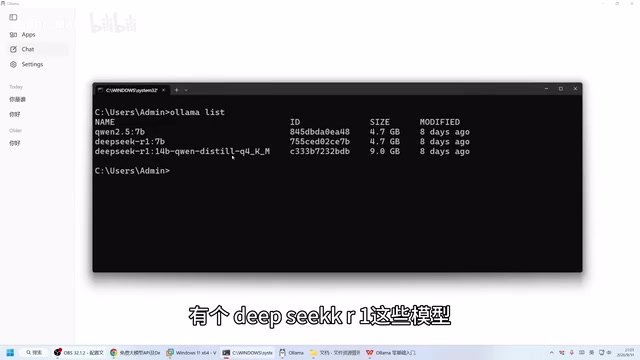
Ollama Beginner's Guide: Run Large Language Models Locally on Your Own Computer
Run LLMs locally with Ollama — fully offline, private, and free. This guide covers installation, CLI and Web UI usage, model download, and hardware requirements.
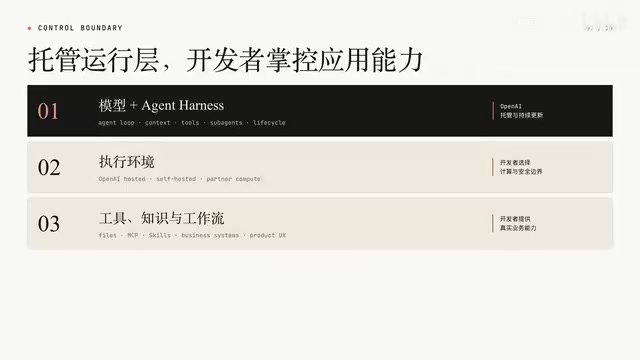
OpenAI Agents API Public Beta Hands-On: Managed Sandbox, Artifacts, and Skills in Action
OpenAI's public beta Agents API opens the Codex Agent Harness to developers. This hands-on walkthrough covers managed sandboxes, Artifacts, Skills, and two real request workflows.
How Cloudflare Saved Another 100TB of RAM with Math: Probabilistic Data Structures in Practice
How Cloudflare saved another 100TB of RAM using probabilistic data structures like Bloom Filters and HyperLogLog — principles, trade-offs, and lessons for large-scale systems.