OpenAI DevDay Launches Codex Cloud: AI Coding Breaks Free from the Laptop

OpenAI DevDay launches Codex Cloud, moving AI coding agents off local machines and into the cloud.
At OpenAI DevDay's developer experience session, Codex received a major upgrade: Codex Cloud moves AI coding tasks entirely off local machines, letting developers run long-running agent tasks in the cloud without maintaining dedicated hardware. Cloud environments support automatic dependency detection, startup script generation, and access to private network resources via Tailscale and OIDC. On the collaboration front, Space unifies team and agent workflows, ChatGPT arrives in Slack and Teams, and the desktop app's code review tab was redesigned. The most novel addition is dots — a proactive, identity-bound personal AI agent that monitors PRs, sends reminders, and launches full cloud tasks directly from Slack. The CLI was also overhauled with an agent view, LaTeX rendering, and voice mode, while the browser version now offers a near-identical experience to the desktop app.
At OpenAI DevDay's developer experience session, Dominic — who leads that area — spent 25 minutes demoing a major upgrade to Codex. The core message was simple: Codex has left the laptop. Over the past year, OpenAI shipped roughly 300 features for developers, and with more than 20 additional ones announced by Sam that same day, the way we build software has been fundamentally rewritten. The star of this DevDay is Codex Cloud — a system that frees Codex from local machines — along with an entire suite of collaborative tools built around it.
From One or Two Tasks to Dozens of Parallel Agents
Dominic admitted that at the start of the year, like most developers, he was used to running just one or two tasks at a time. It wasn't until he saw his colleague Peter tweet about running 40 Codex instances simultaneously that he realized the way people work was changing. With the launch of the Codex desktop app, delegating and switching between tasks became easier, and running 10 tasks at once gradually became the norm.
But problems followed. As models grew more capable at computer use and long-running tasks, developers started handing them increasingly large problems — tasks that could run for hours or even days. To keep agents running between meetings, many people resorted to carrying a half-open laptop everywhere, or buying a Mac mini, a Raspberry Pi, or renting a VPS just to keep agents alive. More machines meant more ops work: disk space, system updates, capacity management — every incremental step required adding more hardware.
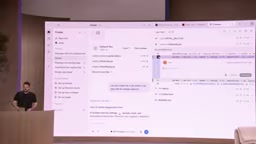
Codex Cloud was built to solve exactly this pain point. Delegating work should be as simple as telling Codex to do something — without having to think about which machine it runs on.
Codex Cloud: Automatic Environment Setup with Access to Private Resources
Inside the desktop app, in addition to running locally or remotely, you can now hand tasks directly to a cloud-based Codex environment — either reusing an environment your team has already created, or spinning up a new one. When creating a new environment, you select the repositories you need access to, and Codex automatically begins configuration: checking the repo, identifying dependencies, and completing all necessary setup.
This process used to require a lot of tedious manual configuration. Now Codex not only discovers dependencies, it writes a "startup skill" that teaches the agent how to use the environment, and generates a startup script for fast iteration. In the demo, it correctly identified that the project had both iOS and Web dependencies, and recognized that since it was a Linux environment, mobile apps couldn't run — but mobile source code could still be edited. OpenAI also revealed that support for bring your own cloud environments is coming.
On performance, the team invested heavily in filesystem snapshots to make subsequent task startups faster, while supporting background updates to keep repository changes current. Dominic showed one example where he sent a screenshot to the cloud environment and asked it to implement a shader he'd designed in Figma. Codex pulled the details via an installed Figma plugin, completed the implementation and tested it, then turned it into a deployable online playground for debugging parameters before a formal deployment.
One particularly noteworthy feature is private resource access. A common limitation of cloud environments is the inability to reach internal resources not exposed to the public internet. Dominic demonstrated connecting via Tailscale as a VPN — he configured the environment with a Tailscale auth key, and Codex was then able to access an API running on his Raspberry Pi that was only available within his private network. OIDC support was also added to make it easier to access cloud resources via OIDC.
OIDC (OpenID Connect) is an identity authentication protocol built on top of OAuth 2.0, widely used for access management of enterprise cloud resources. With OIDC, developers can allow cloud environments to obtain temporary access credentials for AWS, GCP, Azure, and other cloud services using a "federated identity," without hard-coding long-lived API keys into the environment. This reduces the risk of key exposure and simplifies cross-cloud permission management. Codex Cloud's new OIDC support means enterprise users can apply their existing IAM policies directly to agent tasks, without maintaining a separate credential system for AI workflows.
Tailscale is a modern VPN solution built on the WireGuard protocol. Its core advantage is "zero-config networking": once the client is installed on each device, they automatically form a private mesh network (Mesh VPN), with no need for public IPs or complex firewall rules. In Dominic's demo, the fact that the cloud Codex instance could reach the API running only on the internal network of his Raspberry Pi was a direct result of Tailscale bringing the cloud environment and local device into the same private network. This is especially useful for scenarios where agents need to access internal databases, test services, or enterprise intranet APIs.
Code Review, Collaboration, and ChatGPT Coming to Slack
As agents write more and more code, reviewing that code takes up an increasing share of developer time. Acknowledging this reality, OpenAI redesigned the code review tab in the desktop app. You can now see all PRs assigned to you or created by you, view code, leave comments, read others' feedback, submit review responses, and even have Codex automatically run a review pass. Dominic said the most practical feature is being able to ask questions directly inside the app to quickly understand a PR's intent and potential side effects.
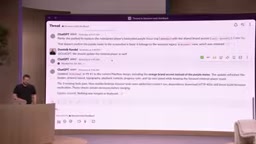
On the collaboration front, OpenAI launched Space and brought ChatGPT into Slack and Teams. Space lets developers collaborate with agents and teammates in one place, without constantly copying and pasting between different documents. Dominic used it to redesign API reference documentation: Codex drafted a proposal and put it in Space, the team gave feedback, he continued iterating with Codex — asking it to add system architecture diagrams and a task tracker. Once satisfied, he could instruct Codex to execute the plan directly and continuously report progress back.
In the Slack scenario, he and a colleague were discussing a bug where a web app's visual implementation was incorrect. ChatGPT automatically pulled the PR, accessed the Figma file to locate the issue, and used a cloud environment already shared with the organization to test the changes — ultimately getting the PR into a reviewable state.
Dots: An AI Extension of You That Proactively Monitors Tasks
The most novel part of this launch is dots — a kind of AI agent with "proactive" behavior. Dominic positioned it as "an extension of yourself": named using the format "your name + dot name," so others in Slack know it's tied to your identity. It knows what you're working on, has access to your memory, and is well-suited for long-running work tied specifically to you.
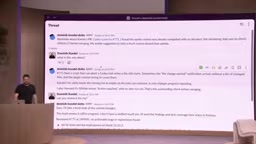
A concrete example: his colleague Carolis tagged him in a PR, and he missed it. At around 10 PM on a Sunday, his dot sent him a reminder in Slack. Since he didn't have time to dig in, he asked his dot to look into what the PR was about. The dot immediately began reviewing it, and when he asked for a more thorough review, the dot launched a full cloud task directly from the Slack environment, performed a deep analysis of the PR, and reported back its conclusions. Because it was a real task, he could continue asking follow-up questions and even push the PR toward completion.
On the difference between dots and ChatGPT, Dominic explained: a dot is an extension of you — it can access all your cloud environments and local Codex, making it suitable for ongoing work. ChatGPT in Slack, on the other hand, is oriented toward collaboration, only accessing shared cloud environments, so you and your teammates can work together in the same thread.
The design philosophy behind dots represents a noteworthy innovation in the AI agent product landscape. Traditional AI assistants (including general-purpose ChatGPT) are "stateless" — each conversation requires re-establishing context, and they don't proactively trigger actions. Dots introduce two key characteristics: persistent memory (it knows your ongoing work and historical preferences) and proactivity (it can monitor events, send reminders, and launch tasks without being explicitly triggered). This aligns with the "Agentic AI" paradigm widely discussed in AI circles — AI shifting from passive response to active planning and execution. The design choice to bind dots to a personal identity rather than sharing them with a team also reflects a new way of thinking about responsibility: personal agents handle async, long-term tasks related to you specifically, while shared agents (like ChatGPT in Slack) handle real-time team collaboration. This layered design helps avoid over-concentrating AI operation permissions or blurring personal and team context.
CLI Overhaul and a Full Browser-Based Experience
To let developers use Codex anywhere and in any way, the CLI received a major overhaul as well. A new agent view lets you see all running tasks, start new ones, and easily run multiple in parallel. Mentioning plugins with @ and selecting text are faster, charts and LaTeX now render directly in the terminal, and a voice mode was added — using the same GPT Live model as the desktop app for direct conversation (the mic wasn't enabled during the live demo, so this couldn't be shown).
The browser version (Chrome) offers an experience closely mirroring the desktop app: access to all cloud tasks, viewing deployed sites, using your dot, and a code review tab coming soon. This means you can get more done without installing the desktop app at all.
The CLI's new LaTeX rendering support deserves a separate mention. LaTeX is a typesetting language widely used in academia and engineering for writing mathematical formulas, algorithm descriptions, and technical documentation. Being able to render LaTeX directly in the terminal means developers can view formatted equations right in the CLI when asking Codex to handle tasks involving mathematical derivations, signal processing, or machine learning — without having to copy output into another tool to render it. Combined with chart rendering capabilities, this evolves the CLI from a plain-text tool into a "rich-media interactive terminal," particularly well-suited for data science and algorithm engineering.
Three Practical Tips for Getting Started
Dominic doesn't recommend adopting everything at once. Instead, he offered three practical suggestions. If you're still carrying around a half-open laptop or maintaining a bunch of dev boxes, try Codex Cloud — move your work off local machines, reuse existing environments, and spend less time on infrastructure maintenance. If you're tired of copying proposals back and forth between team documents and Codex, try Space — keep plans and proposals in one place, with Codex able to update progress directly in the document. And if you're sick of manually forwarding tasks and re-entering prompts every time, give your dot a long-term responsibility and let it monitor and push things forward on its own.
In just one year, the development workflow has evolved from handling individual tasks to handing increasingly large problems to agents — enabling developers to build the things they've dreamed of as high-quality solutions rather than just prototypes. The core narrative for Codex this time is making it truly work anywhere.
Related articles

Amphibious Transforming Drone: Beyond 100x Power Savings, What Are the Real Needs?
Is the amphibious transforming drone just a gimmick? Starting from the 100x power difference of the M4 Morphobot, explore real application scenarios and thesis topic ideas, analyzing boundary conditions where pure drones and pure ground robots both fail.

Warhound Raises $200 Million: Genetically Engineered "War Dogs" Paired with Anduril Gear
Warhound raises $200M, backed by Ben Lamm and Palmer Luckey, to genetically engineer dogs for military and law enforcement use and equip them with Anduril gear. This article analyzes its technology direction, funding logic, and ethical controversy.

Claude API Comes to Google Cloud: IAM Integration and SDK Access Guide
Anthropic hosts the full Claude API on Google Cloud with IAM-controlled permissions and unified billing. This guide covers the Vertex AI and Anthropic-hosted entry points, IAM role configuration, and SDK access.