OpenClaw Hands-On Review: An AI Agent That Controls Your Computer — A New Benchmark for Office Automation
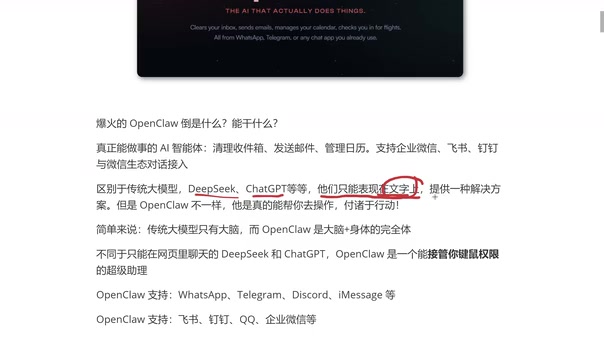
OpenClaw is an AI agent that takes over your keyboard and mouse to execute tasks directly on your computer.
OpenClaw is an AI agent project that breaks beyond traditional LLM limitations by taking over keyboard and mouse control to execute operations directly on your computer. Its core features include automated DevOps (environment setup, Docker deployment), intelligent data scraping, and daily office productivity boosts. It supports all three major operating systems and mainstream Chinese communication tools, features self-learning capabilities, and ensures security through sandbox isolation and permission controls. It is currently still in its testing phase.
What Is OpenClaw? Not Just Chat — An AI That Actually Gets Things Done
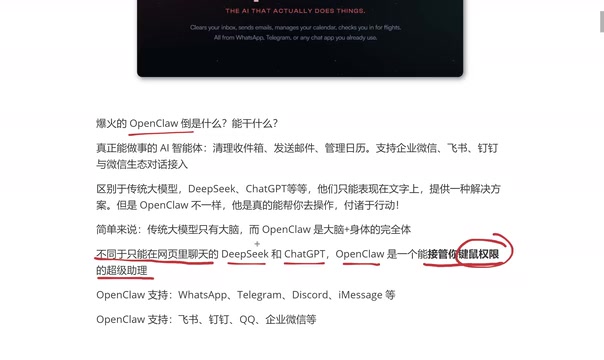
Recently, an AI agent project called OpenClawAd has been rapidly gaining traction in tech circles, flooding feeds across the community. Unlike the traditional large language models we're familiar with — such as DeepSeekAd, ChatGPT, and Doubao — OpenClaw isn't positioned as a "conversational assistant." Instead, it's a super assistant that can take action.
The capability boundaries of traditional LLMs are clear — they can only provide solutions at the text level. Ask one how to set up a Java environment, and it'll give you a step-by-step tutorial. Ask how to organize files, and it'll walk you through the process. But ultimately, you're the one who has to do the work.
OpenClaw breaks through this boundary. It doesn't just have a "brain" — more critically, it has "hands" — it can take over your keyboard and mouse permissions and execute operations directly on your computer. Evolving from "telling you how to do it" to "doing it for you" represents a qualitative leap in the AI Agent space.
What Is an AI Agent? AI Agents are one of the most important paradigm shifts in artificial intelligence in recent years. Unlike traditional large language models (LLMs), Agent systems add a closed-loop capability of "perception–planning–action" on top of LLM reasoning. Their core architecture typically includes four modules: a perception module (capturing environmental state), a memory module (storing historical information), a planning module (decomposing task objectives), and an action module (invoking tools to execute operations). Leading organizations including OpenAI, Anthropic, and Google have all listed Agents as a core research focus for their next phase. The industry widely regards Agents as the key transition from "AI as a tool" to "AI as a collaborator."
OpenClaw's Core Features: Automated Ops, Data Scraping & Office Productivity
Automated Operations & Environment Setup
For IT professionals, environment setup has always been a time-consuming and labor-intensive task. Take Java development environments as an example — from downloading and installing the JDK, configuring environment variables, to setting up an IDE, beginners often spend hours on the process. With OpenClaw, you simply say in natural language: "Set up a Java environment for me," and it automatically completes the entire workflow.
The same logic applies to DevOps scenarios like Docker container deployment and system load monitoring. A single natural language instruction can accomplish work that previously required manual command-line input and documentation lookups.
It's worth noting that OpenClaw's "keyboard and mouse takeover" capability is technically similar to RPA (Robotic Process Automation) but fundamentally different. Traditional RPA tools (like UiPath and Automation Anywhere) rely on pre-recorded fixed scripts that break when interfaces change and cannot handle unstructured tasks. AI Agents like OpenClaw, on the other hand, use visual understanding (Computer Use) and natural language planning to dynamically adapt to interface changes, understand ambiguous instructions, and autonomously decompose subtasks. Anthropic's Claude Computer Use, released in 2024, was a major milestone on this technical path, marking the moment AI gained genuine "screen understanding and control" capabilities.
Intelligent Information Gathering & Data Scraping
OpenClaw can automatically open a browser, visit specified websites, and scrape the data you need. For instance, if you want to conduct a competitive pricing analysis, just tell it: "Scrape prices from 10 competitor websites and generate an Excel spreadsheet." It will automatically handle the entire workflow of browser operations, data extraction, and file generation.
This capability saves enormous amounts of repetitive labor time for scenarios like market research, e-commerce price comparison, and data analysis.
Daily Office Productivity Boost
OpenClaw also excels in everyday office scenarios:
- Email management: Automatically clean up inboxes and send emails in bulk
- Calendar management: Intelligently schedule and manage appointments
- File organization: For example, rename and archive messy PDF invoices on your desktop by date
- Messaging: Supports integration with major Chinese communication tools like Feishu (Lark), DingTalk, WeCom, and QQ
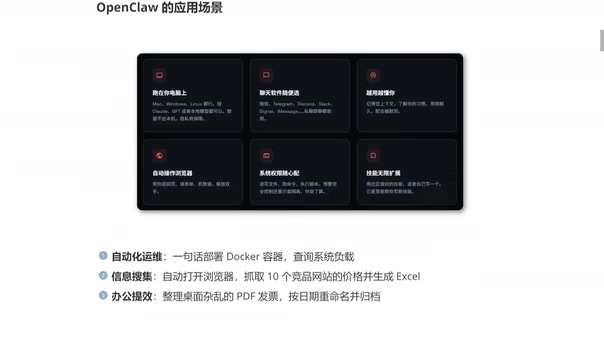
Cross-Platform Support & Self-Learning Capabilities
OpenClaw offers comprehensive platform compatibility. At the operating system level, it supports macOS, Windows, and Linux. For communication tools, it integrates with Chinese platforms like Feishu (Lark), DingTalk, QQ, and WeCom, as well as international ones like WhatsApp and iMessage.
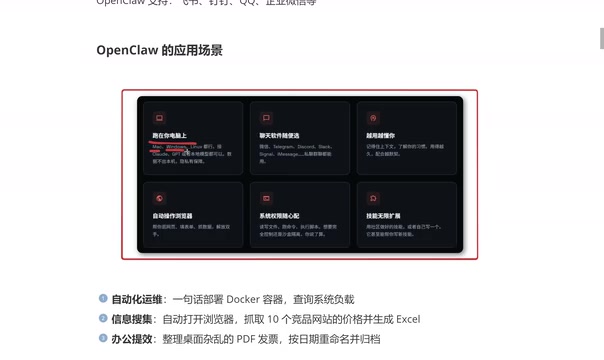
Even more noteworthy is its self-learning capability. OpenClaw doesn't just record conversation context — it learns your operational habits. The longer you use it, the deeper its understanding of your workflow becomes, and the more seamless the collaboration. This goes beyond the simple contextual memory of traditional LLMs.
Behind this self-learning capability lies "Personalized Memory" technology in the AI field. Unlike traditional LLMs where each conversation is independent and information cannot be retained across sessions, modern Agent systems use vector databases (such as Pinecone and Chroma) to persistently store users' operational habits, preference settings, and behavioral history as embedding vectors. During each interaction, the system retrieves relevant memory fragments and injects them into the context, achieving a "gets smarter the more you use it" effect. OpenAI's Memory feature and open-source projects like Mem0 are representative implementations of this approach. The challenge with this mechanism lies in balancing memory accuracy with privacy protection to prevent accidental leakage of sensitive information.
Security Mechanisms: Sandbox Isolation & Permission Controls Explained
Letting AI take over your keyboard and mouse naturally makes security a top concern for users. OpenClaw provides flexible permission configurations in this regard:
- Full control mode: Grants AI maximum permissions, suitable for efficient operations in trusted environments
- Sandbox isolation mode: Restricts AI operations to an isolated environment, preventing accidental deletion of important files or execution of dangerous operations
- Custom permissions: Fine-grained control over whether the AI can write files, run commands, or execute scripts
A sandbox is a classic isolation mechanism in computer security. Its core concept is to create a restricted execution environment for programs, preventing them from accessing or damaging critical resources on the host system. In AI Agent scenarios, sandboxes are typically implemented through containerization technology (such as Docker) or virtual machines, restricting the Agent's file read/write, network access, process creation, and other system calls within predefined boundaries. This shares the same design philosophy as browser sandboxing and iOS App sandboxing. For execution-capable Agents like OpenClaw, sandbox isolation serves as the first line of defense against "privilege escalation," and is also a critical safeguard for compliance requirements in enterprise deployments.
Additionally, OpenClaw's skill system supports unlimited expansion — users can customize their own automation workflows through community plugins or by writing their own functional modules.
Important reminder: OpenClaw is currently still in its testing phase. Both the official team and the community recommend testing on a non-primary machine to avoid data loss from unexpected operations.
From "AI Conversation" to "AI Execution": The Evolution of Agent Technology
Looking back at the evolution of AI tools, we've progressed from search engines to conversational AI, and now to AI Agents capable of executing operations. OpenClaw represents the latest stage of this trend — AI evolving from an information provider into a task executor.
Of course, it's important to stay realistic. OpenClaw's "hands" are limited to the digital world — it can operate your computer but can't organize physical documents on your desk. Achieving operations in the physical world still requires integration with robotic hardware. But within the realm of digital office work alone, tools like this have already demonstrated disruptive potential.
For everyday users, OpenClaw lowers the barrier to technical operations. For developers and operations professionals, it's a powerful productivity multiplier. As Agent technology continues to mature, "letting AI do the work for you" will no longer be just a slogan — it will become the new normal in daily work.
Related articles
 Product Reviews
The Programmer's Desk Setup Guide: Building a Workspace That Feels Like Home
Discover how programmers build productive, comfortable workspaces. From multi-monitor setups to ergonomic design, explore the desk philosophy that drives focus and flow.
 Product Reviews
Qoder vs Cursor Real-World Comparison: Which $20/Month AI IDE Is Better?
Hands-on comparison of Qoder vs Cursor AI IDEs: Agent autonomy, human interaction count, and architecture decisions. Qoder needed only 2 interactions vs Cursor's 8.
 Product Reviews
Cursor Cloud Agent Demo: Eliminating Bottlenecks Across the Entire Software Development Lifecycle
Deep analysis of Cursor's Cloud Agent demo showing how cloud VMs, automated test artifacts, and a full-chain control plane systematically eliminate human bottlenecks across the software development lifecycle.