Opposable: Letting AI Control Real Phones — Giving Claude a "Thumb"
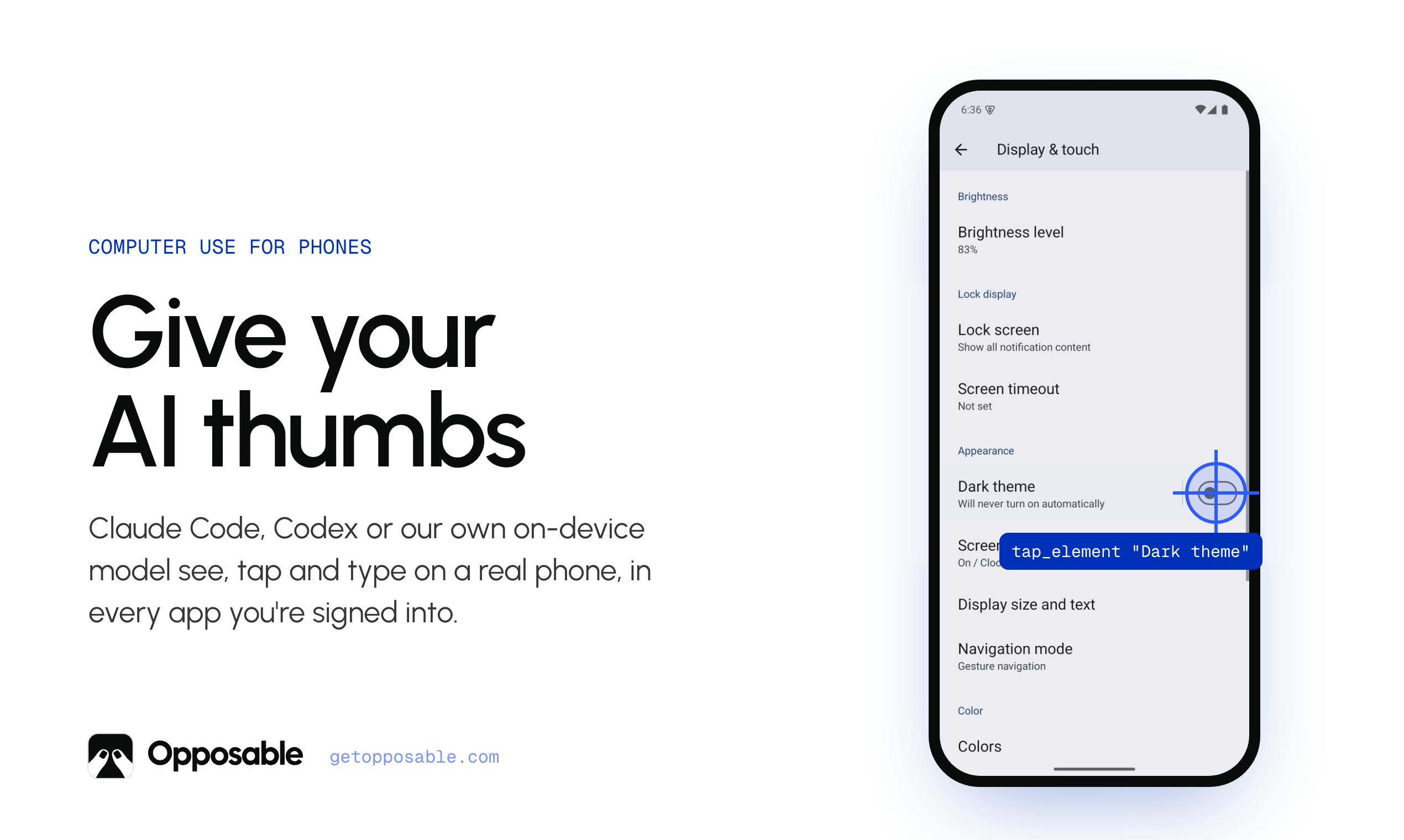
Opposable gives AI agents like Claude a real "thumb" to tap and control physical smartphones via hardware.
Opposable is a tool that lets AI agents — such as Claude Code, Codex, or any MCP agent — control real iPhones and Android phones across all apps the user is already logged into. Unlike emulator-based solutions, it works in live, authenticated sessions on physical devices. Its layered design runs common tasks locally without invoking a model, only bringing AI in for understanding and decision-making. High-risk actions like payments require manual user confirmation. iPhone connectivity is achieved via Bluetooth or a tiny USB accessory — no jailbreak needed. Built by indie developer Erik M, it earned 75 votes on Product Hunt and represents a pragmatic step toward extending AI agents from desktop to mobile.
When AI Learns to Tap on Phones
Large language models can already read screens, generate code, and call tools — but when it comes to the phone, the device most central to everyday life, they've always lacked hands that can actually "tap." That's exactly what Opposable aims to solve. It lets Claude Code, Codex, or any MCP agent see, tap, and type on a real iPhone or Android phone — inside every app you're already logged into.
The product name is cleverly chosen. "Opposable" refers to the human opposable thumb — the very digit that enables us to grasp and operate tools. The tagline, "Computer use for phones to give your AI thumbs," makes the positioning crystal clear: extending the "Computer Use" capability championed by Anthropic and others from the desktop to the phone, giving AI a functional thumb of its own.
How Is This Different from Ordinary Automation?
There are already plenty of phone automation tools out there, but a few design details in Opposable are worth paying attention to.
The primary difference is that it operates on real accounts on real devices. Many agent solutions rely on emulators or web interfaces, while truly everyday tasks — hailing a ride, ordering food, checking a banking app, handling services that require an active login — only exist on the phone you're already signed into. Opposable works directly on a physical device in a real, authenticated session, meaning agents can now reach a vast range of scenarios that were previously inaccessible.
Not Every Action Needs to Burn Tokens
There's a notably restrained design choice in the product description: common tasks run on the phone with no model at all. This reflects a cost-conscious mindset — repetitive, deterministic operations don't need to invoke a large model every time. That saves money and makes things faster and more reliable. The model only steps in where genuine understanding and decision-making are required. This "on-demand model invocation" layered approach is becoming increasingly mainstream in production-grade agent engineering.
This layered architecture is known in the agent engineering field as a hybrid design of "deterministic paths vs. model reasoning paths." For tasks with fixed structure and predictable steps — like opening an app to check in every morning or taking scheduled screenshots of a specific page — a rule engine or record-and-replay approach is sufficient; invoking a large model would only introduce latency and unpredictability. Only when a task requires interpreting natural language instructions, recognizing changes in screen content, or handling unexpected branches does a vision-language model (VLM) truly need to get involved. This design philosophy ties directly to LLM inference costs: processing a single screenshot with GPT-4o or Claude 3.5 Sonnet costs on the order of a few cents, and if every tap goes through the model, costs for high-frequency tasks accumulate quickly. "Model intervention on demand" isn't just an engineering optimization — it's a necessary condition for taking AI agents from demos to real-world utility.
Payments Must Be Confirmed by a Human
Another key safety design: payments pause and wait for your tap. One of the biggest risks of letting AI operate freely on your phone is accidentally triggering a charge or placing an order. Opposable designates high-risk actions like payments as human-in-the-loop checkpoints, drawing a clear line between automation efficiency and safety.
Understanding this distinction requires some background on phone automation. Traditional approaches fall into two main categories: test automation frameworks like Appium and UIAutomator, which rely on device debug mode (ADB) or accessibility services and are typically aimed at development and testing environments; and RPA (Robotic Process Automation) tools, which are mostly used for enterprise desktop workflows. Both share a common weakness — they operate on test accounts or simulated environments, while a real user's live app sessions, favorites, order history, and personalized settings only exist on that person's actual phone and cannot be directly accessed by these tools. On top of that, iOS's sandbox model and app signing restrictions make it extremely difficult for automation tools to operate across apps without jailbreaking — which is why iPhone automation has long been a hard nut to crack. Opposable's choice to simulate human input via external hardware (Bluetooth/USB) rather than leveraging system-level permissions is essentially a workaround for platform restrictions. The trade-off is a dependency on physical connection, but the payoff is compliance and broad compatibility.
How iPhone Connection Works
For developers, iOS's closed ecosystem has always been the pain point of automation. Opposable's solution: iPhones connect via Bluetooth or a tiny USB stick. No jailbreak required, no complex desktop relay — a small accessory is all it takes to let an agent send tap and input commands to a real device, lowering the barrier to entry considerably.
Dual-platform support for both Android and iPhone, combined with openness to any MCP agent, makes Opposable feel more like a "phone control layer" than a closed product tied to a specific model. You can hook it up to Claude Code, Codex, or your own custom-built MCP agent.
iOS's closed nature stems from Apple's multi-layered security mechanisms: application sandboxing, mandatory code signing verification, and a natural rejection of debug bridging tools like ADB. Unlike Android, which exposes system-level control interfaces by enabling "USB debugging," iOS has virtually no legitimate global automation entry point on non-jailbroken devices. The developer community has previously worked around this in two main ways: leveraging the iOS Accessibility framework (limited to within a single app) or running WebDriverAgent (XCTest framework) in developer mode, which requires a Mac with Xcode and carries high deployment overhead. Opposable's Bluetooth/USB hardware accessory approach essentially treats the phone as a terminal that accepts external HID (Human Interface Device) input — similar in principle to how a Bluetooth keyboard or mouse controls an iPad. This is a legitimate input channel that iOS allows, which is why cross-app tapping and typing can be achieved without jailbreaking.
What This Kind of Product Signals
AI moving from "can talk" to "can act" is one of the clearest trends of recent times. Computer Use on the desktop and browser automation are relatively mature by now, but the phone — the most frequently used device for most people — has long lacked a reliable way to connect to agents. Opposable fills that gap, and the potential applications are quite broad:
- Automating repetitive cross-app tasks (bulk replies, periodic lookups, data migration)
- Testing and QA — running end-to-end app test flows on real devices
- Accessibility assistance — helping users with limited mobility perform phone operations
- Connecting phone-exclusive services into larger automation workflows
Of course, letting AI operate a real phone raises obvious concerns: account security, private data, and the consequences of unintended actions. Opposable addresses these with early-stage guardrails like "payment requires human confirmation" and "common tasks bypass the model" — but at real scale, permission boundaries and auditability will be unavoidable challenges.
Wrap-Up
Opposable earned 75 upvotes on Product Hunt, ranking 16th. As a developer tool built by indie developer Erik M, its angle is precise and pragmatic: rather than chasing flashy full automation, it focuses on getting the engineering fundamentals right — real-device operation, layered model invocation, and human confirmation checkpoints. For developers who want AI agents to genuinely reach into the mobile world, this is a direction worth watching.
Related articles

CSS Anchor Positioning: A New UI Positioning Approach Without JavaScript
A deep dive into CSS Anchor Positioning: from anchor-name and position-anchor to the anchor() function, position-area shorthand, position-try-fallbacks, anchor-size, and upcoming anchor queries.

New AI Chart Interaction: Continuous Follow-up Questions and Visualization in Conversation
Explore a new AI interaction method for continuously generating charts in conversation. Use the /visualize command to ask follow-up questions and visualize answers in the same chat window, improving data analysis efficiency.

Cursor Merges Into X Subscription: Paid Plans Share Unified Usage Pool, Grok Model Coding Usage Doubled
Cursor joins The X Subscription with a unified usage pool and doubled Grok coding quota. Third-party models shift to API pricing. Existing users can keep or migrate plans.