Over 8,000 Characters Copied Causes a Crash? Hands-On Test of Google's New Laptop Bugs

Google's new Googlebook laptop has been found to have basic bugs including clipboard crashes, Wi-Fi disconnection after wake, and broken Android app resizing.
Hands-on testing of Google's new Googlebook laptop has exposed several system-level bugs: copying text longer than about 8,000 characters causes the clipboard to fail silently and can even crash the interface back to the login screen; Android apps cannot adapt their content when windows are resized, while Chrome apps work fine; and Wi-Fi cannot reconnect after sleep/wake, requiring a restart and reproducing 100% of the time. These are all basic experience issues, reflecting insufficient coordination between the Android compatibility layer and the system's lower layers. The author believes they are all software problems fixable through updates, but the speed of fixes will directly affect user confidence in this first-generation product.
Google's new laptop, Googlebook, has recently been found to have several system-level bugs. One user's hands-on testing revealed that simply copying text longer than roughly 8,000 characters causes the clipboard to fail silently, and can even crash the entire interface and kick the user back to the login screen. This isn't an isolated case—Wi-Fi won't reconnect after sleep, and Android apps won't scale with windows. These seemingly basic issues are putting Google's hardware ambitions to the test.
The Clipboard Tragedy: Crashing at 8,000 Characters
According to hands-on testing by a YouTube channel, when trying to copy more than about 8,000 characters of text on the Googlebook, the system doesn't throw an error—it fails silently, showing only a tiny notification bar. More seriously, copying overly large content can sometimes crash the entire interface outright, forcing the user back to the login screen.
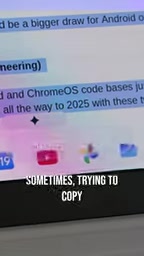
This is no trivial annoyance. Copy-paste is one of the most fundamental operations in modern computing. For developers, writers, and data analysts, handling large amounts of text every day is routine. 8,000 characters is roughly a medium-length article—this limit is clearly too low. What's more worrying is that the system gives no clear error message, so users may not realize content was lost until they try to paste it.
From a technical standpoint, clipboard services typically have memory or size limits, but mature operating systems warn when approaching the limit or automatically chunk the data, rather than failing silently or crashing. The experience Google accumulated with Chrome OS seems not to have been fully carried over to the new platform.
The clipboard is one of the most fundamental and most easily overlooked components of an operating system. Its core mechanism is maintaining a shared memory region that different apps read from and write to. On desktop operating systems, the clipboard is usually managed centrally by a system service and supports multiple data formats (plain text, rich text, images, file references, etc.) along with lazy rendering—that is, large data is only truly serialized at paste time, avoiding a memory spike at the moment of copying.
When copied content exceeds a threshold, mature systems adopt strategies such as chunked transfer, spilling to a temporary file, or outright rejection with a prompt to the user. Silent failure is the worst possible handling, because it breaks the user's implicit trust in the "copy succeeded" contract. A clipboard crash can also drag down the entire graphical session, because it is coupled with multiple system components such as the window manager, input methods, and accessibility services; once memory goes out of bounds or the message queue blocks, a chain reaction easily follows.
Android App Compatibility: The Missing Resize Adaptation
Another issue users frequently mention is window resize adaptation for Android apps. According to hands-on testing, content running through Chrome (including the browser itself and various WebView apps) displays correctly when the window is resized, but Android apps currently cannot do this.

This means that when users resize a window, Android app content may not reflow accordingly, resulting in blank areas or stretching. While this isn't a fatal flaw, as the tester put it, Windows solved this problem back in the 1990s, and users naturally expect Google to catch up in later versions.

Android app compatibility is a major selling point of the Googlebook, which claims to run a vast number of Android apps seamlessly. But if even basic window resizing can't be handled correctly, the experience suffers significantly. Behind this may lie a coordination problem between the window manager and the Android compatibility layer, requiring Google to optimize at the system level.
Android apps were originally designed for touchscreen phones; their layout systems rely on Activity, Fragment, and density-independent units such as dp/sp, and respond to changes in screen size and orientation through configuration changes. Running Android apps in a desktop environment requires a compatibility layer (such as Chrome OS's ARC++ or ARCVM) to bridge window events, input methods, and graphics rendering to the Android runtime.
When a window is resized, the ideal behavior is to trigger the app's configuration change and re-layout, but many Android apps are not adapted for freeform windows, or the compatibility layer fails to forward resize events correctly, resulting in blank areas, stretching, or black bars. Chrome apps work fine because they are essentially web content rendered by the browser, which naturally supports responsive layout and reflow at any size. This difference shows that the contract between the Android compatibility layer and the desktop window manager still needs refinement.
The Wi-Fi Sleep/Wake Bug: A 100% Reproducible Embarrassment
During the laptop's initial setup, the tester also encountered a frustrating network issue: after the computer wakes from sleep, it cannot connect to Wi-Fi and must be restarted to recover.
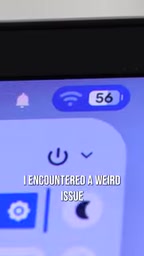
According to the description, this issue is 100% reproducible and affects only the Googlebook—other devices on the same network work fine. The tester was using Google's own Nest Pro router, which makes the problem even more embarrassing: compatibility between the company's own hardware is broken.
Wi-Fi connectivity is the lifeblood of mobile work, and losing the network after sleep/wake directly interrupts workflows. Although a restart fixes it, the clichéd IT-support refrain of "turn it off and on again" appearing on a new Google product inevitably raises doubts about the system's maturity.
The modern laptop's suspend state powers down most peripherals to save energy, and resume requires restoring power in the correct order, reinitializing the network card driver, and re-establishing the network connection. Common causes of network loss after wake include: the network card firmware failing to recover correctly from low-power states, timing races between the driver and the power management framework (such as Linux's runtime PM), and DHCP leases or Wi-Fi authentication state expiring during sleep without the system proactively reconnecting.
"100% reproducible and affecting only a single device" usually points to a deterministic defect at the driver or firmware level rather than occasional signal interference. The fact that the problem occurs even with the company's own Nest Pro router suggests the fault is more likely in the local network stack than in router compatibility. Although such bugs can be worked around by restarting, they seriously undermine the "open the lid and go" laptop experience and are a typical signal of insufficient integration between system power management and the network subsystem.
Software Problems, or a Strategic Concern?
The three bugs above—clipboard crashes, Android app resizing, and Wi-Fi disconnection after sleep—share one thing in common: they are all basic experience issues, not edge cases. This reflects that as a first-generation product, the Googlebook still has clear shortcomings in system integration and attention to detail.
Google's entry into laptop hardware aims to fuse the Android ecosystem with desktop computing. But hands-on testing shows that coordination between the Android app compatibility layer and the system's lower layers (clipboard, network management, window management) still requires substantial optimization. Fortunately, these are all software problems that can be fixed through updates. The question is how quickly Google can ship fixes, and whether users are willing to serve as testers for a first-generation product.
For consumers who are on the fence, it's advisable to watch the pace of subsequent system updates. If Google can iterate continuously the way it once polished Chrome OS, the Googlebook still has potential; but if basic bugs go unresolved for a long time, it may repeat the fate of some of Google's hardware products—stunning concepts, disappointing experiences.
Conclusion
Crashing when copying text, losing Wi-Fi after wake, and Android apps not keeping up—none of these bugs is fatal on its own, but together they paint a picture of a system that isn't ready yet. Google's new laptop has ambition, but the software's maturity hasn't caught up with the hardware's pace. In the fiercely competitive laptop market, users' patience is limited, and Google needs to prove quickly that it can not only build hardware but also build a good operating system.
Related articles

AI Can Read Neural Network Weights Directly: Do Models Already Exceed Expectations?
A Reddit developer experiment shows language models can directly read neural network weights and infer their function. Astra, Opus 5.5, and Muse Spark 1.3 all passed the test, sparking discussion on model generalization and training sources.

India's Microdrama Market Explodes: EloElo Secures $80M Investment from NBCUniversal
EloElo secures $80M from NBCUniversal to boost StoryTV, its microdrama platform with over 33M monthly active users, as India's microdrama market draws global capital.

Acoustic Detection of Multi-Rotor UAVs: Fusing Handcrafted Features with Pre-Trained Embeddings
Study reveals data leakage from random splits in UAV acoustic detection, proposes source-disjoint protocol with stacked ensemble of handcrafted features and YAMNet embeddings, achieving 95.29% accuracy for low-cost drone detection.