PawVis: An Open-Source Tool for Controlling Your Mac with Webcam Gestures

PawVis turns your Mac webcam into a gesture-controlled mouse, running 100% locally with AI Agent integration.
PawVis is a free, open-source tool that transforms your Mac's built-in webcam into a gesture-based input device. It tracks hand movements in real time to control the cursor, click, and scroll — all processed locally on-device for full privacy. Beyond gestures, it supports voice control and integrates with AI Agent tools like Codex and Claude Code for automated task execution.
When Your Webcam Becomes Your Mouse
Human-computer interaction is quietly evolving. From keyboards and mice to touchscreens to voice assistants, we've always been searching for more natural, intuitive ways to interact with our devices. PawVis, a recently launched open-source project that ranked #7 on Product Hunt, offers an intriguing answer: turn your Mac's built-in webcam into a gesture-tracked "mouse" — no additional hardware required.
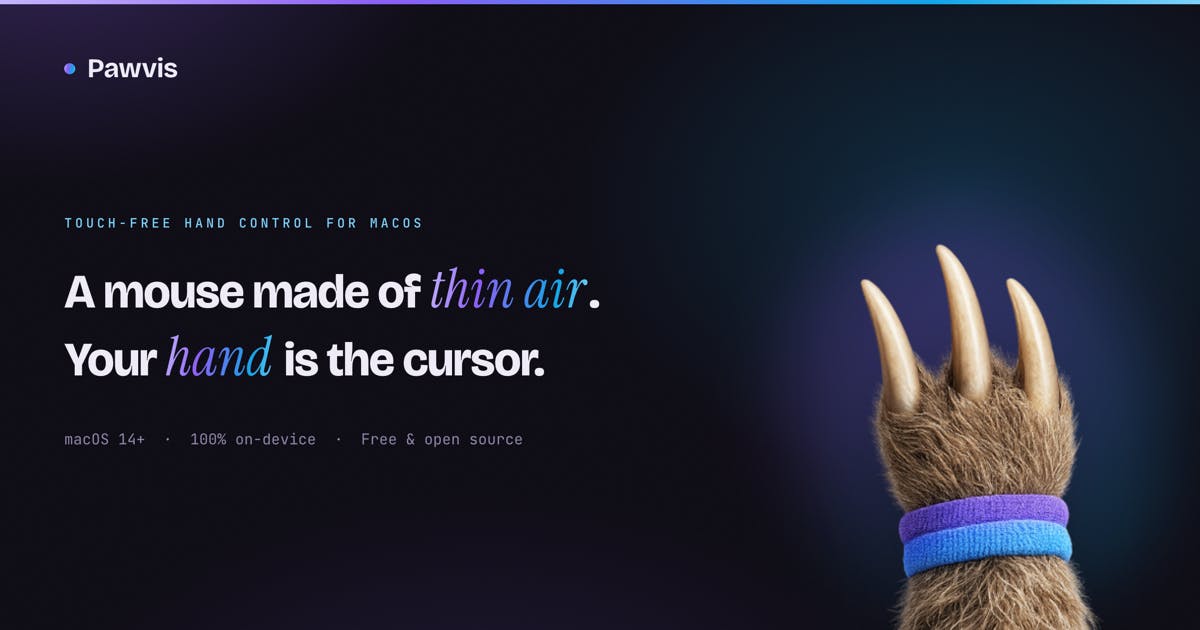
The core concept is straightforward — raise your hand and the cursor follows; tap a finger to click; fold two fingers to scroll. The entire interaction relies solely on your built-in webcam to control the system. The project has garnered 74 votes on Product Hunt and is categorized under Productivity and Developer Tools.
How PawVis Gesture Control Works
PawVis is built on real-time hand tracking. Under the hood, it likely uses a computer vision framework similar to Google MediaPipe Hands — detecting 21 key hand landmarks (fingertips, joints, and wrist) through machine learning models, then identifying specific gestures based on spatial coordinates and motion trajectories. Powered by Apple Silicon's Neural Engine, the entire inference process runs locally with minimal performance overhead. The webcam continuously captures hand movements and maps them to mouse behaviors in real time:
- Cursor movement: Raise your hand, and the cursor follows its position;
- Click: Dip a finger to perform a click;
- Scroll: Fold two fingers to trigger page scrolling.
What's more noteworthy is its customizability. Users can not only use a set of preset common gestures but also map gestures to custom actions — window management, launching apps, or executing arbitrary commands. If the built-in gesture library doesn't meet your needs, PawVis supports training your own gestures, meaning the interaction logic can be fully shaped around personal habits.
This "gesture as command" design essentially transforms traditional precise mouse operations into broader, more muscle-memory-friendly body language. For presentations, contactless operation, or users looking to reduce repetitive wrist strain, this offers a completely new option.
Privacy First: 100% Local Processing, No Cloud Required
With camera-based applications, privacy is always a concern — a continuously active camera analyzing imagery naturally raises fears of data leakage. PawVis addresses this directly: all processing is 100% on-device.
This means images captured by the webcam and hand tracking data are never uploaded to the cloud — all inference and computation happens locally on your Mac. This architectural choice is technically feasible thanks to dramatic improvements in edge inference capabilities — Apple's M-series chips include a dedicated Neural Engine capable of running lightweight vision models at dozens of frames per second without significantly impacting other system tasks. For privacy-conscious users, this is a critical foundation of trust. Combined with its free and open-source positioning, users can theoretically audit the code themselves to verify data handling claims. The open-source nature also opens doors for community contributions, secondary development, and gesture model improvements.
Voice Control and AI Agent Ecosystem Integration
PawVis doesn't stop at gesture control. It offers two optional advanced capabilities that further extend the possibilities of contactless operation.
Voice Control for True Hands-Free Operation
Users can enable optional voice control for genuinely hands-free operation. Gestures handle spatial positioning and basic interaction while voice handles command execution — together they cover a more complete operational workflow.
Integration with Codex and Claude Code
The most forward-looking aspect is PawVis's support for delegating computer-use tasks to AI coding/Agent tools like Codex or Claude Code. Codex is OpenAI's code generation and development tool, while Claude Code is Anthropic's AI programming assistant — the latter has released a Computer Use API that allows AI models to directly perceive screen content and execute GUI operations like clicks and typing. PawVis's integration with this ecosystem means user gestures or voice intentions can be translated into high-level task descriptions, which AI Agents then automatically decompose into specific operation sequences.
This effectively connects gesture and voice input to today's booming AI Agent ecosystem — you can express intent naturally, and let AI agents execute more complex automated tasks.
This design philosophy is worth pondering: PawVis isn't just a mouse replacement tool — it's more like a bridge connecting "human body movement input" with "AI execution capabilities." As AI Agents increasingly take on computer operations, how to provide them with more natural input interfaces is becoming a new frontier.
Practical Value and Current Limitations
From a product perspective, PawVis's value isn't in replacing the mouse — mature input devices won't be surpassed in precision and efficiency anytime soon. Its real significance lies in exploring low-cost, hardware-free natural interaction paths and providing supplementary solutions for specific scenarios (presentations, accessibility, contactless environments).
Of course, there are practical questions to observe: Can gesture tracking precision and latency meet daily high-frequency operation needs? Will prolonged hand-raising cause fatigue? This problem is known in HCI as the "Gorilla Arm" effect, first identified in the 1980s when engineers tried using touchscreens as primary desktop inputs and found users experienced severe muscle fatigue from pointing at vertical screens. Since then, all mid-air gesture interaction systems — including Microsoft Kinect and Leap Motion — have faced this fundamental ergonomic limitation. How stable is recognition under varying lighting and backgrounds? These are common challenges for such interaction approaches and key metrics for evaluating PawVis's practicality.
Nevertheless, as a free, open-source, locally-run project already integrated with the AI Agent ecosystem, PawVis demonstrates a clear direction: in the AI era, human-computer interaction entry points are becoming more diverse and natural. Whether it's an interesting experiment or the embryo of a future interaction paradigm remains worth watching.
Related articles

FDE Forward Deployed Engineer: A Complete Guide to AI's Hottest New Role
A complete guide to FDE (Forward Deployed Engineer): from Palantir's origins to OpenAI and Anthropic practices, core differences from regular engineers, skill requirements, and career transition advice.

Rivian Spinoff Mind Robotics Hires Doug Field as President
Rivian's spun-off robotics startup Mind Robotics appoints Doug Field, former head of Apple's Project Titan, as president. This article analyzes the technology migration logic behind the hire, Rivian's spin-off strategy, and the industry signal of autonomous driving talent flowing to robotics.

The Disinformation War in the Russia-Ukraine Conflict: Bot Farms Still Operating After Drone Strike on Yandex
After Ukrainian drone strikes on Russian data centers, Zelensky claimed social platforms improved, but Russian bot farms are still operating. This article analyzes the decentralized architecture and resilience of disinformation networks.