Perplexity's File Processing Capabilities in Decline: A Deep Dive into Issues Reported by Pro Users
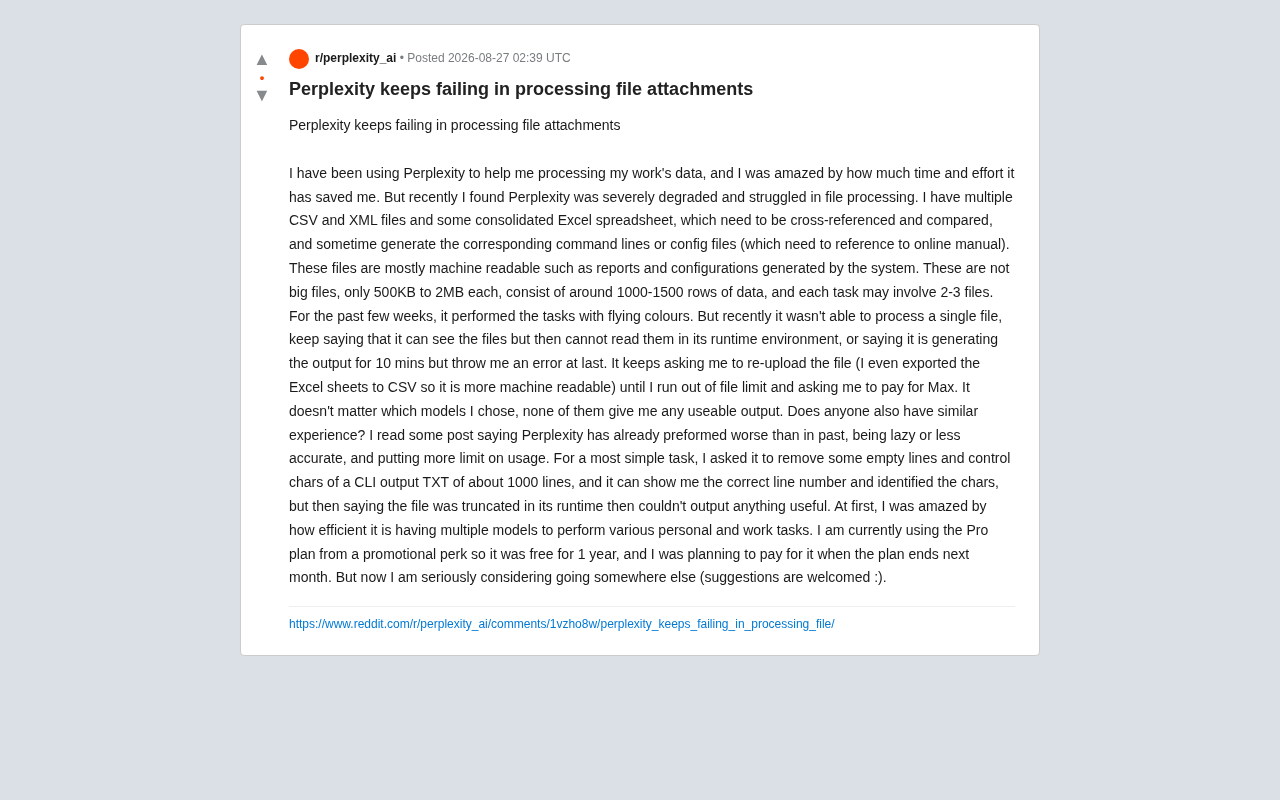
Perplexity Pro users report broken file processing, exposing AI tool reliability concerns.
Perplexity Pro users are reporting severe degradation in file processing capabilities, with uploaded CSV, Excel, and TXT files becoming unreadable or truncated in the runtime environment. Analysis suggests the issue lies in Perplexity's own file processing pipeline rather than underlying models. The case highlights the tension between commercialization pressures and user expectations for reliable AI productivity tools, and underscores the importance of multi-tool backup strategies.
From Amazement to Disappointment: Real Feedback from a Power User
Recently, a Perplexity Pro user shared their complete journey from admiration to disappointment on Reddit, striking a chord with many others. This user had been relying heavily on Perplexity for work-related data processing—handling CSV, XML, and consolidated Excel spreadsheets for cross-referencing, data comparison, and even generating corresponding command-line scripts and configuration files (with reference to online documentation).
It's worth noting that these file formats differ significantly in terms of machine readability. An Excel file (.xlsx) is essentially a ZIP archive containing multiple XML files, stylesheets, and metadata, requiring specialized libraries (such as Python's openpyxl) to parse. CSV (Comma-Separated Values), on the other hand, is a plain text format that any program can read directly—making it theoretically more friendly to AI processing pipelines. XML is also plain text, but its nested tag structure requires a dedicated parser. These format differences become important clues in the subsequent troubleshooting.
The files in question weren't particularly complex: each was only 500KB to 2MB, containing roughly 1,000 to 1,500 rows of data, with each task typically involving 2 to 3 files. These were machine-generated, machine-readable reports and configuration files. The user stated openly that over the preceding weeks, Perplexity had been "outstanding," saving them enormous amounts of time and effort.
Then, the turnaround came suddenly. Recently, Perplexity became nearly incapable of processing any of these files, and the problems were baffling.
The Core Issue: It Can "See" Files but Can't "Read" Them
The failure pattern described by the user is both typical and extremely frustrating:
- Visible but unreadable: Perplexity claims it can see the uploaded files but then states it cannot read them in its runtime environment.
- False processing: Sometimes it displays "generating output" for up to 10 minutes, only to ultimately throw an error.
- Repeated re-upload requests: The model keeps asking the user to re-upload files until the user exhausts their file quota, at which point they're prompted to upgrade to the Max plan.
The concept of "runtime environment" deserves some explanation here. A runtime environment refers to the collection of software and hardware resources a program depends on during execution, including the operating system, memory allocation, and file system access permissions. In AI products, when a user uploads a file and asks the model to process it, the model doesn't directly operate on the file—it needs to invoke a backend code execution sandbox to perform the actual read/write operations. A sandbox is an isolated computing environment designed to prevent malicious code uploaded by users from affecting the main system, but it also imposes strict limits on available resources (such as memory, CPU time, and disk space). When sandbox resources are insufficient or misconfigured, the "can see the file but can't read it" phenomenon described in the article can occur—the model's language understanding layer can parse file metadata, but the execution layer cannot complete actual file I/O operations within the constrained environment.
To rule out file format issues, the user even went so far as to export Excel spreadsheets into the more "machine-friendly" CSV format—but it made no difference. This troubleshooting step was sound: once format compatibility is eliminated, the fault more likely lies in the platform's file delivery pipeline or resource allocation rather than the file format itself. More critically, the results were identical regardless of which underlying model was selected—none could produce usable output.
Understanding this phenomenon requires familiarity with Perplexity's unique architecture. Unlike ChatGPT, Claude, and similar products, Perplexity doesn't train its own foundational large language models. Instead, it acts as an intelligent routing layer that integrates multiple models from companies like OpenAI, Anthropic, and Meta (such as GPT-4o, Claude 3.5 Sonnet, Llama 3.1, etc.), layered with real-time web search capabilities. Pro users can switch between different underlying models. The advantage of this architecture is flexibility, but the downside is equally clear—the file processing pipeline must be compatible with the input/output formats of multiple models, and any change in any component can trigger systemic failures. The fact that "results were the same regardless of which underlying model was selected" strongly suggests the problem lies in Perplexity's own file processing layer, not in any particular model's capabilities.
Even the Simplest Task Falls Apart
The most telling example is an extremely simple case: the user asked Perplexity to remove blank lines and control characters from a TXT file containing about 1,000 lines of CLI output. The model correctly displayed line numbers and accurately identified the characters that needed to be processed—but then claimed the "file was truncated in the runtime environment" and ultimately failed to produce any useful output.
This case is revealing: the model's comprehension and identification capabilities were clearly functioning normally—the problem was in the file reading and processing pipeline at the execution stage. This suggests the failure may not be a degradation of the model's intelligence itself, but rather a systemic issue with Perplexity's code execution sandbox, file delivery, or runtime resource allocation.
It's worth exploring the technical logic behind the "file truncation" phenomenon in more depth. A large language model's context window determines the maximum number of tokens it can process at once, with current mainstream models ranging from a few thousand to hundreds of thousands of tokens. However, a larger context window means higher computational costs—inference costs typically scale linearly or even super-linearly with input token count. As a result, service providers often truncate or compress inputs in actual deployments to control costs. The user's 1,000–1,500 line files may not be particularly large in terms of token count, but soft limits deliberately imposed by the platform for cost management may be the real cause of the "truncation."
An Isolated Incident or a Broader Trend?
You might not have noticed, but this user is far from alone. They mentioned having read other posts reporting that Perplexity's performance has "gotten significantly worse"—becoming "lazy," less accurate, and subject to more usage restrictions.
Complaints about "lazy models" are nothing new in the AI community. Mainstream products like ChatGPT and Claude have all faced similar user criticisms at various points. "Model laziness" as a phenomenon first gained widespread attention in late 2023 due to large-scale complaints from ChatGPT users. Users broadly reported that model responses had become shorter, more perfunctory, and more inclined to offer general advice rather than detailed execution. Multiple explanations exist: service providers may have quietly switched to smaller, cheaper model versions on the backend to reduce costs (so-called "silent downgrading"); system prompt adjustments may have guided models to generate shorter responses to save tokens; parameter tuning during A/B testing may have inadvertently affected output quality. OpenAI publicly responded in December 2023, stating that GPT-4 had not been intentionally "downgraded," but acknowledged that model behavior could fluctuate due to various factors. This lack of transparency has only deepened user distrust.
Possible underlying causes include:
- Cost control and downgrading: To manage inference costs, providers may quietly limit computing power, shorten context windows, or truncate input files for free or promotional users. Inference cost is the core financial challenge facing AI service providers—every model call consumes expensive GPU compute, and the concurrent requests from large user bases multiply cost pressures. In this context, implementing differentiated resource allocation across user tiers is almost an inevitable business decision.
- Runtime environment instability: Features like code execution and file parsing depend on backend sandbox environments. When resources are tight or version updates introduce bugs, the "can see but can't read" anomaly emerges.
- Quota policy adjustments: The article's mention of being "guided to pay for Max after exhausting file quotas" also raises suspicions about the connection between tightened restrictions and commercialization pressure.
It should be noted objectively that these are all user-side speculations, and nothing has been officially confirmed. However, when feedback like "file was truncated" and "runtime cannot read" appears repeatedly, the likelihood of backend pipeline issues is genuinely high.
Lessons for AI Tool Users
This user is currently on a one-year free Pro promotional plan and had originally planned to pay for a renewal when it expires next month. But now, they're "seriously considering looking elsewhere." This shift carries warning signs for the entire industry.
Stability Is the Lifeline of Productivity Tools
For users who incorporate AI into actual workflows, dazzling peak performance matters far less than a stable and reliable floor. When a tool can handle complex tasks for weeks and then can't even remove blank lines the following week, this unpredictability directly destroys user trust—and trust is the prerequisite for paid conversion. This is especially critical for AI product managers and operations teams: what users fundamentally expect from productivity tools isn't "sometimes amazing" but "consistently dependable." The traditional software industry uses SLAs (Service Level Agreements) to quantify reliability commitments, but standards in this area for AI products are far from mature.
Multi-Tool Backup Strategy
For professional users who heavily rely on AI for data processing, the advice is: don't put all your eggs in one basket. For tasks involving file processing and data comparison, consider:
- Using tools with stable code execution environments (such as ChatGPT's Code Interpreter/data analysis feature, Claude's Projects, etc.). ChatGPT's Code Interpreter runs Python code in OpenAI's cloud-based sandbox, with the advantage that users need no programming knowledge to perform complex data operations—though it's similarly constrained by sandbox resource quotas and session duration.
- For structured data processing, local scripts (Python + pandas) combined with AI-assisted code writing are often more reliable than having AI directly "ingest" entire files. Local scripts run entirely on the user's own machine, free from any cloud-based limitations, with faster processing and more controllable results. A middle-ground approach is to have AI assist in writing local scripts—the user describes the requirements, AI generates the code, and the user executes it locally. This approach combines AI's comprehension capabilities with local environment stability, and it's an increasingly popular workflow among professional users.
- Retain raw data and processing logs to enable quick tool switching when issues arise.
Conclusion
This user feedback is essentially a mirror reflecting a contradiction that AI products universally face today: the tension between resource tightening under commercialization pressure and users' expectations for stable productivity. Perplexity earned significant goodwill with its "multi-model + web search" positioning, but if its core file processing capabilities can't remain stable, no amount of flashy features will retain genuine paying users.
For readers evaluating AI tools, the value of this case lies in its reminder: before committing to a long-term subscription, be sure to stress-test with your own real workloads to verify the tool's reliability floor—rather than being swayed solely by peak performance. AI products are transitioning from "novelty toys" to "productivity infrastructure," and whether this transition succeeds ultimately depends on whether service providers can find a true balance between commercial sustainability and user experience.
Related articles

Amphibious Transforming Drone: Beyond 100x Power Savings, What Are the Real Needs?
Is the amphibious transforming drone just a gimmick? Starting from the 100x power difference of the M4 Morphobot, explore real application scenarios and thesis topic ideas, analyzing boundary conditions where pure drones and pure ground robots both fail.

Warhound Raises $200 Million: Genetically Engineered "War Dogs" Paired with Anduril Gear
Warhound raises $200M, backed by Ben Lamm and Palmer Luckey, to genetically engineer dogs for military and law enforcement use and equip them with Anduril gear. This article analyzes its technology direction, funding logic, and ethical controversy.

Claude API Comes to Google Cloud: IAM Integration and SDK Access Guide
Anthropic hosts the full Claude API on Google Cloud with IAM-controlled permissions and unified billing. This guide covers the Vertex AI and Anthropic-hosted entry points, IAM role configuration, and SDK access.