Pesterly Review: An Automated Document Collection Tool Built on Google Workspace

Pesterly automates document collection follow-ups for professionals using Google Workspace.
Pesterly is a Google Workspace-based tool that automates the tedious process of chasing clients for documents. It converts file checklists into email requests, automatically follows up on missing items on a preset schedule, and archives uploads directly to Google Drive. Designed for accountants, lawyers, brokers, and consultants, it eliminates manual reminder emails while maintaining data sovereignty within the Google ecosystem.
A Tool That Cures "Document Procrastination"
For any professional service provider who deals with clients—accountants, lawyers, mortgage brokers, consultants—this scenario is all too familiar: you send a client a list of required documents, then begins the long wait. The client uploads half the files, and the rest disappear into the void. You're forced to send reminder after reminder, feeling both awkward and drained of time.
According to multiple industry surveys, professional service providers spend an average of 20%-30% of their working hours on administrative tasks, with document collection and follow-up being one of the biggest time sinks. Traditional document collection methods—email attachments, instant messaging, or shared folders—lack structured tracking capabilities and often lead to version confusion and missing critical materials. This pain point has given rise to vertical SaaS tools like Content Snare, FileInvite, and Clustdoc. Pesterly, which recently launched on Product Hunt, is a new entrant in this space that focuses specifically on the Google ecosystem.
Its positioning is crystal clear: an automated document collection tool built on Google Workspace that completely delegates the tedious work of "follow-up and collection" to the system.
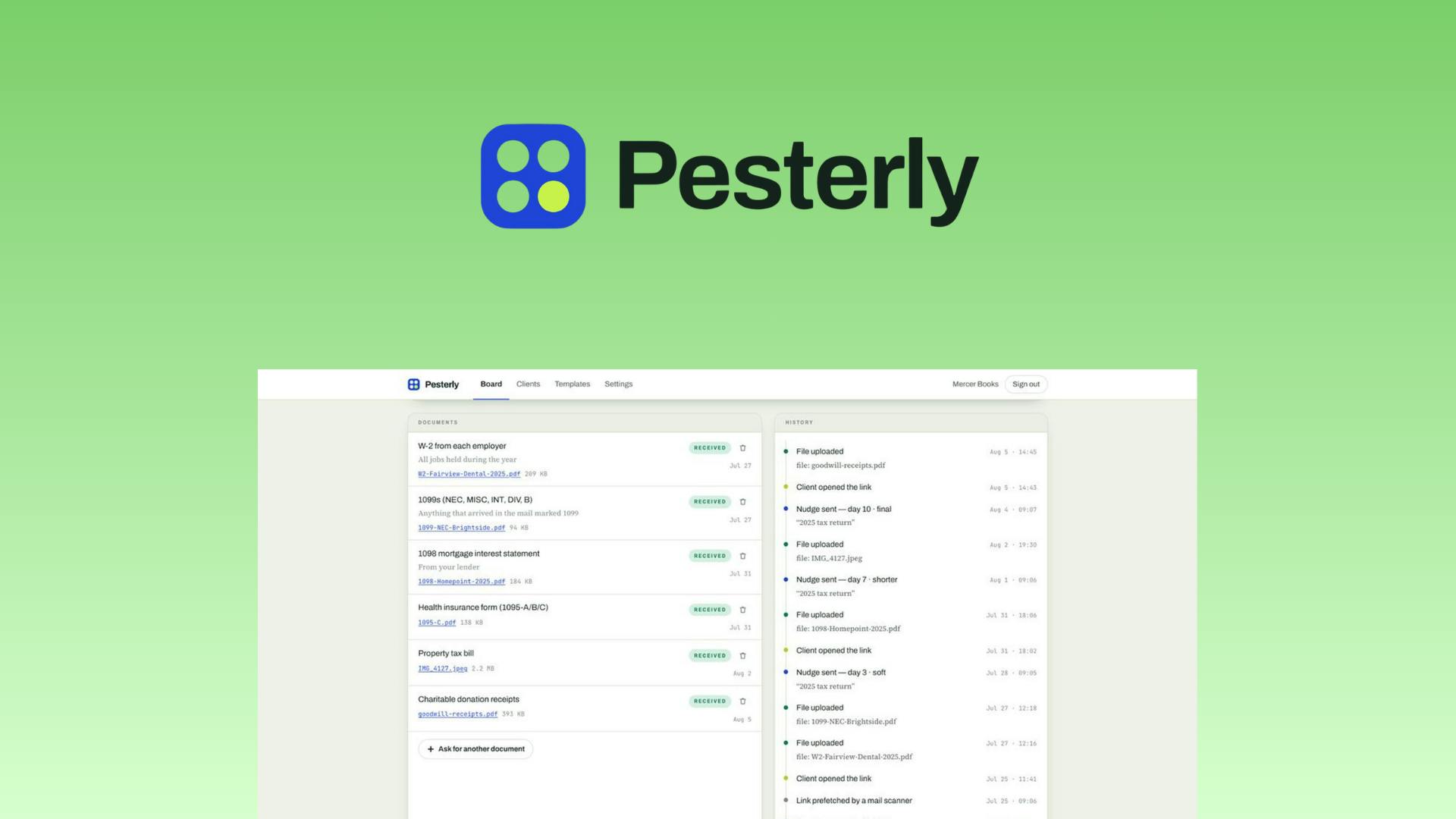
The product name itself reveals the team's cleverness—"Pester" means to nag or repeatedly bother someone. Pesterly turns this slightly negative action into an automated service: letting the tool do the "pestering" of clients who are slow to submit their materials, while you maintain your professionalism and dignity.
Pesterly Core Features: A Closed Loop from Checklist to Archive
Turning Document Checklists into Email Requests
Pesterly's workflow starts with a document checklist. You simply list the types of files you need to collect from a client—such as ID verification, bank statements, contract copies, etc.—and the system automatically converts this list into a structured email request sent to the client. Clients don't need to register an account or learn a complex interface; they simply upload files following the email instructions.
This "zero-barrier" client-side experience is crucial. In real-world business, low client compliance often isn't due to unwillingness but because the process is cumbersome. Reducing the client's operational friction is itself the first step toward improving document collection efficiency.
Automated Follow-ups on a Fixed Schedule
This is Pesterly's most valuable component. When a client has only uploaded some of their files, the system automatically tracks still-missing materials on a preset schedule and sends reminders. The entire process requires no manual intervention—you don't need to remember "remind Mr. Zhang to submit his bank statements on Wednesday," nor worry about missing follow-ups because you're busy.
From a technical implementation perspective, the core of automated follow-up is a rule-engine-based state tracking mechanism. The system maintains a status tag for each pending document (e.g., "Requested," "Uploaded," "Pending Review"), combined with preset time triggers (e.g., send reminders every 3 or 5 days), automatically triggering email delivery when it detects a file still in an incomplete state. More advanced implementations also incorporate progressive tone escalation strategies—the first reminder is gentle, subsequent ones become more direct—to balance urgency with client relationship maintenance.
For practitioners serving dozens of clients simultaneously, this automated follow-up feature is essentially like hiring a tireless, never-forgetting assistant dedicated exclusively to document tracking.
Automatic Archiving to Google Drive
All files uploaded by clients are saved to your own Google Drive folder. This is important from a data sovereignty perspective—files aren't stored on a third party's independent servers but go directly into the Google ecosystem you're already familiar with and control. This reduces data compliance concerns while seamlessly integrating file management with your existing workflow.
In professional services, client files often contain sensitive personal information (such as ID numbers, bank accounts, medical records) subject to strict data privacy regulations like GDPR and CCPA. Storing files on third-party servers means adding a Data Processor, requiring additional Data Processing Agreements (DPAs) and compliance reviews. Pesterly's approach of archiving files directly to the user's own Google Drive essentially makes Google the sole cloud storage provider, simplifying the compliance chain—since most organizations have already signed data processing agreements with Google, eliminating the need for a separate compliance assessment for the document collection tool.
Product Positioning Analysis: A Small but Beautiful Efficiency Tool
Deep Integration with the Google Workspace Ecosystem
Pesterly's choice to build entirely on Google Workspace is a pragmatic strategy. Google Workspace (formerly G Suite) is Google's cloud-based collaboration suite for enterprises and professionals, encompassing core products like Gmail, Google Drive, Google Docs, Google Sheets, and Google Calendar. As of 2024, over 9 million organizations worldwide use Google Workspace, with a large proportion being small and medium businesses and freelancers. Its open API framework and Add-on marketplace allow third-party developers to build vertical tools without leaving the Google ecosystem.
Building tools around Gmail and Google Drive means extremely low user onboarding costs—no data migration needed, no new platform to learn. This "parasitic" approach within a mature ecosystem, while limiting the target user base (excluding enterprises using Microsoft 365 or other office suites), delivers an exceptionally smooth experience for a specific audience. It doesn't try to reinvent file storage or email systems but focuses on filling the specific gap of "automated follow-up and collection."
A Single-Point-Breakthrough Product Philosophy
Based on its Product Hunt categories, Pesterly is classified under "Email, Productivity, Operations." It's not a comprehensive project management platform but a "small tool" solving a single pain point. The success logic for this type of product is: do one small thing exceptionally well, making users willing to pay for the time saved and mental burden reduced.
Interestingly, the product's Product Hunt metrics are still quite early—4 upvotes, 1 comment, ranked #9. Product Hunt is one of the world's most well-known new product discovery platforms, with hundreds of new products launching daily. A product's upvote and comment counts are direct indicators of community recognition. Generally, products ranking in the daily top 5 receive significant traffic benefits, while ranking #9 means relatively limited exposure. However, Product Hunt performance doesn't entirely determine a product's commercial prospects—many successful B2B SaaS tools don't rely on explosive consumer community virality but grow gradually through targeted industry marketing and word-of-mouth referrals. For potential users, this means both possible early-adopter advantages and the need to observe feature maturity and long-term stability.
Who Is Pesterly Best Suited For?
Given its feature set, the following groups stand to benefit most:
- Accountants and tax professionals: During tax season, they need to collect receipts, bank statements, and supporting documents from numerous clients. A mid-sized accounting firm might simultaneously handle hundreds of client tax returns, each requiring 5-15 different documents—the workload of manual follow-up is staggering.
- Lawyers and legal professionals: Case progression depends on clients providing various contracts and evidence materials. Under statute of limitations pressure, delays in document collection can directly impact case progress.
- Mortgage and insurance brokers: Approval processes require clients to submit multiple qualification documents. Banks and insurance companies have extremely strict requirements for material completeness—missing any single document can result in an application being rejected.
- Consultants of all types: Projects require clients to provide background materials and data before kickoff. Especially in management consulting and IT consulting, the quality of pre-project information gathering directly determines deliverable quality.
What these professions share in common: document collection is a hard requirement, client-side compliance is uncertain, and practitioners' time is too valuable to waste on repeated nagging.
Summary: The Practical Value of Automated Document Collection
Pesterly isn't a disruptive product, but it precisely captures a long-overlooked friction point in professional service workflows. In an era of countless automation tools, what actually gains traction isn't usually the grand-narrative products but tools like Pesterly—ones that completely automate a specific, repetitive, and annoying task.
From a broader perspective, the product philosophy Pesterly represents—using software to handle tedious tasks that drain interpersonal energy—is one of the key directions in current SaaS tool development. As AI capabilities continue to evolve, tools like this may gain enhanced capabilities in email wording optimization, intelligent send-time selection, and client response probability prediction.
Of course, its ultimate success depends on execution details: whether follow-up email wording is appropriate, whether schedule settings are flexible, and whether Google Drive integration is stable. As a product still in its early stages, these aspects need time and user feedback to refine. But the direction it points toward—letting software handle the mundane tasks that drain interpersonal energy—is undoubtedly worth watching.
Related articles

Gemini 4 Interprets 500-Page Chemistry Patents: Boosting Drug Discovery Efficiency
Isomorphic Labs researchers used Gemini 4 to process 500-page chemistry patents and academic papers, generating high-quality reports in 10-15 minutes — work that originally took a month was done in an afternoon.

Apple HomeView First Look: The Prototype of a Smart Home Control Hub
First look at Apple HomeView smart home control interface: thermostat and accessory customization, up to nine camera live feeds, iCloud+ and Apple Intelligence video descriptions, and tiered permissions blocking recording access in guest mode.

Gemini 4 Teaches a Humanoid Robot to Play Cornhole: A Breakthrough in Video Learning and Self-Iteration
Google Gemini 4 Argon's experiment shows a humanoid robot learning Cornhole from a human video, iterating via the Mojoku simulator, and making seven consecutive real-world hits.