Playwright MCP Replaces Screenshots: Doubling Frontend Debugging Efficiency in Vibe Coding

Screenshotting for AI to fix UI is inefficient; Playwright MCP lets Agents read the DOM directly — far more reliable.
The article argues that many Vibe Coders habitually use screenshots plus descriptions to get AI to fix frontend UI, but screenshots only show the visual surface and can't convey key diagnostic info like DOM structure, event bindings, or element occlusion, making it hard for Agents to find root causes. Playwright MCP changes this by letting Agents operate browsers directly, read structured DOM data, and test full user flows like real QA engineers — upgrading frontend debugging from manual screenshot-and-relay to automated Agent-driven discovery and fixing.
When doing Vibecoding with AI, what do you do when there's a frontend UI problem? Screenshot it and upload it to the Agent — this has almost become muscle memory for most people. But this very action may be the root cause of your chronic inefficiency in fixing bugs.
According to a technical talk about Playwright on YouTube, directly throwing screenshots at an AI Agent is one of the most common mistakes Most Vibe Coders make. The reason is simple: a screenshot only shows the visual surface, while the root cause of a UI problem is often hidden somewhere you can't even capture.
What's Wrong with Giving Screenshots to an Agent to Fix UI
Buttons that won't respond to clicks, misaligned layouts, forms that don't submit — when you hit these problems, screenshotting and telling the Agent "help me fix this" seems like the most intuitive approach.
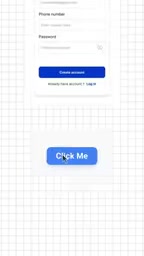
But the information a screenshot can convey is extremely limited. An image only shows how a single button renders; it can't tell you what the button's actual structure is in the DOM, whether it has a click event bound to it, or whether it's covered by another transparent element that's intercepting clicks. What a human developer understands in seconds by opening DevTools, an AI simply cannot infer from a single image.
As the video puts it bluntly: what you see in a screenshot is Just a UI Button, while what actually determines whether it's clickable is the DOM hierarchy behind it. Compressing that information into a pixel image and handing it to the Agent means voluntarily giving up the most critical diagnostic clues.
DOM (Document Object Model) is the tree structure the browser forms after parsing HTML, where each node corresponds to an element on the page and carries metadata such as tag name, attributes, styles, and event listeners. When UI breaks, the real cause is almost always hidden in this tree: transparent overlays caused by z-index, event delegation bound to a parent element, click handlers dynamically removed by JS, hit-area offsets under CSS cascading — none of this is visible in a pixel screenshot, yet all of it is traceable in the DOM.
DevTools is the browser's built-in debugging panel, which lets you inspect and modify the DOM in real time, audit CSS, track event listeners, and monitor network requests. The reason human developers can quickly pinpoint UI bugs is precisely because DevTools provides a DOM-level diagnostic view. Handing a screenshot to an AI essentially strips the Agent of the ability to use this kind of structured diagnostic information.
What Playwright MCP Does Differently

Playwright MCP's approach is: instead of letting the Agent "look at" the page, let the Agent "enter" the page.
After configuring Playwright MCP for the Agent, the Agent gains the ability to actually operate the browser. It no longer depends on you manually taking screenshots; instead, it can open pages on its own, inspect components on its own, and read the DOM structure on its own. Where the button's clickable area is, which element is blocking it, what validation logic is bound to a form field — all of this is structured data that the Agent can read and analyze directly.
This is a completely different information dimension from screenshots. A screenshot is two-dimensional pixels; the DOM is a tree structure with hierarchy and attributes. For fixing bugs, the latter is the truly useful one.
Playwright is an open-source browser automation framework from Microsoft that supports the three major engines Chromium, Firefox, and WebKit, and is commonly used for end-to-end (E2E) testing. It controls real browsers through a unified API, allowing you to click elements, fill out forms, listen to network requests, execute JavaScript, and directly access the page DOM. Compared with Selenium, Playwright has built-in mechanisms such as auto-waiting and cross-browser parallelism, making it friendlier to modern frontends with dynamic rendering.
MCP (Model Context Protocol) is an open protocol proposed by Anthropic to expose external tools and data sources to large models in a standardized way. It's essentially installing a set of "peripheral interfaces" for an AI Agent, letting the model actively call tools instead of relying on copy-pasting context. Playwright MCP packages Playwright's capabilities into an MCP toolset, giving the Agent programmable operational permissions such as opening pages, reading the DOM, and clicking elements — rather than passively "looking" at a static screenshot.
The Agent Runs Through the Entire Site Like a Real Test Engineer
After integrating Playwright MCP, the Agent's capability range expands from "looking at a screenshot of some page" to "walking through the entire website like a tester."
As described in the video, the Agent can open different pages, inspect various components, fill out forms, click buttons, and complete a full user flow. This means it can uncover not only rendering issues of a single UI element, but also state loss after page navigation, edge cases in form submission, and logic breaks during multi-step operations — things that are nearly impossible to troubleshoot with a single screenshot.
After discovering Broken UI, the Agent can trace the DOM structure to determine exactly which element and which layer is causing the problem, then apply a targeted fix. The entire diagnostic chain is complete: operate → detect anomaly → read structure → locate root cause → fix.
The Next Step for the Vibe Coding Workflow

Vibecoding is fundamentally about driving AI to complete development tasks with natural language. But when it comes to frontend debugging, many people still remain stuck in the manual mode of "screenshot → paste → describe the problem," which actually contradicts Vibecoding's philosophy of automation.
What Playwright MCP offers is a more natural way to collaborate: you tell the Agent what to test, and it operates the browser itself, discovers and locates problems itself. People don't need to act as the middleman doing "screen capture + relay."
The video publisher mentioned that if you need a specific configuration guide for Playwright MCP, you can get it via DM. For teams already using tools like Cursor and Claude Code for AI-assisted development, handing browser operation capabilities to the Agent is a direction worth trying — at least when it comes to solving frontend UI problems, it's far more reliable than taking screenshots over and over.
Cursor and Claude Code are currently mainstream AI-assisted development tools: the former is an AI IDE integrated into the editor, while the latter is a command-line coding Agent launched by Anthropic. Both support the MCP protocol, so they can mount external tools like Playwright MCP, allowing the Agent to operate the browser in addition to writing code. For the Vibe Coding workflow, this means the Agent's loop expands from "read code → modify code" to "read code → run pages → modify code," and frontend debugging no longer requires the developer to act as a manual intermediary.
One-line Summary
Screenshotting for AI to fix UI is inefficient; Playwright MCP lets the Agent read the DOM directly, which is far more reliable.
Paragraph Summary
The article points out that many Vibe Coders habitually use screenshots plus descriptions to get AI to fix frontend UI, but screenshots only present the visual surface and cannot convey key diagnostic information such as DOM structure, event bindings, and element occlusion, making it hard for the Agent to locate the root cause. Playwright MCP changes this: it lets the Agent directly operate the browser, read structured DOM data, and act like a real test engineer by opening pages, inspecting components, filling out forms, and clicking buttons to complete the full user flow. As a result, frontend debugging upgrades from the manual mode of "human screenshots plus relay" to an automated mode where the Agent independently discovers, locates, and fixes problems — much more in line with the core philosophy of Vibe Coding.
Related articles

How Big Can Stars Really Get? The Physical Limits of the Largest Stars
Red supergiants are the largest stars by volume, with radii up to 2,000 times the Sun, engulfing the inner solar system. But there is no precise upper limit on stellar size—models predict up to 15,000 solar radii. The most massive blue stars are far smaller than red supergiants—biggest and heaviest are two different things.

Apple HomeView Smart Display Full Feature Breakdown: Wall-Mount or Desktop, $299
Apple launches HomeView, a $299 smart display with wall-mount and desktop options, 12MP camera for facial recognition, smart home control, music playback, and recipe step-by-step cooking. Full breakdown of watch faces, apps, privacy, and cooking integration.

Where Did the Promised New Studio Go? Craft Computing Answers After Five Years
Craft Computing's host responds to viewer questions: the new studio promised five years ago was shelved as construction costs soared from $30,000 to $75,000, and was replaced by a 168-square-foot garage conversion.