Portlivo: Your Mac Menu Bar Manager for Local Dev Servers

Portlivo brings Mac local dev servers and ports into the menu bar for one-click viewing and management.
Portlivo is a menu bar productivity tool for Mac developers that solves the confusion of mapping ports to projects when running multiple local services. It shows each server's project origin, startup command, uptime, and response status, and supports one-click open, restart, kill process, log viewing, and sharing — reducing context switching from repeatedly running lsof in the terminal. It emphasizes a native experience, no account required, and one-time purchase, and recently got 71 upvotes on Product Hunt. It suits developers running many local services, but offers limited value to heavy CLI users with few projects.
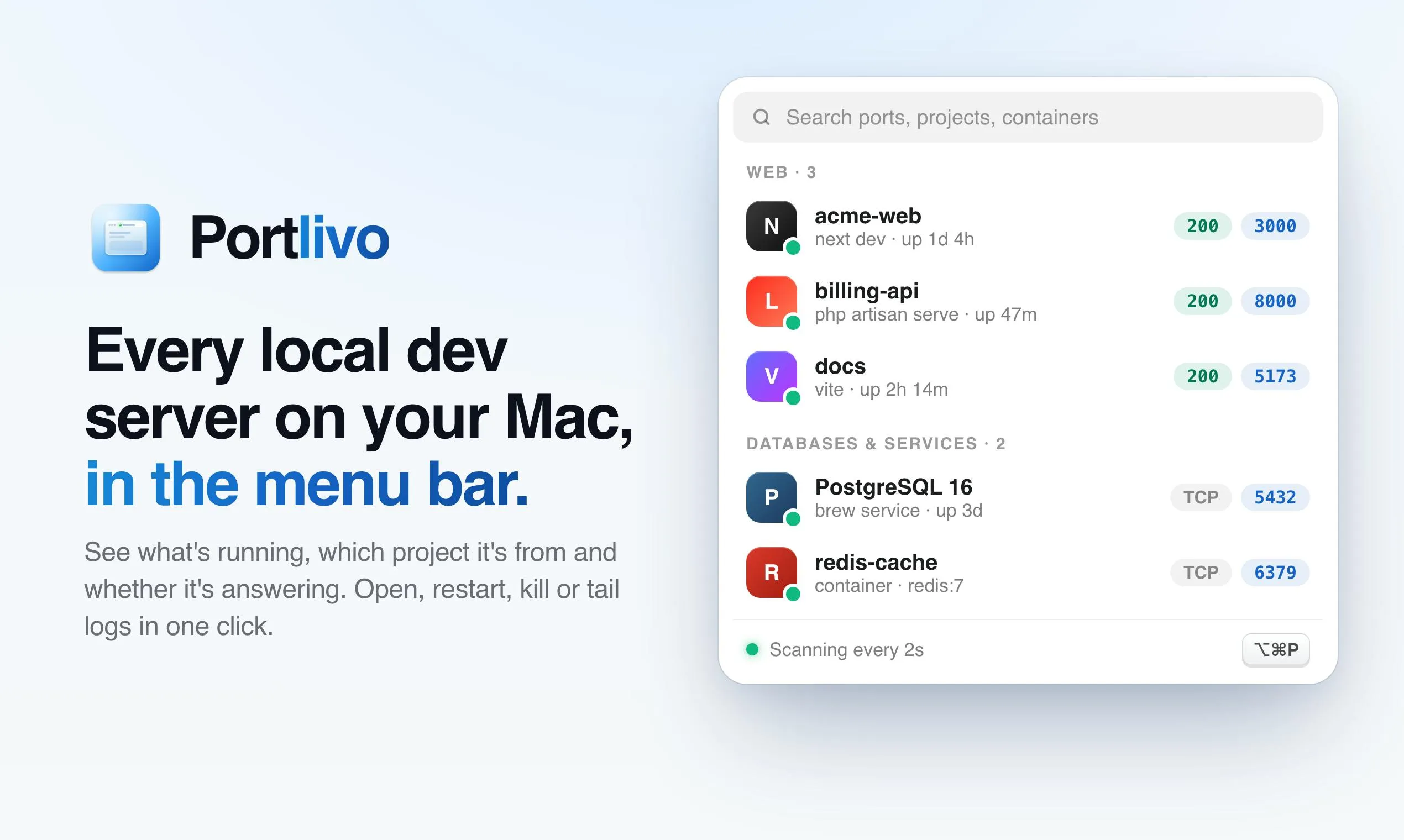
When developers run multiple projects locally, they often forget which port maps to which service, or they have to manually look up and kill processes. Portlivo aims to solve this pain point: it brings all local dev servers and ports on your Mac into the menu bar, letting you view, manage, and even share them with one click. The product recently received 71 upvotes on Product Hunt, ranking 18th, and positions itself as a native, account-free, one-time-purchase productivity tool.
Common Frustrations with Local Dev Servers
In modern development workflows, a developer may run frontend, backend, database, message queue, and other services simultaneously, each occupying a different port. Over time, the mapping between ports and projects gets confusing, and troubleshooting requires repeatedly running lsof -i or digging through terminal history. Portlivo's starting point is to visualize this information and reduce context switching.
lsof -i is a commonly used command-line tool on macOS and Linux systems, short for "list open files" — with the -i flag added, it lists all network-related open files in the system, including TCP/UDP connections and listening ports. Running the command outputs the process name, PID, user, file descriptor, and network address, which developers use to locate which process is occupying a given port. However, lsof output is fairly raw, requiring manual filtering and interpretation, and each query requires returning to the terminal — exactly the repetitive labor that graphical tools like Portlivo aim to replace.
Core Features: From Viewing to Action
According to its Product Hunt page, Portlivo displays each dev server's project origin, startup command, uptime, and whether it's responding. This is more meaningful than simply listing port numbers — knowing which project it is and what command started it helps developers pinpoint issues quickly.
On the action side, it supports one-click open, restart, and kill process, plus viewing logs or sharing server info. These actions previously required typing different commands in the terminal; now they're centralized in the menu bar, theoretically improving daily efficiency.
Product Characteristics and Positioning
Portlivo emphasizes a native experience, requires no account registration, and uses a one-time purchase pricing model. This contrasts with many subscription-based developer tools and appeals to users who prefer lightweight, localized tools. However, public information is currently limited — details such as supported OS versions and whether it's compatible with all types of server processes remain unclear.
A menu bar app is a common lightweight tool form on macOS, residing in the top status bar; clicking the icon expands a functional panel without occupying the Dock or requiring window switching. Compared to full desktop apps, menu bar apps launch quickly and are less intrusive, making them suitable for monitoring and quick-action scenarios. Tools of similar form include the built-in Wi-Fi and volume controls, as well as clipboard managers and window managers commonly used by developers. Portlivo's choice of the menu bar as its entry point aligns with its "check anytime, act on the fly" positioning, but it also means the interface is relatively compact, and complex operations may be constrained by space.
"One-time purchase" means users pay a one-time fee for perpetual software usage rights, rather than a monthly or annual subscription. For developer tools, this model has dual implications: on one hand, it lowers users' long-term costs and psychological burden, especially suitable for local tools with relatively stable features that don't require continuous cloud services; on the other hand, developers lack a continuous revenue stream and must rely on new user purchases to sustain updates, so iteration momentum may be weaker than with subscriptions. By emphasizing account-free access and one-time purchase, Portlivo is effectively highlighting privacy and autonomy selling points — "data stays local, no service lock-in."
Who It's For
Full-stack developers who frequently run multiple services locally, frontend engineers who need to switch and debug quickly, and users who want to reduce terminal command typing may find Portlivo useful. But if you're comfortable doing everything from the command line, or you work with very few projects, the marginal value of such a tool may be low.
A Brief Observation
Portlivo addresses a real, if small, pain point, but similar needs also have open-source solutions (such as scripts or existing process management tools). Its advantage lies in native integration and menu bar convenience; whether it can continue to attract users depends on future support for more development scenarios and attention to detail. The product has just launched, so interested developers should keep an eye on its updates.
One-line Summary
Portlivo brings Mac local dev servers and ports into the menu bar for one-click viewing and management.
Paragraph Summary
Portlivo is a menu bar productivity tool for Mac developers, designed to solve the confusion of mapping ports to projects when running multiple services locally. It displays each dev server's project origin, startup command, uptime, and response status, and supports one-click open, restart, kill process, log viewing, and server info sharing — reducing the context switching of repeatedly running commands like lsof in the terminal. The product emphasizes a native experience, no account required, and a one-time purchase model, and recently received 71 upvotes on Product Hunt. It suits full-stack or frontend developers who regularly run multiple local services, but offers limited marginal value for heavy command-line users and those with few projects; its future depends on support for more development scenarios.
Related articles

Mistral Large 4 Open-Sources a Trillion Parameters, Microsoft Offers Voluntary Severance to 60,000 Employees
Mistral Large 4 open-sources a trillion-parameter multimodal model with a coding agent score of 48; SanDisk earnings show AI inference reshaping NAND demand; Google Gemini adds in-app file editing, OpenAI raises Codex quotas, and Microsoft offers voluntary severance to 60,000 employees.
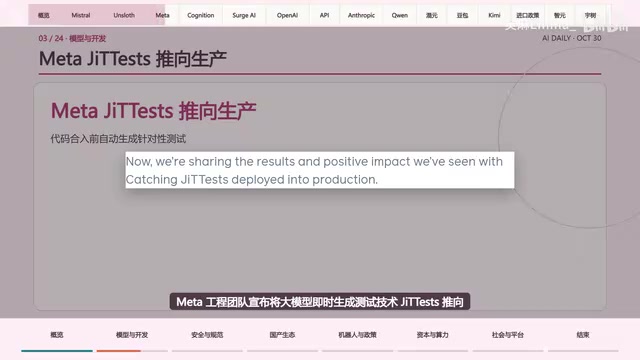
Mistral Large 4 Opens Its Weights: AI Morning Brief Roundup of Models and Ecosystem Trends
Mistral Large 4 opens its weights, a 1-trillion-parameter MoE architecture that can run locally on MacStudio; Meta's test-generation technology enters production; top tax benchmark pass rate only 10.8%; Canadian government takes a stake in Cohere; Doubao Work opens third-party model calls. This AI Morning Brief rounds up model, ecosystem, capital, and policy developments.
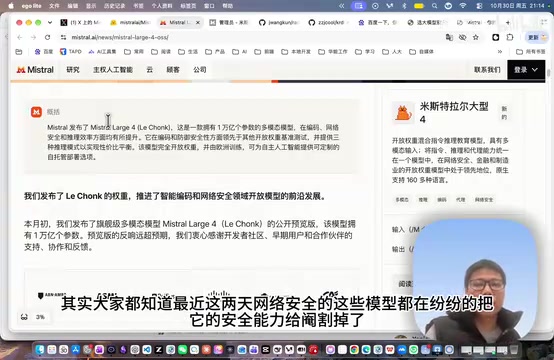
Mistral Large 4 Goes Open Source: A 1T-Parameter European Qwen Challenging DeepSeek
Mistral Large 4 is now open source: 1T total parameters, 52B activated, focused on coding and cybersecurity, with ~610G NVFP4 weights. We analyze its comparison with DeepSeek V4 Flash, API pricing, demo realism, and local deployment value.