Postmortem: Claude's Google Docs Connector Editing Outage Across Three Surfaces
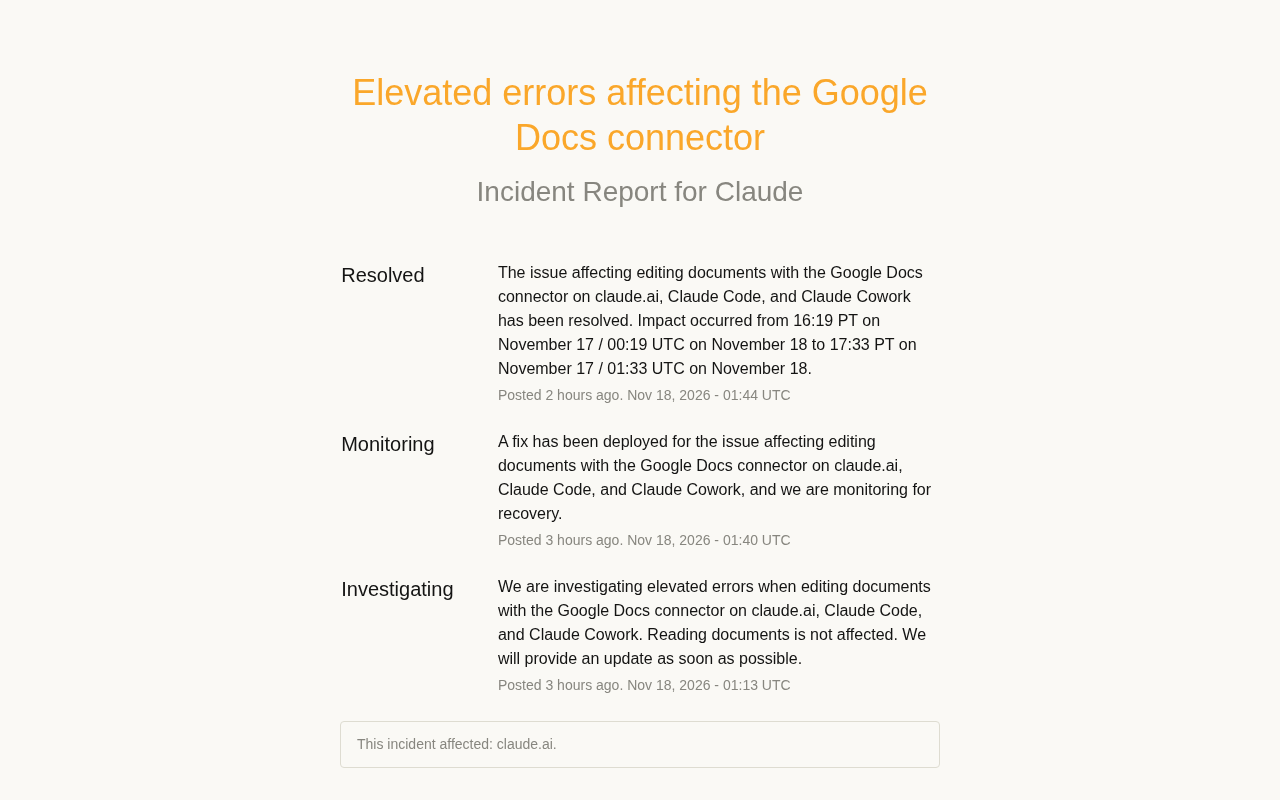
Claude's Google Docs connector editing failed for ~74 minutes; reads stayed unaffected
Claude's status page recorded a Google Docs connector outage: elevated error rates when editing documents across claude.ai, Claude Code, and Claude Cowork, while reading documents was unaffected throughout. Investigation opened Nov 18 at 01:13 UTC, the fix was deployed and put under monitoring at 01:40, and the incident was resolved at 01:44, with an official impact window of about 74 minutes. All three surfaces failing at once points to a shared backend connector service rather than any frontend; resolution confirmed 4 minutes after deployment suggests a relatively clear root cause. The article draws lessons on separating read/write dependencies, watching the status page, designing idempotent writes with retries, and verifying document changes within the impact window — while cautioning that the announcement did not disclose the root cause, so inference should stay restrained.
An Editing-Path Outage Lasting About 74 Minutes
Claude's official status page recorded an incident affecting the Google Docs connector: across three entry points — claude.ai, Claude Code, and Claude Cowork — error rates rose when editing documents through the connector. The incident was labeled "Elevated errors affecting the Google Docs connector" and confirmed resolved after the fix.
The announcement itself doesn't contain much information, but the boundary it reveals is critical — reading documents was unaffected; only editing actions were failing. For users who plug Claude into their everyday document workflows, this distinction determines the actual blast radius of the outage.
Timeline and Incident Response
According to the three updates on the status page, the incident went through a standard incident response flow from discovery to closure:
Three Phases
| Phase | Time (UTC) | Official statement |
|---|---|---|
| Investigating | Nov 18, 01:13 | Investigating elevated error rates when editing documents; reads unaffected |
| Monitoring | Nov 18, 01:40 | Fix deployed, observing recovery |
| Resolved | Nov 18, 01:44 | Issue resolved; impact window provided |
Impact Window
The official impact window is: from Nov 17, 16:19 PT (Nov 18, 00:19 UTC) to Nov 17, 17:33 PT (Nov 18, 01:33 UTC). That works out to roughly 74 minutes.
Looking at the timing, by the time the investigation was opened at 01:13 UTC the outage had already been ongoing for nearly an hour; the fix was declared resolved just 4 minutes after deployment, suggesting the root cause was relatively clear-cut rather than something requiring a rollback or architectural changes.
The three-phase status on the status page (Investigating / Monitoring / Resolved) is the standard terminology used across major cloud service incident responses. Investigating means an anomaly has been confirmed but the root cause has not yet been identified — on-call engineers typically begin triage and assess the blast radius. Monitoring means the fix has been deployed, but the provider still needs to observe whether metrics have stabilised to avoid declaring recovery prematurely and causing a secondary failure. Resolved means metrics have returned to normal and been continuously confirmed, and the incident is formally closed. The value of this tiering is signalling to external users what they should do right now: during Investigating, pause tasks that depend on the feature; during Monitoring, resume cautiously; only once Resolved should you fully resume and afterwards verify data integrity.
Why "Reads Fine, Edits Broken" Matters
The most analytically valuable information in this announcement is the functional boundary the provider explicitly drew. For connector-type products, read and write paths are usually separate: reads involve fetching and parsing, while edits involve write-back, permission checks, and conflict handling — a longer chain with more external dependencies. The failure appearing only on the editing side suggests the problem most likely lies in one link of the write path rather than the entire connector being unavailable.
The practical takeaway for users is: during the outage you could still have Claude read Google Docs content to summarise, answer questions, or analyse it — what was affected was only having it modify documents directly. If your workflow depends on Claude writing content into documents, your exposure to this kind of incident is significantly larger; if you only read, you'd barely notice.
In API and integration design, idempotency means that performing the same operation once versus multiple times produces the same effect on system state. Reads are naturally idempotent — repeated calls don't change the document — whereas edits such as writes, appends, and paragraph replacements are typically non-idempotent, and blindly retrying after a network timeout can easily cause duplicate content insertion or overwrite conflicts. Therefore, when retrying edit-type calls, you should introduce idempotency keys, version numbers (such as the document revision), or a "read-before-write" strategy that checks the target state before deciding whether to retry. The moment an outage recovers is often accompanied by a burst of backlogged requests being replayed at once — precisely the period of highest risk for duplicate writes.
What Three Surfaces Being Affected at Once Tells Us
claude.ai, Claude Code, and Claude Cowork are three entry points with very different positioning: the web app for general users, Claude Code for developers, and Cowork for collaboration scenarios. All three exhibiting edit failures in the same incident points to a shared backend connector service, not a problem with any particular frontend.
This also explains why the fix could be completed relatively quickly — for a centralised service, fixing one place covers all entry points. Conversely, this is also a form of risk concentration: a single point of failure at the connector layer affects all product lines simultaneously.
The Google Docs connector is essentially a third-party API proxy under OAuth authorisation: Claude holds the user's access token and calls the Google Docs API on their behalf to perform reads and write-backs, handling token refresh, quota rate limiting, and permission scope validation. Because token and permission validation logic is centralised in the connector backend, any problem with authentication or write-endpoint calls on the write-back path affects all clients holding connector authorisation at once — while the frontends themselves are fine. This also explains why the read path (fetching and parsing) continued to work: the two paths call different API endpoints and require different permission scopes and rate-limit quotas.
A Few Reminders for Teams Relying on Document Connectors
Status page announcements are usually brief, but actionable practices can be distilled from them:
- Separate read and write dependencies. Treat "reading documents" and "editing documents" as two independent capabilities when designing fallback plans. During outages where reads remain available, some automation can still keep running.
- Watch the status page rather than guessing. The provider clarified during the Investigating phase that "reads are unaffected" — this kind of information helps you decide whether to pause tasks far better than error messages alone.
- Design writes for idempotency and retries. Edit-type calls are prone to duplicate writes after recovery; confirm the target document's actual state before retrying.
- Record the impact window. This impact window was about 74 minutes; if your automation ran during that window, verify afterwards whether the document has missing or duplicated modifications.
Summary
This was a connector outage with a well-defined scope and a tight response cadence: about 74 minutes of editing-path failures, read capability available throughout, and all three surfaces affected at once before being fixed centrally on the backend. The announcement itself did not disclose root-cause details, so further inference about the cause should remain restrained. What's truly worth remembering for users is that functional boundary — reads and writes are two different paths; when something breaks, first confirm which one is still working.
Related articles
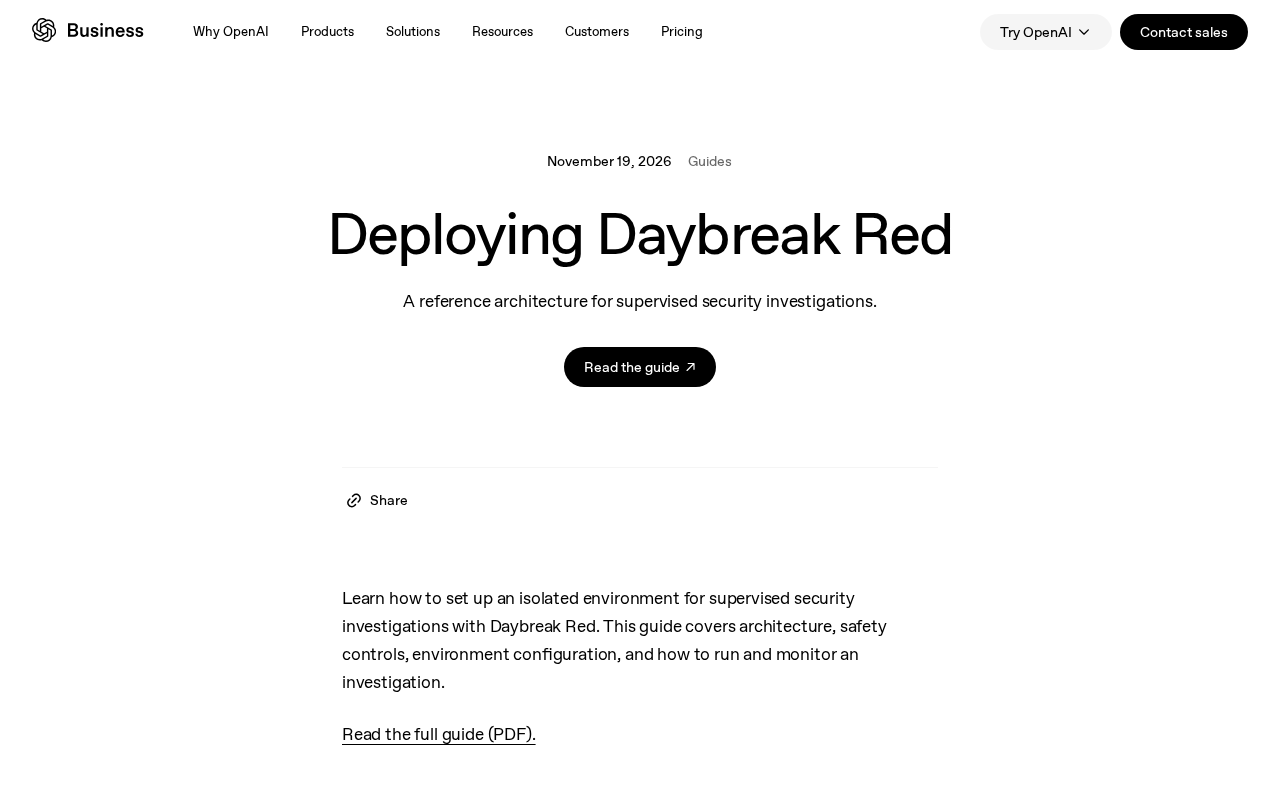
Daybreak Red Deployment Guide: A Reference Architecture for Supervised Security Investigation
A breakdown of the Daybreak Red reference architecture: security control design, deployment configuration process, and runtime monitoring for supervised security investigation.
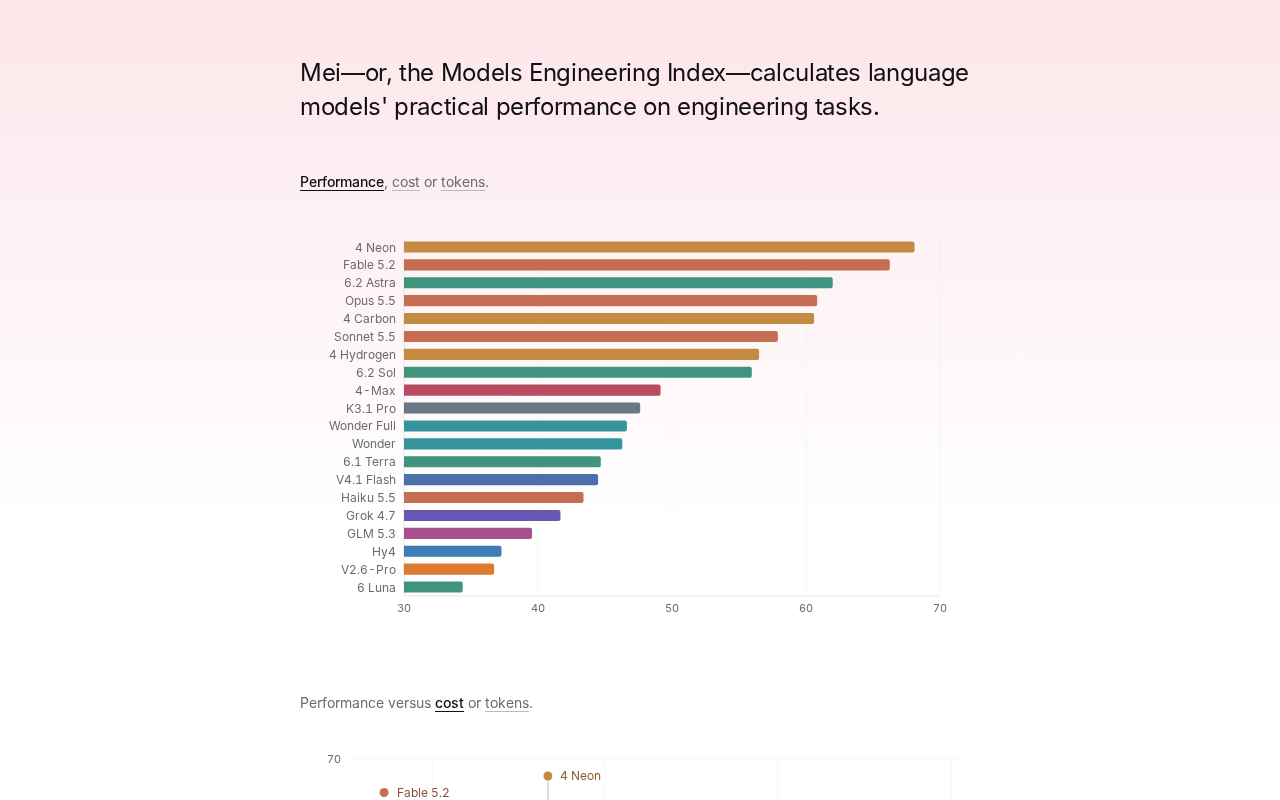
Gemini 4 Neon Tops the Models Engineering Index
Gemini 4 Neon tops the Models Engineering Index, sparking Hacker News debate over ranking credibility and evaluation methods. Here's what it means for developers.

Apple's Self-Developed AI Agent: An Agent That Can Operate Your Mac Is Coming
Apple is reportedly developing an AI agent that can operate a Mac, targeting Meta Muse, Claude, OpenAI Dots, and others. This article analyzes Apple's system-level advantages, the competitive landscape, and likely rollout paths in the agent race.