Prequel Review: Cinema-Quality Screen Recorder for Mac with Auto-Zoom and 4K Export
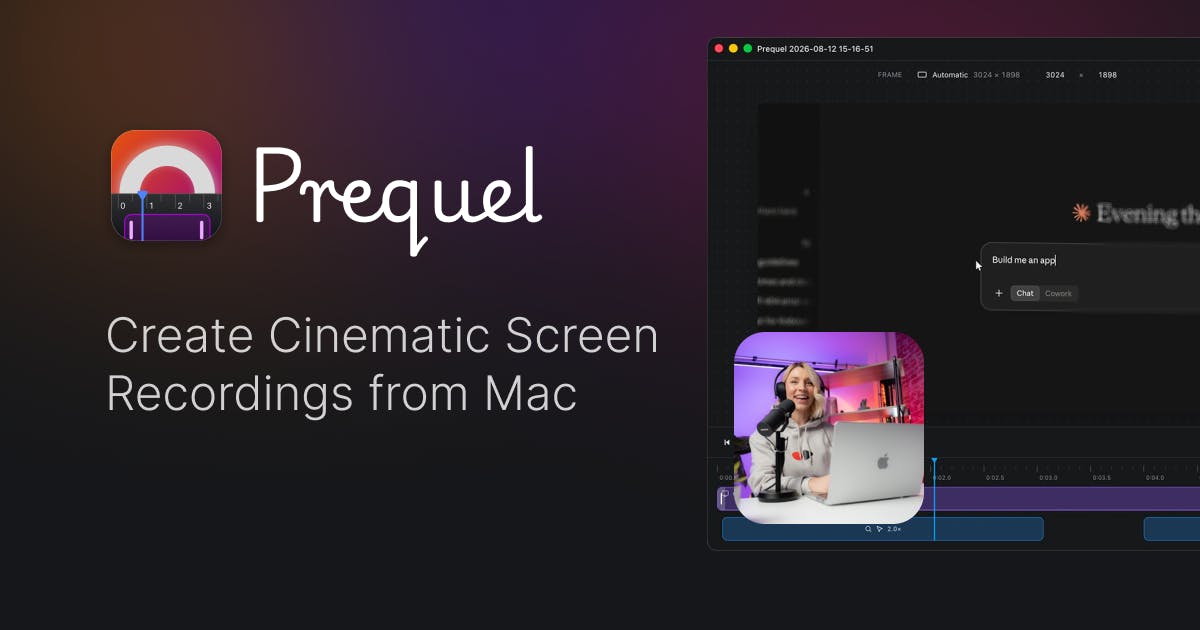
Cinema-quality Mac screen recorder with AI-powered auto-zoom and 4K export—record and deliver instantly
Prequel is a new macOS screen recording tool that transforms raw footage into polished videos automatically. Its standout features include intelligent auto-zoom that follows your actions, framed camera effects, custom backgrounds, and 4K export powered by Apple Silicon's media engine. Targeting professional creators who produce frequent demos and tutorials, it aims to eliminate post-editing by delivering finished content directly after recording.
The Pain Points of Screen Recording and Prequel's Solution
For content creators, product managers, and developers, screen recording has become a daily necessity—whether creating product demos, recording tutorials, or sharing technical workflows. But traditional screen recording tools only complete half the job: they faithfully capture everything on screen, then hand you a bland, unfocused raw video. All the subsequent zoom effects, visual enhancements, and background additions have to be painstakingly polished frame by frame in editing software.
The Evolution of Screen Recording Technology Screen recording technology dates back to Lotus ScreenCam in the 1990s, primarily used for corporate training. Early tools like Camtasia (2002) and SnagIt used frame buffer capture technology, directly reading video memory data to generate video streams. While this approach could fully record the screen, it produced unprocessed raw footage requiring all visual optimization in post-production. In the 2010s, with the rise of HTML5 and WebRTC, screen recording became built into browsers (like Chrome's MediaRecorder API). However, these tools remained at the "recording" level. It wasn't until after 2020, with advances in AI-assisted editing and hardware encoding/decoding capabilities, that a new generation of tools like Screen Studio began merging "recording" and "production" into one. Prequel represents this generation of tools.
Recently launched on Product Hunt, Prequel directly targets this pain point. Its positioning is crystal clear: a macOS screen recording tool that delivers "finished videos" directly. The official tagline is "Create cinematic screen recordings on your Mac."
The Market Significance of Product Hunt Validation Product Hunt is the world's largest new product discovery community, founded in 2013 and dubbed the "testing ground" for tech products. On this platform, hundreds of new products launch daily, with rankings determined by user upvotes. This product received 108 votes on launch day, ranking 5th—a solid achievement for an indie developer product. Product Hunt's value lies not just in exposure but in attracting early adopters who are willing to try new tools and provide high-quality feedback. This performance reflects genuine market demand for intelligent screen recording tools.
Prequel's Core Features: One-Stop Experience from Recording to Final Cut
Intelligent Auto-Zoom That Follows Your Actions
Prequel's most distinctive feature is its Auto Zoom functionality. In traditional screen recordings, viewers often can't see the details of what you're doing, and manually adding zoom animations is extremely tedious. Prequel's zoom follows your actions, automatically magnifying the areas you're interacting with.
Technical Implementation of Auto-Zoom Prequel's auto-zoom involves multiple technologies: first, cursor tracking and interaction detection—the system must capture mouse position, click events, keyboard input, and other operation signals in real-time. Second, UI element recognition, using macOS's Accessibility API to obtain positions and hierarchies of interface elements like windows, buttons, and input fields. Building on this, algorithms must determine "zoom timing" and "zoom range": triggering zoom when detecting user focus on a small area (like clicking a button) while calculating appropriate magnification and transition animations. This resembles keyframe animation in video editing but must be generated in real-time rather than manually set. The technical challenge lies in balancing sensitivity—responding promptly to important operations while avoiding screen jitter from excessive zooming.
This means that after recording, your video already contains the cinematic language that only professional editors could create—highlighting key points with natural visual guidance, allowing viewers to clearly see critical operation steps. This feature is especially useful for creating software tutorials and product demo videos.
Framed Camera and Background Enhancement
Beyond dynamic zooming, Prequel includes Framed Camera and custom background features. Screen recording content is placed over carefully designed backgrounds with appropriate frame treatments, instantly elevating the overall visual quality and giving plain screen content a "cinematic" presentation.
These effects previously required professional tools like Screen Studio or manual setup in Final Cut Pro or Premiere Pro, but Prequel integrates them into the recording workflow.
4K Resolution Export with Local Hardware Acceleration
Prequel supports export up to 4K resolution and directly invokes the Mac's Media Engine for rendering.
Technical Advantages of Apple Silicon's Media Engine Apple Silicon chips (M1 and later) have a built-in dedicated media engine—a set of hardware acceleration units separate from CPU and GPU, specifically handling video encoding/decoding tasks. It supports hardware acceleration for multiple encoding formats including H.264, HEVC (H.265), and ProRes. Compared to traditional CPU software encoding, the media engine offers: 1) lower power consumption—only 1/10th the power for the same task; 2) faster speed—4K video encoding at multiple times real-time; 3) freed CPU resources, allowing the main processor to focus on other tasks.
Prequel leverages this hardware capability, meaning even a MacBook Air can smoothly complete real-time 4K video rendering. This technical approach fully utilizes the dedicated video encoding/decoding hardware on Apple Silicon chips, ensuring output quality while efficiently completing local rendering without cloud uploads, balancing export speed with data privacy.
Product Positioning and Competitive Landscape Analysis
Prequel enters a rapidly heating market segment. Tools like Screen Studio have risen prominently in recent years, proving that creators are willing to pay to "skip post-editing." These products share a common philosophy: automate tedious manual editing work, letting creators focus on content itself.
Evolution of Screen Recording Tool Business Models Screen recording tools' business models have evolved through three stages: 1.0 era was traditional software like Camtasia with one-time purchases at $200-300; 2.0 era was cloud tools like Loom with subscription models, charging $10-15/month via SaaS; 3.0 era is "premium tools" like Screen Studio with higher annual subscriptions ($89/year), targeting professional creators. Prequel belongs to the 3.0 era, with target users not being ordinary office workers (who have free QuickTime) but professionals producing high-quality videos frequently. These users are characterized by: willingness to pay for efficiency, quality requirements, and screen recording as a core workflow component.
Prequel was created by independent developer Musthaq Ahamad and appears in multiple Product Hunt categories including Social Media, Marketing, GitHub, and Photo & Video. These cross-category tags reflect its broad target audience:
- Social media managers: Rapidly producing high-quality product showcase videos
- Marketing professionals: Creating professional product demos and promotional materials
- Developers: Recording demo GIFs or technical tutorial videos for GitHub projects
- Educators: Creating clear, attractive software operation tutorials
For the developer community especially, these tools hold particular value. Creating a GitHub project demo video or recording a technical tutorial often requires significant post-editing time beyond recording—Prequel attempts to compress this process to "record and use."
Key Considerations Before Using Prequel
Despite its clear product concept, as a newly launched tool, several aspects warrant attention:
The intelligence level of auto-zoom is key to determining final video quality. Whether it can accurately judge user intent and zoom to appropriate areas at the right moments directly affects the viewing experience. If zooming is too frequent or poorly timed, it can actually make viewers dizzy.
macOS-only support is a clear limitation. While this enables Prequel to deeply leverage Apple's media engine, it means Windows users currently cannot use it. Teams requiring cross-platform collaboration need to consider this upfront.
Additionally, with mature competitors like Screen Studio having established brand recognition, Prequel needs to find its foothold through feature differentiation or pricing strategy. Current market attention indicates it has generated interest, but converting this into long-term users depends on refinement of practical usage details.
Conclusion: Screen Recording's Evolution from Documentation Tool to Creation Tool
Prequel represents a clear evolution direction for screen recording tools: upgrading from "documentation tool" to "creation tool." It no longer settles for faithfully capturing screen content but proactively takes on post-production responsibilities, integrating auto-zoom, background enhancement, 4K export, and other previously scattered processes into a single recording workflow.
For content creators, marketing professionals, and developers producing demo videos daily, this "record and deliver" user experience can indeed save substantial post-editing time. Whether Prequel can establish itself in the competitive Mac screen recording tool landscape remains to be verified by actual user feedback.
Key Takeaways
- Prequel is a macOS screen recording tool achieving "record and deliver" through auto-zoom, framed camera, and other features
- Core technologies include intelligent zoom based on UI element recognition and Apple Silicon media engine hardware acceleration
- Received 108 votes ranking 5th on Product Hunt, validating professional creators' demand for automated post-processing
- Belongs to the 3.0 era of screen recording tools, targeting professionals frequently producing video content
- Key considerations include auto-zoom intelligence, macOS exclusivity, and competitive differentiation from mature rivals
Related articles

GitHub Daily · November 04: Agent Ecosystem Explodes, Skill Packs and Memory Layers Become the New Battleground
GitHub Daily Nov 04: AI agent infrastructure dominates Trending as competition shifts from model capability to engineering reliability, with skill packs and memory layers emerging as the new battleground.

My precious RAM: RAM Stick Bitten Off Motherboard Sparks Discussion
Reddit's "My precious RAM" post documents a RAM stick bitten off a motherboard. We reconstruct the incident, analyze why it went viral, and share hardware installation tips.
Diving into PostgreSQL Internals: A Free, Open-Source Guide to Database Principles
*The Internals of PostgreSQL* is a free online book covering process architecture, storage layout, query processing, MVCC concurrency control, and WAL logging—ideal for DBAs and backend engineers who want to understand database internals.