Pushing Home Media Servers to the Limit: 21 Concurrent Plex Streams and a Custom Monitoring Dashboard

A deep dive into running 21 concurrent Plex streams and building a custom React monitoring dashboard.
A Reddit user's home media server project showcases 21 concurrent Plex streams, a custom React-based monitoring dashboard called Manifold (combining netdata and MQTT), and a clean separation between main and media management servers using the *arr ecosystem — illustrating the endless optimization journey at the heart of self-hosting.
A Project That Never Truly Finishes
In the self-hosting community, there's an unspoken truth: a home server project is never really "done." Self-hosting refers to individuals or small organizations running internet services on their own hardware — services that would otherwise be provided by cloud vendors — covering everything from media streaming and file sync to password management and home automation. The r/selfhosted subreddit on Reddit has over 350,000 subscribers, making it the most active hub in the space. The core drivers behind the self-hosting movement include a strong emphasis on data privacy, the desire to avoid subscription-based software costs, and the pure joy of tinkering. In recent years, falling prices for low-power single-board computers and secondhand enterprise servers have dramatically lowered the barrier to entry, drawing in a growing wave of enthusiasts.
When a Reddit user shared their home media server architecture under the title "The Project That Never Stops," it immediately sparked a lively community discussion. This wasn't just hardware flexing — it reflected the relentless pursuit of performance, concurrency, and customization that defines the self-hosting mindset.
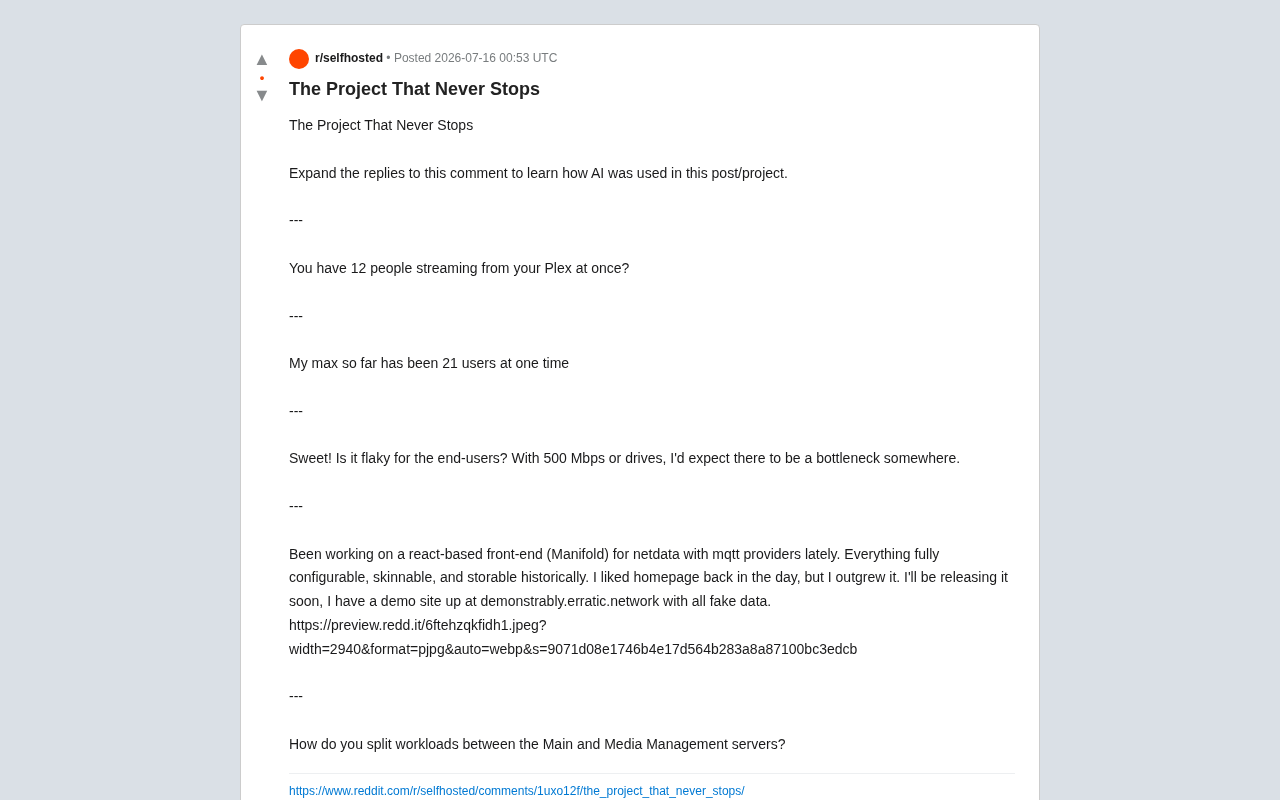
What made the post particularly noteworthy was its transparency — the author explicitly noted AI's involvement in the project and encouraged readers to check the comments to learn how AI contributed to the build and optimization process. This kind of openness about AI tool usage is gradually becoming a new norm in technical communities.
Plex Concurrency Limits: 21 Users Streaming Simultaneously
One of the central topics of discussion was the Plex media server's ability to handle concurrent streams. When someone asked in surprise, "You have 12 people watching Plex streams at the same time?", the author's reply was even more impressive:
"My current record is 21 users online simultaneously."
For a home-grade server, 21 concurrent streams is a remarkable figure. To understand the technical challenges involved, it helps to know how Plex fundamentally works: when a client device can natively decode the video file format, Plex uses Direct Play mode, consuming almost no additional server resources. But when the format is incompatible — for example, when a client doesn't support HEVC/H.265 or Dolby Vision — the server must re-encode the video in real time, a process known as transcoding. Software transcoding is entirely CPU-bound, consuming roughly 2,000–4,000 PassMark points per 1080p stream. Hardware transcoding, by contrast, leverages dedicated engines like Intel Quick Sync or NVIDIA NVENC to handle dozens of streams simultaneously with minimal CPU overhead. Worth noting: Plex Pass (a paid subscription) is required to unlock hardware transcoding, making it an essential investment for anyone running high-concurrency setups. All of this means the server must simultaneously handle multiple video transcode jobs or direct streams, placing serious demands on CPU, GPU hardware decoding capabilities, and network bandwidth.
Analyzing the Bandwidth and Storage Bottlenecks
Experienced users were quick to point out potential pain points:
"Would it be laggy for end users? With 500 Mbps of bandwidth or disk performance, I'd expect something to become a bottleneck."
This is a sharp observation. In high-concurrency scenarios, bottlenecks typically concentrate at three levels:
- Upload bandwidth: With 500 Mbps upstream and 21 concurrent streams, each stream gets roughly 24 Mbps on average. If users are watching 4K content (which typically requires 25–40 Mbps), bandwidth will run out quickly.
- Disk I/O: The random read performance of spinning hard drives degrades significantly under high concurrency. Without SSD caching or a fast RAID array, storage easily becomes the weak link.
- Transcoding horsepower: When clients can't handle the source format natively, the server must transcode in real time — putting serious pressure on hardware like Intel QuickSync or a dedicated GPU.
Maintaining smooth playback within these constraints is the ongoing tuning challenge at the heart of advanced self-hosting.
Manifold: A Custom React-Based Monitoring Dashboard
Another highlight of the post was a React-based frontend project the author is actively developing: Manifold. It's designed as a highly customizable visualization dashboard for the netdata monitoring system, with support for MQTT data sources.
"I've been working on a React-based frontend for netdata (Manifold) with MQTT data source support. Everything is fully configurable, skinnable, and historically storable. I used to love homepage, but I outgrew it — my needs exceeded what it could handle."
Understanding Manifold's technical choices requires familiarity with the two core technologies it depends on. netdata is an open-source real-time performance monitoring tool known for near-zero configuration, extremely low resource overhead, and per-second metric granularity. It supports monitoring of CPU, memory, disk I/O, networking, and hundreds of application plugins. Compared to the traditional Prometheus + Grafana monitoring stack, it has a much lower learning curve — though it has some limitations when it comes to highly customized visualization layers. MQTT (Message Queuing Telemetry Transport) is a lightweight publish/subscribe messaging protocol originally designed for IoT devices. In home server environments, it's commonly used to funnel physical metrics — temperature sensors, power consumption meters, UPS status — alongside server performance data into a unified message bus (such as a Mosquitto broker). By combining both, Manifold can simultaneously cover server performance monitoring and smart home sensor data, realizing the vision of "one dashboard to rule them all."
Why Build Custom Instead of Using an Existing Tool?
The author mentioned "outgrowing" their existing homepage solution — a classic evolution path in the self-hosting community. Users start with open-source tools, and as their monitoring metrics, data sources, and display requirements grow in complexity, they eventually opt to build their own for complete control.
Manifold's three core design principles are worth highlighting:
- Fully Configurable: No locked-in layouts or data structures — users can assemble their dashboard however they need.
- Skinnable: Deep visual theme customization to satisfy personal aesthetic preferences.
- Historically Storable: Not just real-time display, but persistent historical trends for long-term performance analysis and retrospective review.
The author has already set up a demo site with synthetic data at demonstrably.erratic.network for the community to preview. This "build in public" development approach is a vivid expression of the open-source ethos.
Separating Responsibilities: Main Server vs. Media Management Server
Another commenter asked a critical architectural question:
"How do you divide the workload between your Main server and your Media Management server?"
This cuts to the heart of large-scale self-hosted architecture: separation of concerns. Splitting different types of workloads across dedicated servers is a common approach for improving system stability and maintainability:
- The main server typically handles core services, databases, reverse proxying, and user-facing applications.
- The media management server focuses exclusively on downloading, organizing, metadata fetching, and transcoding for the media library. The core toolchain here is the *arr ecosystem: Sonarr handles automatic TV show search and download; Radarr does the same for movies; Prowlarr serves as a centralized indexer manager that connects to various content sources; and Bazarr handles automatic subtitle fetching and matching. These tools communicate via standardized APIs, working alongside download clients like qBittorrent to form a fully automated pipeline — from "discover content" to "automatically imported and perfectly organized."
This division of labor not only eliminates single points of failure, it also ensures that high-I/O or CPU-intensive media processing tasks — like Sonarr frequently scanning the media library or Radarr triggering bulk downloads — don't impact the responsiveness of core services. This is the practical value of the "separation of concerns" principle in distributed architecture. When concurrent users hit 21, architectural decoupling becomes especially critical.
The Joy of Self-Hosting: The Exploration Never Ends
The title "The Project That Never Stops" perfectly captures the essence of self-hosting. From chasing higher Plex concurrency limits, to building Manifold — a custom monitoring dashboard fusing netdata and MQTT — to fine-grained server load distribution using the *arr ecosystem, every aspect is a journey of continuous optimization with no finish line.
For this community, the value of a project doesn't lie in "completion" — it lies in "exploration." It's about constantly searching for the optimal balance between performance and experience, within the constraints of hardware, software, and networking. AI tools are becoming an increasingly important enabler of that exploration. Whether you're a newcomer just getting started or a seasoned operator already running 21 concurrent streams, the tinkering itself is the greatest appeal self-hosting has to offer.
Key Takeaways
Related articles
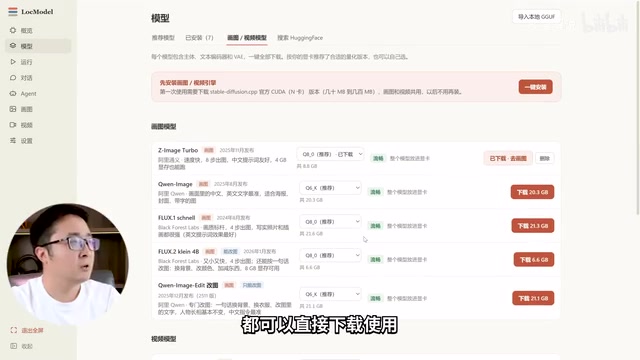
LocModel: The Local AI Deployment Powerhouse — Run Open-Source Models and AI Generation with One Click
LocModel is a local AI deployment tool that auto-adapts to hardware, downloads open-source models with one click, and supports image/video generation, uncensored LLMs, and Agents — completely free.

Antigravity CLI: Free Access to Top Gemini and Claude Models in the Terminal
Antigravity CLI (agy) claims to offer free access to top models like Gemini 3.1 Flash and Claude Sonnet in the VS Code terminal, with installation in seconds. This article breaks down its workflow, the value of in-terminal model calls, and the security and sustainability questions behind the free claim.
Chatbots vs. AI Agents: Key Differences and How to Choose
Chatbot vs. AI agent: how do they differ? We break down the three dimensions—tools, memory, workflow—compare four real scenarios, and offer risk-control advice and selection criteria.