Python 3.15 Sampling Profiler in Practice: Flame Graphs and Source Heatmaps

Python 3.15's built-in sampling profiler powers AI-generated flame graphs and source heatmaps for a web-edit performance profile.
Python 3.15 introduces an official built-in sampling profiler that samples the call stack at a fixed frequency, with lower overhead than cProfile and better suited to long-running server programs. Simon Willison used it to fully profile his web-edit app, delegating the task to GPT-6 Astra Extra High in Codex: the AI researched the app and profiler usage, then ran profiling and produced an interactive flame graph plus a source heatmap. This shows the built-in profiler lowers the barrier to Python tuning, while AI tools are expanding from coding to performance research.
Python 3.15 introduces a brand-new sampling profiler, a feature that is changing how developers understand and optimize Python program performance. Well-known developer Simon Willison recently used it to run a full profiling pass on his web-edit application, and with the help of AI coding tools generated flame graphs and source heatmaps. This experiment not only validates the usefulness of the new profiler, but also demonstrates the potential of AI-assisted performance analysis.
What the Python 3.15 Sampling Profiler Brings
Traditional deterministic profilers like cProfile record every function call, which carries significant overhead and can easily distort the program's true performance behavior. Python 3.15's sampling profiler takes a different approach: it samples the call stack at a fixed frequency, obtaining a statistical distribution of function time consumption at lower overhead.
Simon Willison has documented this feature specifically in his research repository. Compared with per-call counting, the sampling approach is better suited to long-running server-style programs and pairs more naturally with visualization tools like flame graphs. Each layer of a flame graph represents one level of the call stack, and its horizontal width represents the proportion of samples that function took up, making performance bottlenecks immediately obvious.
The significance of this feature is that Python has long lacked an official built-in, low-overhead, easily visualized means of performance analysis, and developers have often relied on third-party tools such as py-spy. Version 3.15 brings sampling profiling into the standard library, lowering the barrier to performance tuning.
The core difference between sampling profilers and deterministic profilers lies in how invasive they are to program execution. Deterministic profilers (such as cProfile) intercept every function call and return via hooks, precisely recording call counts and cumulative time, so their results are accurate down to each individual call; but precisely because of this, they introduce significant runtime overhead, potentially slowing the program by several times in high-frequency call scenarios, and the overhead itself alters the program's execution characteristics, distorting the measurements—the so-called "observer effect." A sampling profiler, by contrast, does not modify the profiled program at all; instead, it interrupts the interpreter at a fixed time interval in the background (for example, every millisecond), grabs a snapshot of the current thread's call stack, and finally counts how often each function appears in the samples to estimate its share of time consumption. The advantage of this approach is low overhead and weak coupling with the profiled program, making it suitable for online services and long-running tasks; the cost is that it cannot give precise call counts, and short-lived functions may be missed, so a sufficiently long sampling window and appropriate sampling frequency are needed to obtain stable conclusions.
A Workflow for Generating Flame Graphs and Heatmaps with AI
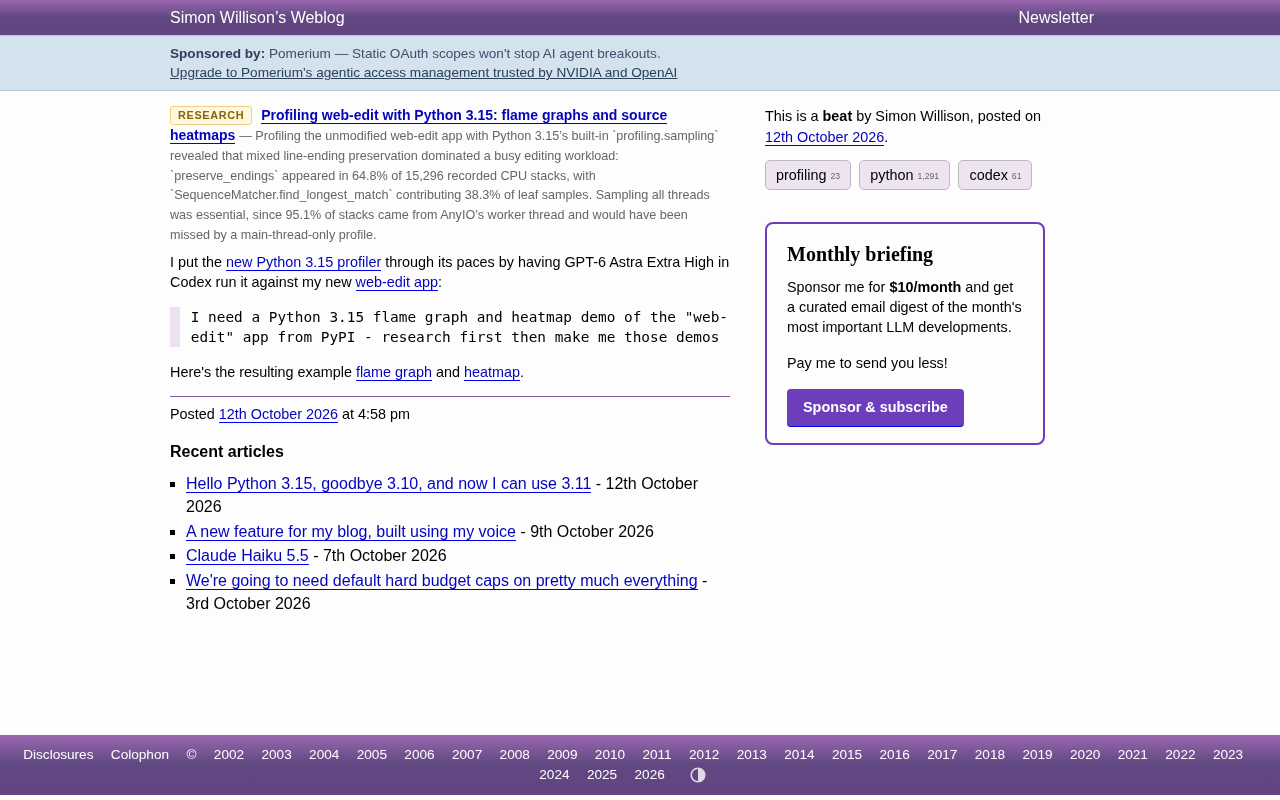
A key point of this experiment is that the entire analysis and visualization process was driven by an AI coding assistant. Simon gave the following instruction to GPT-6 Astra Extra High in Codex:
I need a Python 3.15 flame graph and heatmap demo, targeting the "web-edit" app on PyPI—first do the research, then build me these demos.
The AI assistant first researched the structure of the web-edit application and the usage of the Python 3.15 profiler, then ran the profiling, collected sample data, and produced two visualization artifacts: an interactive flame graph and a source heatmap.
What is noteworthy about this workflow is that performance analysis is a field that requires a certain amount of professional experience—how to choose sampling points, how to interpret the call stack, how to locate hot functions. The AI assistant was able to autonomously complete the entire chain from research to producing visualizations, showing that it already possesses the ability to combine a toolchain to solve real problems.
Flame graphs were proposed by Brendan Gregg in 2011, a technique that visualizes a large number of call stack samples after aggregating them. Its vertical axis is call stack depth, with each layer representing a stack frame, expanding layer by layer upward from the bottom main function to the called sub-functions; the horizontal axis is not a time axis but rather all samples sorted lexicographically by function name and merged, so the width of a given frame directly corresponds to its proportion of all samples—the wider it is, the more CPU time that function consumes. When reading a flame graph, attention should first be placed on "wide and flat" frames, which represent hot functions that recur across multiple call paths; then compare the widths of sibling frames horizontally to find the branch with the highest share of time. It is particularly important to note that the horizontal order of a flame graph does not represent execution order, and one cannot infer call order from it; in addition, it reflects CPU usage, and time blocked waiting on I/O is usually invisible, so it often needs to be combined with blocking analysis or asynchronous tracing results.
Interpreting Flame Graphs and Source Heatmaps
The flame graph is based on the call stack, expanded horizontally as a timeline, with the width of each frame reflecting the frequency with which that function appears in the samples. Wide and tall frames are usually optimization targets that deserve priority attention. For a web editing application like web-edit, the flame graph can clearly reveal the time proportions of request handling, text parsing, template rendering, and other stages.
The source heatmap goes a step further, mapping sampling results directly back to source code lines. Developers do not need to guess which line of code consumes the most time—the heatmap uses color intensity to indicate the sampling hits for each line. This "line-level" perspective is especially useful for locating bottlenecks inside loops, serialization overhead, or unexpected blocking calls.
The two artifacts Simon provided are both accessible online: the flame graph is presented as HTML and supports interactive exploration; the heatmap presents the heat distribution of source lines as a directory index. This combination of visualizations turns abstract sampling data into optimization clues that can be acted on directly.
The key difference between source heatmaps and flame graphs lies in the granularity of mapping and the perspective. Flame graphs stay at the "function" level, answering which function consumes the most time; source heatmaps aggregate each sampling record by its position in the source code, directly annotating the number of times each line of code was sampled with color intensity or numerical values, answering "which line of code consumes the most time." In implementation, what the sampler captures is usually a bytecode instruction position or line number, which needs to be mapped back to a specific source file line with the help of debug symbols and a source mapping table. Typical uses of heatmaps include: locating the most costly statements inside a loop body, discovering serialization or regular expression overhead that is repeatedly invoked, and identifying attribute lookups or hash computations hidden behind simple assignments. When using heatmaps, note that line number mappings may be inaccurate after a function is inlined or optimized, and that if a single line contains multiple expressions, sampling cannot further distinguish their relative overhead—when necessary, the code must be manually split to verify.
Practical Takeaways for Developers
This experiment conveys several signals. The built-in sampling profiler in Python 3.15 makes performance profiling no longer the exclusive domain of a few, and support at the standard library level means more tools and libraries can be built around it. At the same time, AI-assisted tools are expanding from "writing code" to "doing performance research"—AI can read documentation, run experiments, and produce visualizations, while developers focus on interpreting results and making decisions.
For Python developers who need to deal with performance issues in their daily work, a viable workflow is taking shape: use the 3.15 sampling profiler to collect data, generate flame graphs to locate macro-level bottlenecks, then use source heatmaps to precisely pinpoint code lines. This chain is lightweight enough to integrate into daily development, rather than scrambling only when a performance crisis appears.
As the tooling ecosystem around the Python 3.15 profiler gradually matures, we can expect more visualization solutions and automated analysis workflows to emerge.
One-line Summary
Python 3.15's built-in sampling profiler, with developers using AI to generate flame graphs and source heatmaps for a web-edit performance profile.
Paragraph Summary
Python 3.15 introduces an official built-in sampling profiler that samples the call stack at a fixed frequency, offering lower overhead than deterministic profilers like cProfile and making it better suited to long-running server-style programs. Well-known developer Simon Willison used it to run a full profiling pass on his self-developed web-edit application, delegating the entire process to GPT-6 Astra Extra High in Codex: the AI first researched the application structure and profiler usage, then ran the profiling and produced an interactive flame graph and source heatmap. The flame graph shows the macro-level distribution of call stack time consumption, with wide and tall frames marking optimization priorities; the heatmap maps sampling results to specific code lines, enabling line-level bottleneck localization. This experiment shows that the built-in sampling profiler lowers the barrier to Python performance tuning, while the capability boundary of AI tools is expanding from writing code to doing performance research and experiment automation.
Related articles

From Photons to Production: An Open-Source Computer Vision Engineering Reading Path
Reddit user open-sources a computer vision engineering reading path with 16 chapters from image formation to production deployment, emphasizing primary sources, dependency order, and reproducible benchmarks to help engineers understand why models fail and build reliable vision systems.

Prompt Failures? The Truth About Why AI Agents Struggle in Production—and How to Fix It
A Reddit developer built Agents with Copilot and Gemini but faced unstable behavior. This article analyzes three gaps in prompt engineering for Agent scenarios and offers three practical paths to reliable Agent deployment, including structured prompts, workflow-first approaches, and building an evaluation loop.

Tesla Robotaxi to Open Private Vehicle Access Next Year: Promise or Pipe Dream?
At its Q3 earnings call, Tesla said owners can add their cars to the Robotaxi fleet next year. We analyze the technical basis, Musk's missed deadlines, business logic, and competition.