Python time Module: Timestamps, Time Tuples, and Key Functions Explained

Learn Python's time module: timestamps, time tuples, and the three core functions explained.
This article provides a systematic introduction to Python's standard `time` module, covering the Unix Epoch, timestamp precision, and three key functions: `time.time()` for raw timestamps, `time.ctime()` for human-readable strings, and `time.gmtime()` for structured time tuples (struct_time). It also compares `time` with `datetime` to help beginners choose the right tool for their use case.
In enterprise Python development — whether you're working on data analysis, web development, or web scraping — handling time is an unavoidable foundational skill. This article provides a systematic overview of the core features in Python's standard time module, helping beginners understand key concepts like timestamps and time tuples, and laying a solid foundation for learning the datetime library.
Why Time Handling Is an Essential Python Skill
As a Python developer, you'll encounter year, month, day, hour, minute, and second operations in virtually every real-world project: logging requires timestamps, data analysis requires time series, and web scrapers need to control request intervals — all of these scenarios depend on working with time.
Python's standard library provides two primary time-handling modules: time and datetime. The time module offers basic functionality for retrieving system time and formatting output; datetime is more powerful and better suited to everyday use. This article focuses on the time module to build a foundation for deeper learning later.
It's worth knowing that the time module is a direct wrapper around the C standard library <time.h>. Its design leans toward low-level, system-oriented operations, making it well-suited for high-precision timing (e.g., performance measurement) or interacting with OS-level time interfaces. The datetime module, on the other hand, is Python's native object-oriented time library, providing classes like datetime, date, and timedelta that support arithmetic on dates, formatted parsing, timezone handling, and other advanced features — making it a more natural fit for expressing business logic. In practice, the two are often used together: time.time() for high-precision timestamps in performance measurement, and datetime for date calculations and format conversions in business logic.
Understanding Timestamps
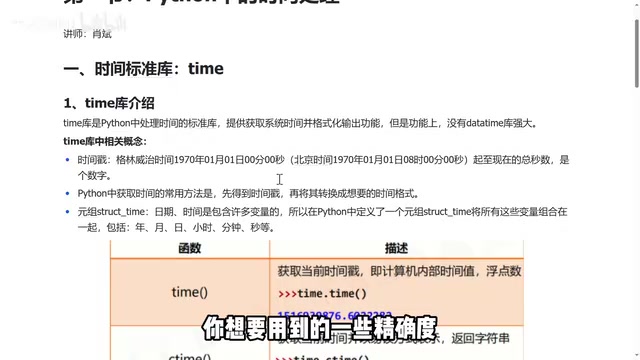
A timestamp is the first core concept you need to understand when working with the time module. A timestamp is essentially a floating-point number representing the total number of seconds elapsed since January 1, 1970, 00:00:00 UTC (Greenwich Mean Time).
The Unix Epoch: Why 1970?
Timestamps use January 1, 1970 as their starting point — a design rooted in the history of Unix. In 1969, Ken Thompson and Dennis Ritchie at Bell Labs were developing Unix and needed a simple, unified time reference. They settled on January 1, 1970, 00:00:00 UTC as the "Unix Epoch." This choice balanced the origins of computing history with the representable range of a 32-bit integer — early systems stored timestamps as 32-bit signed integers, which could represent dates up to January 19, 2038. This is the root cause of the well-known "Year 2038 Problem." Modern Python uses 64-bit floating-point numbers to store timestamps, completely eliminating overflow risk while also providing microsecond-level precision in the fractional part.
Timestamp Precision and Structure
The integer part of a timestamp represents the number of seconds elapsed, while the fractional part provides precision down to milliseconds and microseconds. The unit conversion is: 1000 milliseconds = 1 second, 1000 microseconds = 1 millisecond. This level of precision covers the needs of the vast majority of application scenarios.
Note that timestamps are based on UTC (Coordinated Universal Time), not local time. UTC is the international time standard for modern computer systems, maintained by atomic clocks with extremely high precision. It is often used interchangeably with Greenwich Mean Time (GMT) in everyday development. Since China is in the UTC+8 timezone, January 1, 1970, 00:00:00 UTC corresponds to 8:00 AM Beijing time on the same day.
Storing timestamps in UTC is a best practice in distributed systems design — when servers are spread across different time zones around the world, using local time for each would make data comparison and log sorting extremely chaotic. The correct approach is to always store timestamps in UTC and only convert to local time when displaying to users. In practice, timestamps are typically kept in international standard time without separate local timezone handling.
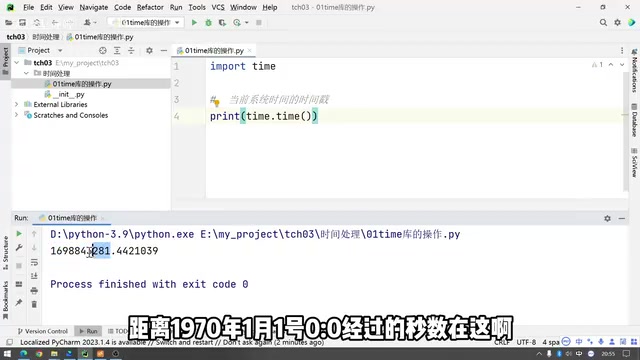
Here's how to get the current timestamp:
import time

# Get the current system time as a timestamp (float)
timestamp = time.time()
print(timestamp)  # e.g., 1698843281.4421039
time.time() takes no arguments and returns the timestamp corresponding to the current system time. While precise, this large number — often in the billions — is not very human-readable. Few people care about "how many seconds have passed since 1970."
Three Core Functions in the time Module
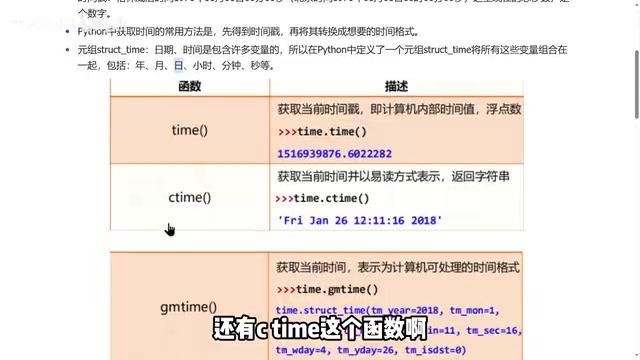
The time module provides several frequently used functions, each corresponding to a different way of expressing time.
ctime(): Generate a Human-Readable Time String
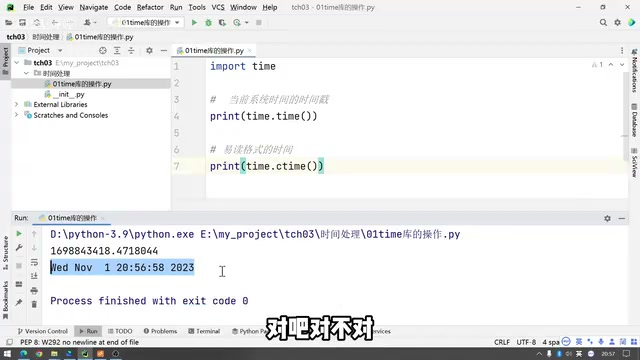
ctime() is designed for readability, converting a timestamp into a string in a format common in Western locales:
# No argument: returns the current system time as a string
print(time.ctime())  # e.g., Wed Nov 1 12:10:11 2023

# Pass a specific timestamp: returns the corresponding time string
print(time.ctime(1698843281.44))
ctime() accepts an optional timestamp argument: when provided, it returns the time string for that timestamp; when omitted, it defaults to the current system time. The output includes the day of the week, month, date, time (HH:MM:SS), and year — a common time format in Western countries. To convert to a Chinese date format, you would need to use the datetime library or a formatting function.
gmtime(): Generate a Time Tuple (struct_time)
The time tuple (struct_time, or structured time) is the third core concept in the time module. It packages multiple time components — year, month, day, hour, minute, second, and more — into a single structure for easy access.
struct_time is essentially a named tuple, a Python data structure that combines the efficiency of a tuple with the readability of a dictionary. It contains 9 fields, in order:
tm_year(year),tm_mon(month, 1–12),tm_mday(day, 1–31)tm_hour(hour, 0–23),tm_min(minute, 0–59),tm_sec(second, 0–61, where 60 and 61 are reserved for leap seconds)tm_wday(day of the week, 0 = Monday),tm_yday(day of the year, 1–366)tm_isdst(DST flag: 1 if Daylight Saving Time is in effect, 0 if not, -1 if unknown)
Daylight Saving Time (DST) is a practice in many Western countries where clocks are set forward by one hour during summer. China abolished DST in 1992, so developers working in China typically don't need to worry about the tm_isdst field.
# Convert a timestamp to a time tuple
st = time.gmtime(1698843281.44)
print(st)

# Access individual time components by attribute name
print(st.tm_year)   # Year, e.g., 2023
print(st.tm_mon)    # Month
print(st.tm_mday)   # Day
The most practical feature of a time tuple is the ability to directly extract individual time components by attribute name (e.g., tm_year, tm_mon, tm_mday), without any manual calculation — greatly simplifying time data processing.
It's also worth noting that the time module includes a localtime() function. The difference from gmtime() is that gmtime() returns UTC time, while localtime() returns the time in the local timezone. This distinction is critical in cross-timezone application development.
Comparing and Converting the Three Time Representations
Through this article, we've covered three ways to represent time in the time module and their corresponding functions:
| Representation | Function | Characteristics |
|---|---|---|
| Timestamp (float) | time.time() | Precise, but poor readability |
| Human-readable string | time.ctime() | Follows Western date conventions |
| Time tuple (struct_time) | time.gmtime() | Easy to extract individual time components |
The typical workflow with the time module is: "get a timestamp first, then convert to the desired format as needed." This approach can feel cumbersome and unintuitive — which is exactly why learning the datetime module is the natural next step. It provides a time-handling interface that aligns more closely with everyday thinking. For larger projects, third-party libraries like arrow and pendulum build on datetime to further simplify timezone handling and are common choices in engineering practice.
Summary
The time module is Python's foundational entry point for time handling, rooted in the historical traditions of Unix. Its core is the timestamp concept — a floating-point number anchored to the Unix Epoch of 1970 and based on UTC. Mastering the three time representations (timestamp, human-readable string, and time tuple / struct_time) and their conversions, along with the three core functions time.time(), time.ctime(), and time.gmtime(), will give you a solid foundation for learning the datetime module and handling real-world time requirements in your projects. Beginners are encouraged to run the code examples in this article to get a hands-on feel for the differences in output between each function.
Key Takeaways
Related articles

Mistral Large 4 Open-Sources a Trillion Parameters, Microsoft Offers Voluntary Severance to 60,000 Employees
Mistral Large 4 open-sources a trillion-parameter multimodal model with a coding agent score of 48; SanDisk earnings show AI inference reshaping NAND demand; Google Gemini adds in-app file editing, OpenAI raises Codex quotas, and Microsoft offers voluntary severance to 60,000 employees.
Mistral Large 4 Opens Its Weights: AI Morning Brief Roundup of Models and Ecosystem Trends
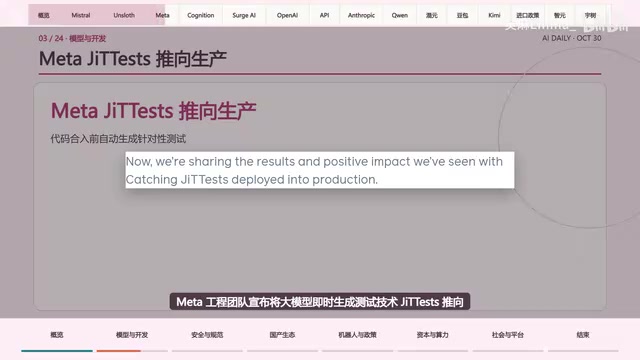
Mistral Large 4 opens its weights, a 1-trillion-parameter MoE architecture that can run locally on MacStudio; Meta's test-generation technology enters production; top tax benchmark pass rate only 10.8%; Canadian government takes a stake in Cohere; Doubao Work opens third-party model calls. This AI Morning Brief rounds up model, ecosystem, capital, and policy developments.
Mistral Large 4 Goes Open Source: A 1T-Parameter European Qwen Challenging DeepSeek
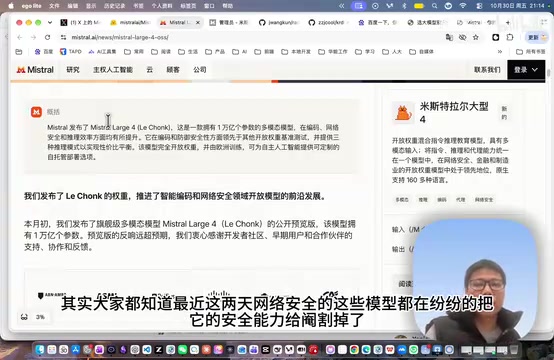
Mistral Large 4 is now open source: 1T total parameters, 52B activated, focused on coding and cybersecurity, with ~610G NVFP4 weights. We analyze its comparison with DeepSeek V4 Flash, API pricing, demo realism, and local deployment value.