Qiuye ComfyUI Integration Pack Review: Run AI Video Generation on 8GB VRAM
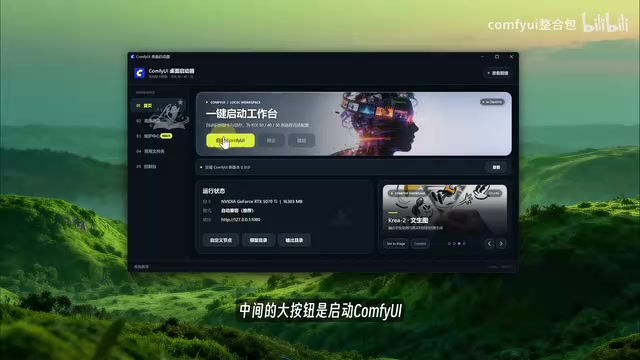
Qiuye's ComfyUI pack makes AI image/video generation accessible with a no-setup graphical launcher for 8GB+ GPUs.
The Qiuye ComfyUI integration pack is a Chinese-localized wrapper for ComfyUI that simplifies the complex environment setup — Python, CUDA, and all dependencies — into a graphical, unzip-and-run launcher. It offers four auto-matched VRAM tiers (6GB to 20GB+), supporting entry-level 8GB GPUs. Its Maintenance Center addresses ComfyUI's two biggest pain points — slow downloads and dependency crashes — via HF/PyPI mirror switching and one-click repair with auto-rollback. It ships with 174 plugins and connects to ComfyUI Manager's directory for 500+ additional extensions. Free to use, it's a low-barrier entry point for AI art and video generation, though advertised high-spec video output was not verified in testing.
The Qiuye edition ComfyUI integration pack has been generating significant buzz in the AI creative community. This Chinese-localized package is built around a "unzip and run" philosophy — wrapping the traditionally command-line-heavy, dependency-conflict-prone ComfyUI into a fool-proof tool with a graphical launcher. According to hands-on demos by Bilibili creators, even entry-level GPUs with just 8GB of VRAM can run video generation workflows. This article breaks down the core features and practical logic behind this integration pack to help you decide whether it's worth trying.
Unzip and Run: Three Steps to Launch, Avoiding Common Beginner Pitfalls
The installation process has been stripped down to the bare minimum: download the archive, right-click to extract to the current folder, and double-click the launcher icon. No Python environment setup, no manual CUDA installation required.
That said, the demo creator specifically highlighted two pitfalls that trip up most beginners: keep the extraction path short, and make sure it contains no Chinese characters. These are the most common reasons for launch failures. Many users get stuck at step one simply because they extracted the package into a folder with a Chinese name.
Once the launcher opens, the top-right corner of the home screen will display "Ready," indicating the environment has loaded successfully. The status bar in the center auto-detects your hardware — in the demo, the machine had a 5070Ti with 16GB VRAM, and the launcher automatically identified the VRAM size and matched a default mode, with the local port set to 1080. Users don't need to know their GPU model at all.
ComfyUI itself is a node-based workflow GUI for Stable Diffusion, developed by the open-source community. A native installation requires users to manually set up a Python 3.10+ environment, install PyTorch via pip, and select the correct CUDA version for their GPU. For users unfamiliar with the command line, this step alone is enough to deter most people. The integration pack essentially pre-bundles this entire environment, replacing terminal operations with a graphical launcher. The extracted directory includes a standalone Python interpreter and all dependency libraries, fully isolated from the system environment and existing Python projects on the user's machine.
VRAM Tiering: Categorized by Memory Size, Not GPU Model
One of the standout features of this integration pack is its four-tier VRAM management system — and it's exactly what backs up the claim that "8GB VRAM is enough."
- Auto-Compatible (default, recommended): Automatically matches based on actual VRAM
- Low VRAM: For 6–8GB
- Standard VRAM: For 10–16GB
- High VRAM: For 20GB and above
The key insight here is the tiering logic — it's based on VRAM size, not GPU model. Users don't need to worry about whether they have a 3060 or a 4070; just check how many gigabytes of VRAM you have. The demo creator's advice is pragmatic: most people should stick with Auto-Compatible, and only switch to Low VRAM mode if they actually run into out-of-memory errors. "Run it first, drop down only if it chokes — don't obsess over settings before you've even started." Officially, the pack supports 30-series and 50-series NVIDIA GPUs. The default service port is 1080; if that's occupied by another application, simply switch to something like 8188.
Maintenance Center: Solving ComfyUI's Two Biggest Pain Points
Anyone who has used ComfyUI knows the real frustrations aren't about learning to use it — they're about two things: slow downloads and broken environments. The Qiuye integration pack's Maintenance Center is built specifically to address both.
For slow downloads, the launcher lets you configure download sources separately for four categories: Hugging Face models (defaults to the HF Mirror), GitHub plugin downloads, PyPI package sources (defaults to Tsinghua, switchable to Aliyun or USTC), and HTTP proxy. Each is customizable, but the defaults work fine for most users. There's also a one-click connectivity test on the right — four green lights with latency around 1000ms means your network is good to go.
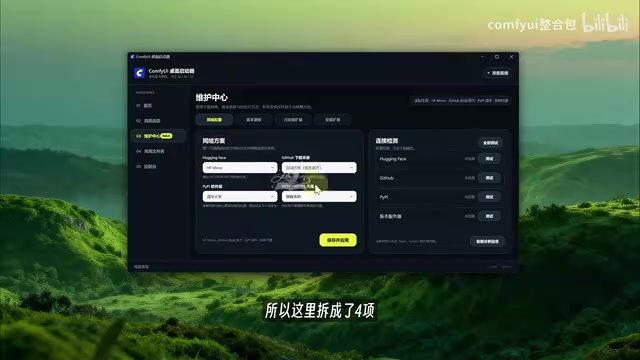
For broken environments, the most useful feature is the "Repair Integration Pack" button in the bottom-left corner. Anyone who has played with ComfyUI has been there: you install a plugin, it causes a dependency conflict, and the next day the launcher throws a wall of red error text. In the past, the only real fix was a full reinstall. Now a single button click will restore or fill in missing Python dependencies for the current version and run an isolated health check. More importantly, there are two layers of protection: core updates are backed up before applying, and failures trigger an automatic rollback.
Hugging Face Mirror (HF Mirror), hosted at hf-mirror.com, is a community-maintained mirror site that solves the problem of extremely slow or timing-out connections to Hugging Face's main site from within China. Hugging Face is currently the primary hosting platform for AI models — weights for mainstream image/video generation models like Stable Diffusion and Flux typically run several gigabytes in size. Direct connections to the official CDN from Chinese networks often yield speeds of only a few dozen KB/s or drop out entirely mid-download. Using a mirror site brings speeds up to normal broadband levels. PyPI is Python's official package index; a large number of ComfyUI's functional dependencies are pulled from PyPI via pip, and switching to Tsinghua, Aliyun, or USTC mirror sources is standard practice when using Python toolchains in China.
Version Updates and Plugin Management
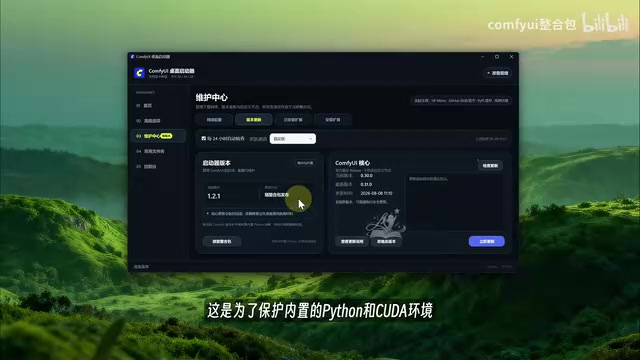
The version update page manages the launcher itself and the ComfyUI core separately. The launcher updates with the integration pack and isn't updated independently; the ComfyUI core (Configure UI) can be updated at any time — the demo showed version 0.3.0.0 installed, with 0.3.1.0 being the latest. The update channel defaults to stable releases; the test channel is not recommended.
A practical tip: if a new model won't run, the core version is probably outdated — updating here usually fixes it.
On the plugin side, the pack ships with 174 built-in extensions. Commonly used plugins for localization, saving prompts, and comparison previews are pre-installed and enabled. If a plugin causes a conflict, you can simply disable it without deleting any folders. The extension installation page connects to ComfyUI Manager's public directory, offering 500+ searchable, installable extensions — eliminating the old process of manually copying repository URLs and cloning repos. The demo creator does caution users to check the source before installing anything; don't just throw everything in.
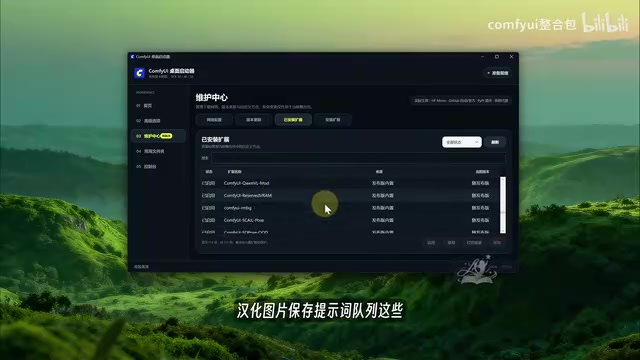
ComfyUI Manager is the most essential plugin management tool in the ComfyUI ecosystem, maintained by community developer ltdrdata. It provides a public extension directory (Custom Node Manager) where users can search, install, update, and disable custom nodes without manually cloning GitHub repositories. The "Install Extensions" page in the Qiuye integration pack directly connects to this directory, effectively embedding ComfyUI Manager's core functionality into the launcher interface. Custom Nodes are the primary form of ComfyUI extensions — essentially Python scripts inserted into the workflow, covering virtually every advanced use case including ControlNet, video frame processing, prompt tools, and model loading optimizations. Quality and safety vary significantly, which is why the demo creator recommends verifying the source before installing.
Common Folders and Log-Based Troubleshooting
The launcher consolidates six frequently used directories into a single panel: the integration pack root directory, models, custom nodes, input, output, and user data. Drop new model downloads into the models folder; retrieve finished images from the output directory — no more drilling through nested folder structures.
The console displays real-time generation logs. When errors occur, click the export button in the top-right corner to export the run log, then send the file to an AI assistant for quick diagnosis. Logs are automatically cleared when the launcher exits, keeping storage overhead minimal.
Overall Assessment
Based on the demo, the core value of the Qiuye ComfyUI integration pack lies in minimizing the technical barrier to entry: a graphical launcher replaces the command line, VRAM is automatically tiered, dependencies can be repaired with one click, and download sources are switchable. These design choices precisely target the pain points of the native ComfyUI experience, making it especially friendly for users unfamiliar with environment configuration.
It's worth keeping some perspective, though. The "30-second video + 2K quality + 24FPS" results referenced in promotional materials were not actually demonstrated in the hands-on segment, and actual generation quality still depends on the models used and GPU performance. The fact that the integration pack itself is free with no subscription does lower the barrier to trying it out, but mastering complex workflows will still require dedicated learning. For users looking to get started with AI image and video generation, this is a starting point worth considering.
Related articles
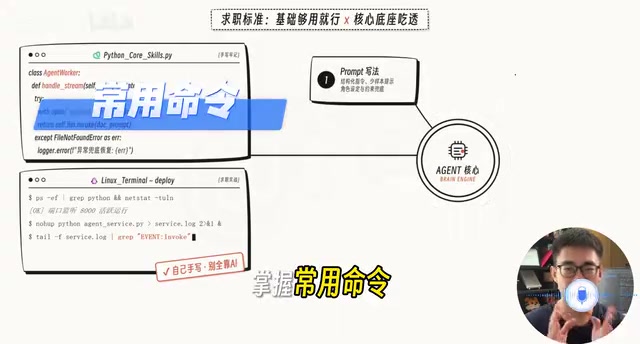
AI Agent Developer Job Hunt Guide: Four Hard Standards to Clear Before You Apply
A practical guide for landing AI Agent developer roles: four measurable standards — project runs, problems debuggable, solution explainable, interviews survivable.
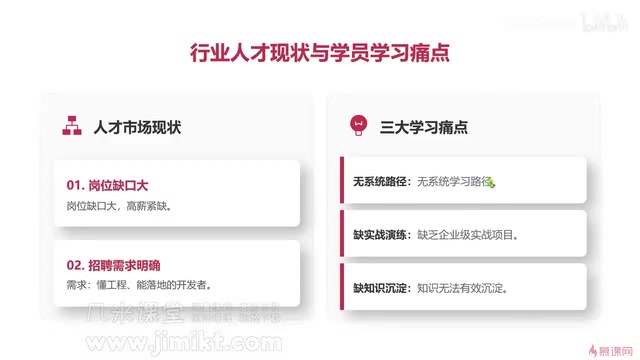
Multi-Agent Development Guide: From Monolithic AI to Team Collaboration in Practice
A beginner's guide to multi-agent development covering core advantages, common learning pain points, enterprise tech stacks, and engineering methodology for AI developers.
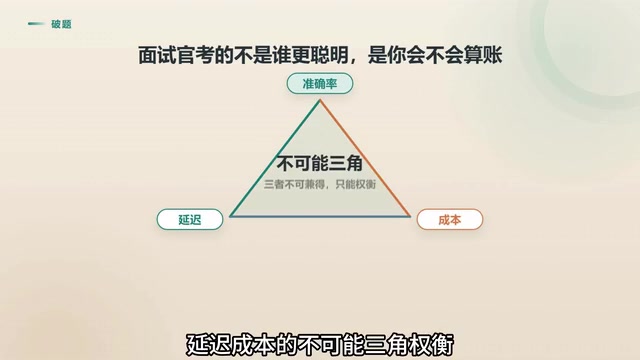
Agent Skill Routing: Retrieval vs. LLM vs. Two-Stage Architecture Compared
Retrieval or LLM for Agent skill routing? Compare coarse-filter vs. fine-select architectures on latency, accuracy, and cost — with 4 key production considerations.